How delivery works with Spoke Connect
Add your orders, choose a service, and see exactly what the delivery costs before anything is charged.
Delivery for businesses that aren’t delivery businesses
Your business makes things people want delivered. That doesn’t make it a courier company
Using Connect you only pay for the deliveries you need and a local courier handles the rest
Step 1: Add your orders
There are three ways to add orders to Connect:
From Shopify: Connect your store once. After that, tick the orders that need delivering and import them with all the delivery details.
From a spreadsheet: Upload a file with one order per row and Connect creates the orders.
Enter manually: Type in the recipient and address for each order.
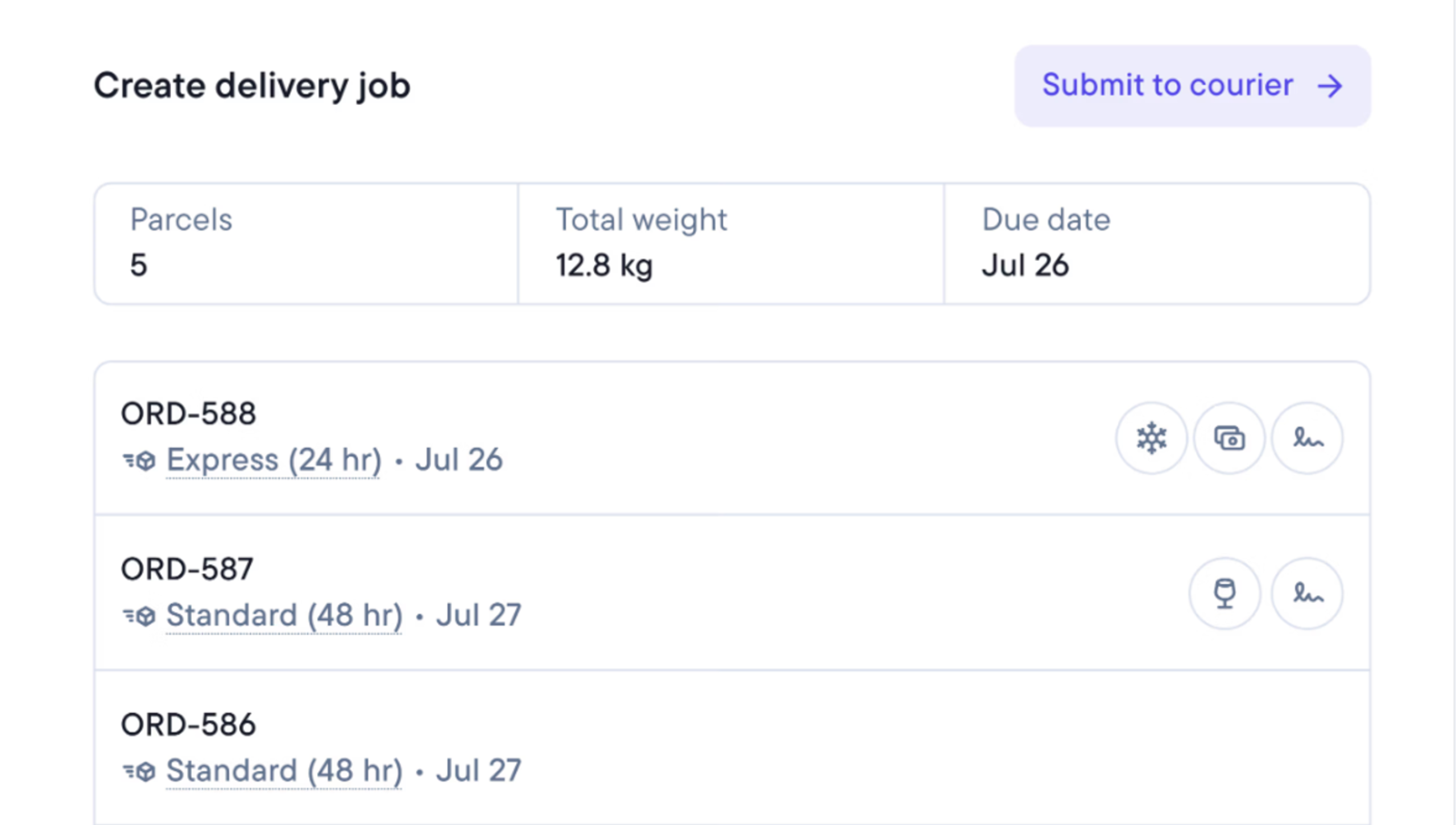
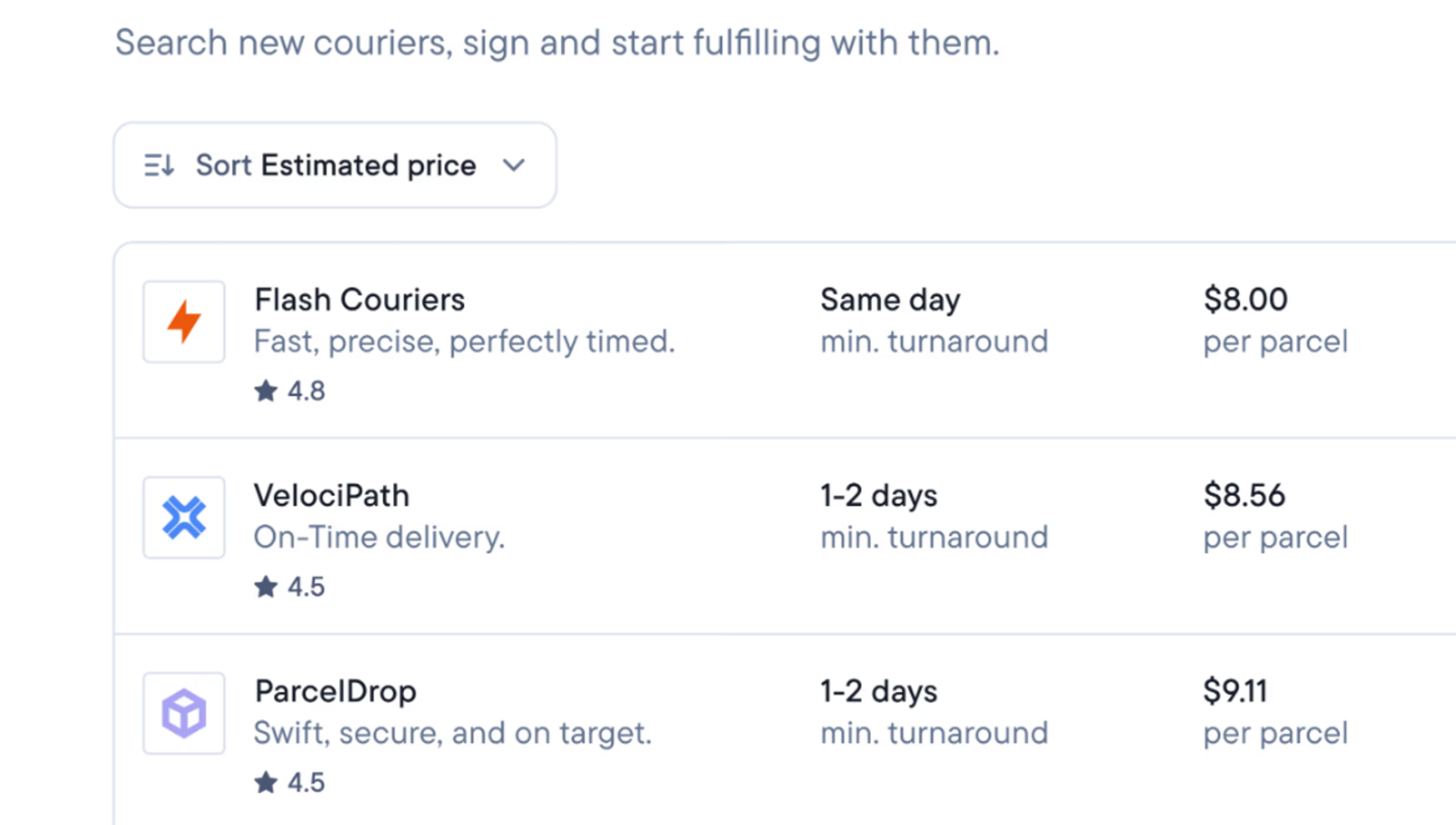
Step 2: Choose a delivery service and pay
Select the orders you want to send, then tell Connect when you want to send them: right now, or a future date and time you set.
For every available service you can see its price and cut-off time.
Pick a service and pay by card to confirm.
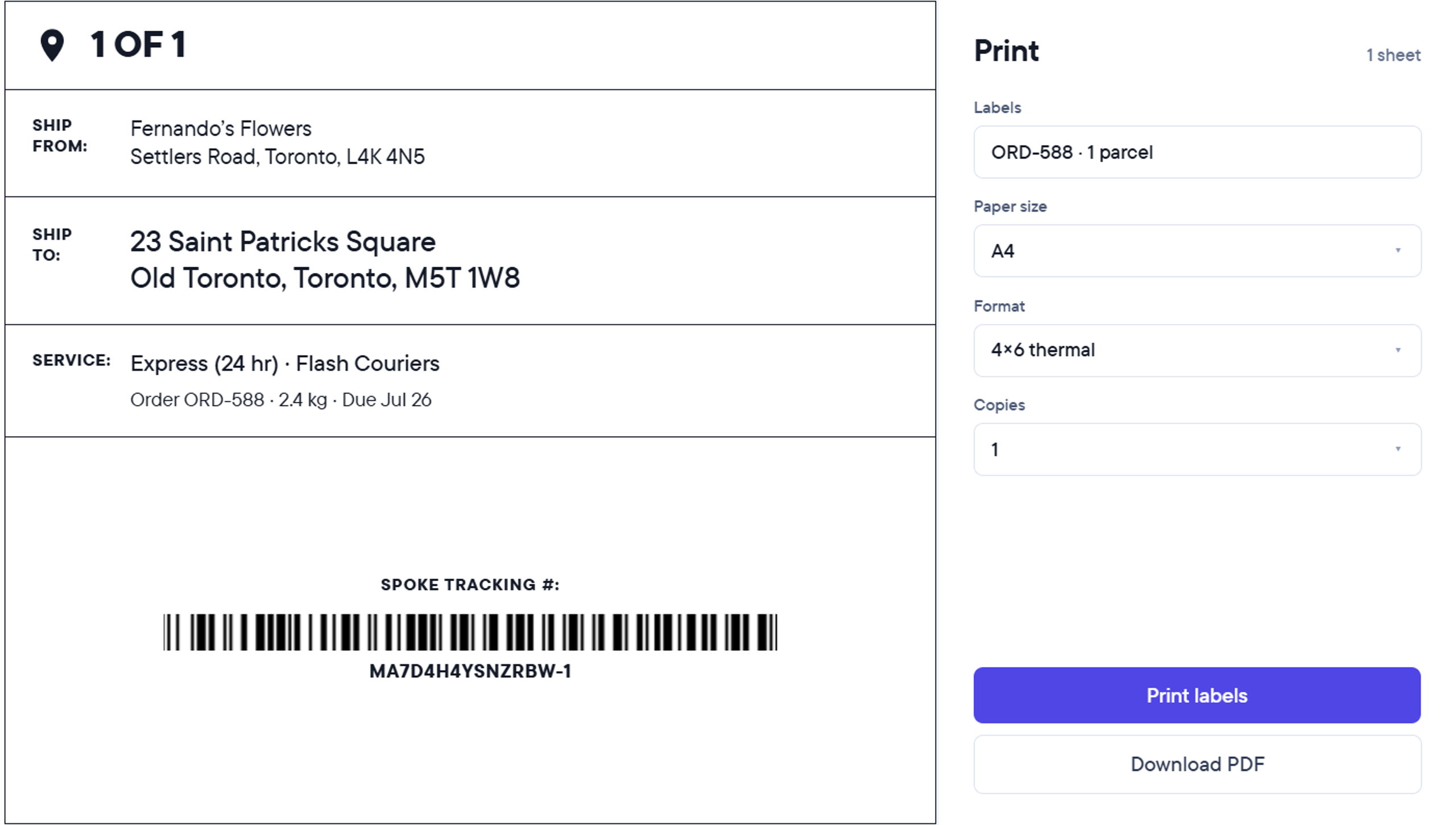
Step 3: Print the labels and hand over the parcels
Once you’ve paid, each order has a shipping label. Print them and stick each one on its parcel.
The courier comes to your address at the specified time and you hand over the parcels for delivery.
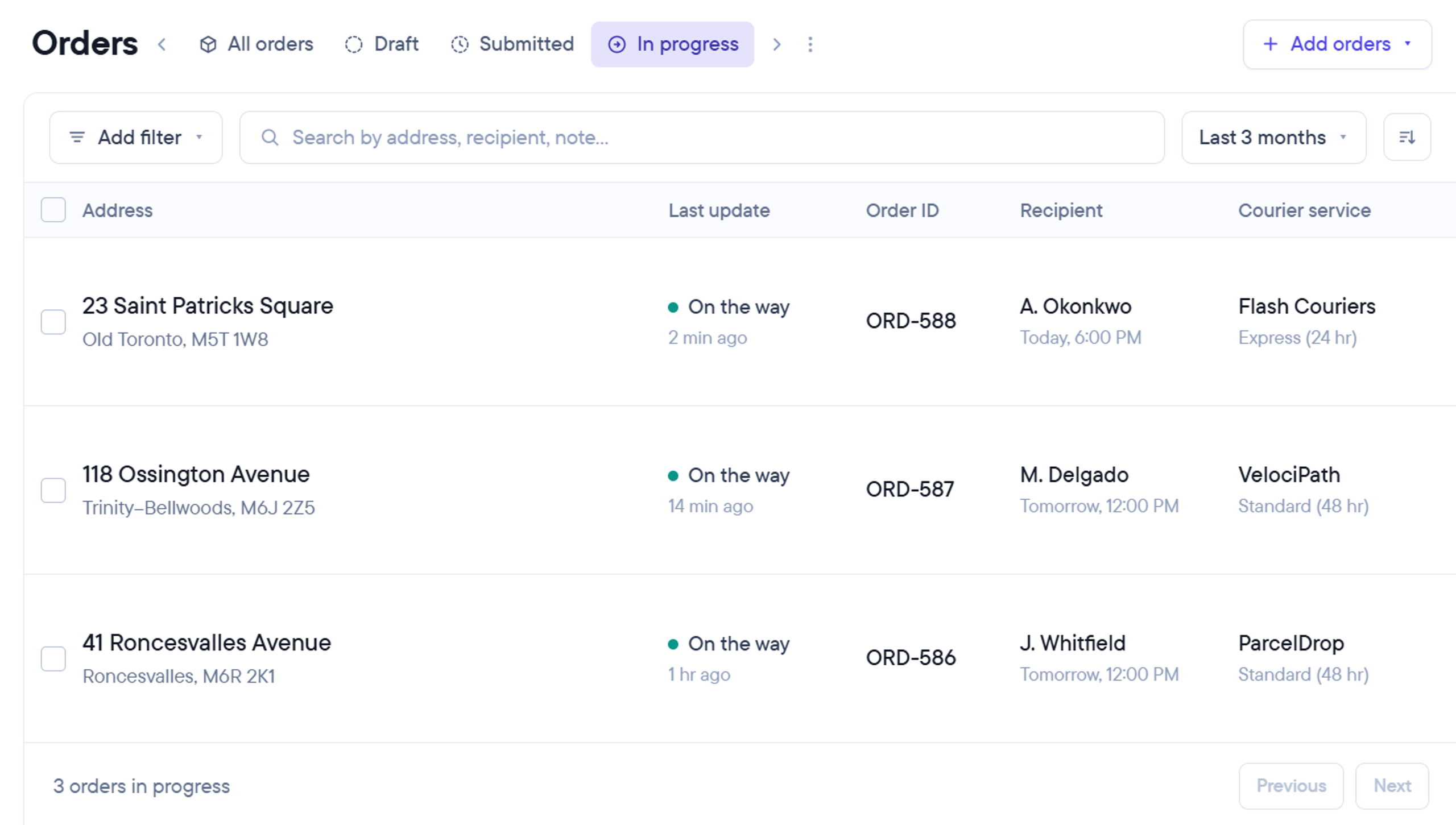
Step 4: Track every order to its destination
Each order shows where it is: collected, on its way, delivered.
While it’s on the road you can see the ETA, so when a customer asks, the answer is already on your screen.
When it’s delivered, the order updates on your dashboard.
Frequently asked questions - FAQ
Independent businesses in the Greater Toronto Area that send local deliveries such as retailers, florists, bakeries, pharmacies ad more. You don’t need your own driver, van, or any delivery setup.
Parcels and small items that one driver can carry: packages, flowers, cakes, prescriptions, gifts. Not furniture, appliances, or anything that needs a van or two people to lift.
You pay per delivery. Before you pay, you see the exact price for the orders you’ve selected, for each service available to you. There are no fees on top.
No. Send deliveries when you have them and nothing when you don’t. There’s no contracts required.
By card, at the moment you submit the orders. Signing up is free and nothing is charged until you send your first delivery.
Across the Greater Toronto Area. When you add your pickup address you see which services can collect from it, and every delivery address is checked before you pay.
Each service has its own cut-off, shown next to it when you choose. You tell Connect when the orders will be ready, and it will show you the available couriers.
Local delivery businesses vetted by and working with Spoke.
You hand them over. The courier comes to your address at the agreed collection time and takes the parcels from you.
If it arrives after the date it was booked for, you’re refunded for that delivery. If the courier can’t complete it, it goes out again the next day at no extra charge.
No. Shopify import is one option. You can also upload a spreadsheet or type orders manually.
Yes. When you submit, choose ready now or set a future date and time for collection.