All updates
12 Aug 2025Find the exact location of partial addresses with extended search results
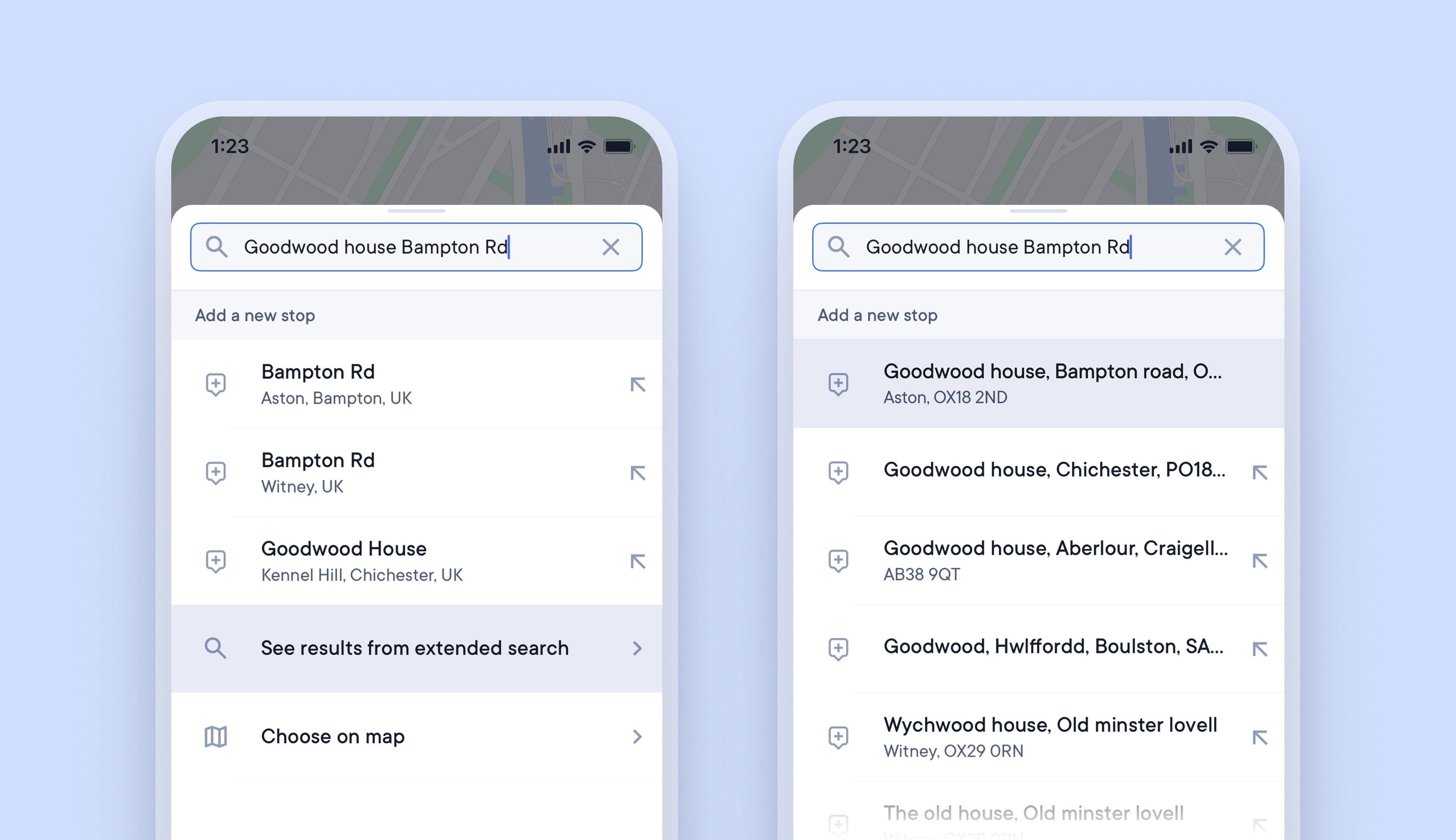
Spoke’s internal navigation is powered by Google Maps, which covers over one billion kilometers of mapped roads and more than 10 million miles of street views. Occasionally, some individual addresses are not yet recorded in Google Maps.
When adding stops to a route, if the full delivery address isn’t available, drivers often select a partial address that begins with the street/road name. This enables them to navigate to the correct street, but on arrival, they will need to spend time and effort finding the exact address location.
Now there is a better solution. Drivers in the UK can use extended search results, which provide additional address data not currently available in Google Maps. This enables drivers to add complete address details for every stop and rely on Spoke’s turn-by-turn navigation to direct them to the exact delivery location.
How to use extended search results:
- This feature is only available to drivers in the UK
- In the driver app > add a new stop to your route
- If the complete stop address is not in the initial search results > scroll down
- Tap > See results from extended search
- Select the complete stop address from the extended search results
- Turn-by-turn navigation will provide directions to the exact address location
