Product updates
What’s new in Spoke Route Planner
Feature updates, bug fixes, and app improvements to make delivery easy
Feature updates, bug fixes, and app improvements to make delivery easy
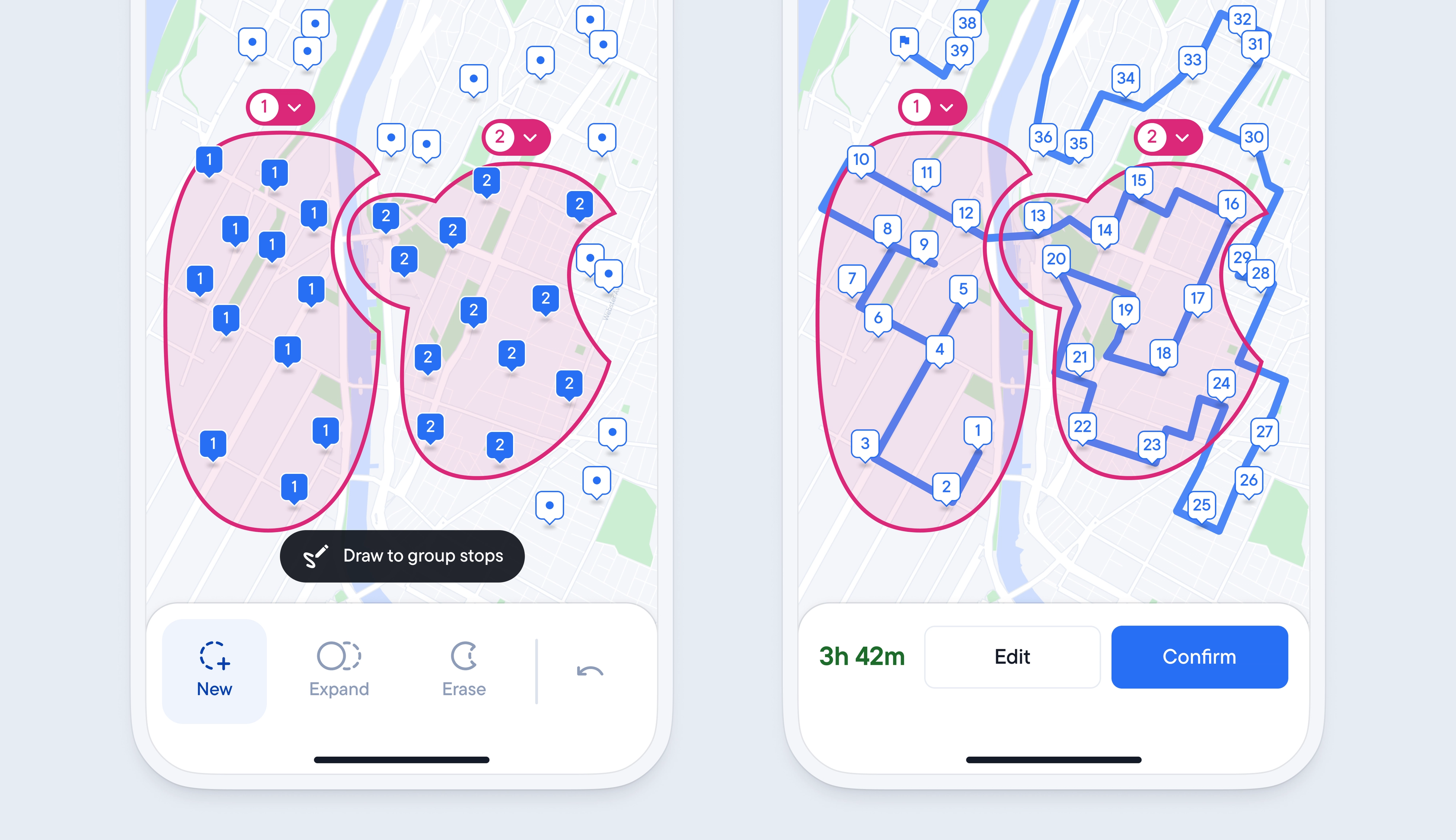
Spoke automatically creates an optimized route and plans the most efficient journey for you, but every driver may have specific reasons to want to make certain stops in a particular order.
The latest update to the refine route feature gives you more control over the order of stops on your route. It makes it easier than ever to make stop selections simply by drawing around the stops you want to attempt at a certain point in your route on your phone’s touch screen.
Once a line has been drawn around a group of stops, you can easily expand, erase, or undo that selection with a few taps. The order of grouped stops can also be rearranged, meaning you do not need to start the customization process from scratch if you change your mind.
You also have more control over any ungrouped stops, as you can now decide to let spoke add these remaining stops, between groups where it is most efficient, or attempt them all at the end of the route once all grouped stops have been completed.
Previously, in order to view specific stop details, you had to click into a stop to gather further information. This meant spending time switching between the map and stop view in the app.
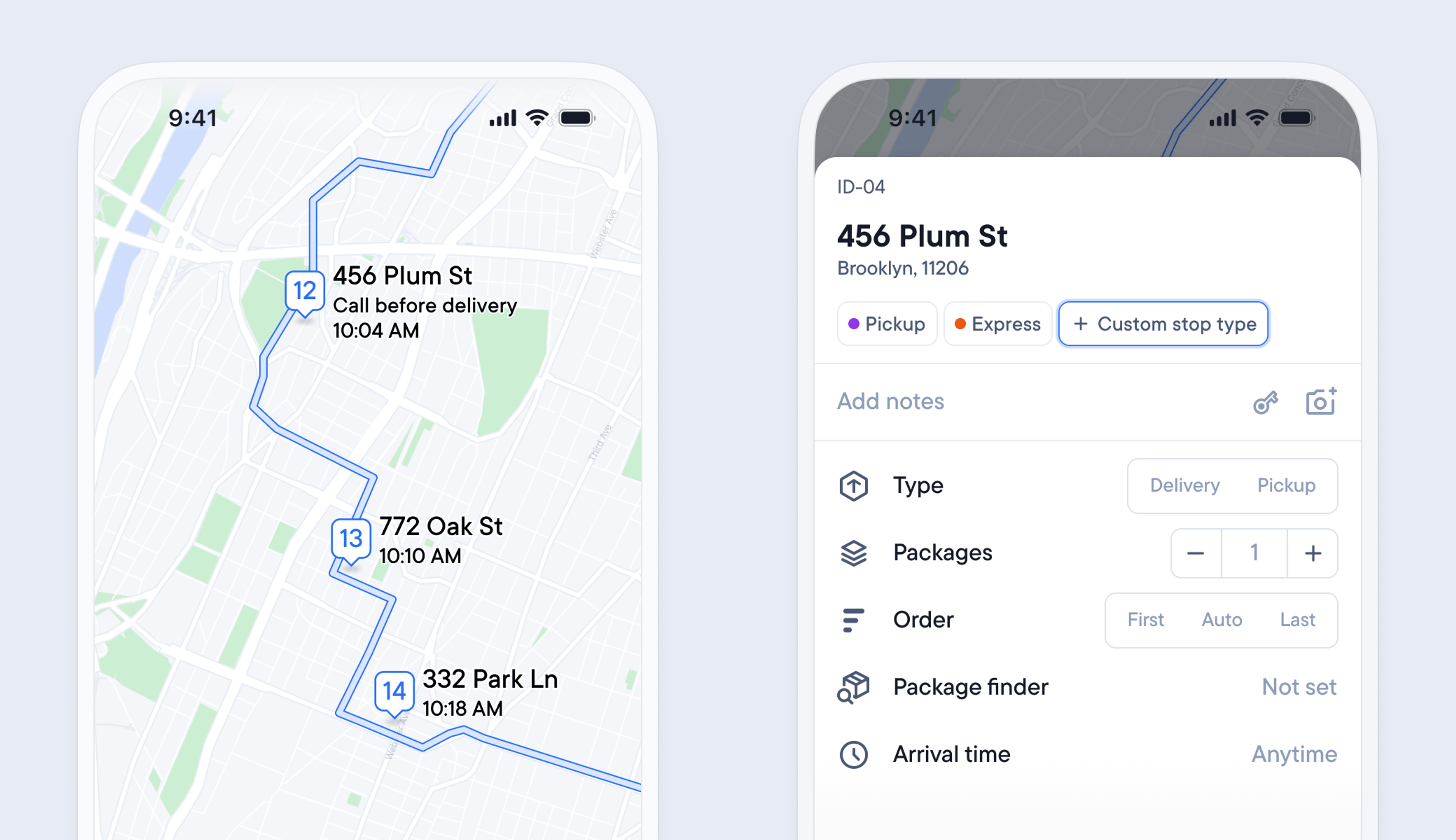
Now, all the useful information you need to successfully complete a stop is displayed in the map view.
When you zoom in on a stop on the map, the address, ETA, and any notes are now displayed next to the pin. Once a delivery has been completed, the ETA updates to display the time the stop was attempted.
It’s also possible to create reusable stop types to more easily identify groups of stops by color-coding them and adding specific conditions.
You can give a stop type a custom name, color, delivery or pickup, order in the route, arrival time, and time at stop.
Stop types can be useful for grouping stops with similar requirements, such as deliveries to business addresses that must be attempted during business opening hours.
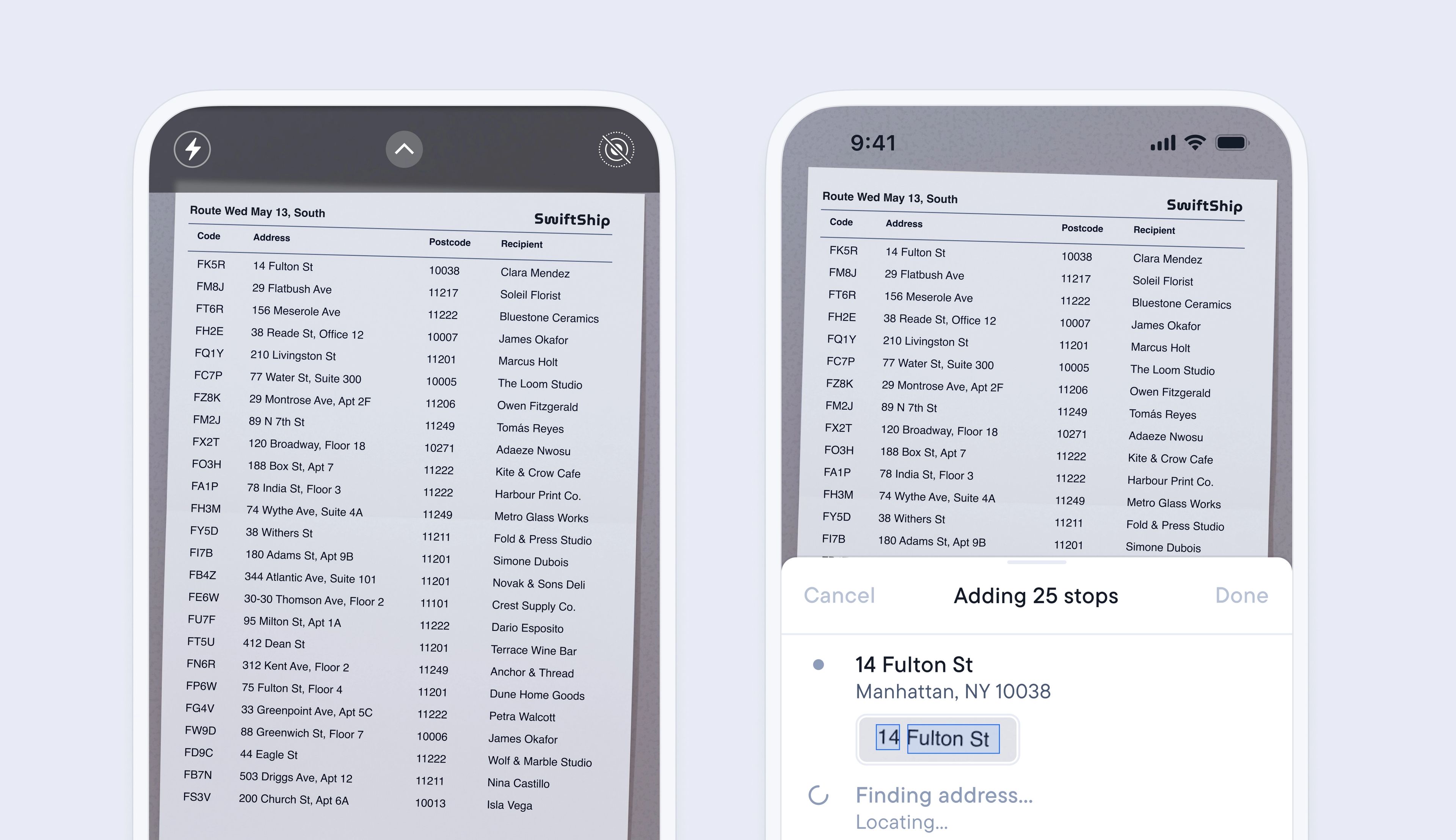
Adding multiple stops to your route can be a time-consuming but necessary process.
The latest update to importing stops lets you import an image/PDF or scan of any list of stops, and Spoke’s smart address detection will automatically find, analyze, and import every address contained in the file, adding it as a stop on your route.
Import multiple stops in a matter of minutes with just a few clicks, and start your route even sooner.
To scan a manifest
To import a manifest
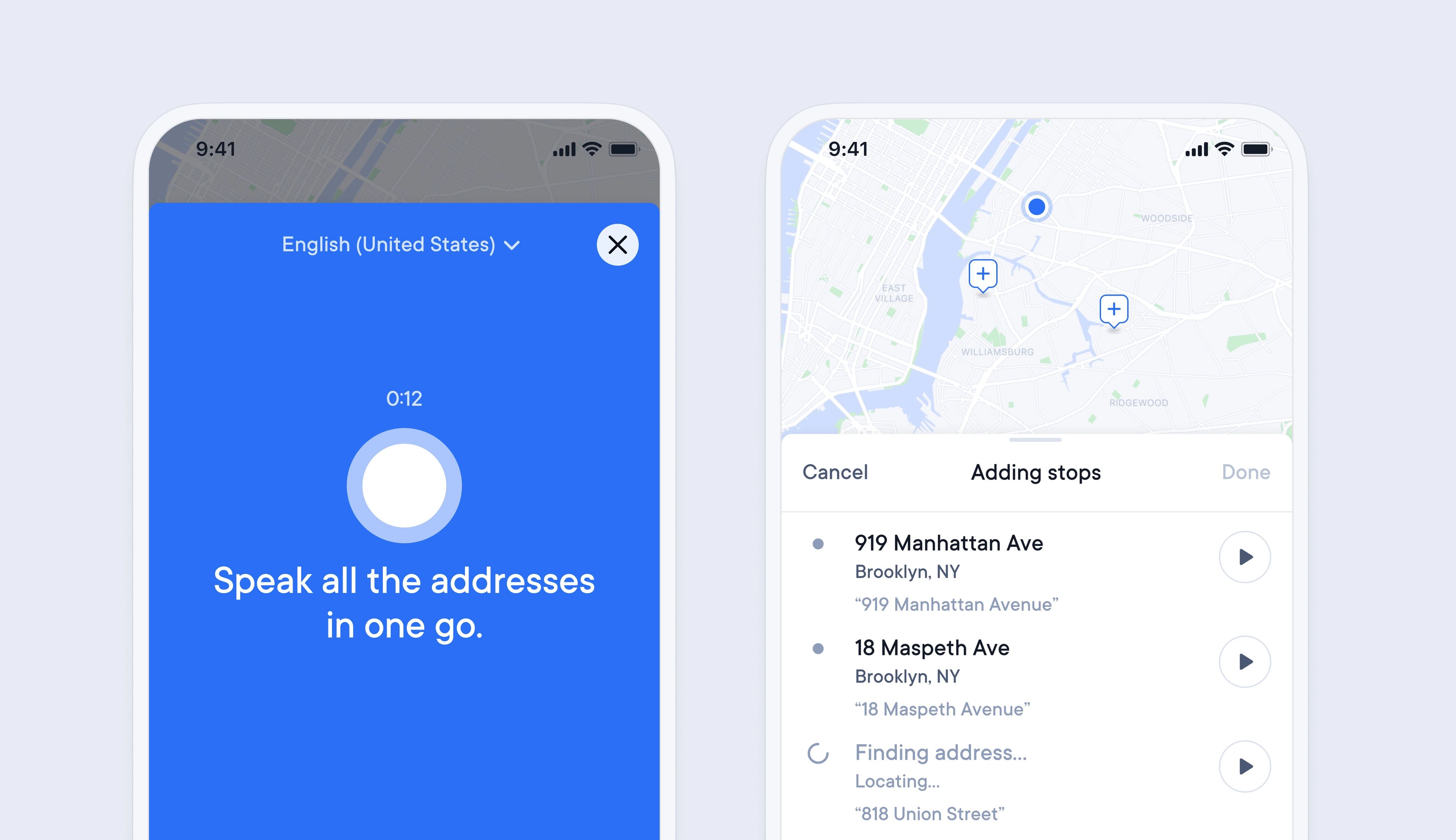
Adding multiple addresses to Spoke to create a route can be a lengthy process if you have many stops, which can delay the start of your route.
Now it is possible to simply read out a list of addresses to import them in bulk into Spoke.
This makes entering stops much faster and easier, as you can read off a manifest or stops list from start to finish and import them all in one go.
Once imported, Spoke also flags any address that looks incorrect, so you can manually edit it, and Spoke will remember the format of that address for the next time you add it, so it is correctly identified from now on.
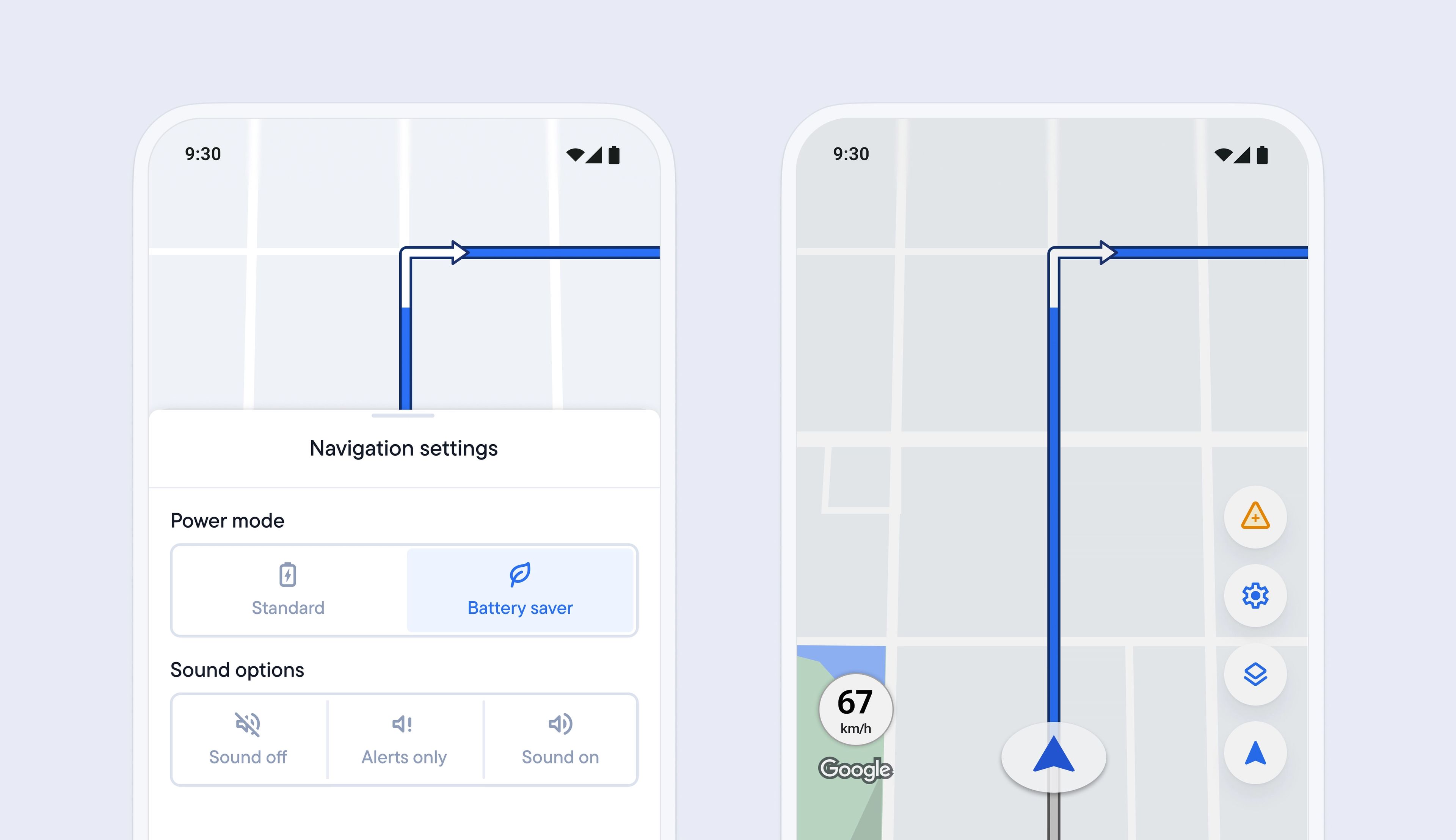
Running out of phone battery before reaching the end of a route is inconvenient, but using your phone to carry out a full day of deliveries can significantly drain your device's battery, especially when using features like turn-by-turn navigation and keeping the screen brightness high.
Spoke’s new battery saver mode helps your phone last longer and run cooler during long routes. When enabled, it reduces how hard your phone has to work during navigation by lowering map updates and dimming the screen when it’s safe to do so, which also helps prevent overheating.
This feature is now available on Android, and results may vary depending on your device type and existing phone settings.
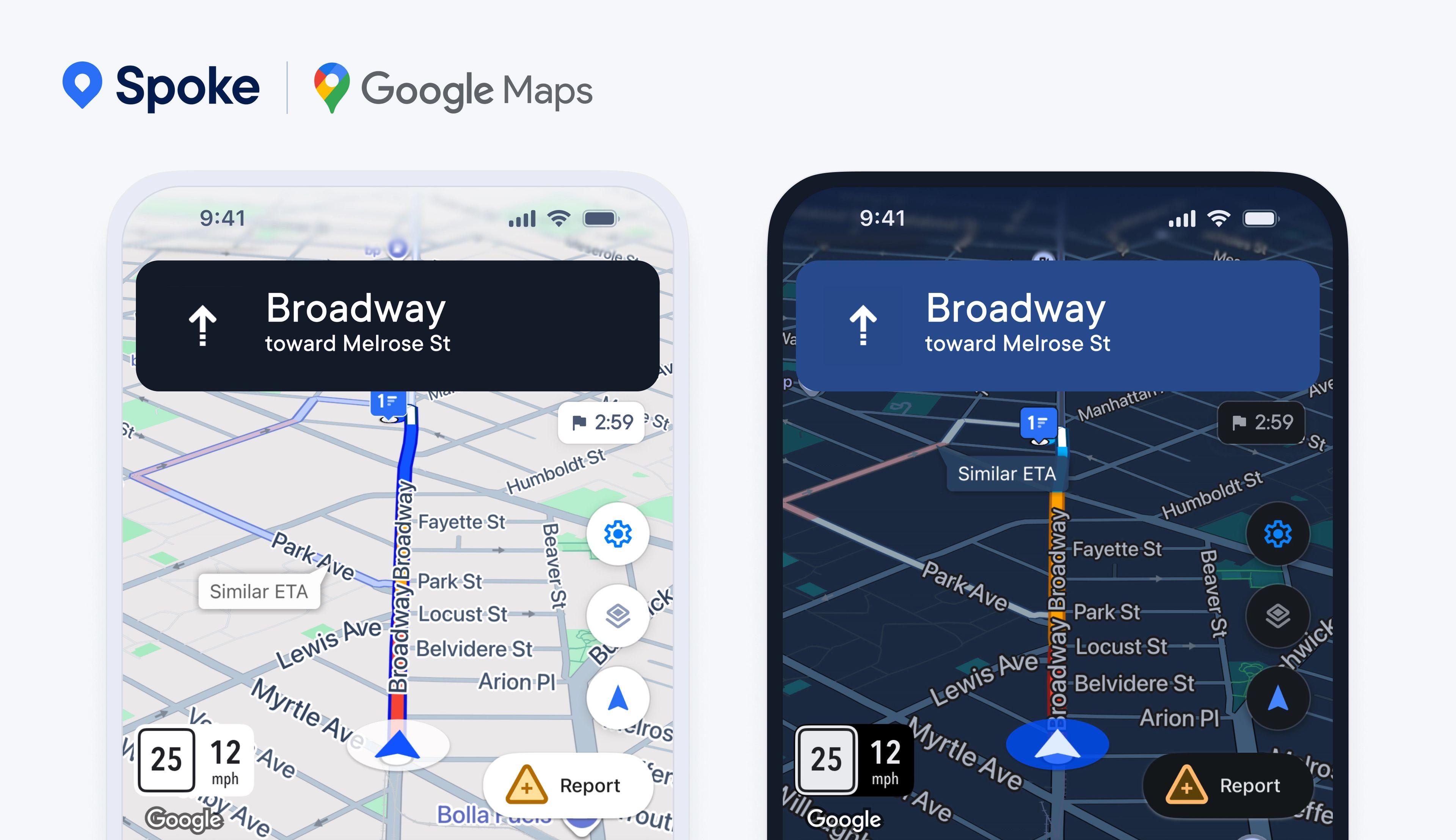
Previously, internal navigation powered by Google Maps was only available on specific plans. We've now rolled out Google-powered navigation on Spoke Route Planner for all plans, whether free or paid, so that every driver can benefit from the full range of navigational features.
Functionality such as live traffic disruption alerts, satellite map views, and turn-by-turn directions all help drivers successfully handle the challenges they face on the road.
When driving conditions become difficult in the dark, drivers can now also benefit from automatic theme changing, which switches the Spoke Route Planner app theme between light and dark depending on the time of day on the phone.
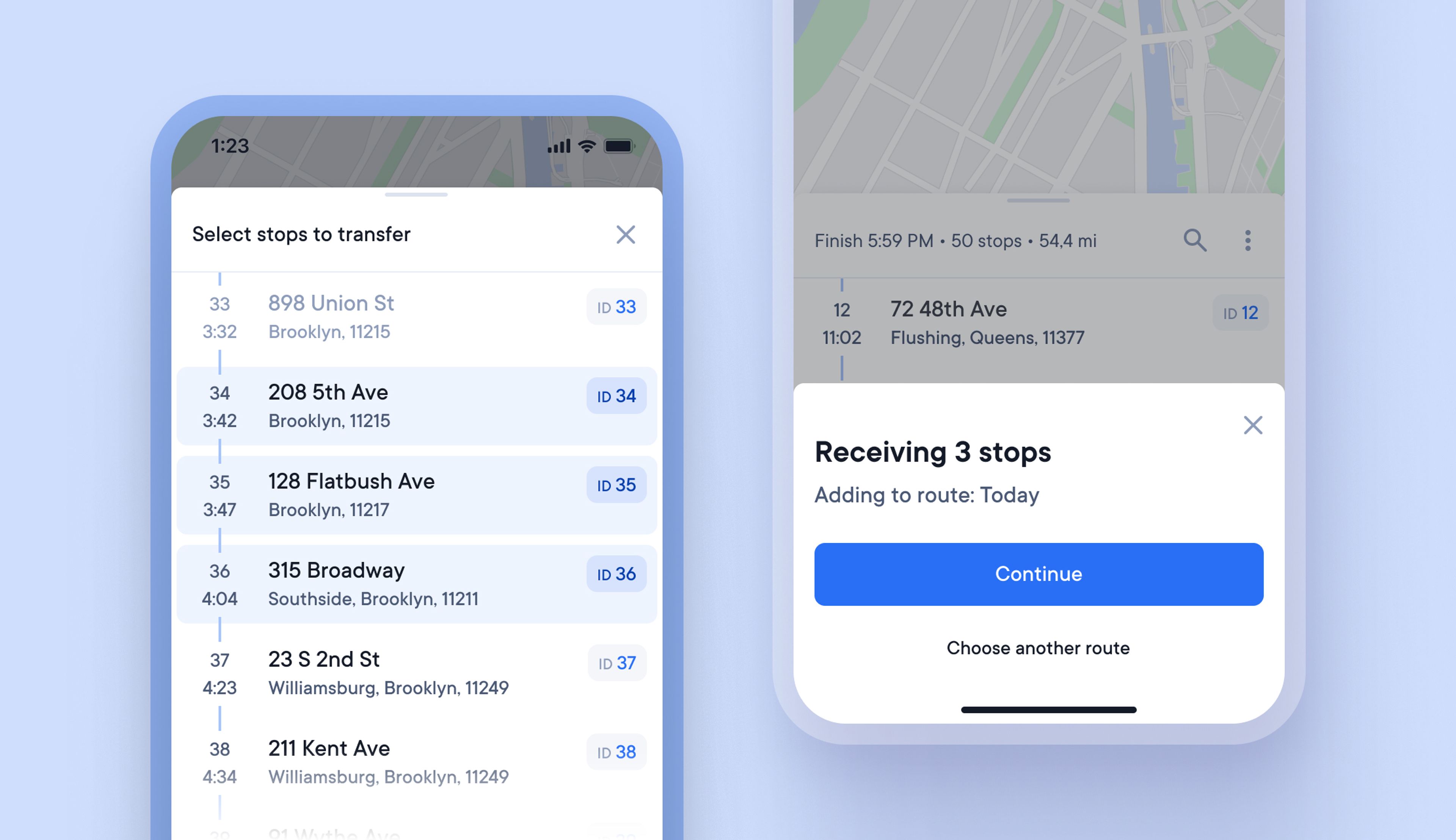
Occasionally, deliveries do not go according to plan, and drivers may need to transfer stops to other nearby drivers to ensure that those deliveries can be completed.
Previously, transferring stops between drivers was not possible within the driver app, so users had to handle this task manually.
Now, drivers can quickly and easily send and receive stops from other Spoke Route Planner users in just a few clicks, using a QR code, link, sharing, or by downloading which speeds up route restructuring and helps drivers meet their delivery targets.
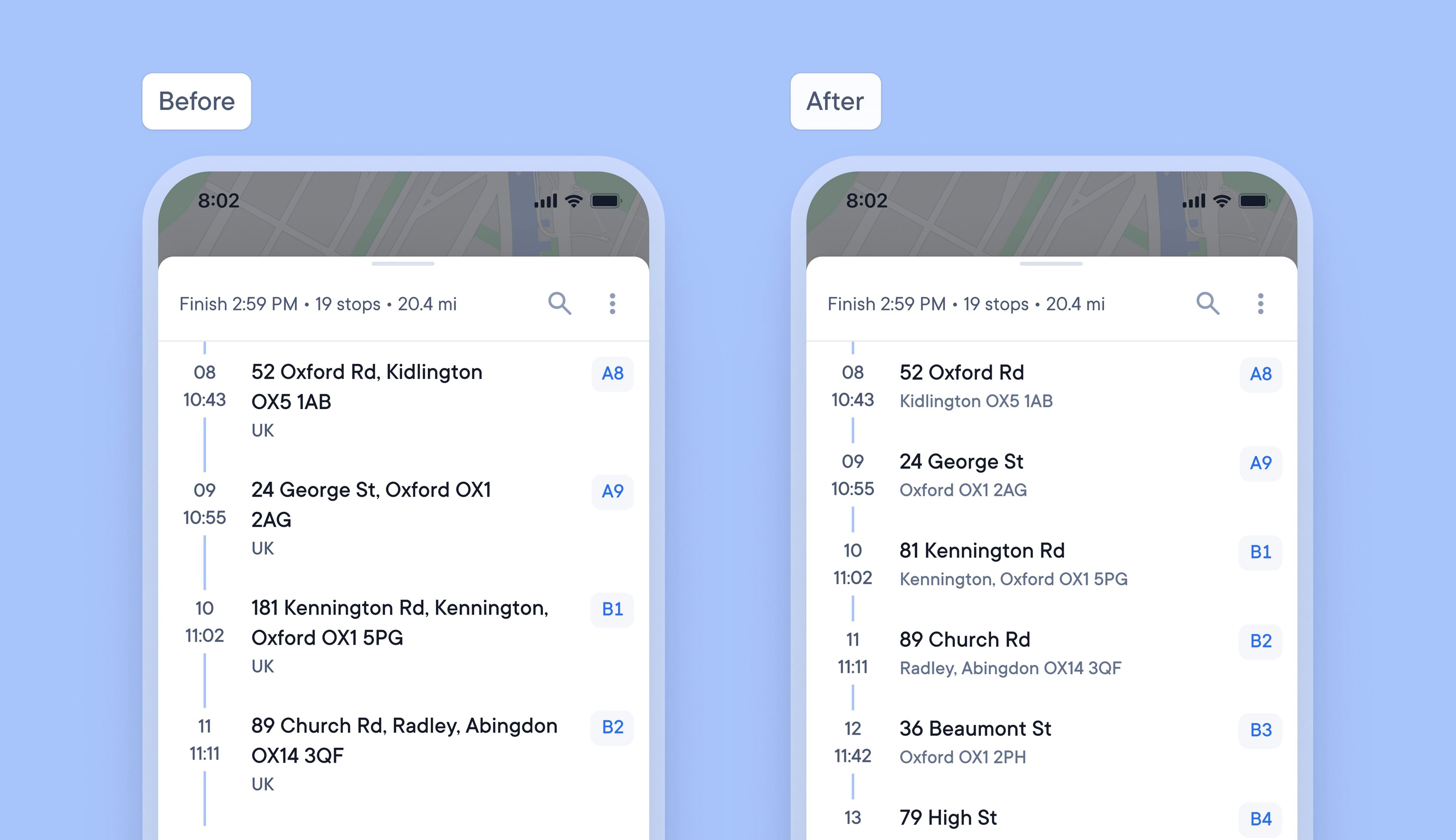
Previously, the addresses of stops in the list view did not follow a uniform format, which could make it tricky to read addresses, especially those that were split over multiple lines.
The design and format of addresses on the stops list have now been updated and unified. Equal spacing and line breaks make scanning, finding, and reading addresses clearer and faster for drivers.
We’re entering a new chapter, with a fresh new name.
Circuit is now > Spoke.com
It’s just a name change. Everything else you know and trust about us stays exactly the same: the same team, values, and dedication to creating first-class products for last mile delivery.
This rebrand reflects who we are today and where we’re headed, and we can’t wait to show you what’s next. Over the past year, our platform has powered more than 1 billion deliveries, our team has grown, and so has our ambition to 10x the number of deliveries we power in the years ahead.
In 2026, we’ll launch some exciting new products we’ve been working on, which will improve last mile delivery for retailers, drivers, couriers, and recipients.
Over the next few weeks, you’ll see our new look roll out across our app, website, and materials.
Thank you for being part of our journey, and here’s to the future as Spoke.com
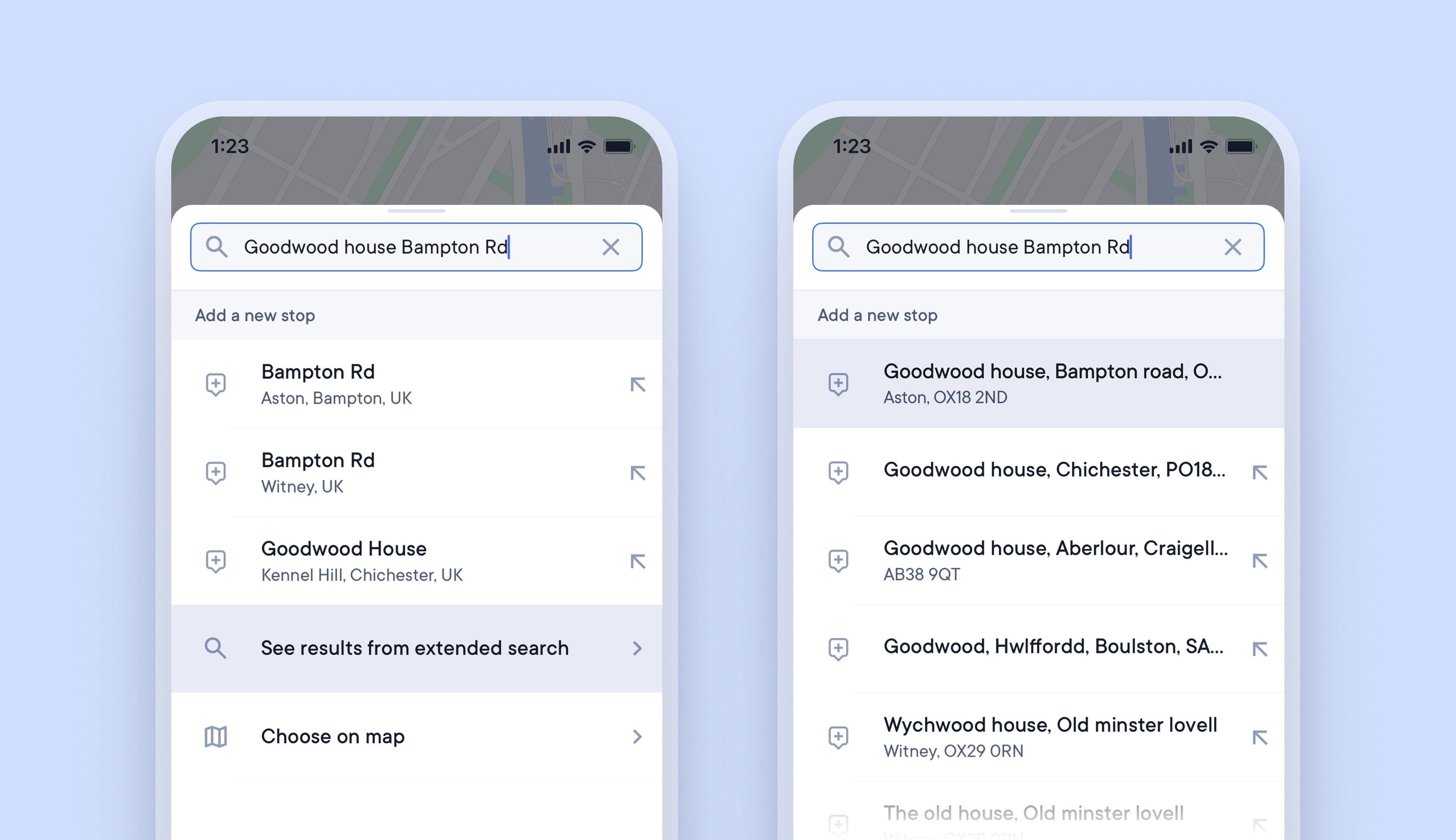
Spoke’s internal navigation is powered by Google Maps, which covers over one billion kilometers of mapped roads and more than 10 million miles of street views. Occasionally, some individual addresses are not yet recorded in Google Maps.
When adding stops to a route, if the full delivery address isn’t available, drivers often select a partial address that begins with the street/road name. This enables them to navigate to the correct street, but on arrival, they will need to spend time and effort finding the exact address location.
Now there is a better solution. Drivers in the UK can use extended search results, which provide additional address data not currently available in Google Maps. This enables drivers to add complete address details for every stop and rely on Spoke’s turn-by-turn navigation to direct them to the exact delivery location.
