Product updates
What’s new in Spoke Route Planner
Feature updates, bug fixes, and app improvements to make delivery easy
Feature updates, bug fixes, and app improvements to make delivery easy
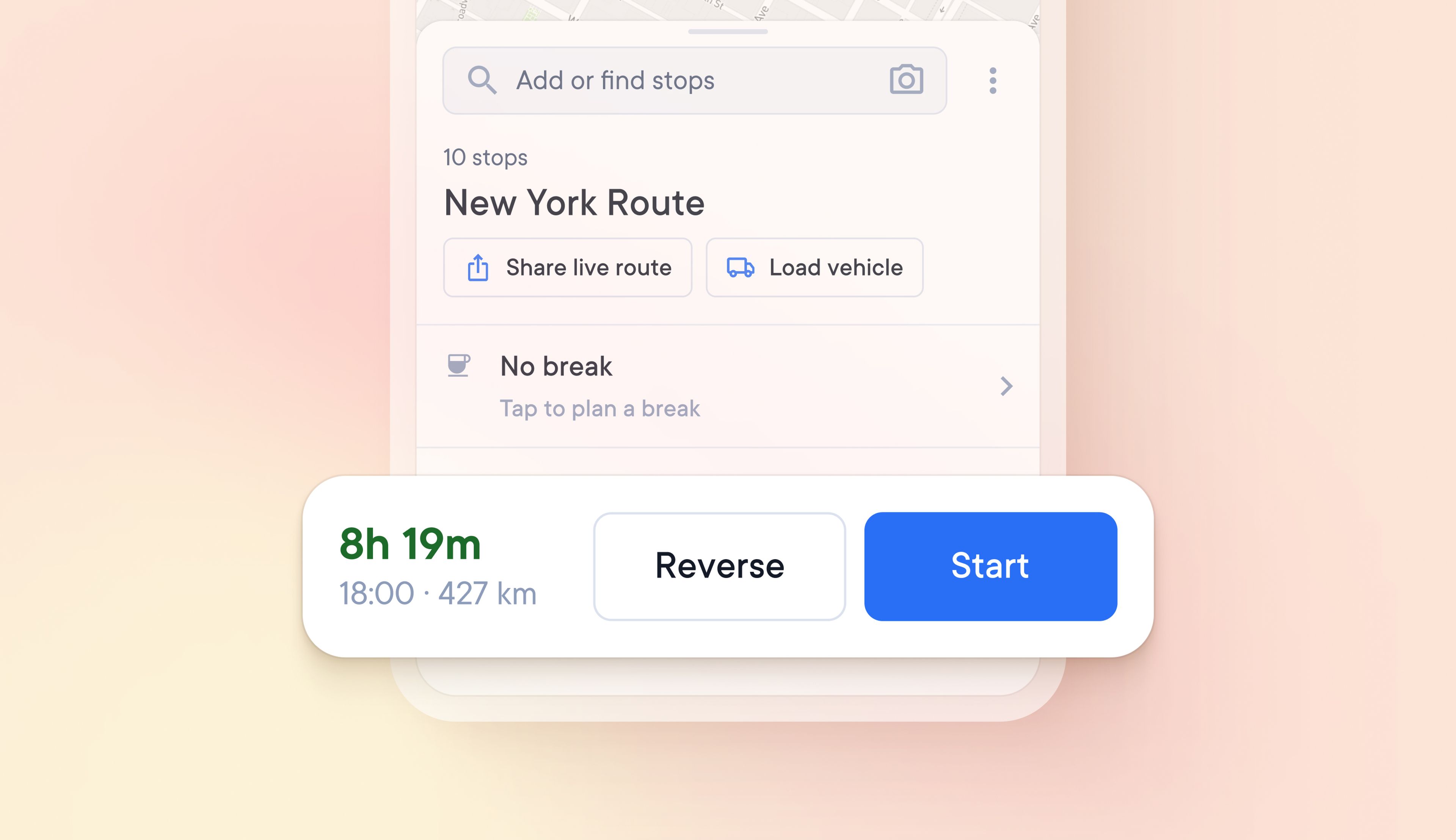
Rather than having to select individual stops to be placed first or last, drivers can now reverse the order of all stops on their route in one click.
This is the first in a series of features that will offer more route customization options.
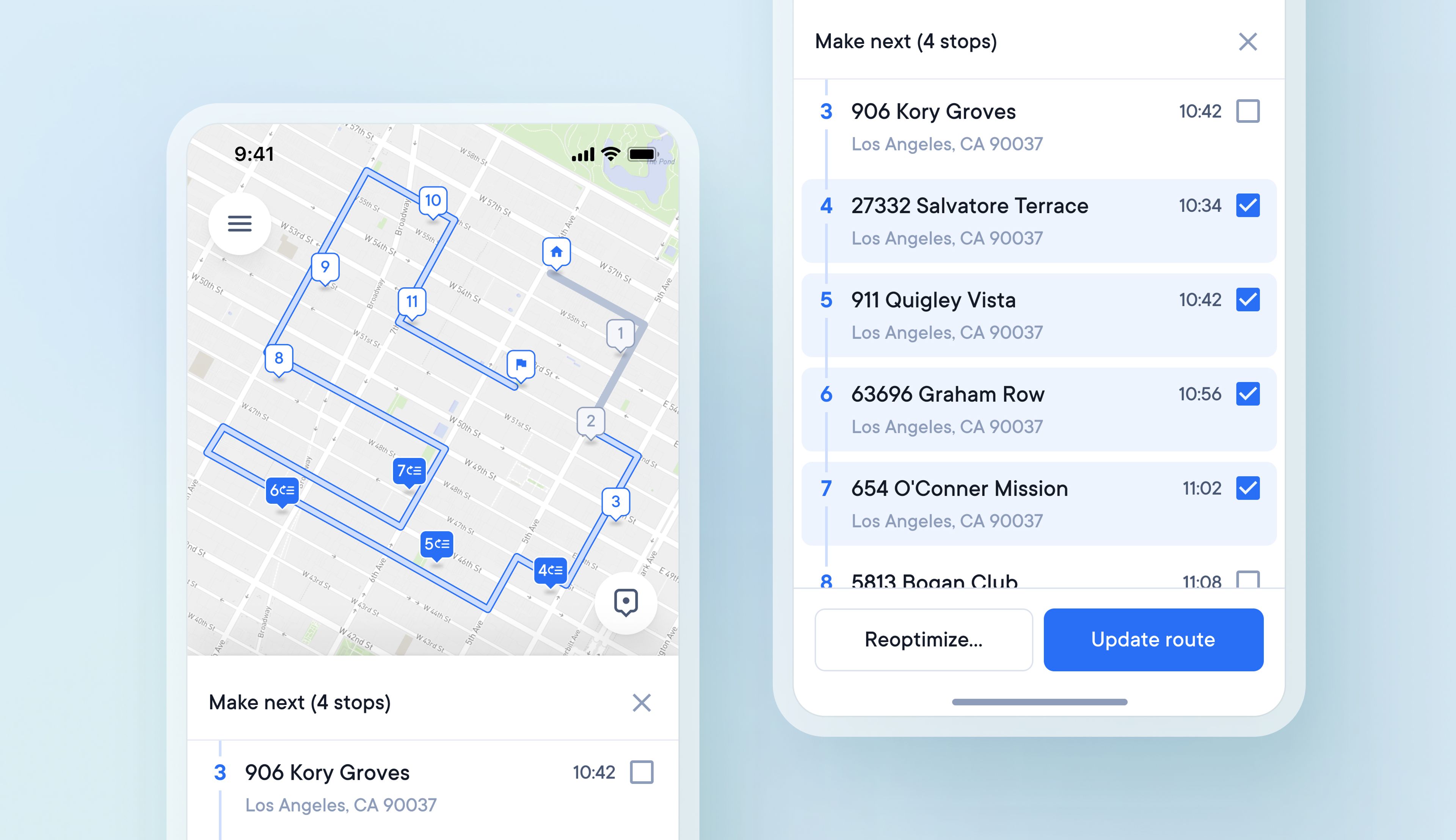
Before, drivers had to use time windows or first and last stop settings to place selected stops at chosen points along a route. Now, drivers can also select multiple stops on their route to make next and choose to slot these changes into their existing route or completely reoptimize it.
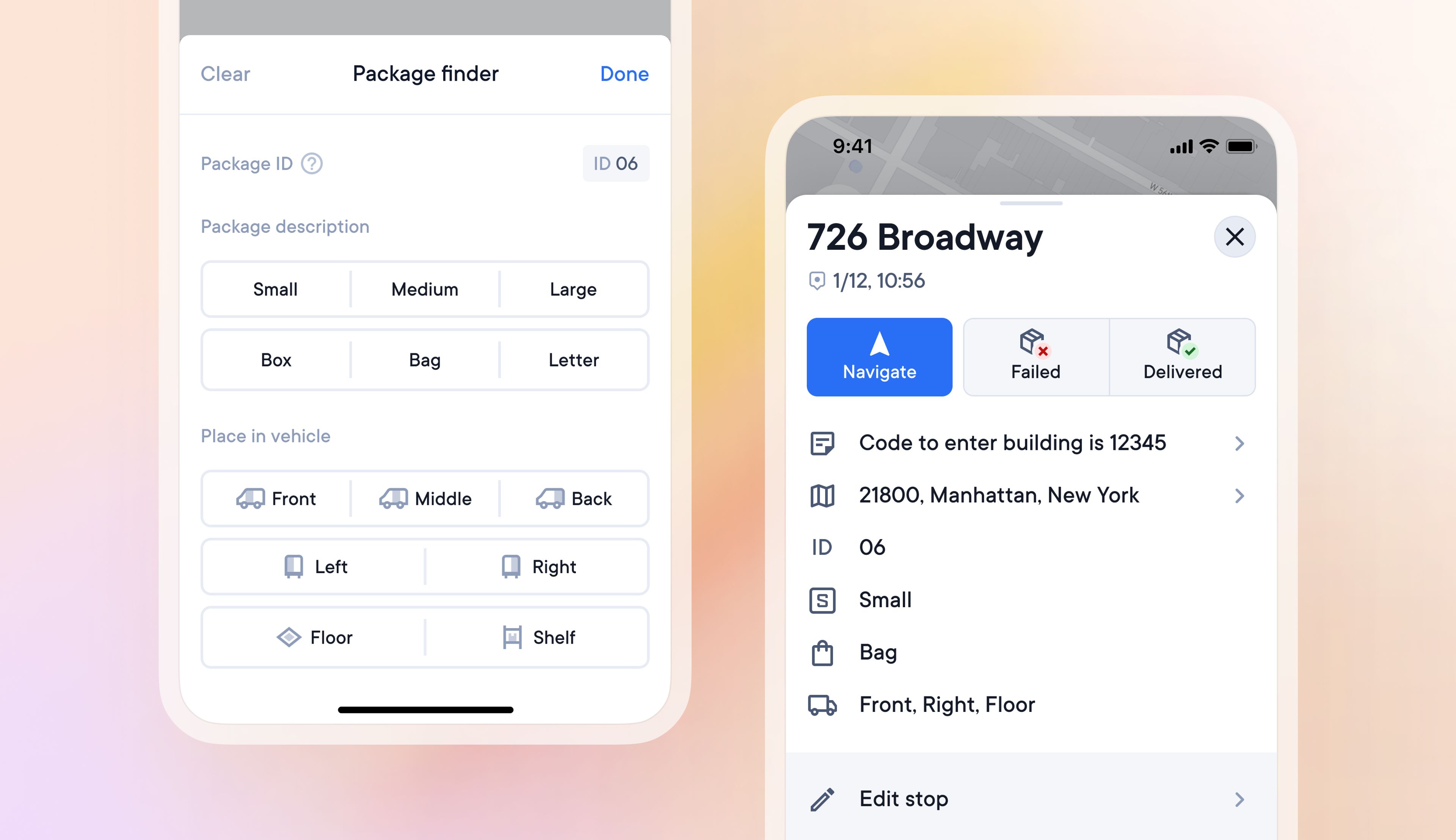
Locating specific items in a packed vehicle can be difficult and waste valuable time.
A driver can now give specific packages a detailed description and assign a specific location in their vehicle to that package, making it easier to find.
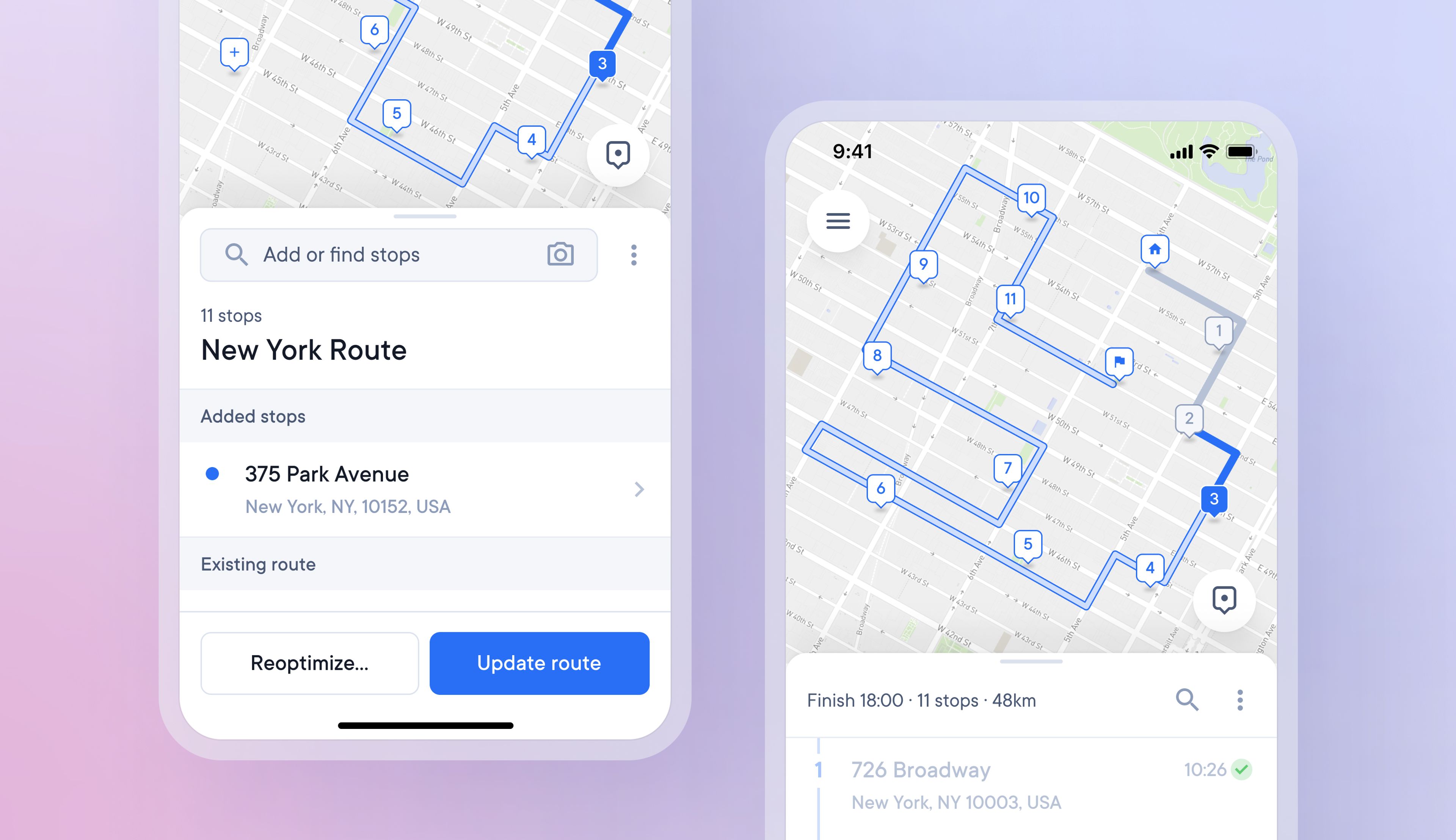
Previously making any change to an existing route required full re-optimization, which could completely change the order of all stops and the direction of the route.
It's now possible to make minor changes and slot them into an existing route.
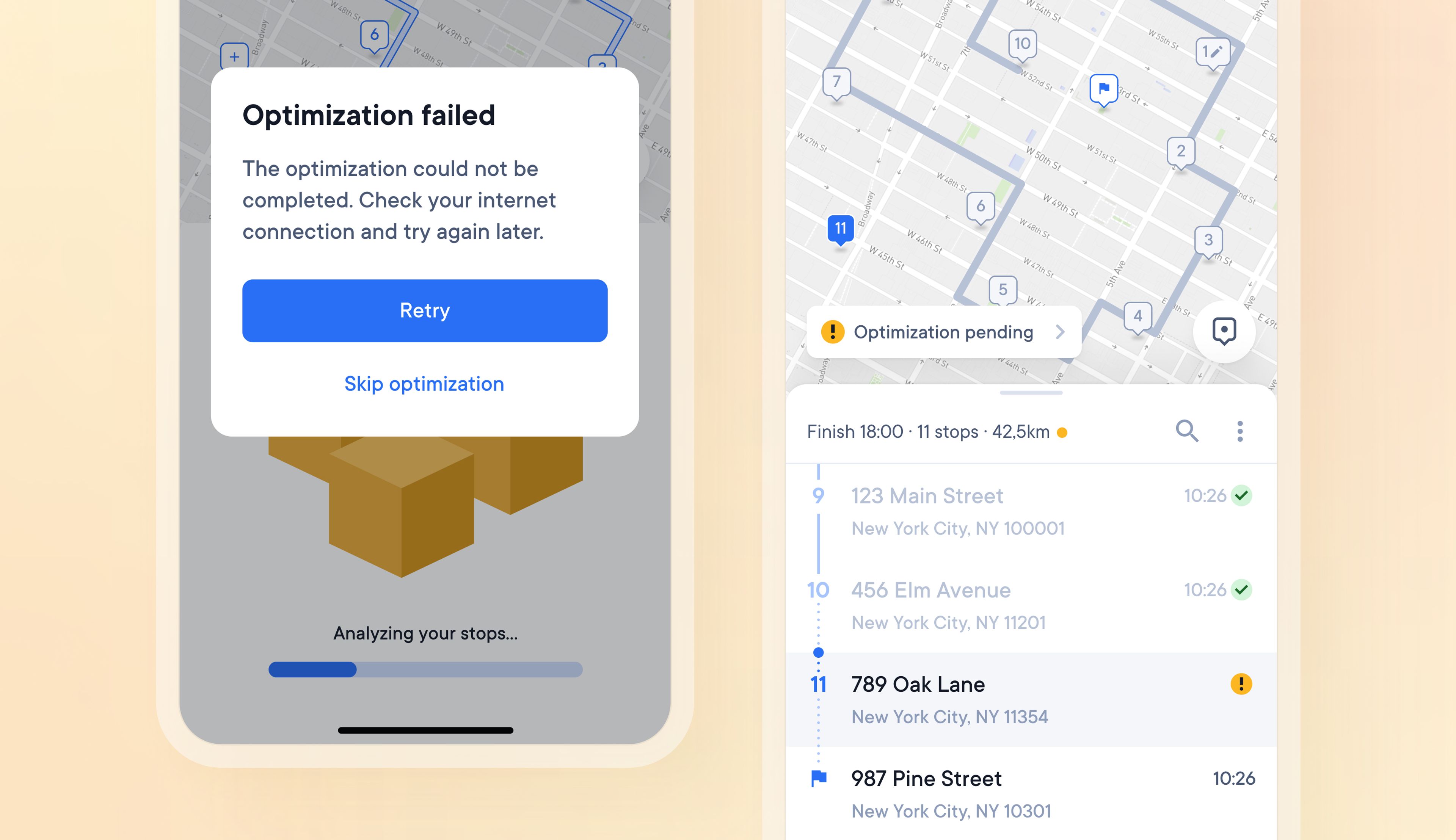
Previously, changing a route then required re-optimizing it, which is not possible without an internet connection.
Now whenever drivers are in an area without internet coverage, they can make changes to a route, skip the re-optimization stage and return to complete that stage once they are online again.
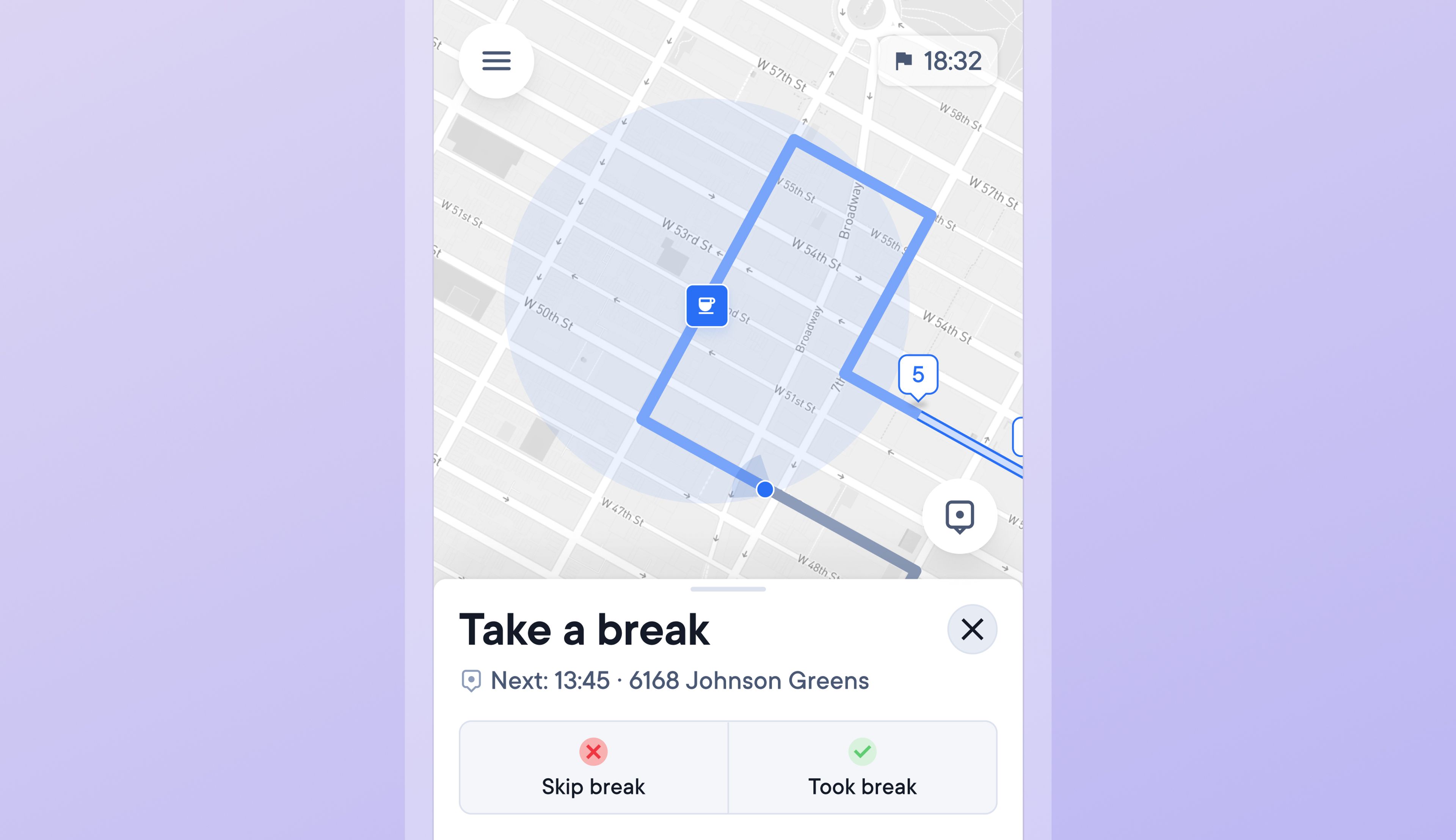
Not being able to consider break periods during a route can lead to inaccurate ETAs and missed time windows because break time is not accounted for.
Drivers can now add breaks to a route, giving them the chance to plan rest periods and keep expected delivery times accurate.
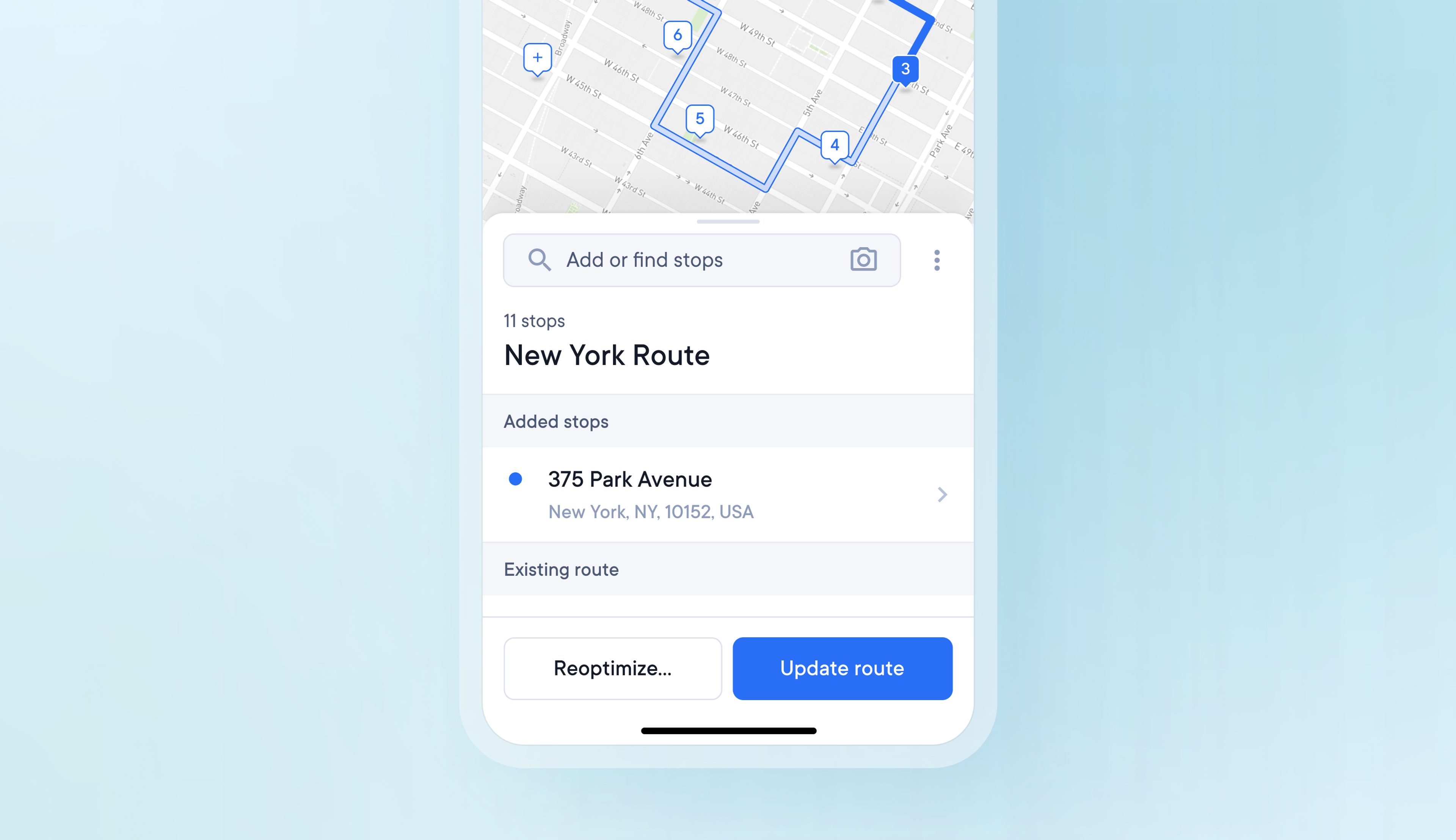
Previously when making changes to an optimized route, as soon as a change is made, all visible route information is removed. This made it hard to see your potential changes next to the most recently mapped route.
Now when changes are made to an optimized route, all the route information remains visible, and the potential changes are clearly marked on the map and in the stops list.
Once you are happy with your changes, you can then apply them to your route.
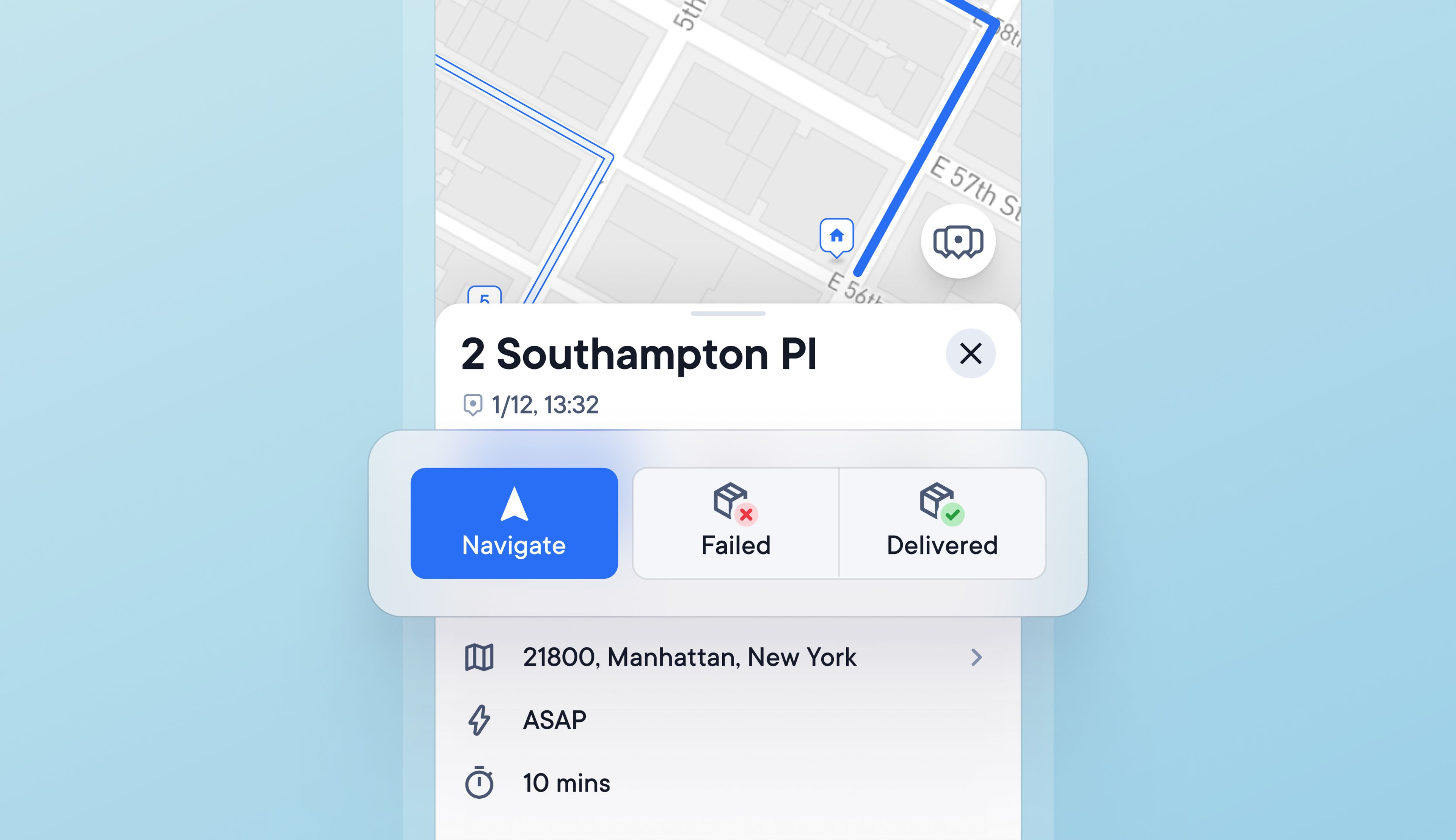
Having to swipe multiple times within an app to find and edit the details of a stop adds unnecessary time and friction for drivers.
Drivers can now save time by selecting to navigate or mark stops as failed or delivered from buttons within the main stop details sheet.
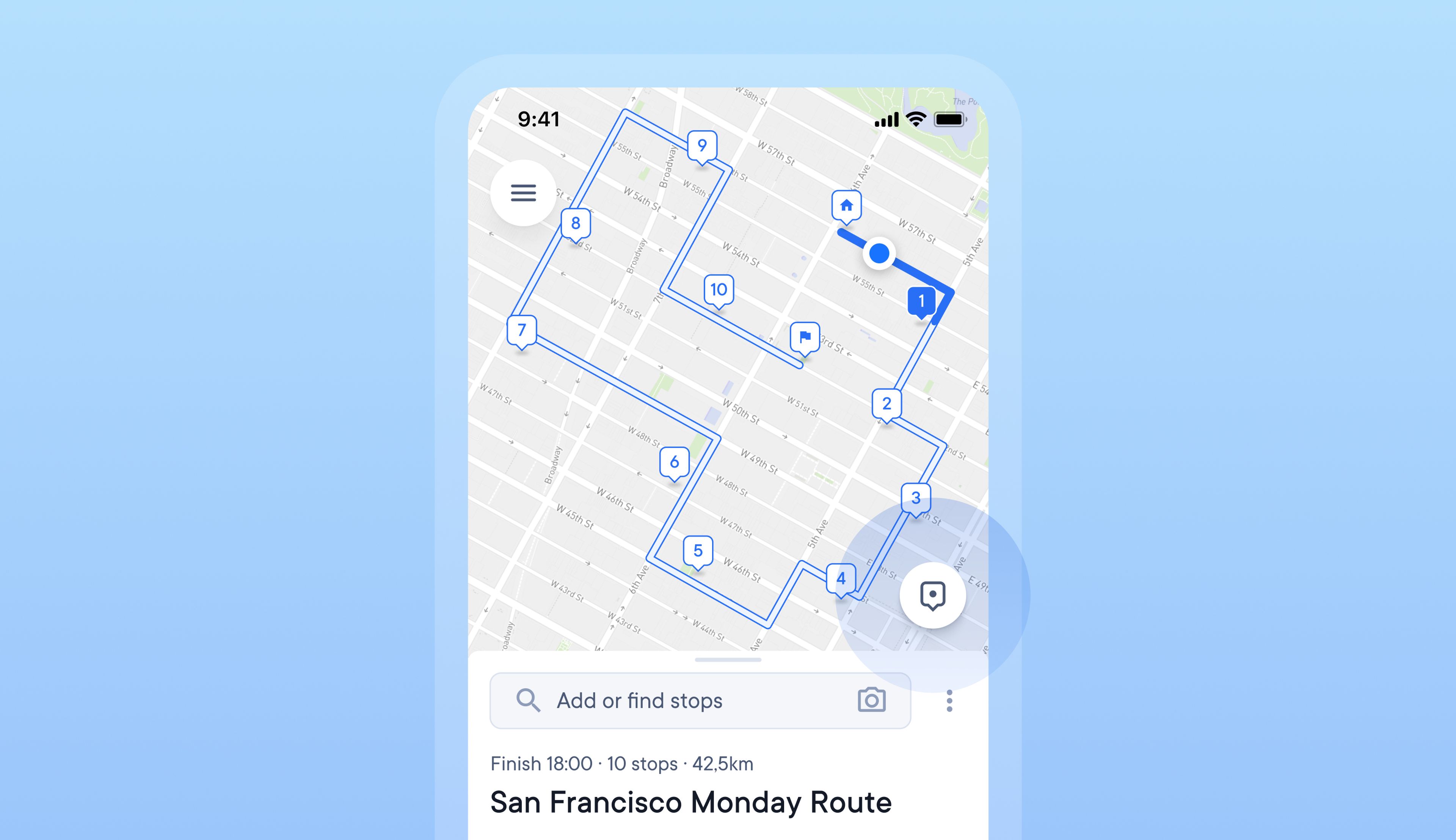
Toggling between map views whilst following a delivery route can help drivers orient themselves and stay on track.
Drivers can now tap the map pin button to switch between different views for easier navigation.
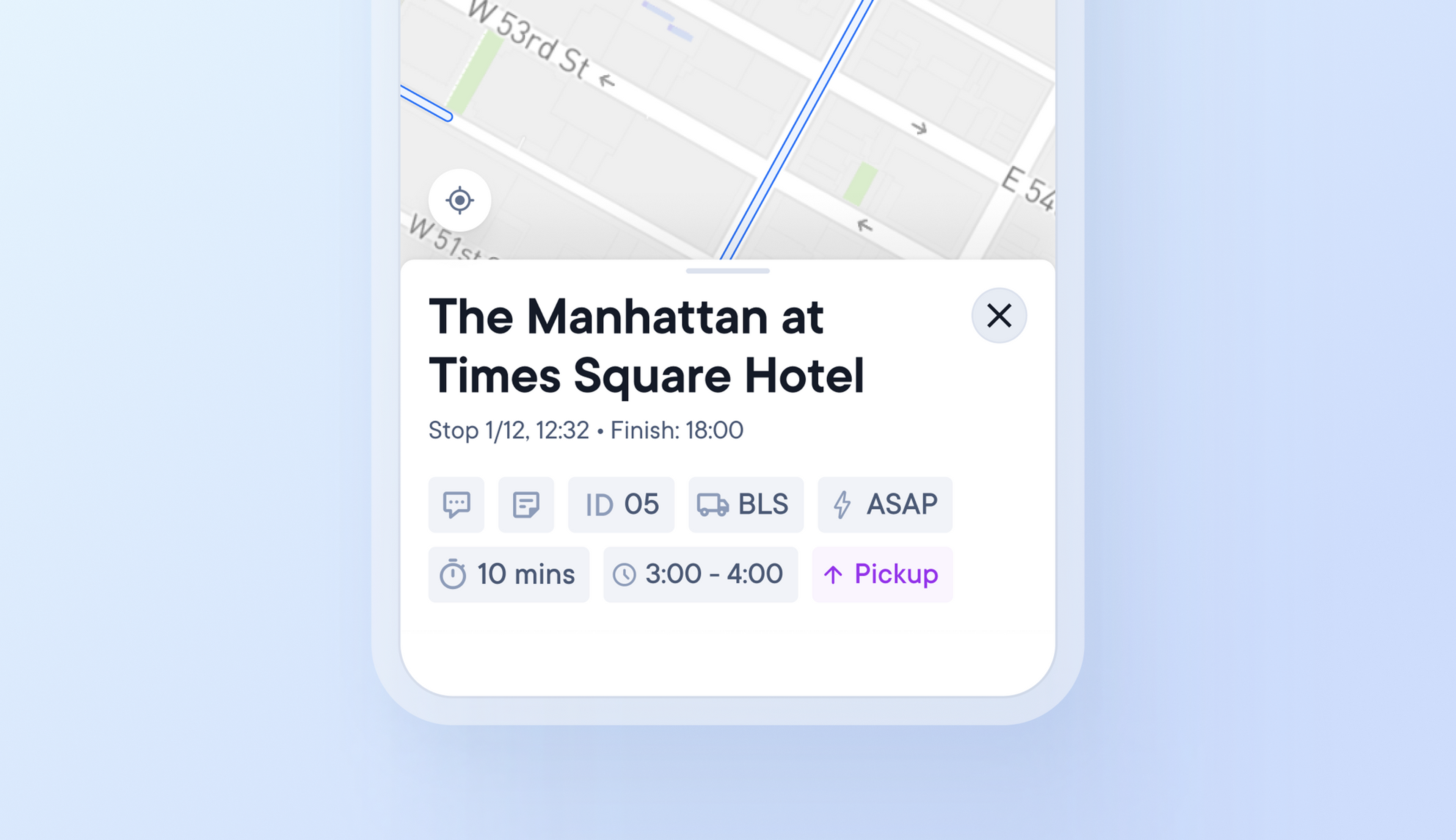
Drivers can spend several minutes on their delivery app searching for specific stops, important information and trying to make changes.
Enhanced usability features now mean that stop information and editing functions can be accessed with a swipe, scroll, or tap.
Specific stop conditions, such as time windows, are now visible in all three view sizes.
