Product updates
What’s new in Spoke Route Planner
Feature updates, bug fixes, and app improvements to make delivery easy
Feature updates, bug fixes, and app improvements to make delivery easy
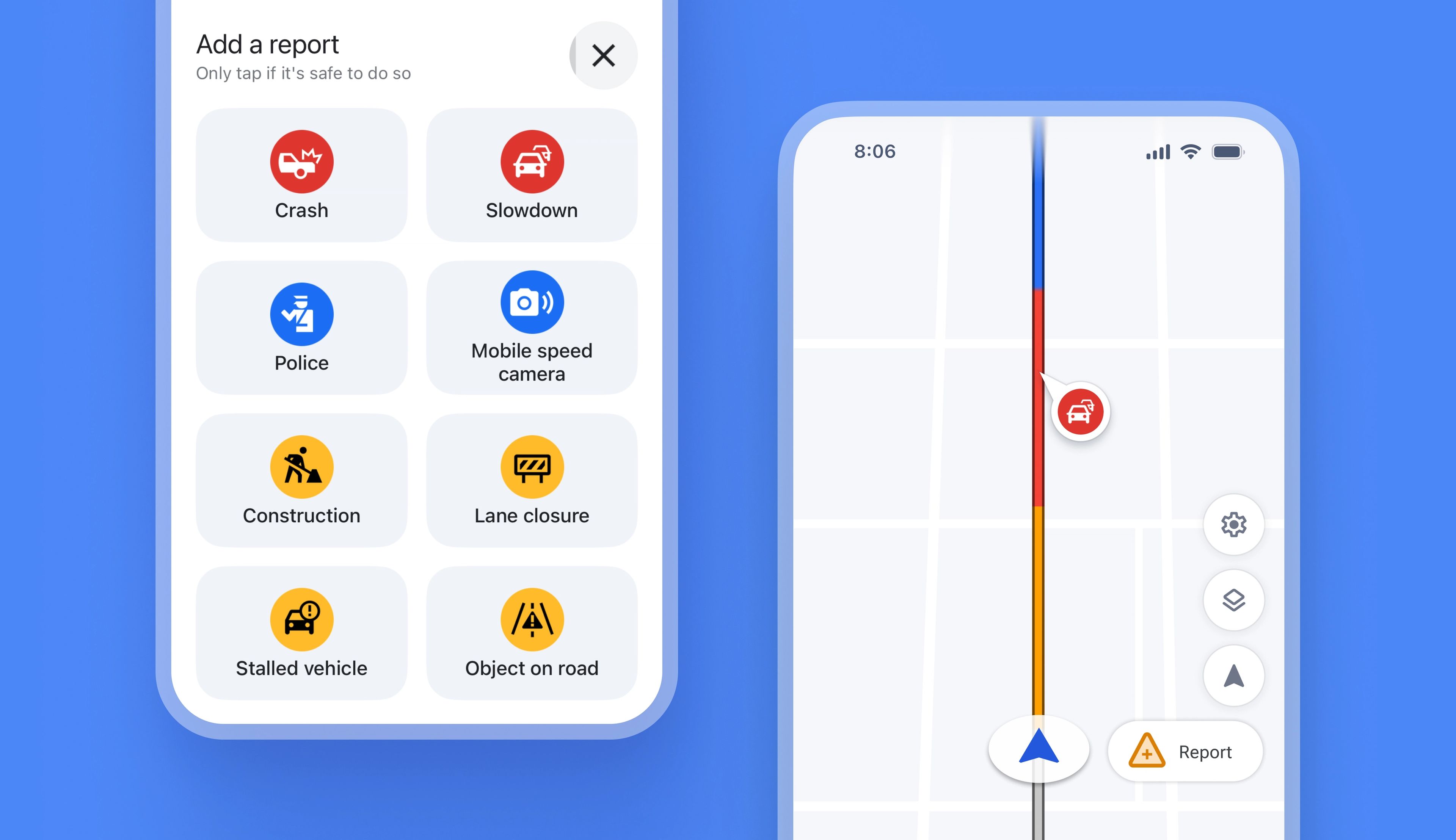
Previously, Spoke did not provide real-time alerts for things like speed cameras or roadworks, which meant drivers had to deal with unexpected traffic issues as they happened.
Drivers using Spoke's Internal Navigation now automatically receive real-time traffic alerts on their route. Using live crowdsourced data from Spoke, Waze, and Google Maps, any problems that could impact a route are now highlighted on the map view.
If drivers encounter a traffic issue that has yet to be reported, they can add information about the disruption, which will instantly become visible on the map, helping other drivers avoid the same problem.
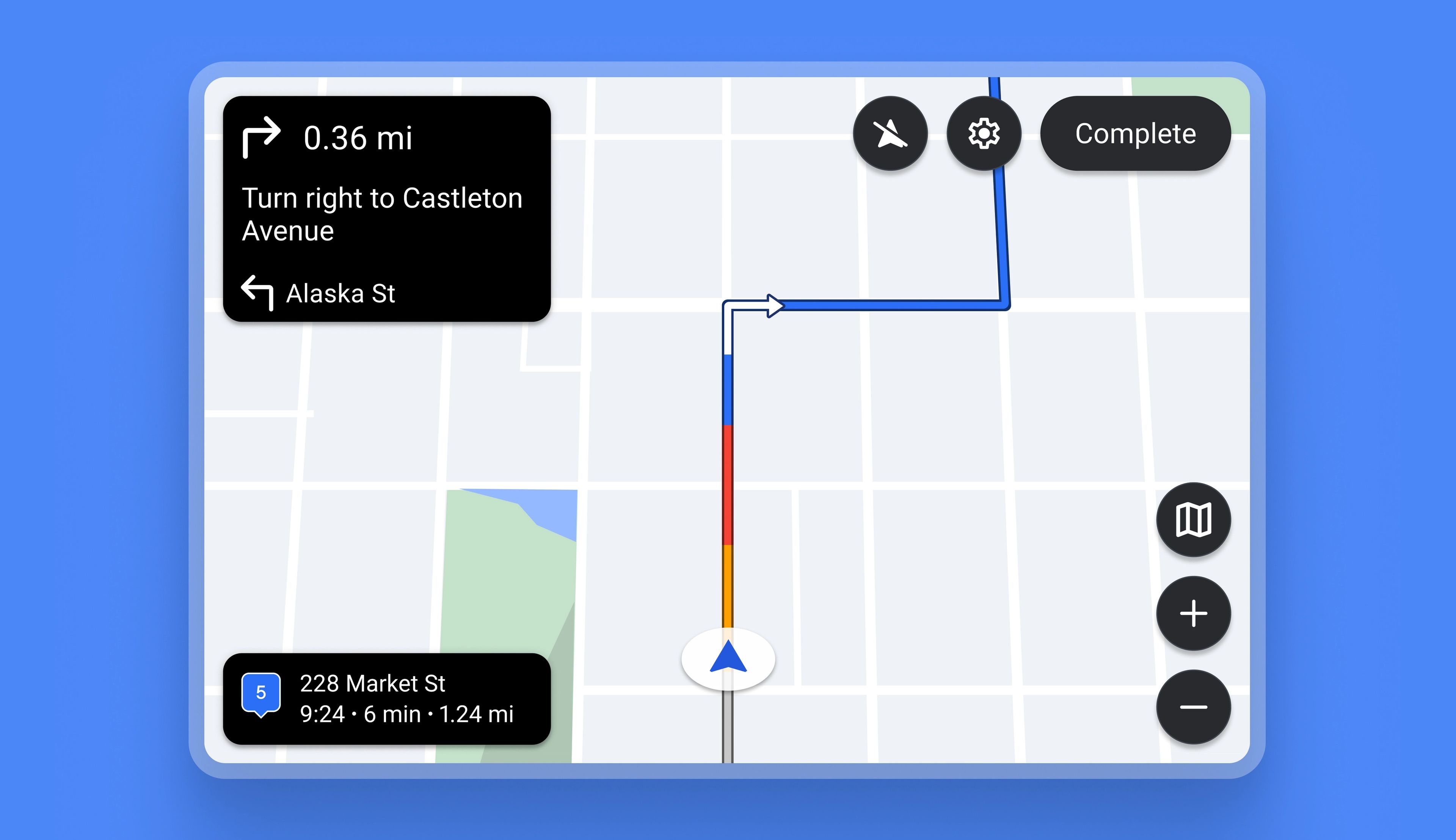
Previously, Spoke could not be used with in-vehicle technologies like Android Auto or CarPlay. Now the app is fully compatible with both.
Drivers on the Standard plan can connect their Spoke app with their vehicle infotainment display using Android Auto or CarPlay, which gives them the advantage of using a larger integrated dashboard screen for navigation and delivery.
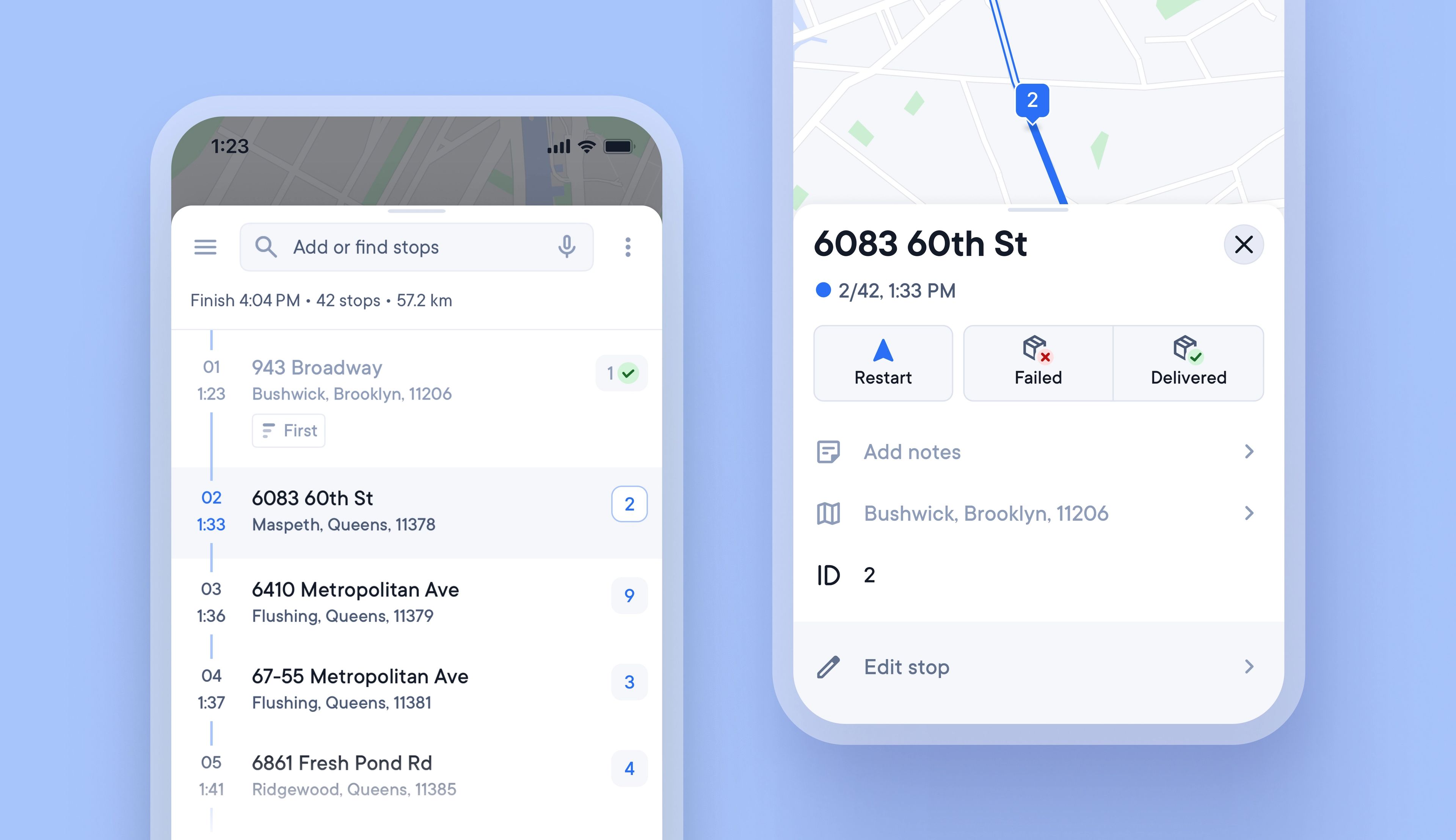
It can be hard to find one brown cardboard package in a vehicle full of brown cardboard packages, and searching for the correct item at a stop can waste valuable time.
Unique Stop IDs are now automatically attached to every stop, and they never change, even if the stop is edited or reoptimized.
Writing the stop ID on each package can help load vehicles in a logical order, and the stop ID is also displayed when approaching a stop, so that drivers can instantly know which package to look for.
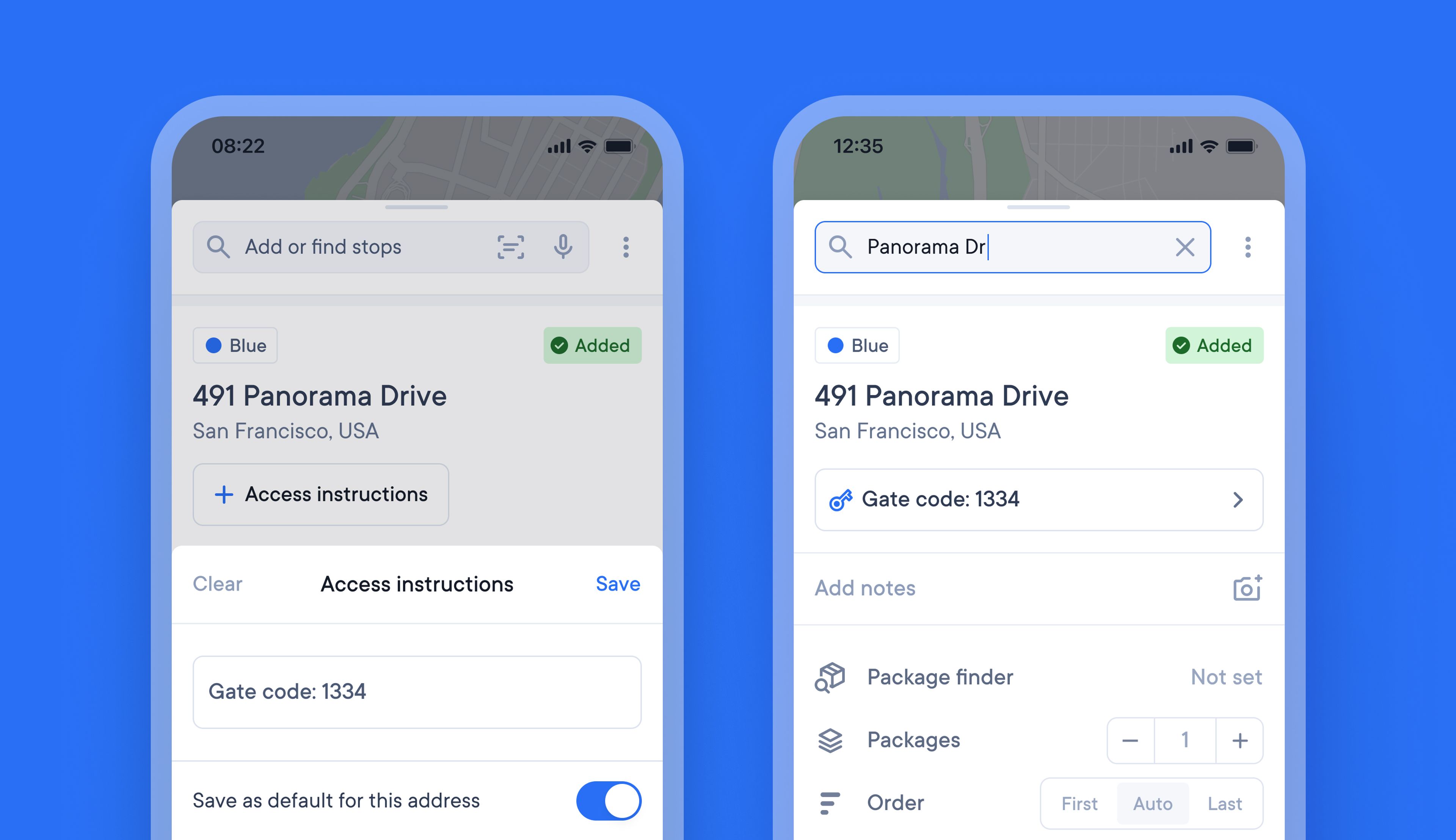
Drivers often need to remember specific access instructions for certain stops on their route. Keeping all this additional knowledge on paper, in their memory, or on their phone can be messy and time-consuming.
It’s now possible to attach access instructions to a stop, and once added they will be visible every time that stop is included in a route. Simply edit or clear access instructions whenever you need to update or delete them.
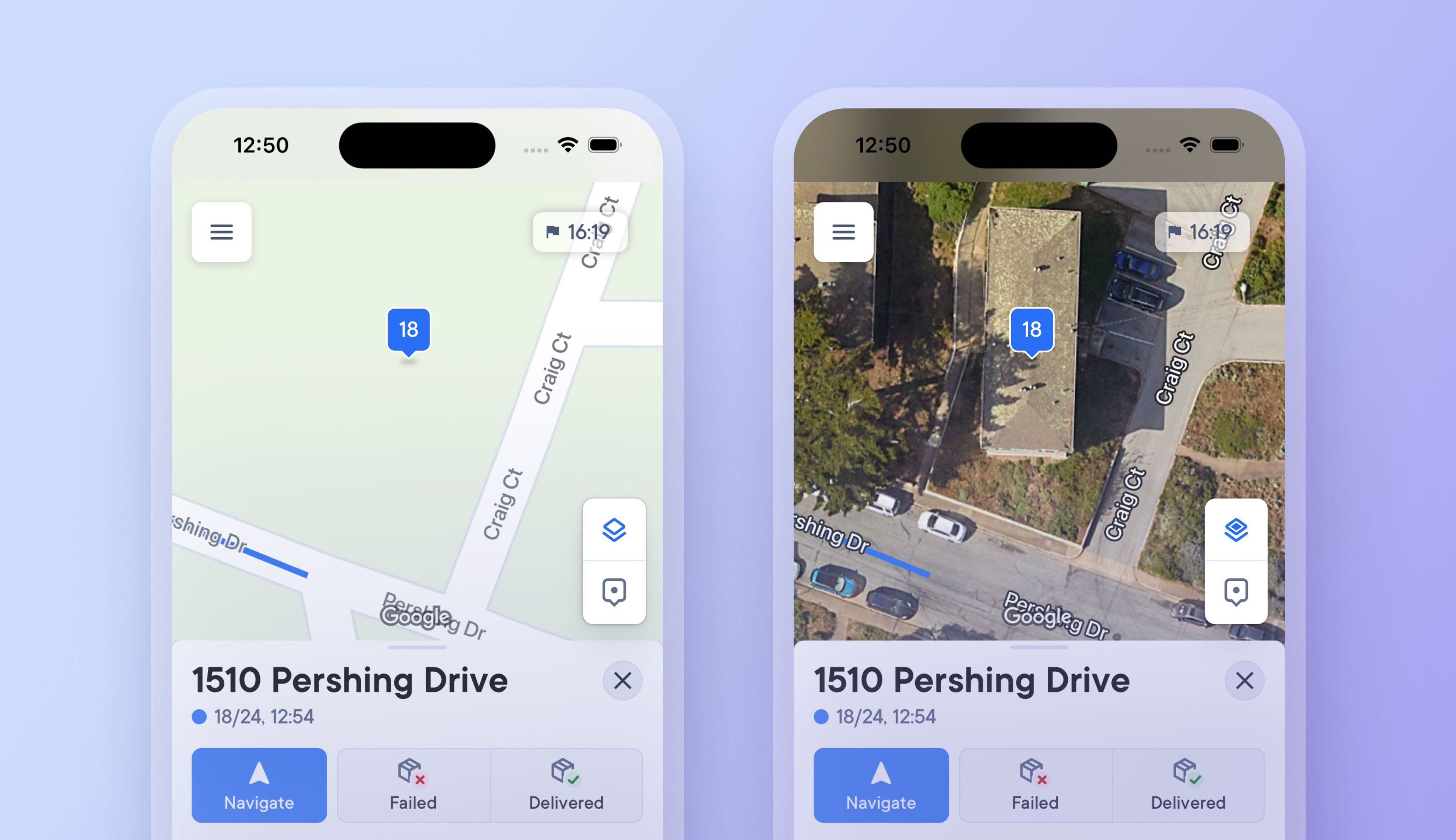
Previously, drivers had to select and set a map view type, which could only be changed in app settings.
Now, you can tap a button on the map to switch between a detailed satellite map view and a simplified route view, making it easier to see more or less detail when needed.
Changing to a satellite map view when approaching a stop provides additional visual context, and you can instantly switch back to a simplified view when navigating longer distances between stops where photographic imagery is not required.
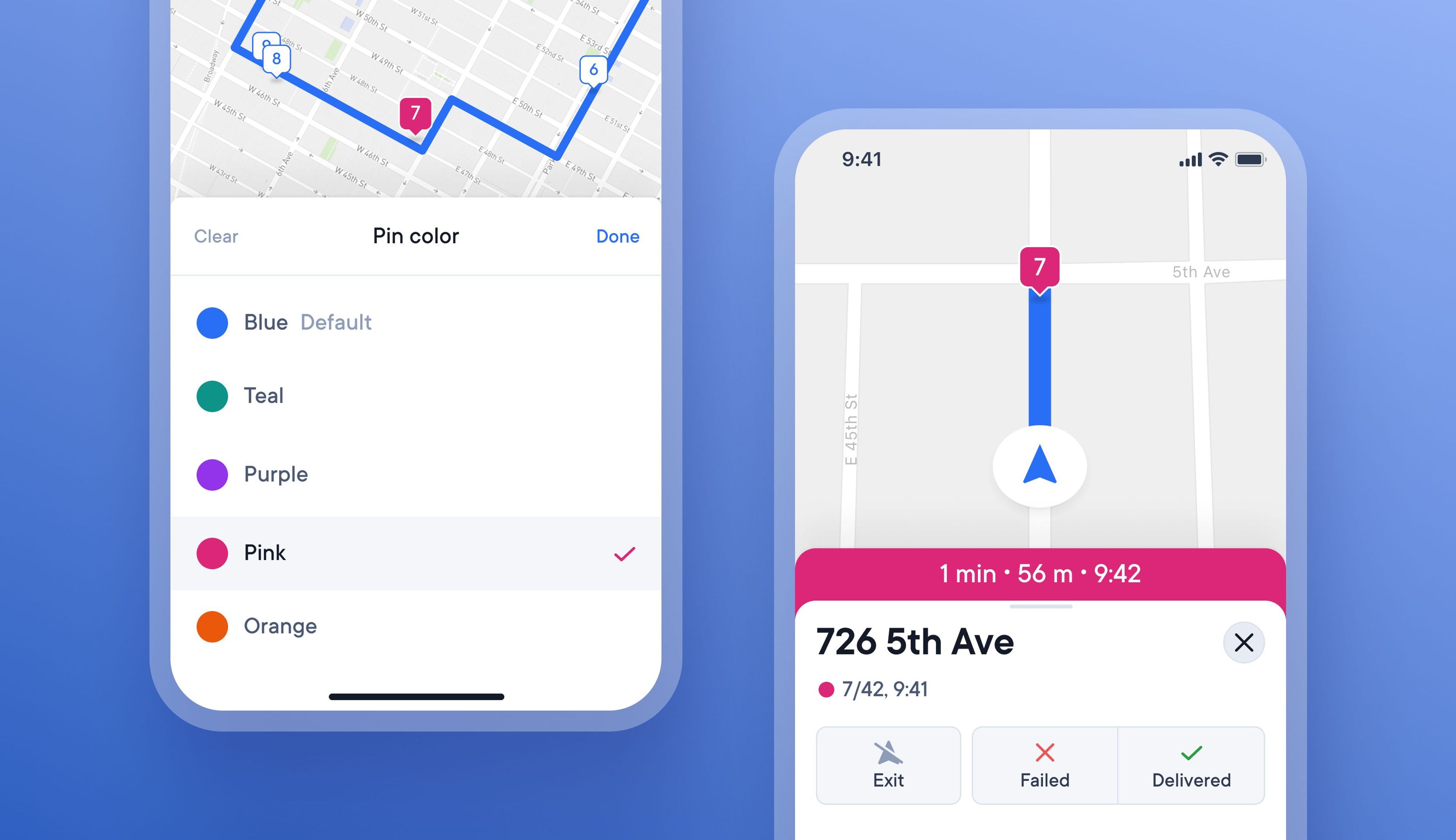
On busy routes with many similar deliveries, it can be tricky for drivers to remember when certain stops have special conditions attached to them.
Now, drivers can color-code stops with specific requirements to highlight them better on a route.
There are four different colors to choose from, and when a stop is color coded, the pin on the map and progress bar change color.
The color coded stop will now show as the chosen color on the map, and the progress bar will update to this color when approaching the stop
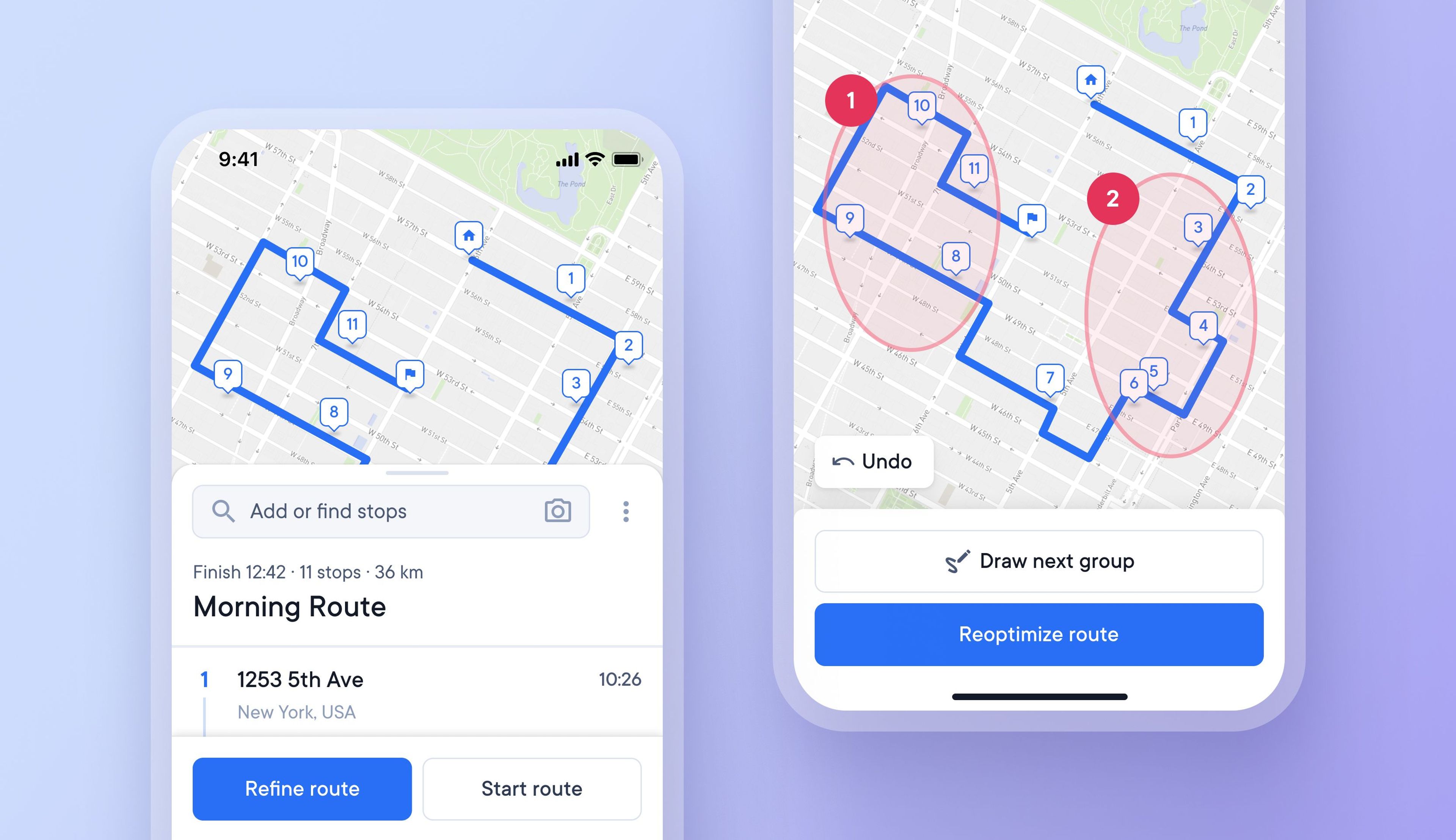
Drivers can now customize their route based on individual needs, and local knowledge by manually selecting the order in which stops are attempted.
This helps drivers create more finely tuned routes, and quickly and easily make changes to stops as and when needed.
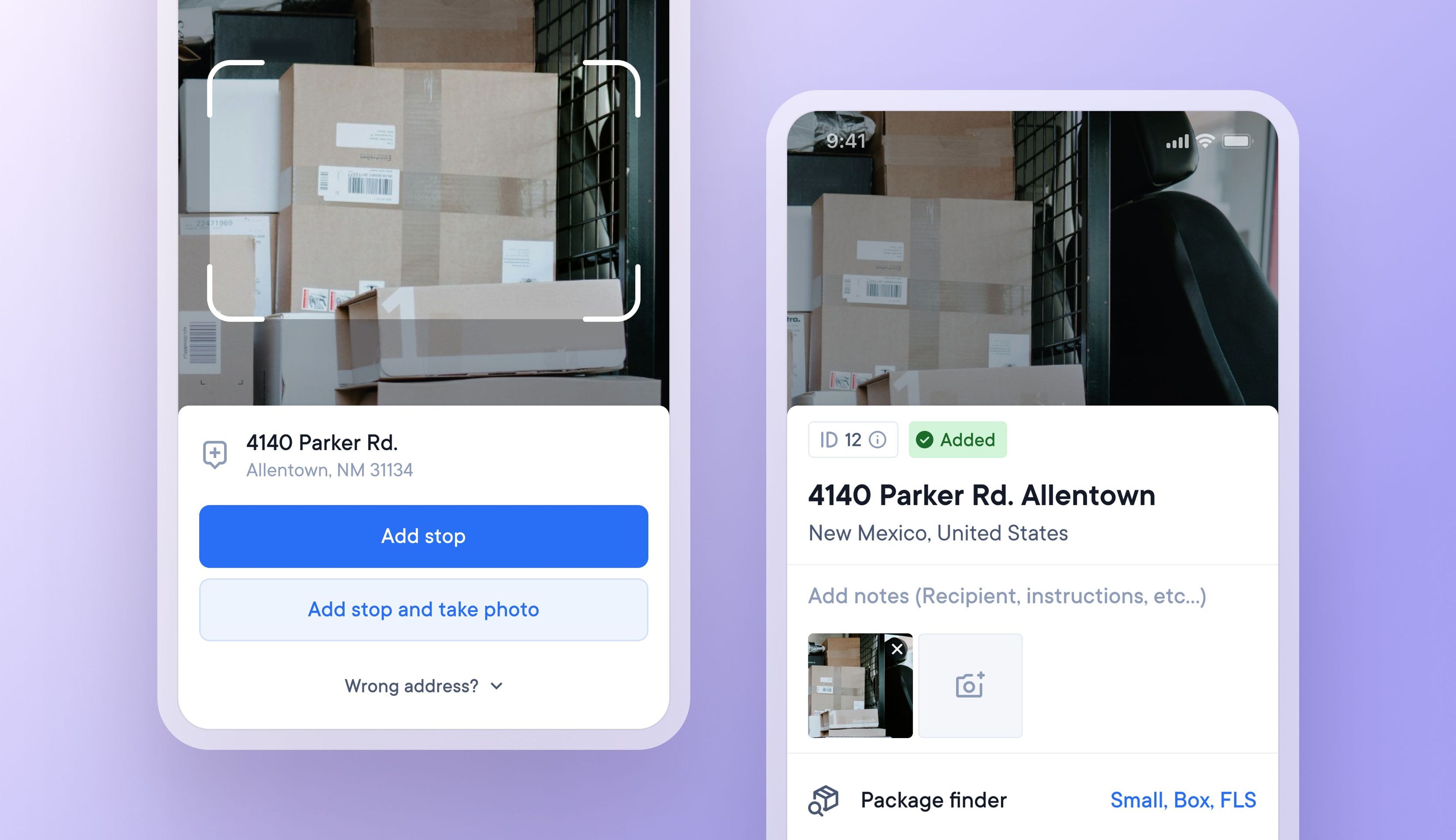
Finding one particular item in a delivery vehicle full of similar looking brown packages can be confusing at times.
Now drivers can choose to take a photo of a package as they add that delivery address to their route. Upon arrival at the stop, the driver can view the package photo again to remind themselves what the package looks like.
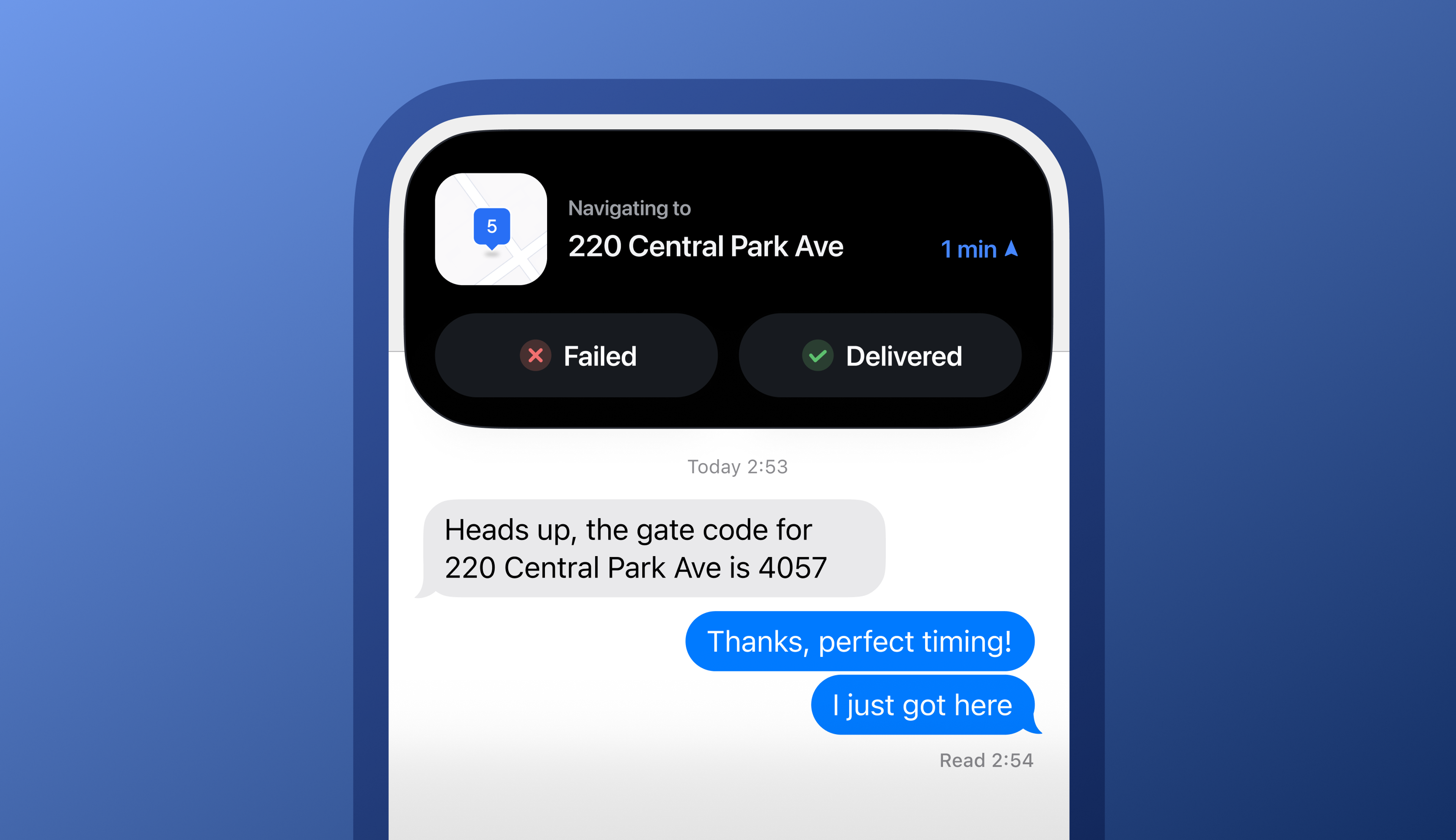
Often, delivery drivers need to repeatedly switch between their delivery app and other functions on their phones. Switching between multiple apps and tabs on a small phone screen whilst navigating a delivery route can be challenging.
iOS users can now use Spoke Route Planner in a condensed view as a Live Activity on the iOS Dynamic Island to help maximize the use of limited phone screen space.
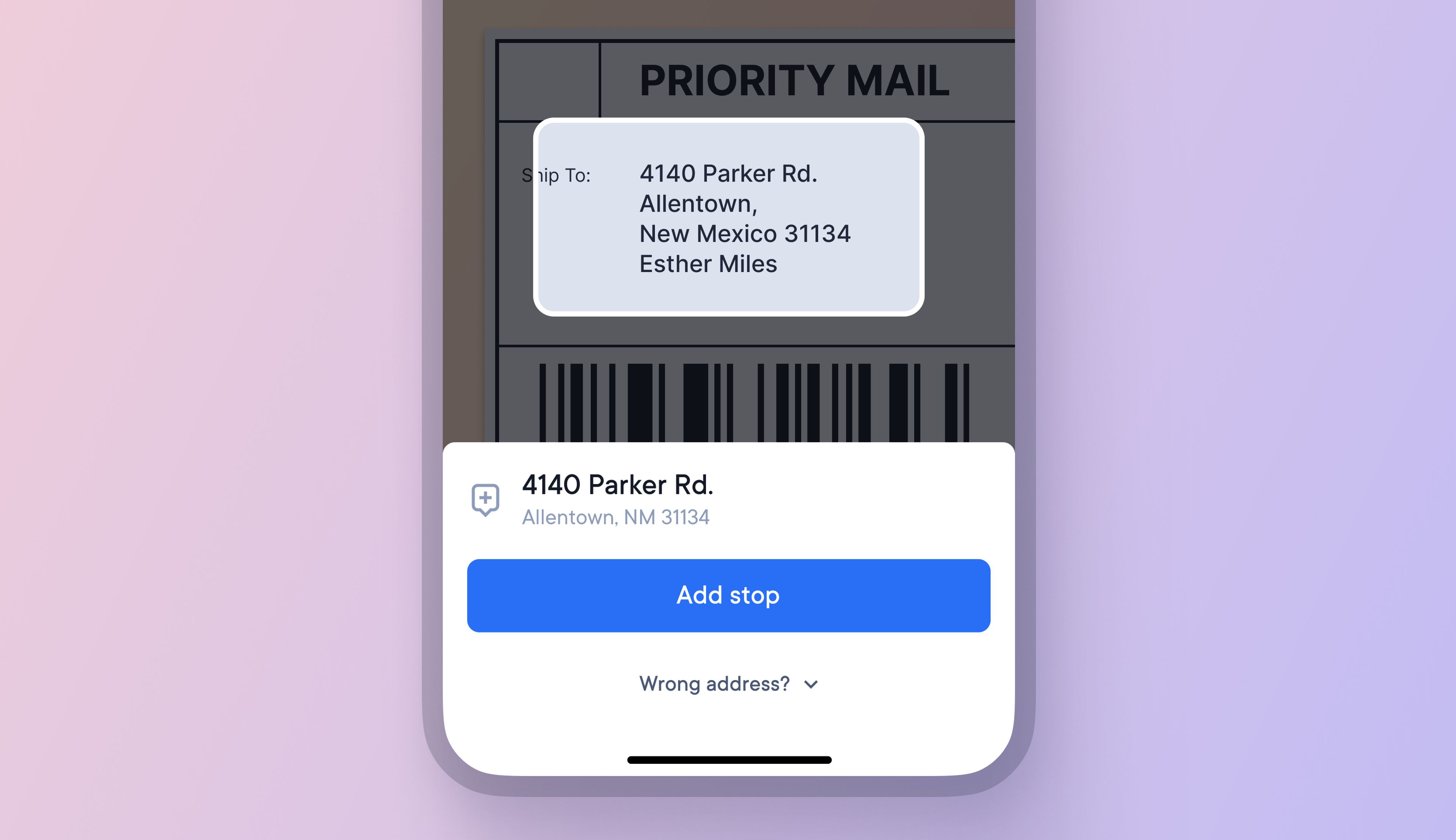
Android users can now scan address labels with their smartphone's camera and add those addresses as stops to their routes.
Camera scanning helps to accelerate route creation and vehicle loading, helping drivers save time.
