Quickly see useful information like stop type, ETAs, address, and notes on the route map
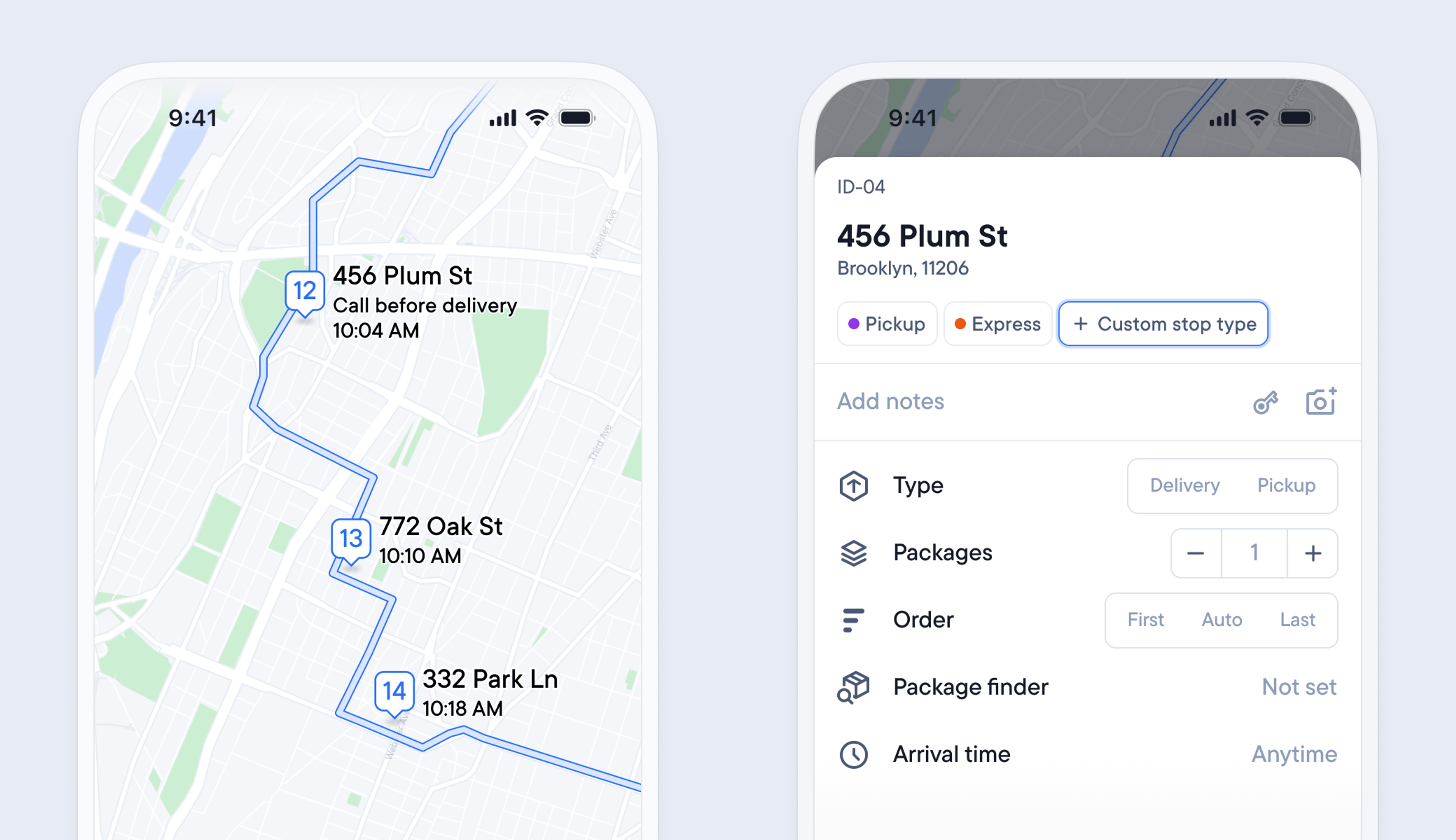
Previously, in order to view specific stop details, you had to click into a stop to gather further information. This meant spending time switching between the map and stop view in the app.
Now, all the useful information you need to successfully complete a stop is displayed in the map view.
When you zoom in on a stop on the map, the address, ETA, and any notes are now displayed next to the pin. Once a delivery has been completed, the ETA updates to display the time the stop was attempted.
It’s also possible to create reusable stop types to more easily identify groups of stops by color-coding them and adding specific conditions.
You can give a stop type a custom name, color, delivery or pickup, order in the route, arrival time, and time at stop.
Stop types can be useful for grouping stops with similar requirements, such as deliveries to business addresses that must be attempted during business opening hours.
- Add a stop or open an existing stop.
- Tap > Manage in the Stop types row
- Tap > Create stop type.
- Give your stop type a name, color, and select the settings you want it to use
- Tap > Save
