All updates
01 Jun 202601 Jun 2026Driver App
Scan or import a route manifest to add multiple stops 5x faster
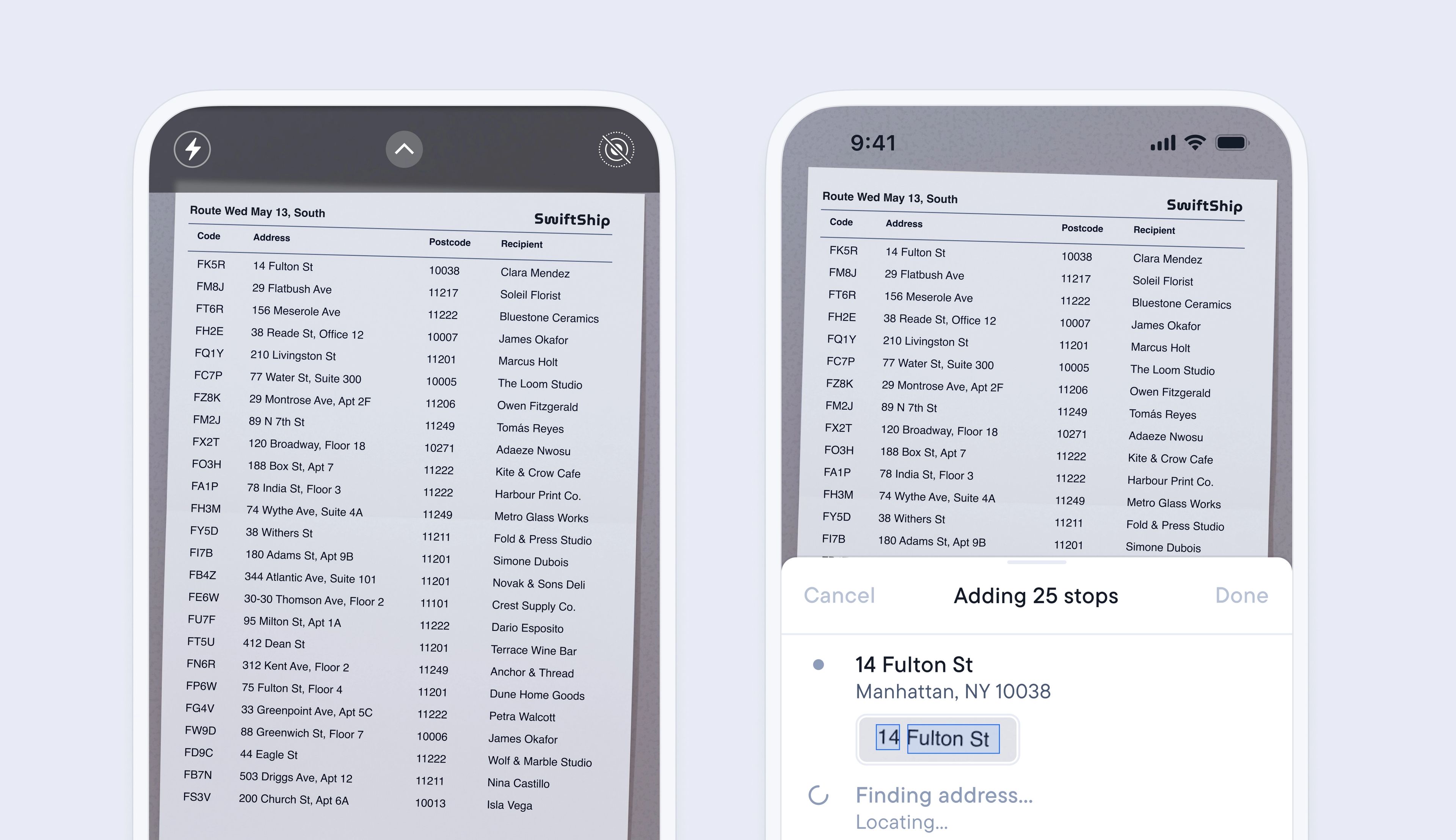
Adding multiple stops to your route can be a time-consuming but necessary process.
The latest update to importing stops lets you import an image/PDF or scan of any list of stops, and Spoke’s smart address detection will automatically find, analyze, and import every address contained in the file, adding it as a stop on your route.
Import multiple stops in a matter of minutes with just a few clicks, and start your route even sooner.
To scan a manifest
- Create a route, and tap the viewfinder button
- Then tap > Scan route manifest
- Line up your list of stops inside the viewfinder, then take a photo
- Tap > Next, or Discard scan if you want to retake the photo
- Tap > Done, or Add + to add multiple images to the same route
- Now that you have scanned your manifest, Spoke will automatically upload and analyze the files to extract each stop address and add it to your route
To import a manifest
- Tap > ⠇button, then tap > Import route manifest
- Select your PDF or image file > tap Done
- Now that you have imported your manifest, Spoke will automatically upload and analyze the images to extract every address and add them as a stop on your route
