
For most delivery teams, scheduling deliveries is a time-consuming and frustrating part of their delivery operations. You’re juggling multiple factors, such as how many drivers are working on any given day, where the stops are located, and which stops are priority — plus specific delivery windows and traffic patterns.
Delivery schedules can also change in real-time; sometimes customers cancel an order, a driver calls out sick, or there’s an unexpected traffic jam.
And if your delivery schedule isn’t optimized for speed and accuracy, then your customers won’t be satisfied because their deliveries will be late or outside of the agreed delivery window.
But trying to factor in all of these variables is a major drain on your time and resources. For example, one of our customers is responsible for delivering prescription medication, and they used to spend ~12 hours every week planning their delivery schedule.
(After signing up with Spoke Dispatch, our delivery scheduling app for multi-driver teams, they could optimize and plan their fast and efficient delivery routes in a matter of minutes.)
Without an effective tool for scheduling your daily deliveries — and for keeping your schedule updated in real-time — not only will you spend countless needless hours managing your daily deliveries, but your delivery team won’t be as quick, efficient, or accurate as it needs to be to give an excellent customer experience.
In this post, we look at how you can use our platform, Spoke Dispatch, to improve your daily delivery scheduling process, including:
- How to add delivery addresses to Spoke
- How to customize and optimize delivery routes
- How to assign routes to drivers
- How to make sure deliveries are on schedule
- How to confirm deliveries have been made
Are you ready to see how easy it is to create optimized and efficient delivery schedules with Spoke Dispatch? Start your free trial today.
How to Add Delivery Addresses to Spoke
When you use Spoke Dispatch, you get the Spoke web app and the Spoke mobile app.
Generally speaking, you’re going to use the web app to create your daily delivery schedules, while your drivers will use the mobile app to access their schedule and make their stops. But you can actually add delivery addresses using both. Here’s how it works:
The quickest way to add delivery addresses into Spoke is to use our spreadsheet import feature through the web app. We accept any .csv, .tsv, .xls, and .xlsx files. (This feature is also available on Android mobile devices.)
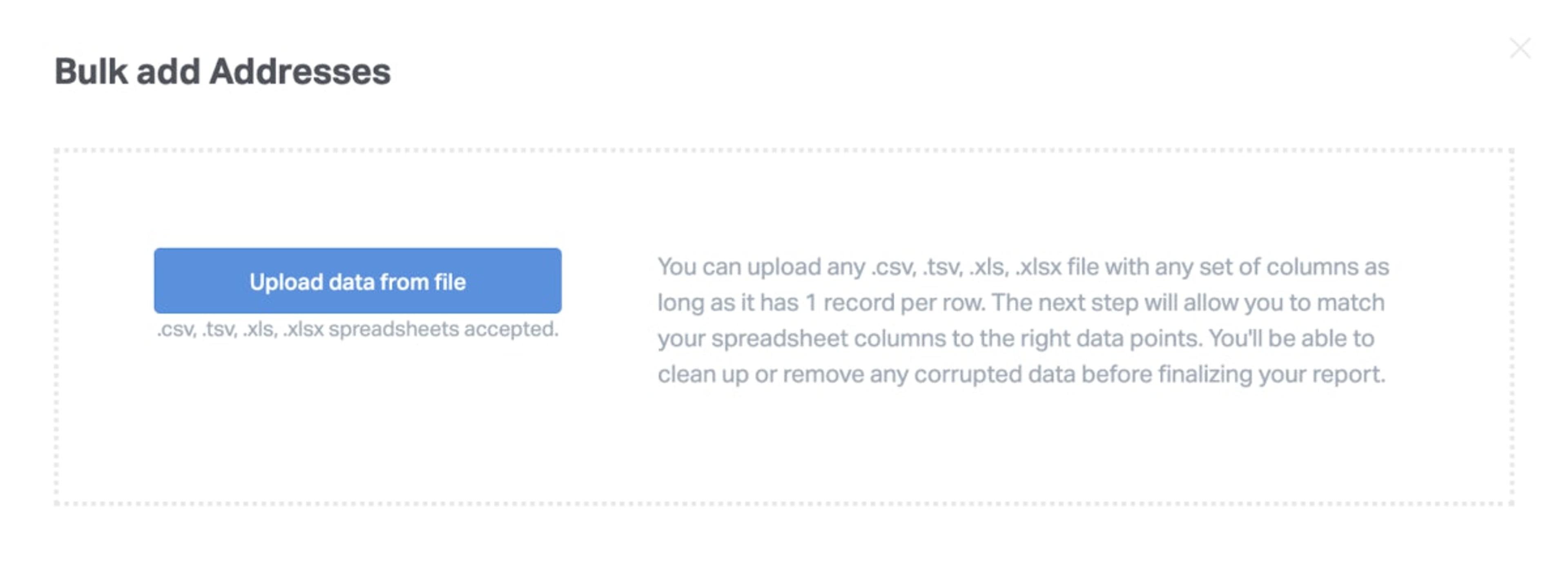
You can also add addresses manually (both on our web app and the free Spoke mobile app that your drivers use to complete their deliveries). We make manual entry as quick as possible by using the same auto-complete technology that Google Maps uses.
Our software looks at the other addresses in your route, and takes the characters you’ve typed in to suggest the most likely address. This makes manual entry quick and accurate.
Once you’ve added your list of delivery addresses to Spoke, you can now customize and optimize your delivery schedule.
A quick note about how delivery drivers use Spoke: Delivery drivers can download the free Spoke mobile app, which works on both iOS and Android devices. The app works with all major navigation systems, like Google Maps, Waze, and Apple Maps.
How to Customize and Optimize Delivery Schedules
When you’re using Spoke Dispatch, you can customize your schedule by selecting priority stops and setting time windows.
A priority stop is when you want one-stop to be delivered ASAP. When you select a stop as priority, then our software automatically makes sure it’s the first stop your drivers will make (or among the first stops if you choose multiple priorities).
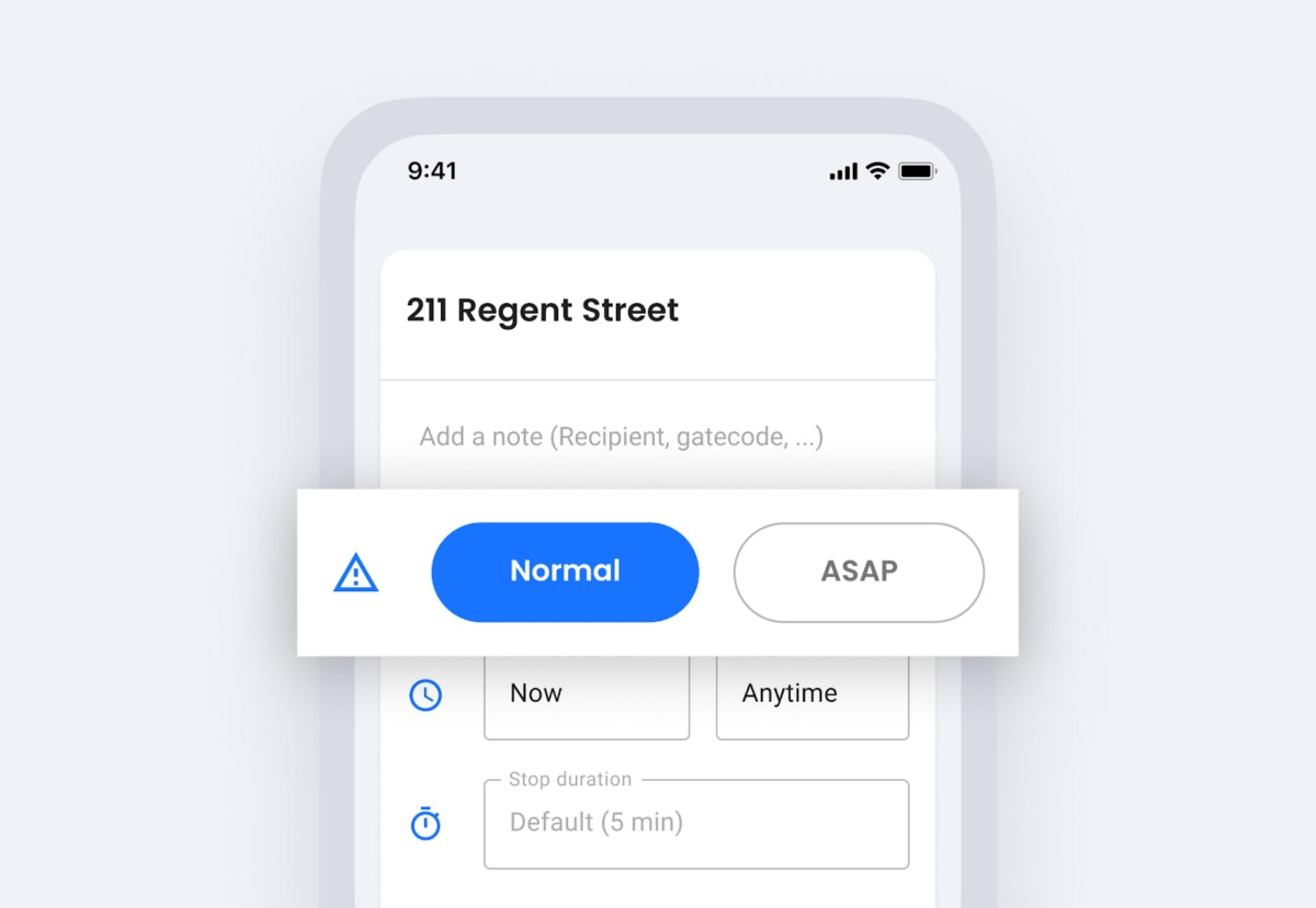
Similarly, you can set a time window for specific stops. This tells our delivery scheduling software when a delivery can (or can’t) be made.
This is a major win for companies who are delivering to businesses that are only open certain hours — or to residential customers who’ve paid to have their products delivered by a specific time.
Once you’ve customized your schedule, you can now optimize it for speed.
Accurate route optimization is the cornerstone of any profitable delivery team. The faster your route, the less it costs you to make your deliveries. Fast and efficient routes save you fuel and labor costs, while cutting down on the wear and tear to company vehicles.
Plus, with optimized routes you can make more stops in less time.
One of our customers — a subcontractor who works for a larger courier delivery service — was able to double the number of deliveries he could make in a shift when he started optimizing his routes with Spoke. That means he was increasing his pay significantly, while decreasing his expenses.
Next, let’s look at how you can take your optimized delivery route and assign it to your drivers.
How to Assign Routes to Drivers (and Make Changes as Needed)
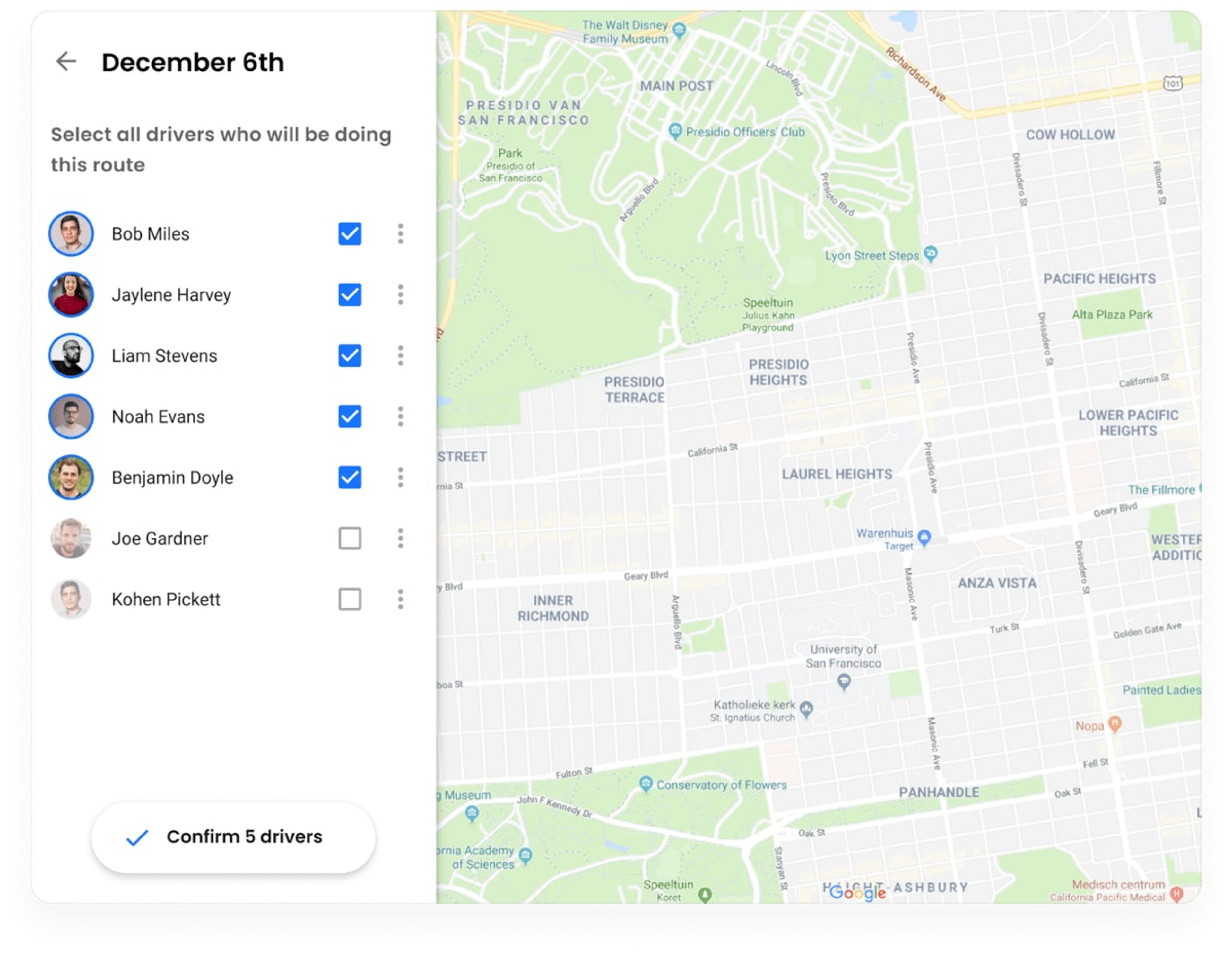
In the Spoke web app, you can easily manage how many drivers you want assigned to a route.
Once you confirm the number of drivers, then Spoke divides the route amongst those drivers as efficiently as possible.
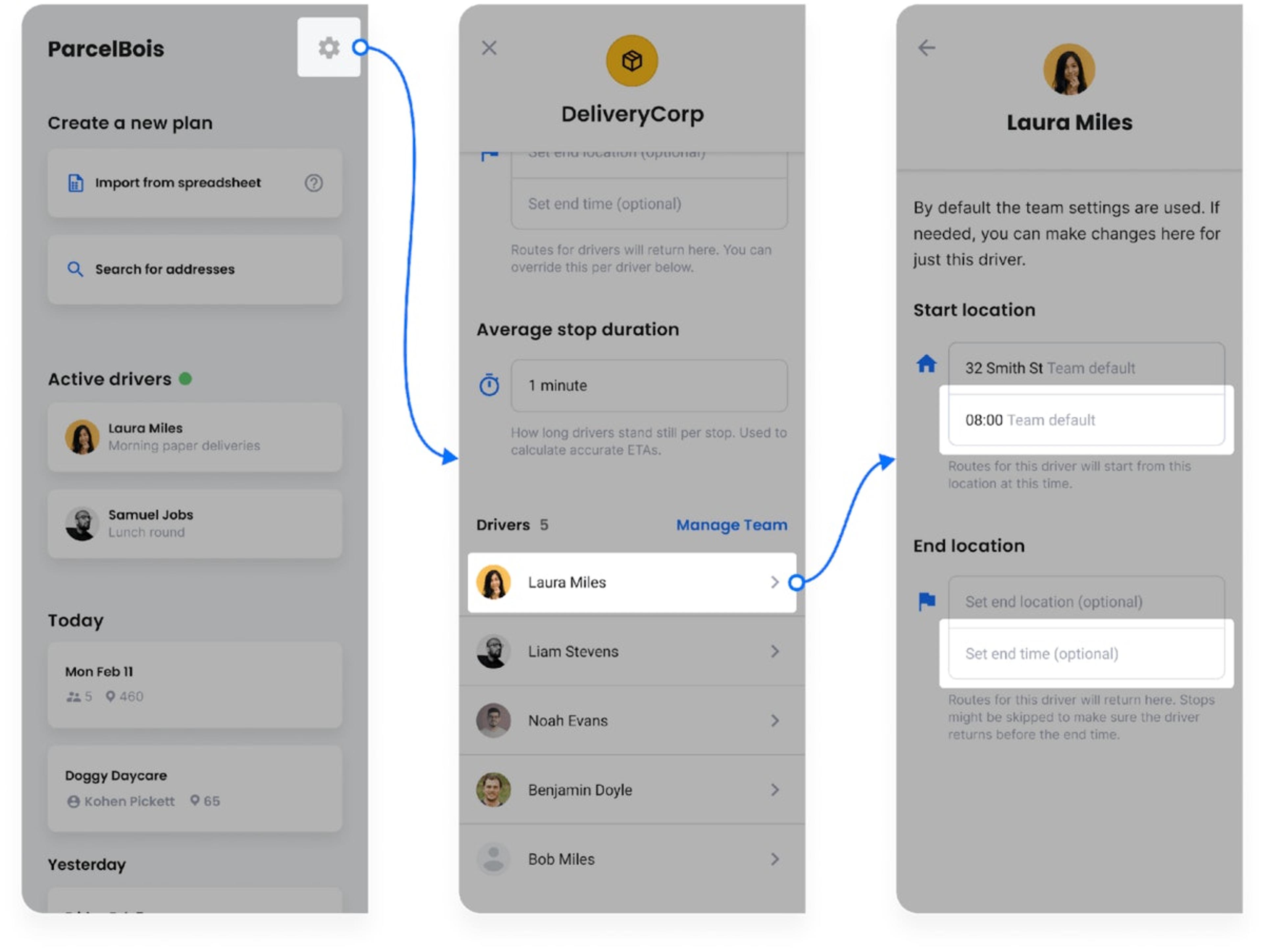
You can set up shift times for your drivers, which means you don’t accidentally optimize a route at a time when they’re not available.
You can also add a unique end location to each route (e.g. their home) — ideal for your drivers if they don’t need to return to the warehouse or your HQ after their last stop. Or you can set default starts and ends, which will apply to every route.
Your drivers access their route by logging onto the free Spoke mobile app. They use the Spoke mobile app along with their preferred GPS navigation app (such as Google Maps, Waze, or Apple Maps).
If the driver needs to make any changes themselves, they can do it from the app — this includes skipping stops, deleting stops, or adding new stops.
Similarly, you can also make changes to routes at the office using the web app, which will automatically appear on your driver’s mobile app.
This keeps communication open and transparent between drivers and dispatchers.
How to Make Sure Deliveries Are on Schedule
Because your delivery team is using their free Spoke mobile app, you can easily track driver whereabouts using their GPS coordinates.
Plus, you can see where they are within the context of the route. For example, you can see which stop they’ve just completed, where they’re heading next, and check the updated ETA for all scheduled deliveries on that day.
All of this information is easily accessible from the Spoke web app’s route monitoring dashboard. Having access to this route monitoring system is a win for dispatchers and managers, because they can quickly give ETAs to customers who call for a delivery update.
A quick note here about giving delivery updates — with Spoke Dispatch, we also offer an order tracking and notification service where customers will get a SMS message or email (or both) that alerts them to when their delivery will arrive.
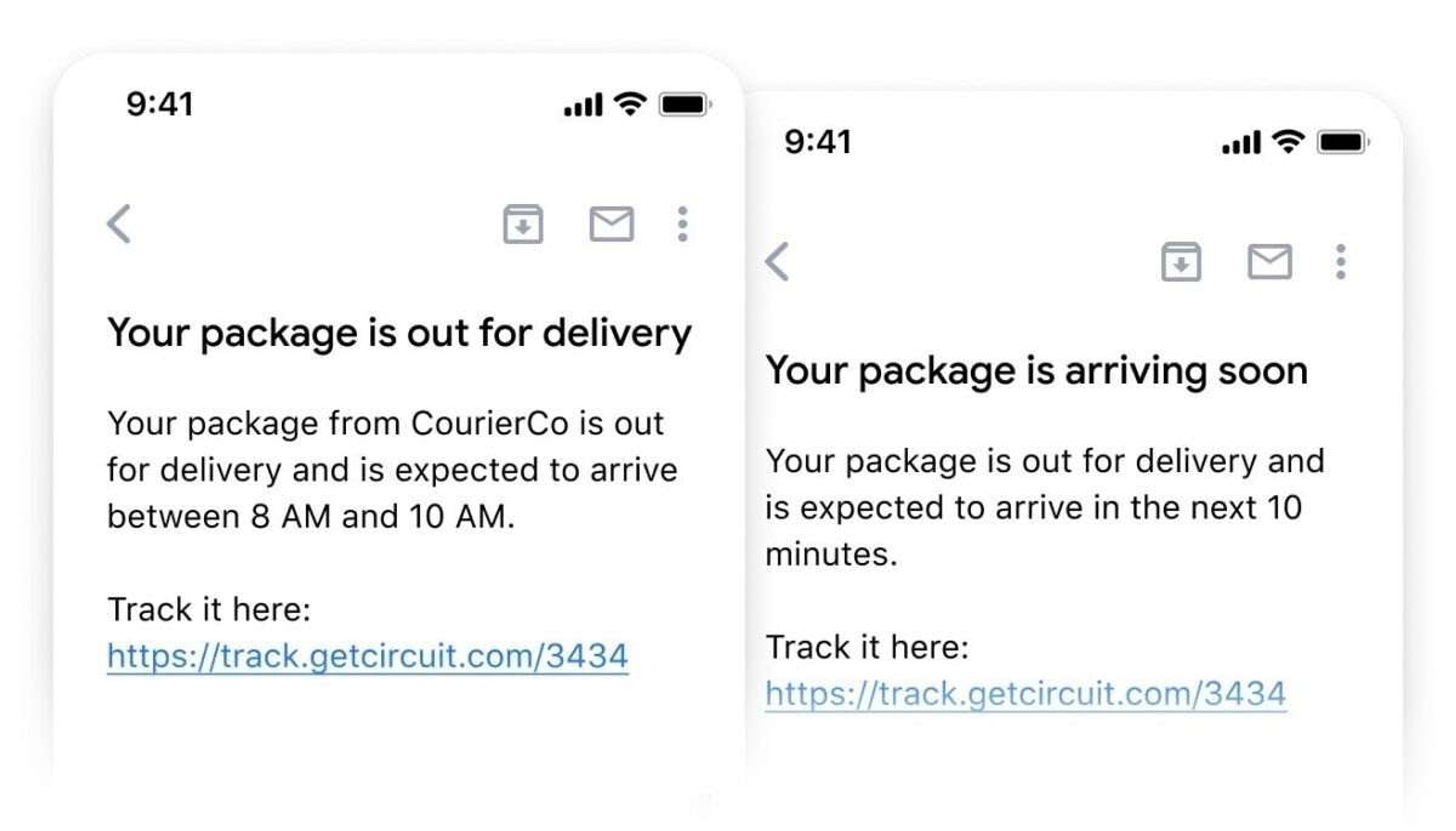
Your customers get an ETA at the beginning of the route, and then they’re given a second message when the driver is close to reaching their stop.
Note: If you’re on the Spoke Dispatch Recipient plan, you’ll be able to turn customer notifications on or off, depending on what you prefer.
How to Confirm Deliveries Have Been Made
Naturally, it’s important you have confirmation that each delivery has been made successfully. This gives your business, your customer, and your drivers peace of mind.
You can also collect proof of delivery (POD) with Spoke Dispatch, either by having your driver take a photo of where they left the package, or by having your driver collect an e-signature if the package was delivered to a person.
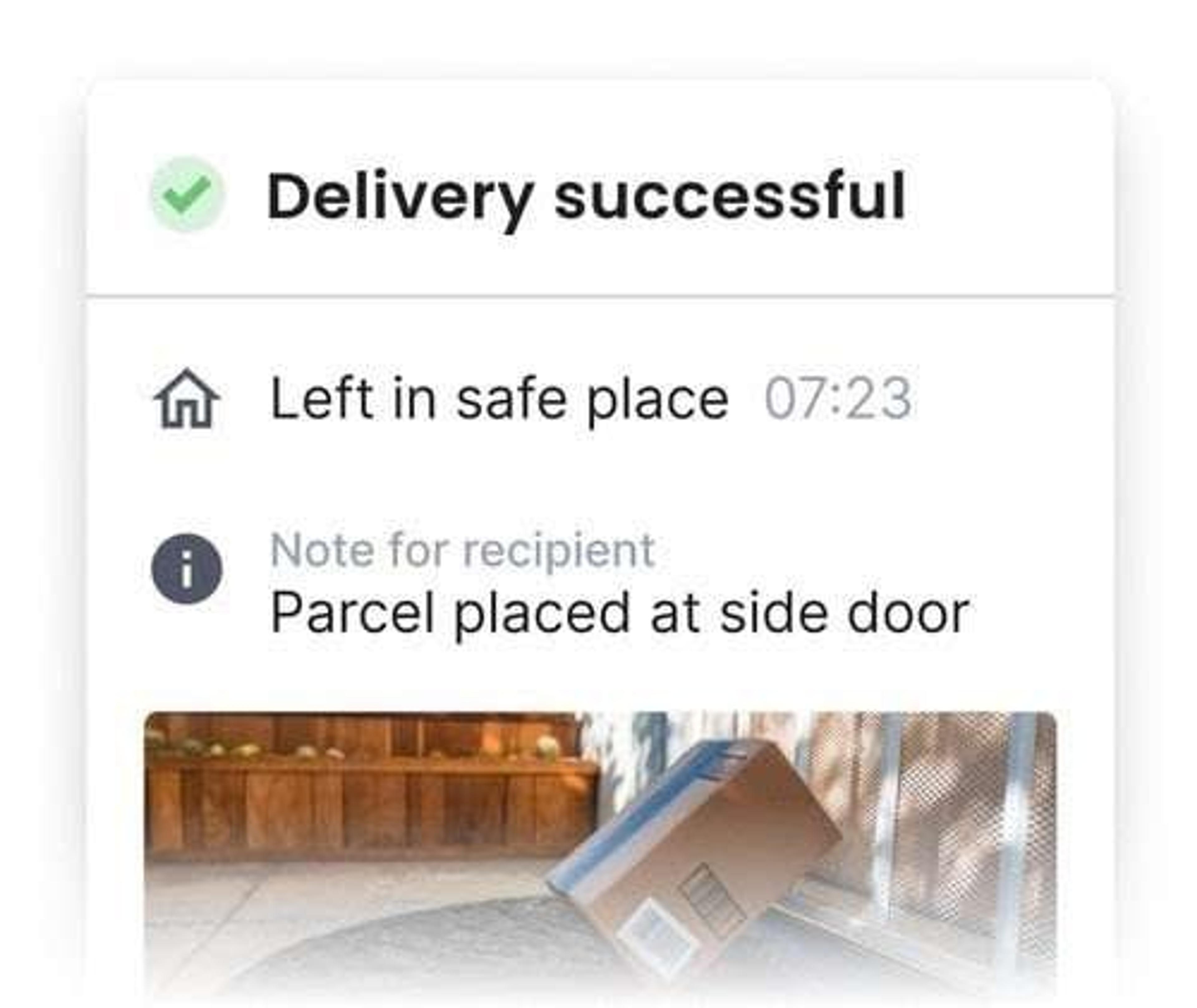
This proof of delivery is stored in the back-end of your Spoke account, and a copy of the POD is also sent to the customer’s email. So, everyone has total visibility.
A Delivery Scheduling App for Single-Driver Delivery Operations
Throughout this article, we’ve been discussing Spoke Dispatch, which lets you create, share, and manage multi-driver delivery schedules. But sometimes you’re running a one-person show, or only need to schedule one delivery driver at a time.
For this, you may want to consider the Spoke Route Planner ($20 per month), our route planning and route optimization app for individual drivers, which is available on the app store.
Spoke Route Planner lets you optimize routes just like Spoke Dispatch — this includes setting a priority stop, time windows, and creating the fastest route possible.
It’s designed for single-driver operations, and used primarily by individual couriers or small businesses who don’t need the advanced last-mile delivery functionality of Spoke Dispatch (it doesn’t include route monitoring, order tracking updates, or proof of delivery functionality). Instead, this is a scheduling solution that simply allows you to plan fast and efficient routes.
Next Steps: Optimizing Your Delivery Schedules with Spoke Dispatch
Delivery schedules are difficult to make perfect. There are many variables to consider, from how many drivers you have (and their individual availability) to where your stops are and when those stops need to be completed by.
Trying to schedule deliveries manually creates more headaches than it solves. Plus, you’re not actually creating optimized, fast routes. It’s impossible to do this without technology.
To save the hours you’d otherwise spend each day planning a route, you can use a software solution like Spoke Dispatch to improve your delivery process.
Our route optimization and delivery schedule software is used by a wide variety of delivery teams, from pharmacy delivery to local retailers, to computer repair and field service teams.
You can read more case studies here, or click here to start your free trial today.