Product updates
What’s new in Spoke Dispatch
Feature updates and improvements to make last mile delivery more dynamic
Feature updates and improvements to make last mile delivery more dynamic
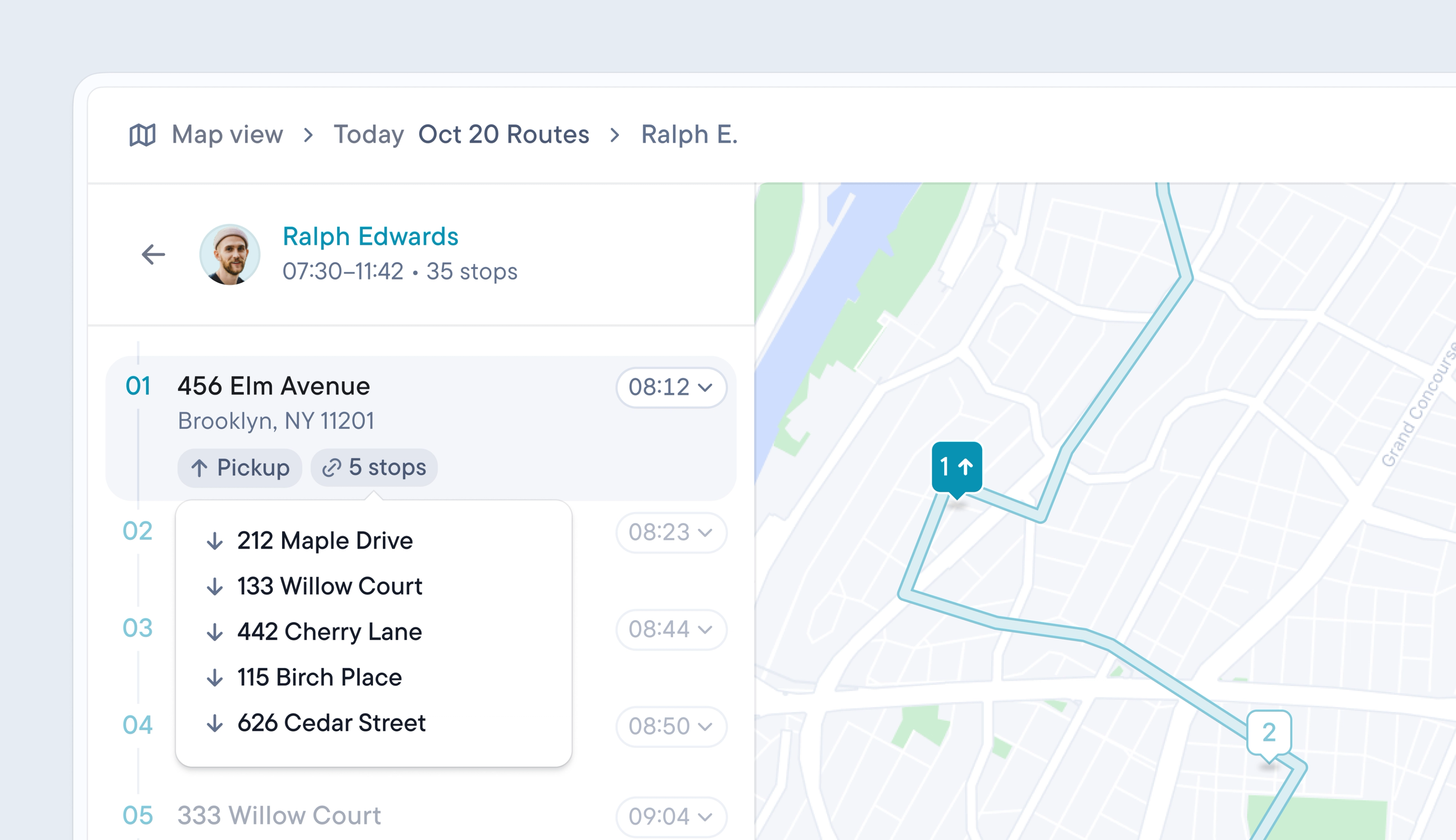
Routes often require drivers to pick up an item at one stop and deliver it later in their route. Until now, linking a pickup stop to a delivery stop had to be done manually by creating two unrelated stops, which required manual checks to prevent drivers from attempting deliveries before pickups.
Dispatchers can now link a pickup to a delivery when uploading their stop data or by setting a depot as a default pickup location. Once a pickup and delivery are linked, the pickup will always be placed before the delivery stop on the route, even when the route is edited or reordered.
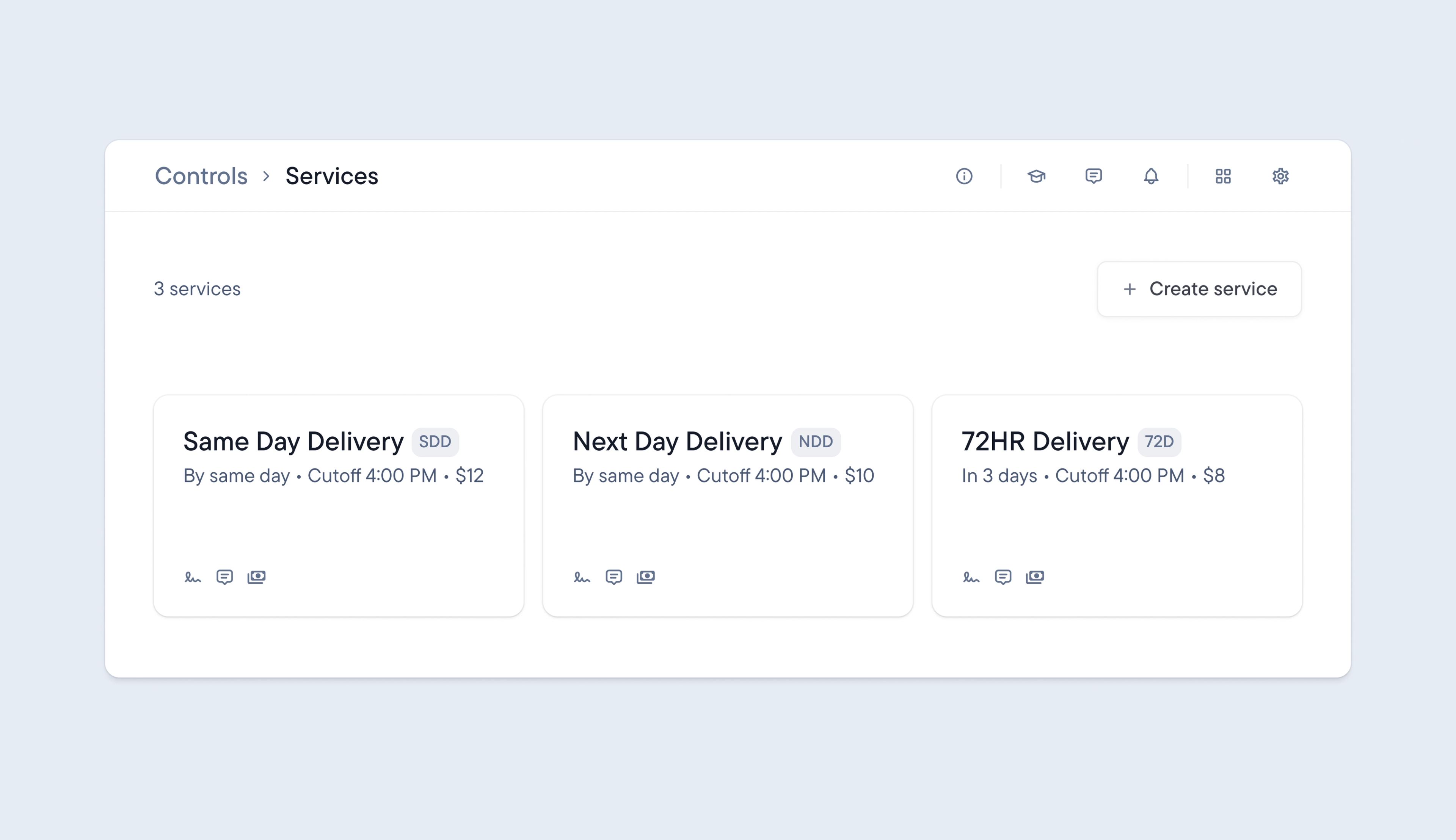
Until now, Spoke has not provided a dedicated way to include the delivery service for a stop. Stops with a specific delivery service, such as same-day, next-day, or 72-hour, have been handled the same way, and the service type has not been visible.
Now it’s possible to create your own custom delivery services and attach a delivery service to any stop.
The delivery service attached to a stop is reflected in the dispatcher dashboard and driver app, making it instantly accessible, helping drivers and dispatchers correctly prioritize their deliveries.
It’s also possible to sort unassigned stops by service type and export detailed performance analytics, including delivery service information, for more granular, insightful reporting.
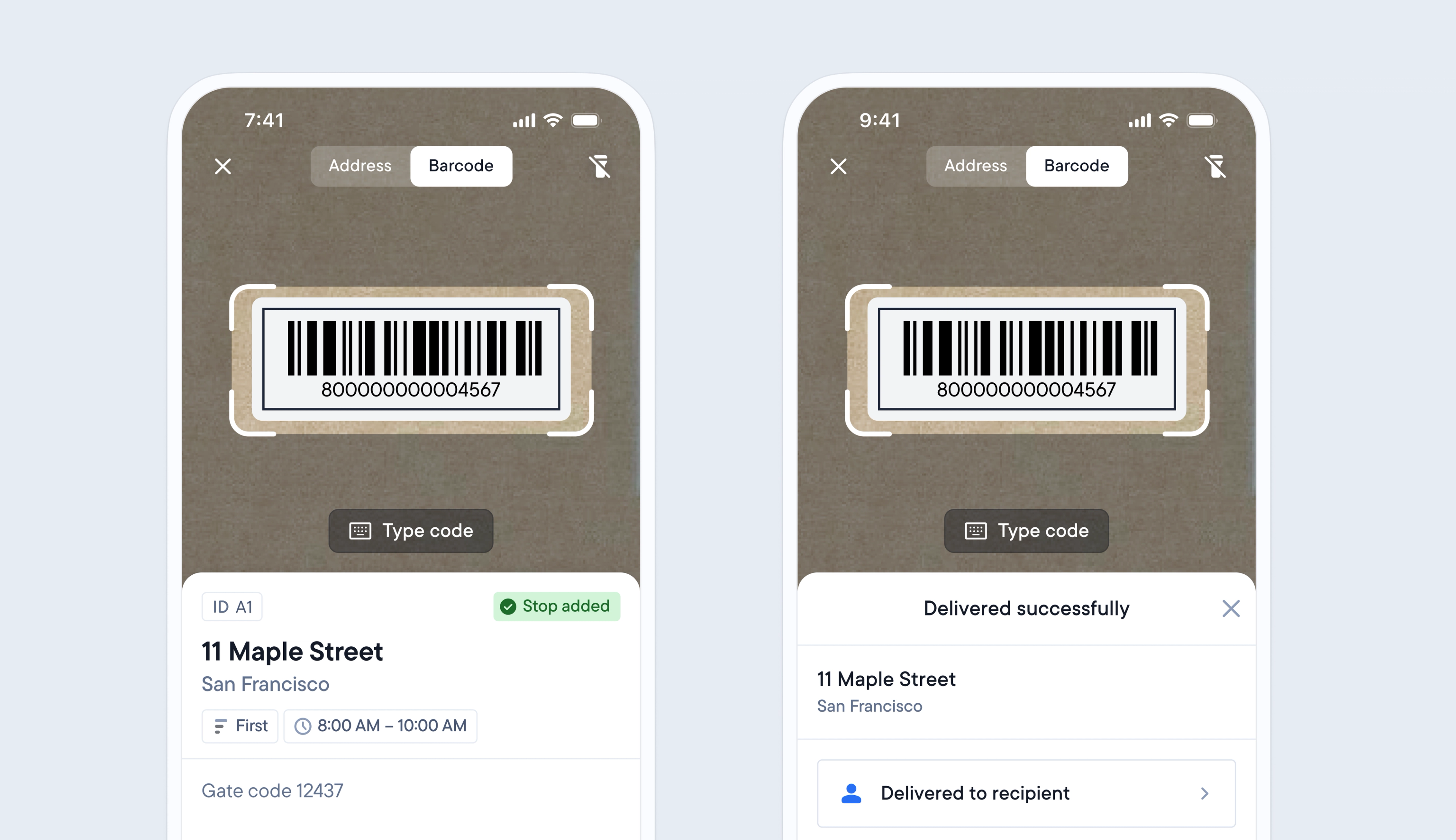
Previously, barcode functionality was limited to allowing drivers to scan barcodes to add stops to their route, and when attempting delivery. This only provided a partial record of a package’s journey.
Now, when a barcode is added to a stop, drivers can scan a package’s barcode when they add it to their route, load it to their vehicle, and attempt to deliver it.
This provides additional proof of custody moments and delivery status updates, which are displayed on the dispatcher dashboard and for the recipient via their tracking link.
Import your own barcodes into Dispatch, or let your courier clients generate barcodes via Spoke Connect.
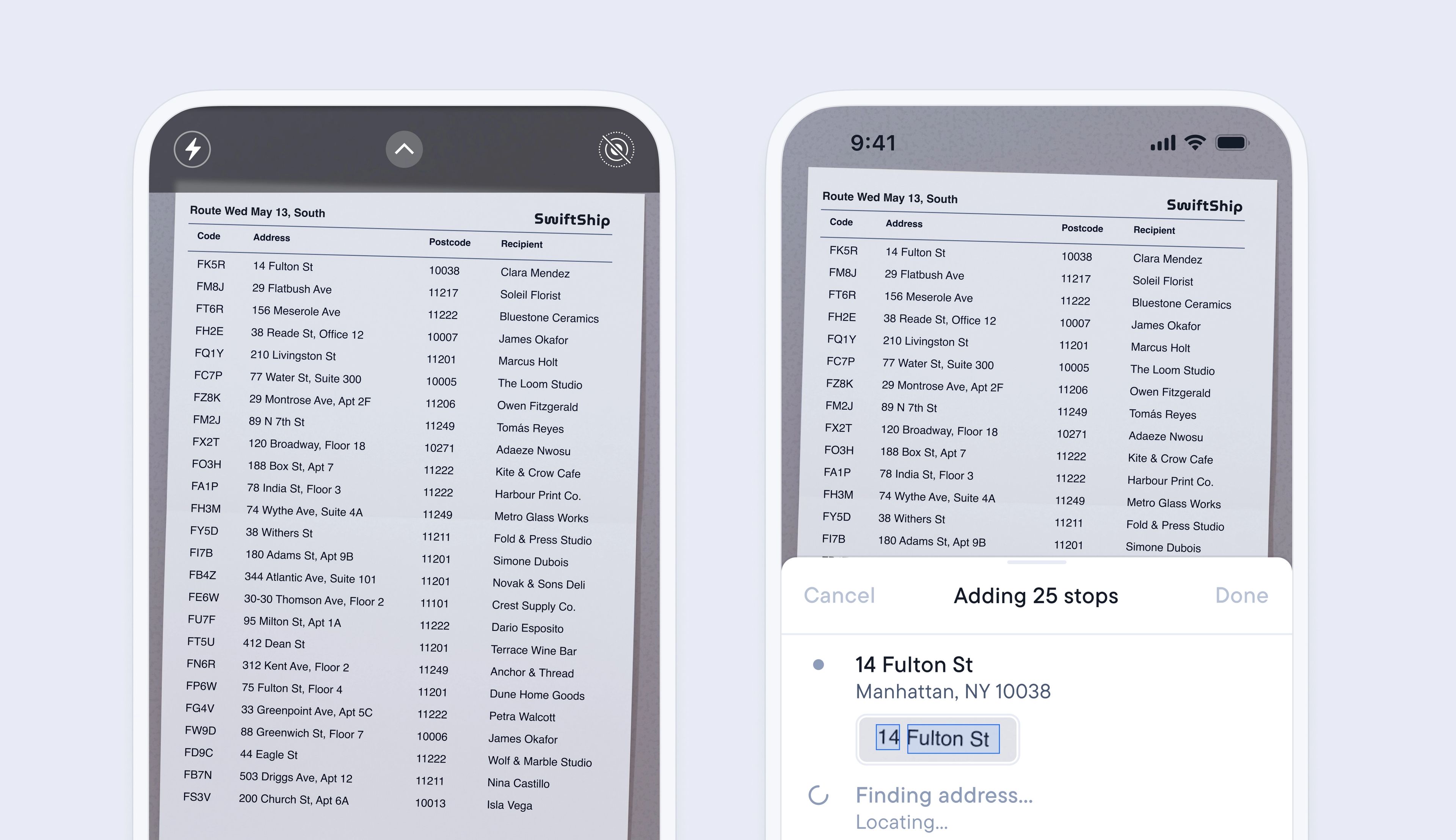
Adding multiple stops to a route can be a time-consuming but necessary process for drivers who create their own routes.
The latest update to importing stops lets drivers import an image/PDF or scan of any list of stops, and Spoke’s smart address detection will automatically find, analyze, and import every address contained in the file, adding it as a stop on their route.
Drivers can import multiple stops in a matter of minutes with just a few clicks, and start their routes even sooner.
To scan a manifest
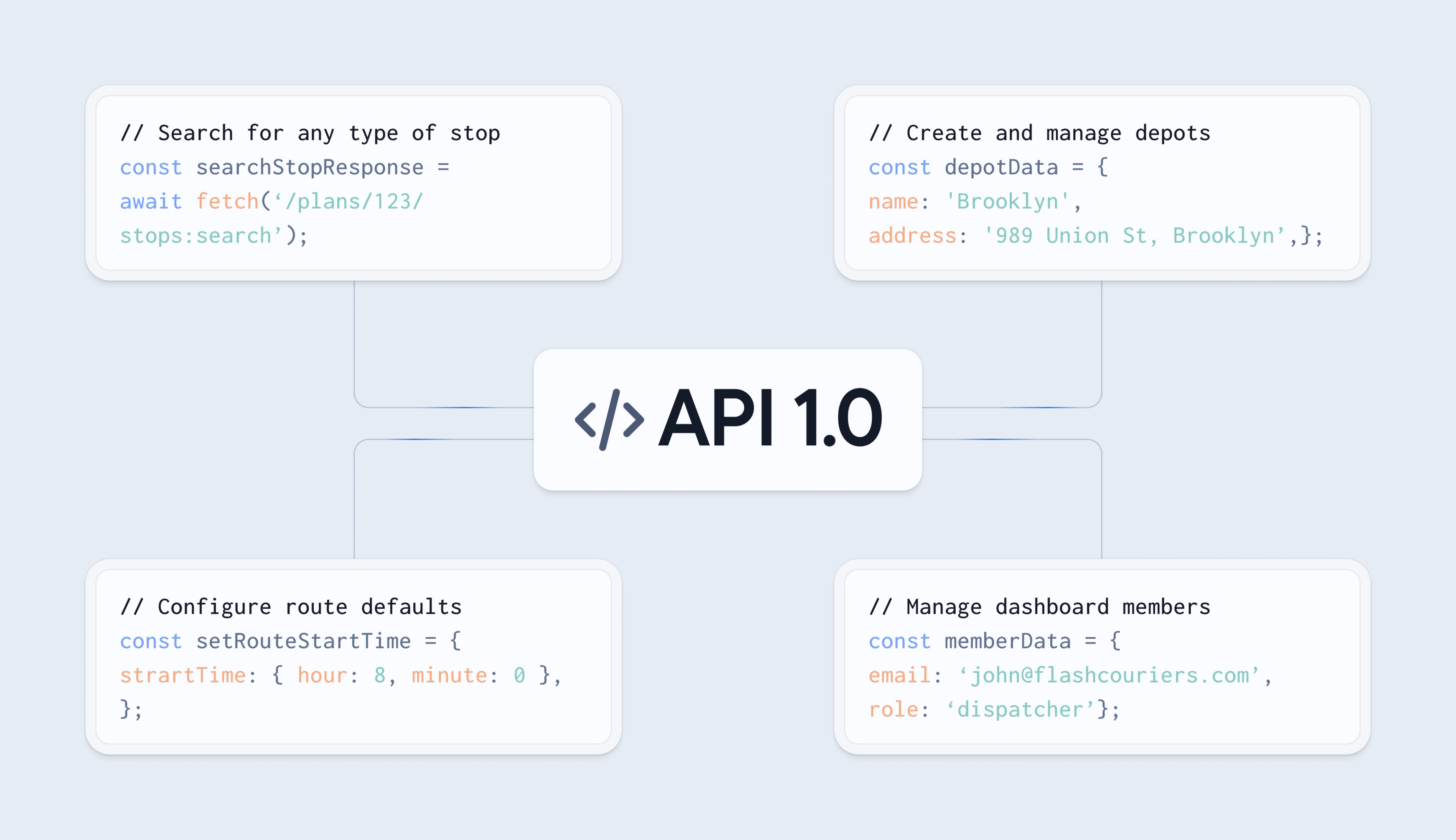
Spoke‘s Beta API provided a solid foundation for automating delivery operations, but several day-to-day workflows still needed to be managed via the dispatcher dashboard. With V1 these processes can now be managed entirely through the API.
API V1 now provides users with the ability to:
The Webhook API has also been improved and now supports the additional event ‘stop being the next on the route’, which enables users to build and trigger their own recipient notifications.
Spoke’s newly launched dedicated API status page provides instant alerts on API outages or degraded performance, helping user keep their operations running smoothly.
API VO.2 Beta will no longer be supported after 1st March 2027.
Follow our migration guide to update to V1 in a matter of minutes.
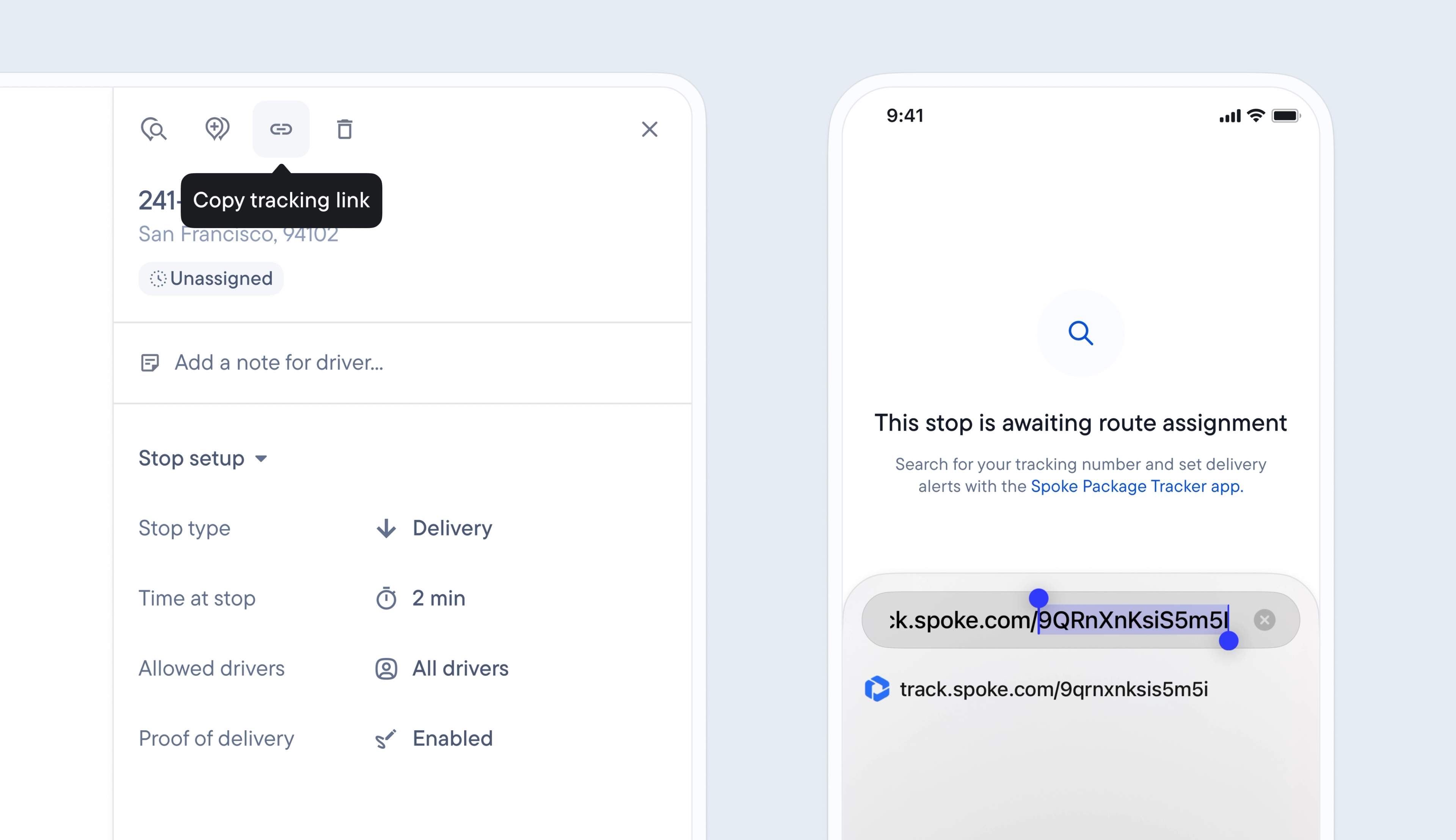
Previously, it was only possible to track a stop after the driver had started the route containing it, which didn’t provide any pre-transit visibility into deliveries.
Now, when a stop is added (manually, via spreadsheet, using the API, or from Shopify) it is automatically given a unique tracking link and status.
Stops can be tracked from the moment they are ‘awaiting assignment to a route’ through every status change until they are successfully delivered.
This provides additional tracking visibility to recipients and the opportunity for users to build and expand the capability of their own automated workflows to include this early update.
Each stop’s unique tracking link contains a token, making it quick and easy to search for individual stops using this unique identifier.
Recipients who have customized their browser language settings will now also be able to view their delivery updates on the tracking page in their native language of English, Spanish, German, Brazilian Portuguese, or Hebrew.
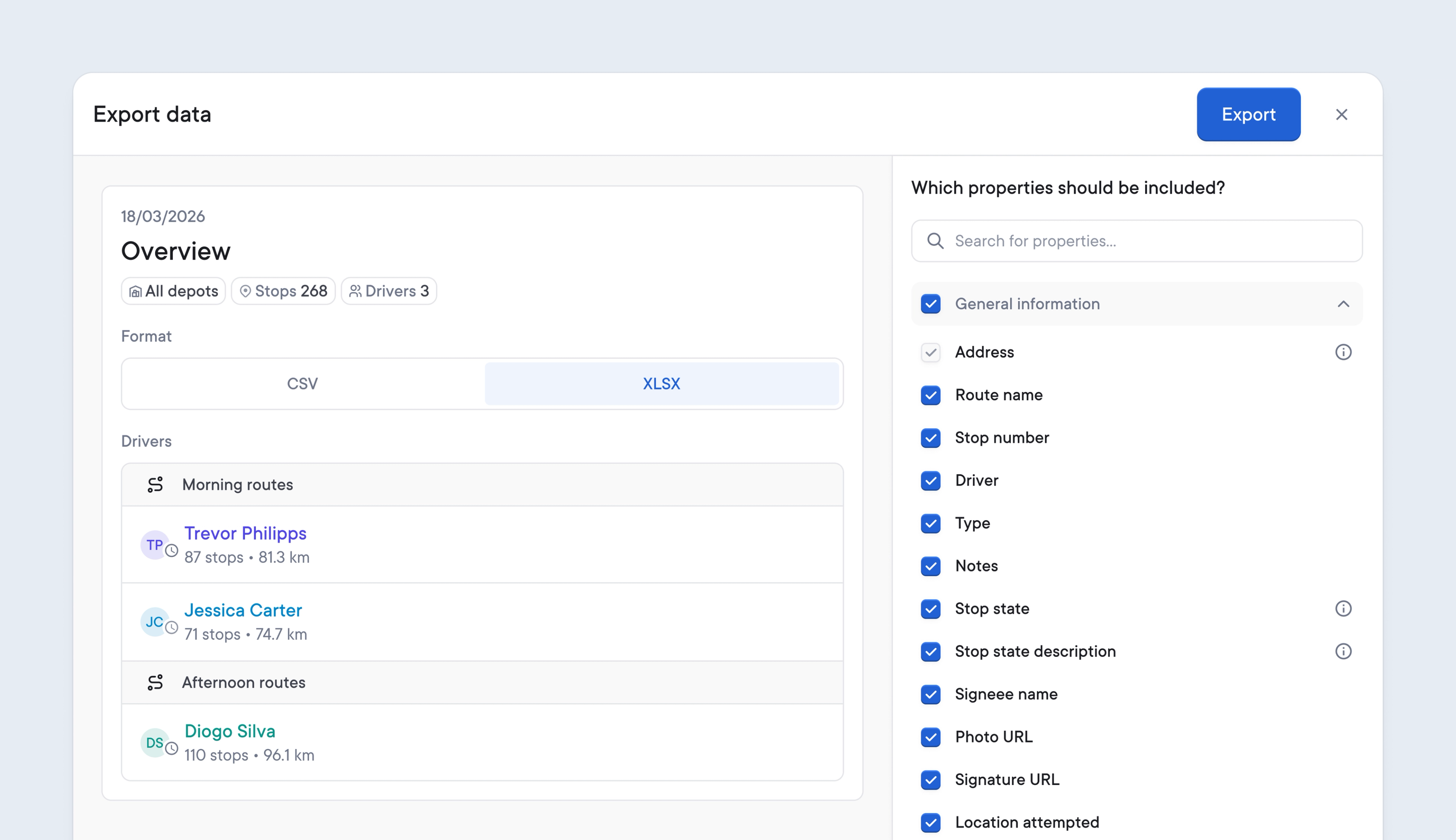
Digging through mountains of unnecessary data for the specific information required can be frustrating and an inefficient use of time.
Spoke’s latest update lets users customize which data to export, making it easier to access the information that matters.
Users on the Premium and Expert plans can now customize all reports, preview changes, and more efficiently download data that’s tailored to their business processes.
When exporting route data, delivery analytics, or printing a manifest, users can select all or any field to include. Spoke will automatically store each user’s specific preferences for each report and apply those settings to all future exports of that report.
Watch the video below to see how easy it is to customize your data exports and manifests.
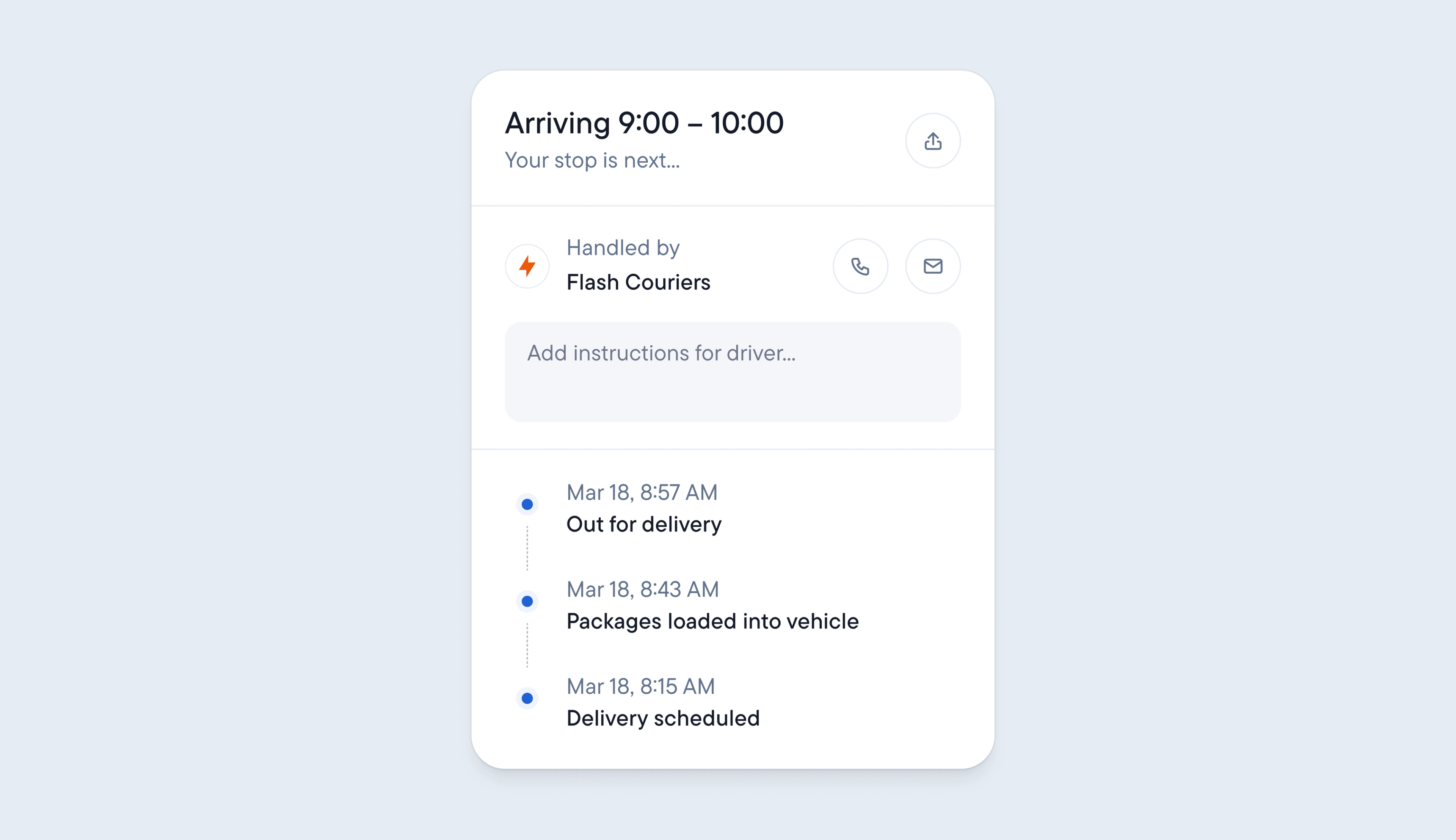
Not having end-to-end visibility into each package’s location can leave Dispatchers without the information they need to answer incoming delivery queries. Significant gaps in tracking can also lead to extra requests for updates from recipients, who need more thorough delivery details.
Users on Spoke’s Premium and Expert plans can now benefit from detailed proof of custody information for packages that have barcodes.
Any package with a barcode can be scanned when it is added to a route, loaded onto a delivery vehicle, and delivery is attempted. Time stamps are now recorded at the time these events occur, providing Dispatchers with specific, chronological information about a package’s progress and custody status.
Recipients also benefit from more detailed tracking information, as proof-of-custody timestamps are shared with them in real time on their tracking link page.
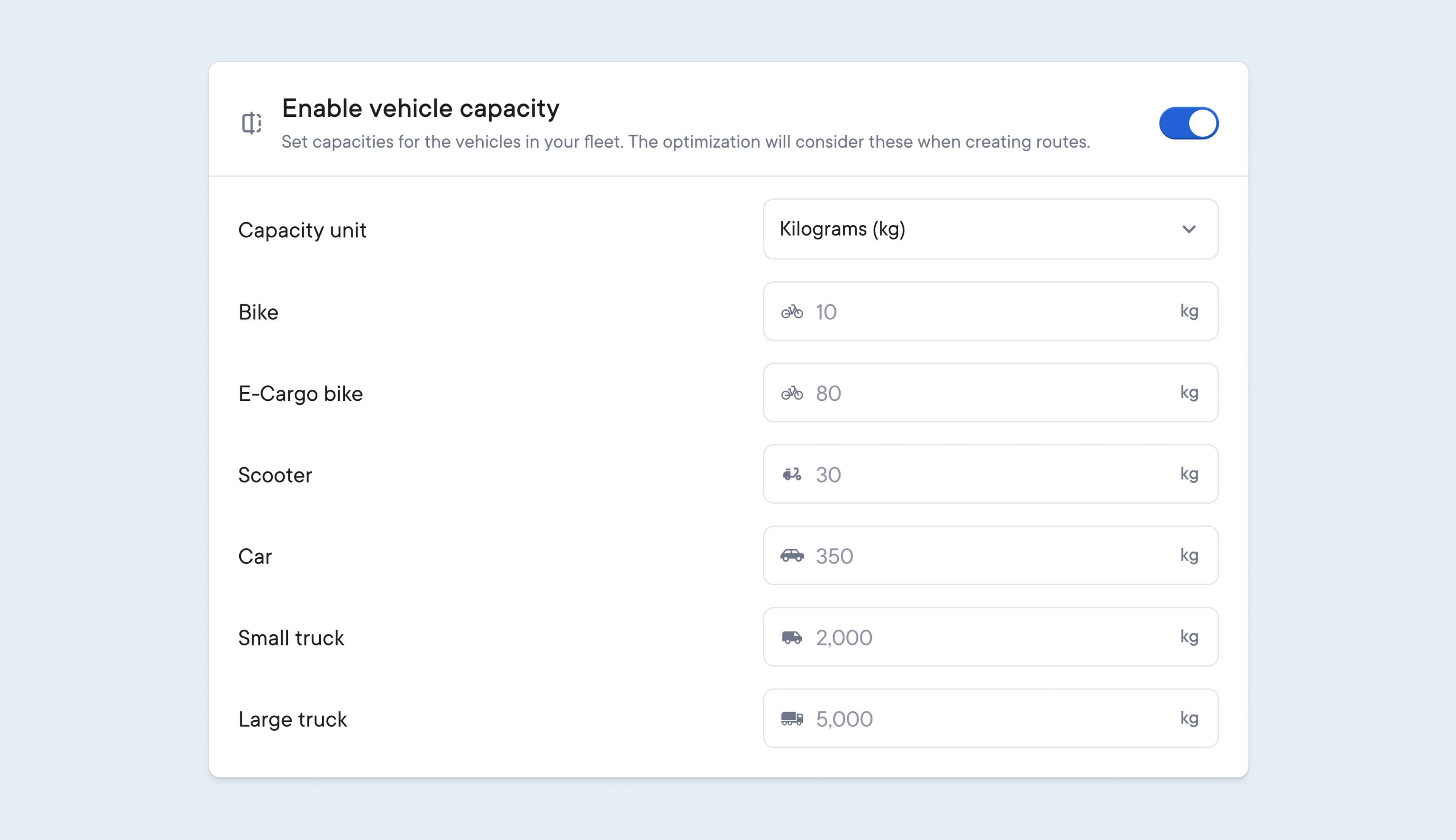
To maximize route efficiency, dispatchers need to balance adding as many items as possible to a route, without exceeding the legal weight limits for the vehicle carrying out those deliveries.
Vehicle capacity lets you set a maximum weight limit for each vehicle type.
This will override any maximum stops settings for drivers, and Spoke will use this weight limit to create routes that do not exceed any vehicle’s maximum load capacity.
When importing your delivery data into Spoke, don’t forget to include package weight information for each item so that this can be used to calculate the total vehicle capacity for a route.
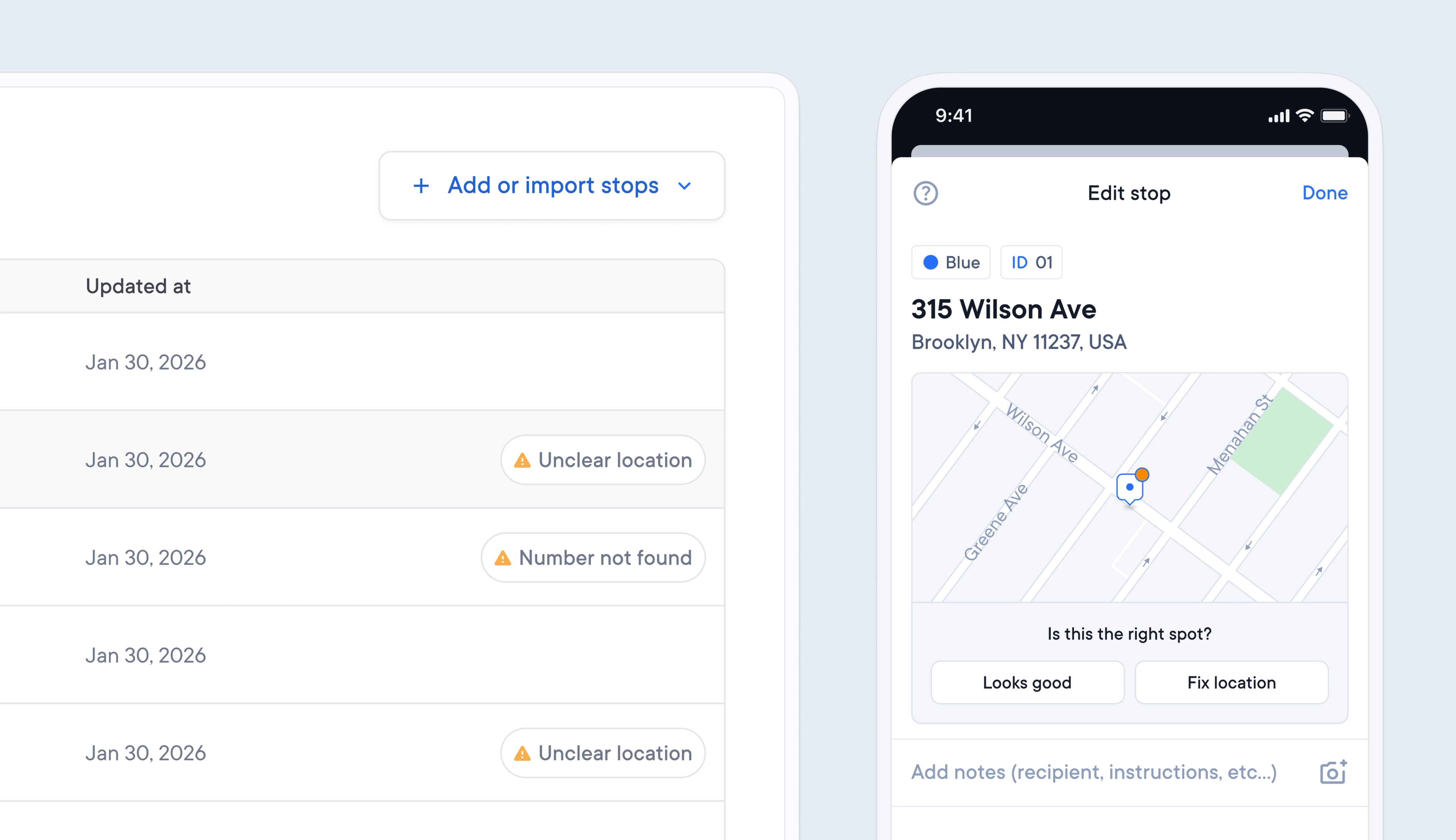
When an incorrect address format or location is added to a route, it can be hard to spot the error. The knock-on impact can be that drivers are sent to the wrong location, causing confusion and delays.
Spoke now automatically flags addresses that appear to have an unclear location or where the address number cannot be found, so that you can easily spot and correct any errors.
Potential address issues are flagged on the Dispatcher Dashboard and Driver App, giving both dispatchers and drivers the opportunity to fix incorrect details before they impact routes.
To import a manifest