Product updates
What’s new in Spoke Dispatch
Feature updates and improvements to make last mile delivery more dynamic
Feature updates and improvements to make last mile delivery more dynamic
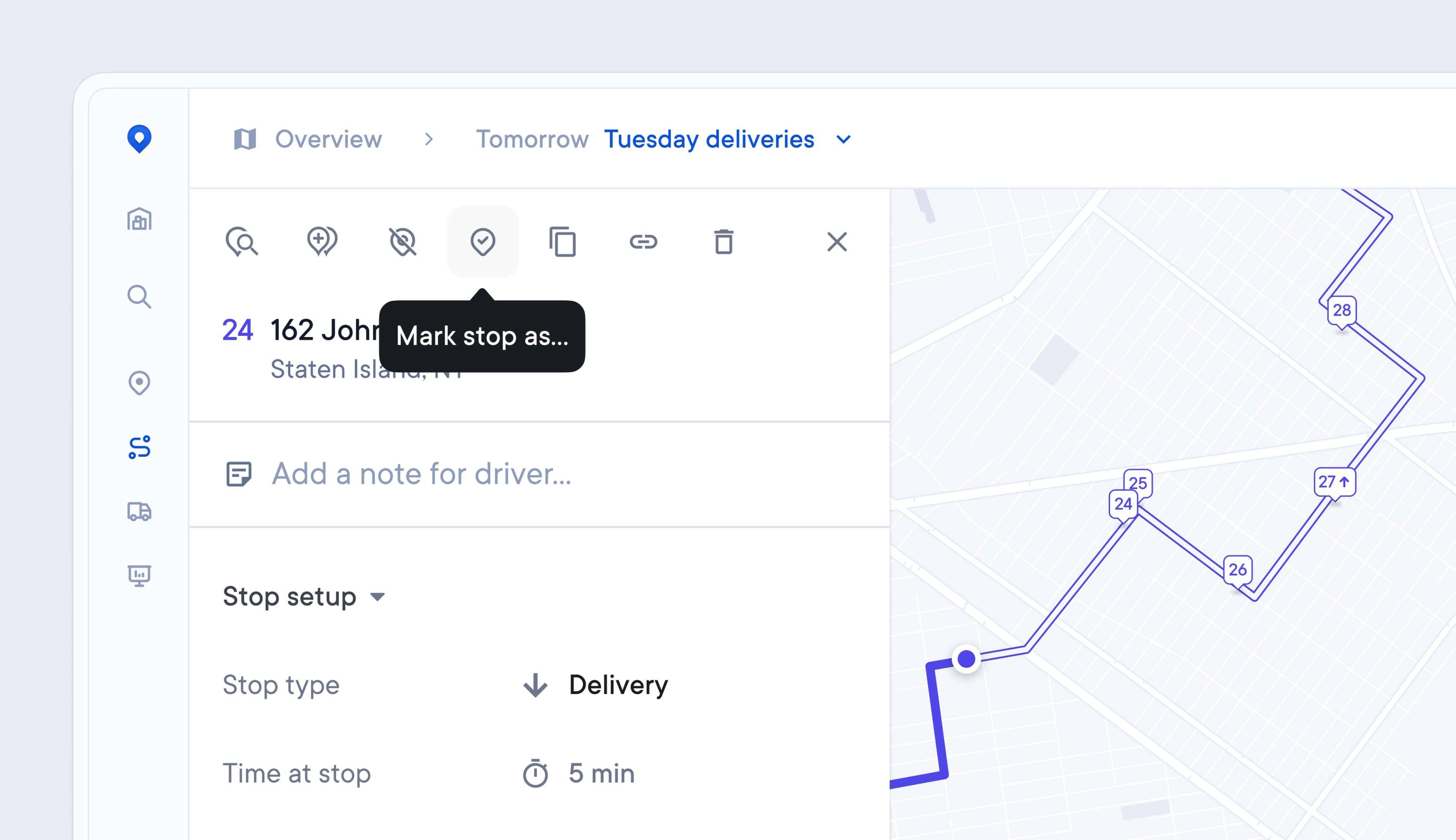
Occasionally, Drivers make mistakes, and previously, it was hard for Dispatchers to correct the delivery status of a stop that was marked incorrectly.
Now, Dispatchers can edit the delivery status of a stop from the Dispatcher Dashboard, ensuring that any errors are easily rectified and that recipients receive the latest, accurate tracking information.
This will trigger an updated recipient notification to be sent.
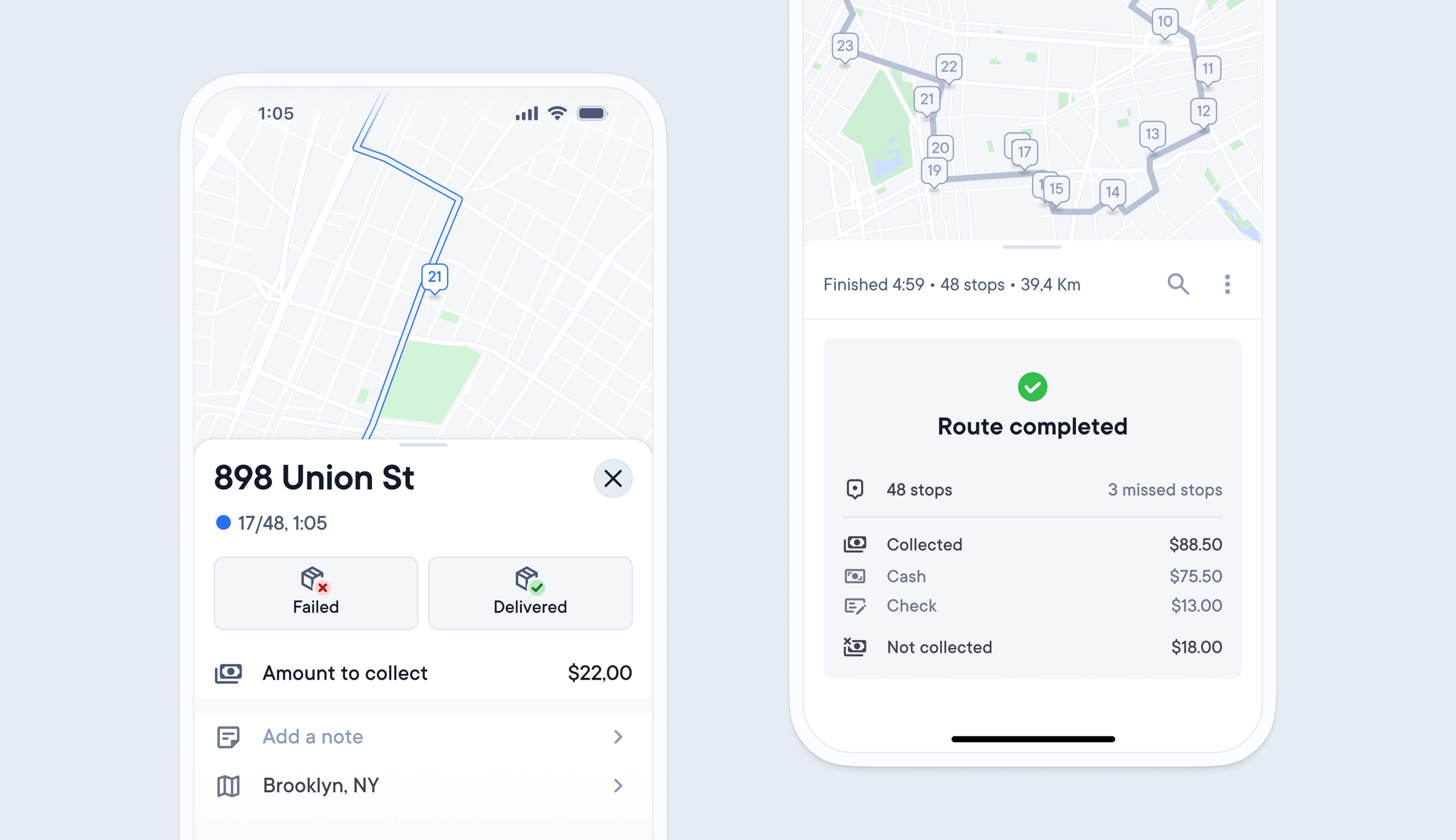
Previously, requesting cash-on-delivery was not possible using Spoke Dispatch, and couriers had to find their own way to request, collect, and record any cash received at a stop.
Now, any cash on delivery requirements for a stop can be imported into Spoke via API, spreadsheet, or manually added.
Recipients are notified of any money that is due on their delivery tracking link.
Drivers are prompted on their driver app to select the payment type, confirm that the amount has been received, and collect the recipient’s signature. At the end of every route, they are shown a breakdown of the payments collected.
Dispatchers can edit, view the live status, and export a cash on delivery summary in the Dispatcher Dashboard.
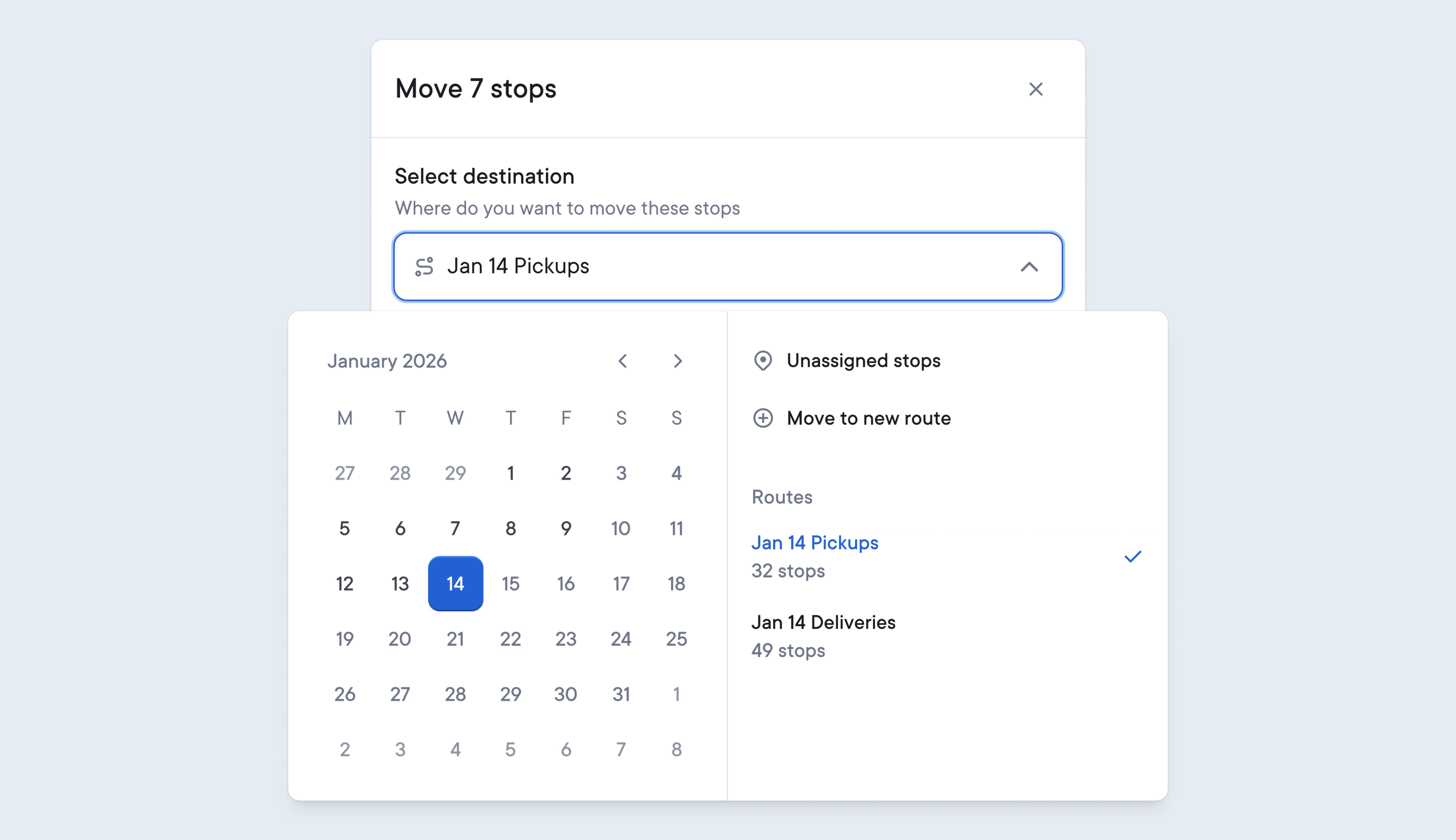
Previously, copying or moving existing stops between routes could be a complex process.
We’ve streamlined this workflow to make copying or moving existing stops between routes even easier, which saves Dispatchers time when they need to quickly and efficiently reallocate stops between various routes.
Moving stops can now be carried out in a dedicated pop-up, keeping the Dispatcher in the context of the route they are editing. Finding the route you want to move stops to is also simpler with the calendar selector and filtering options, making it easy to find individual routes by name or date.
The ability to select multiple stops has also been streamlined to look and work more efficiently, and a new confirmation message has been introduced to reduce accidental errors by requesting verification before any changes are discarded.
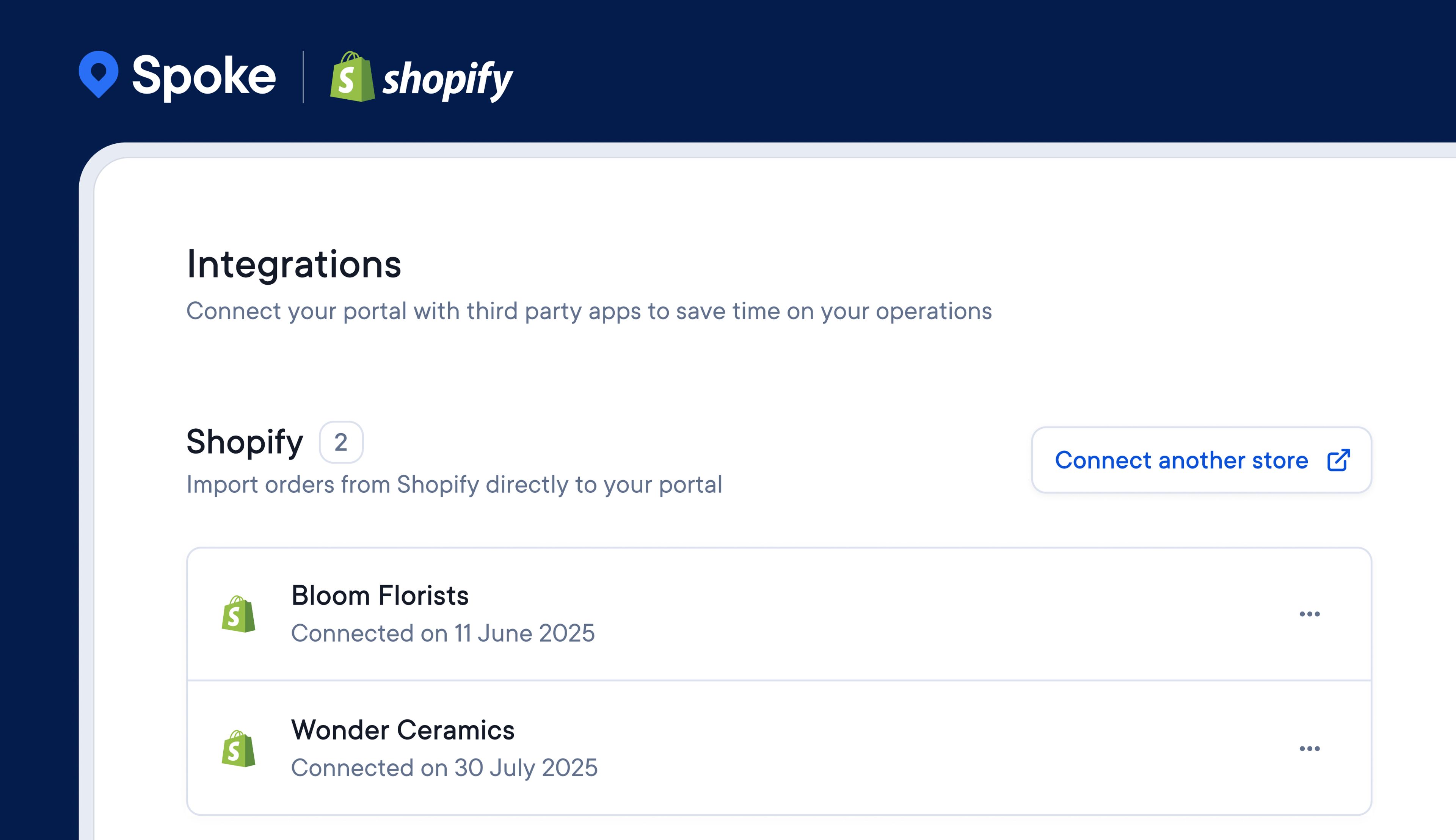
With Spoke Connect, couriers can invite their clients to upload, track, and manage their orders in real time. It provides a live delivery dashboard that connects couriers with their clients.
Previously, clients only had the option to upload orders manually or via a spreadsheet. Now, they can link their Shopify store with Connect to directly import orders that are ready for delivery.
It’s also possible to set permissions that enable the automatic updating of order status, and trigger customer notifications in Shopify, as deliveries are completed in Connect.
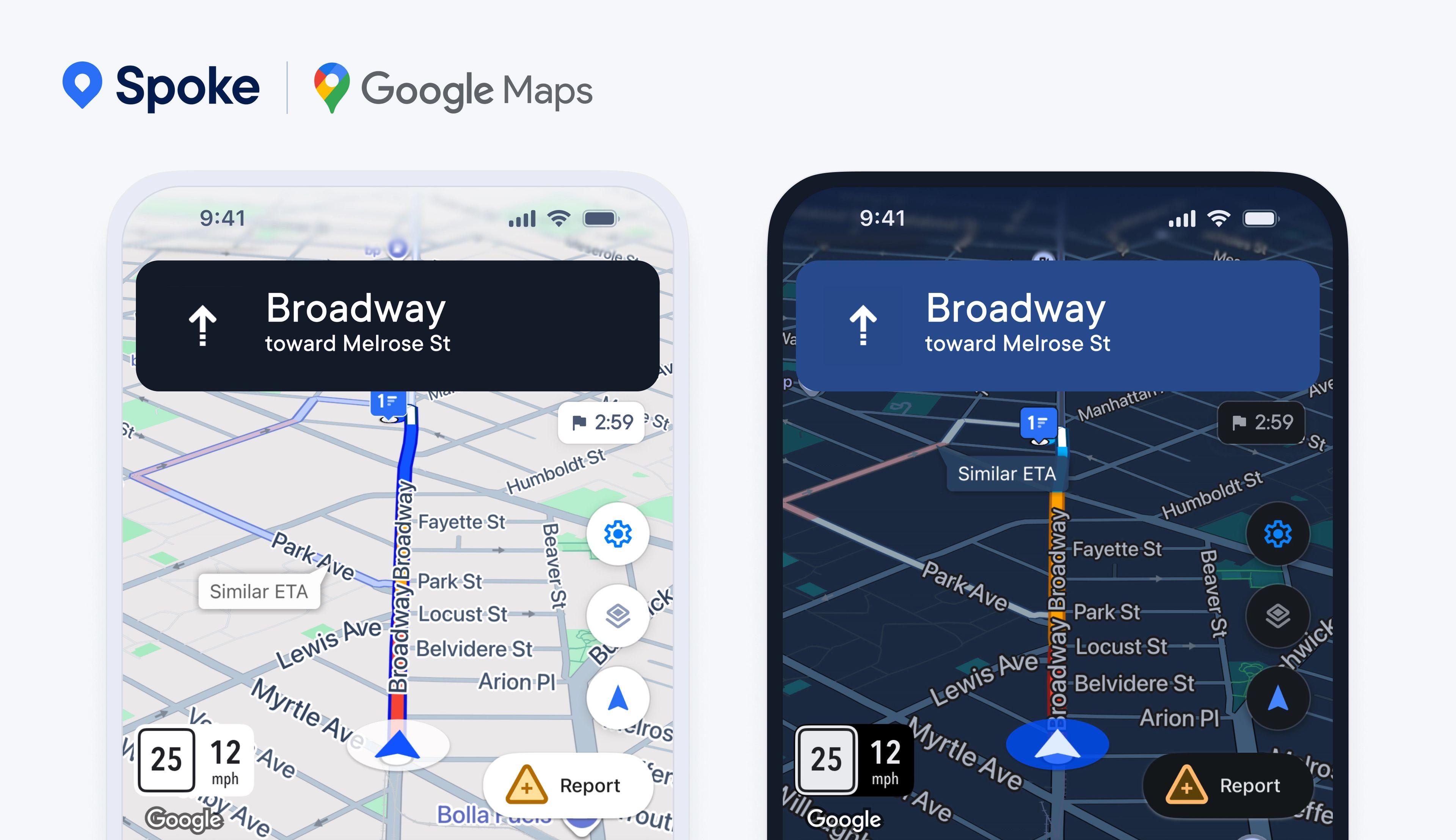
Spoke’s in-app navigation is powered by Google Maps, which provides functionality such as live traffic disruption alerts, satellite map views, and turn-by-turn directions which all help drivers successfully handle the challenges they face on the road.
When driving conditions become difficult in the dark, drivers can now also benefit from automatic theme changing, which switches the theme of the driver app between light and dark depending on the time of day on their phone, making the map view more visible and reducing battery consumption.
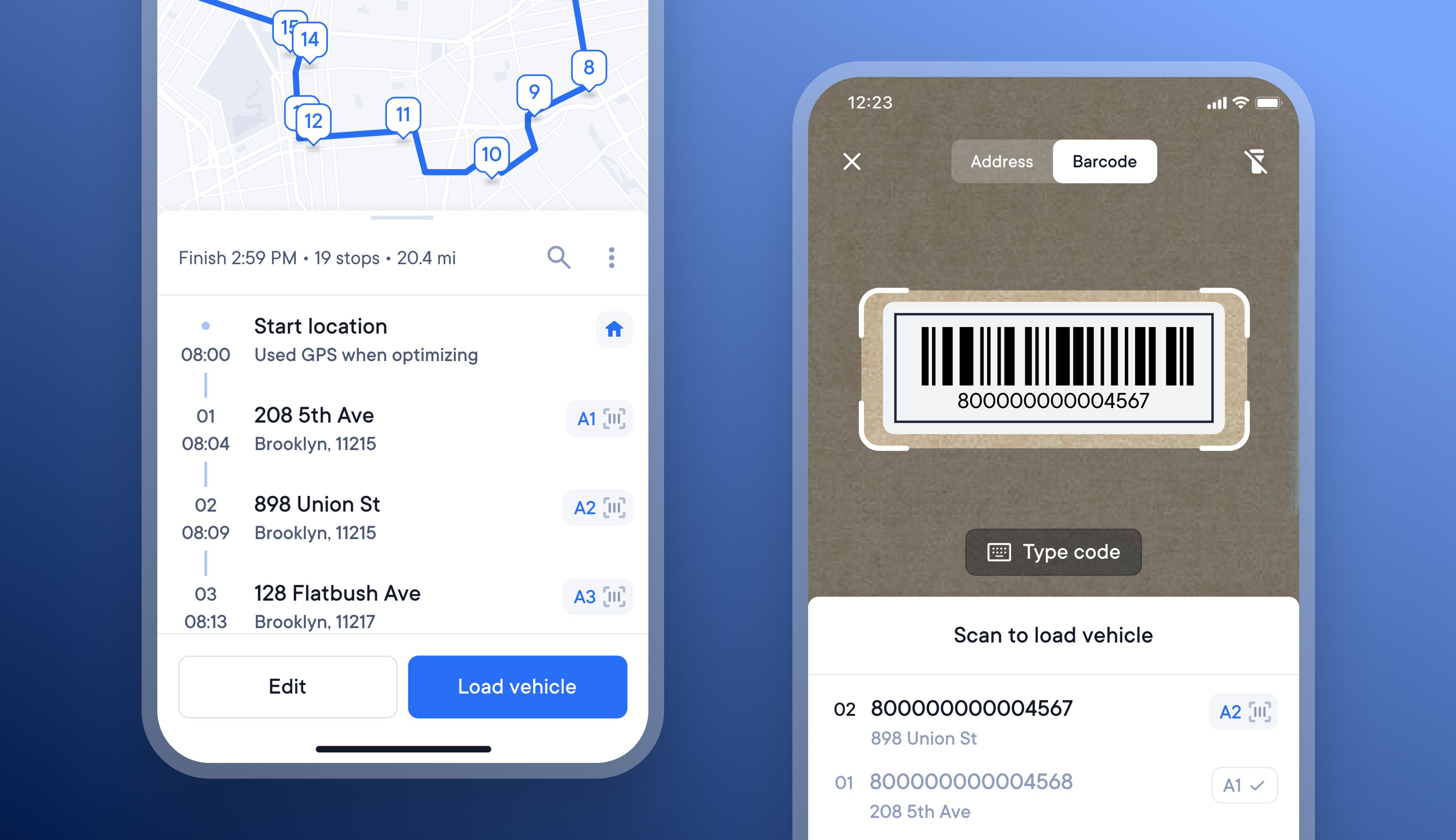
Previously, drivers could scan the barcode on a package to add that stop to their route, and scan the barcode again at the recipient’s address to confirm delivery.
The latest update to barcode scanning also lets drivers scan the package barcode as they load their vehicle, to confirm they are loading the correct item.
This latest update also lays the foundations so that soon scanning a package’s barcode will be able to provide proof of custody details from the point that it is loaded onto a vehicle until it is delivered to the recipient.
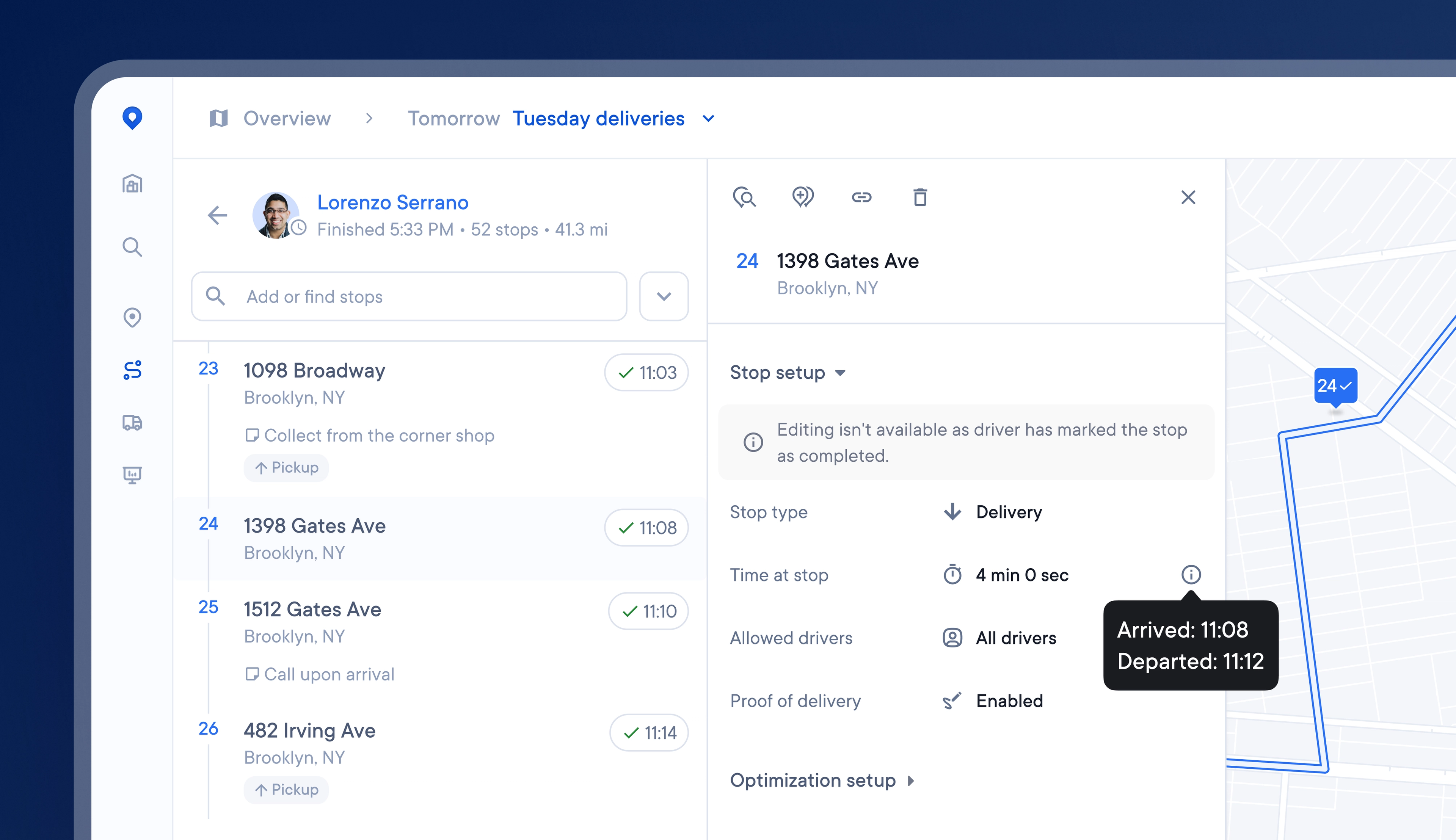
Knowing how long it takes a driver to deliver an item at a stop helps couriers accurately manage operations and workforce performance.
Users on the Premium and Expert plans can now benefit from the latest ‘time at stop’ feature, which automatically records the time a driver arrives at and departs from a stop.
This feature is on by default for Premium and Expert plans and works when drivers use Spoke’s internal navigation on their driver app. The actual time each driver spends at a stop is logged and displayed in the dispatcher dashboard.
We’re entering a new chapter, with a fresh new name.
Circuit is now > Spoke.com
It’s just a name change. Everything else you know and trust about us stays exactly the same: the same team, values, and dedication to creating first-class products for last mile delivery.
This rebrand reflects who we are today and where we’re headed, and we can’t wait to show you what’s next. Over the past year, our platform has powered more than 1 billion deliveries, our team has grown, and so has our ambition to 10x the number of deliveries we power in the years ahead.
In 2026, we’ll launch some exciting new products we’ve been working on, which will improve last mile delivery for retailers, drivers, couriers, and recipients.
Over the next few weeks, you’ll see our new look roll out across our app, website, and materials.
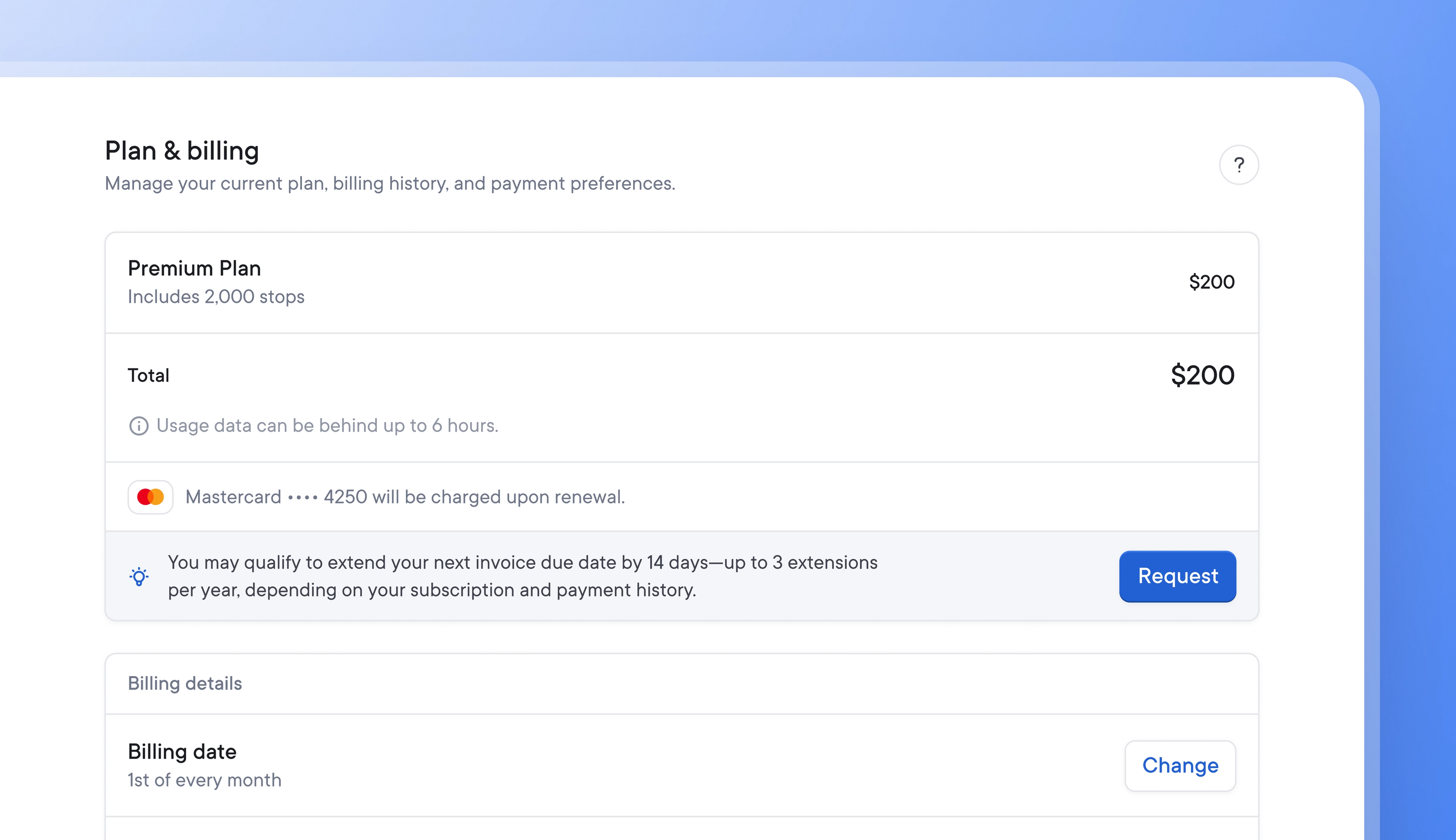
The seasonal nature of last-mile delivery can make balancing cash flow difficult at times.
Now, Spoke Dispatch users can choose a custom billing date that suits their business’s financial cadence and request a fourteen-day payment extension up to three times a year if they need a little extra time to help manage finances successfully.
Your new billing date will be effective immediately.
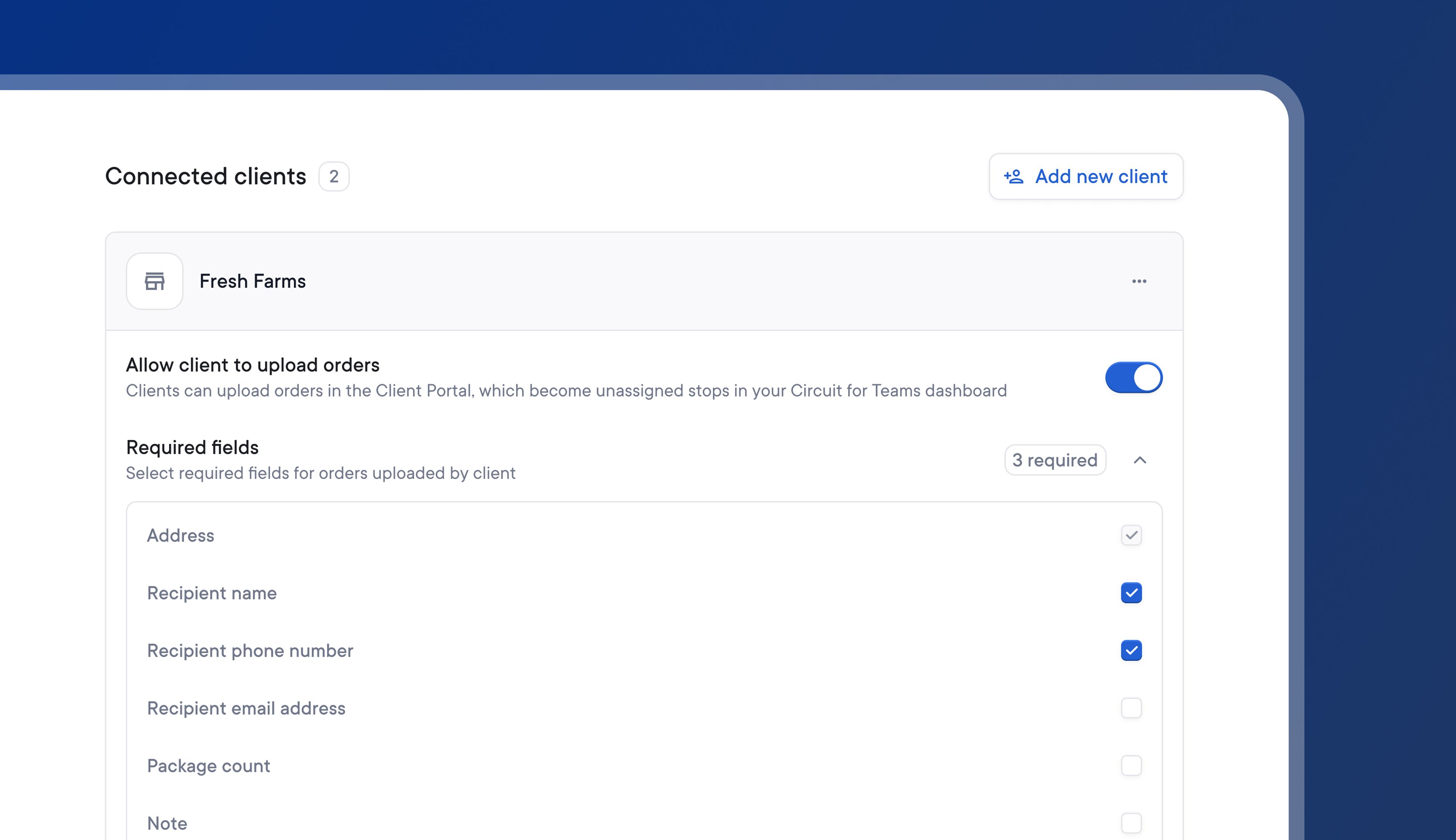
Previously, clients might upload orders that were missing key information into Spoke Connect.
Without all the necessary details for a stop, couriers would need to contact the client to find out any missing information and update stops accordingly. This could increase the time and stress associated with managing client data.
Now, couriers can set required fields for any of their clients, and each client has to include those required fields for every stop they wish to import.
During the upload process, clients will be alerted if a required field is missing and given instructions on how to add it.
Couriers have complete control over which required fields each client should upload, eliminating the possibility of missing details and delayed delivery.
Your stops will now be added and visible on your route.
A hexagonal grid pattern will now be overlaid on the map view.
They will then be redirected back to Spoke Connect, and their Shopify store will be linked with Spoke Connect. They will now have the option to Import orders from Shopify.
Thank you for being part of our journey, and here’s to the future as Spoke.com
Your account must have been active for at least six of the last twelve months and can have no more than one pending invoice in order to qualify for payment extensions.
Your extension request will be approved immediately if it meets the criteria. Your invoice due date will be extended by fourteen days, but your billing cycle will remain unchanged.
Your client will now only be able to successfully upload a stop if it has all the required fields.