Product updates
What’s new in Spoke Dispatch
Feature updates and improvements to make last mile delivery more dynamic
Feature updates and improvements to make last mile delivery more dynamic
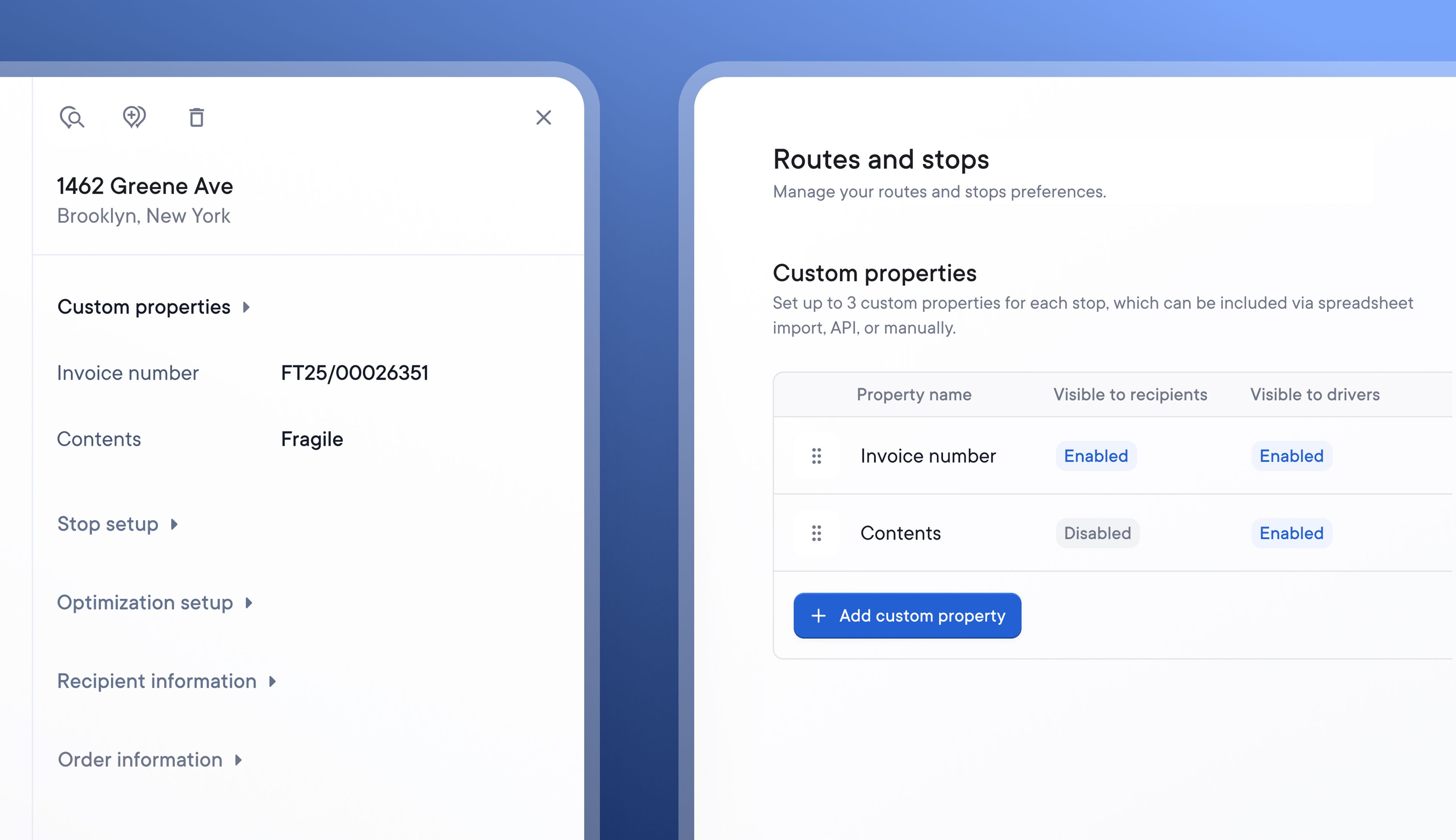
When importing stop data, Spoke allows Dispatchers to import all the essential stop details, such as the type of stop, time windows, and number of packages.
Now, users on the Standard and Pro plans can also import their own custom stop properties to add key information that’s useful for their business.
Once created and imported, custom properties are visible by default on stops displayed on the Dispatcher Dashboard, and they can be selectively hidden or made visible on the Driver app and Recipient tracking details.
Custom properties are set at the account level, making it easy to search and filter account activity by custom property. Once they have been defined in your account settings, they can be uploaded via spreadsheet or included in stop data imported using Spoke’s Public API.
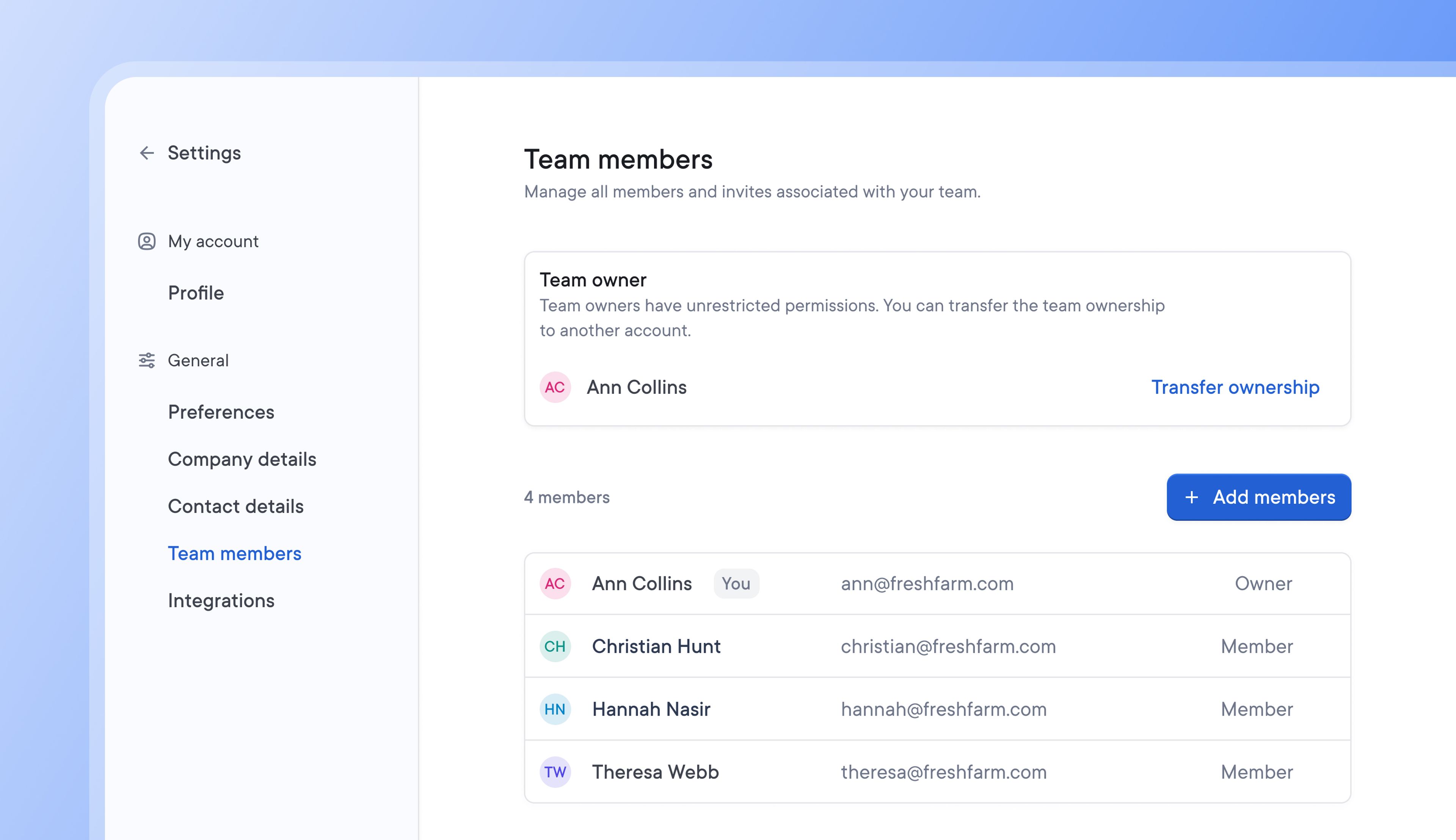
Couriers can choose to invite clients to Spoke Connect, which provides a custom dashboard where each client can upload, manage, and track all their orders in real time.
Clients can now add multiple team members to Spoke Connect.
By doing so, more team members can import, track, and manage order issues directly, making shipment information easily accessible and spreading responsibility for delivery across relevant team members.
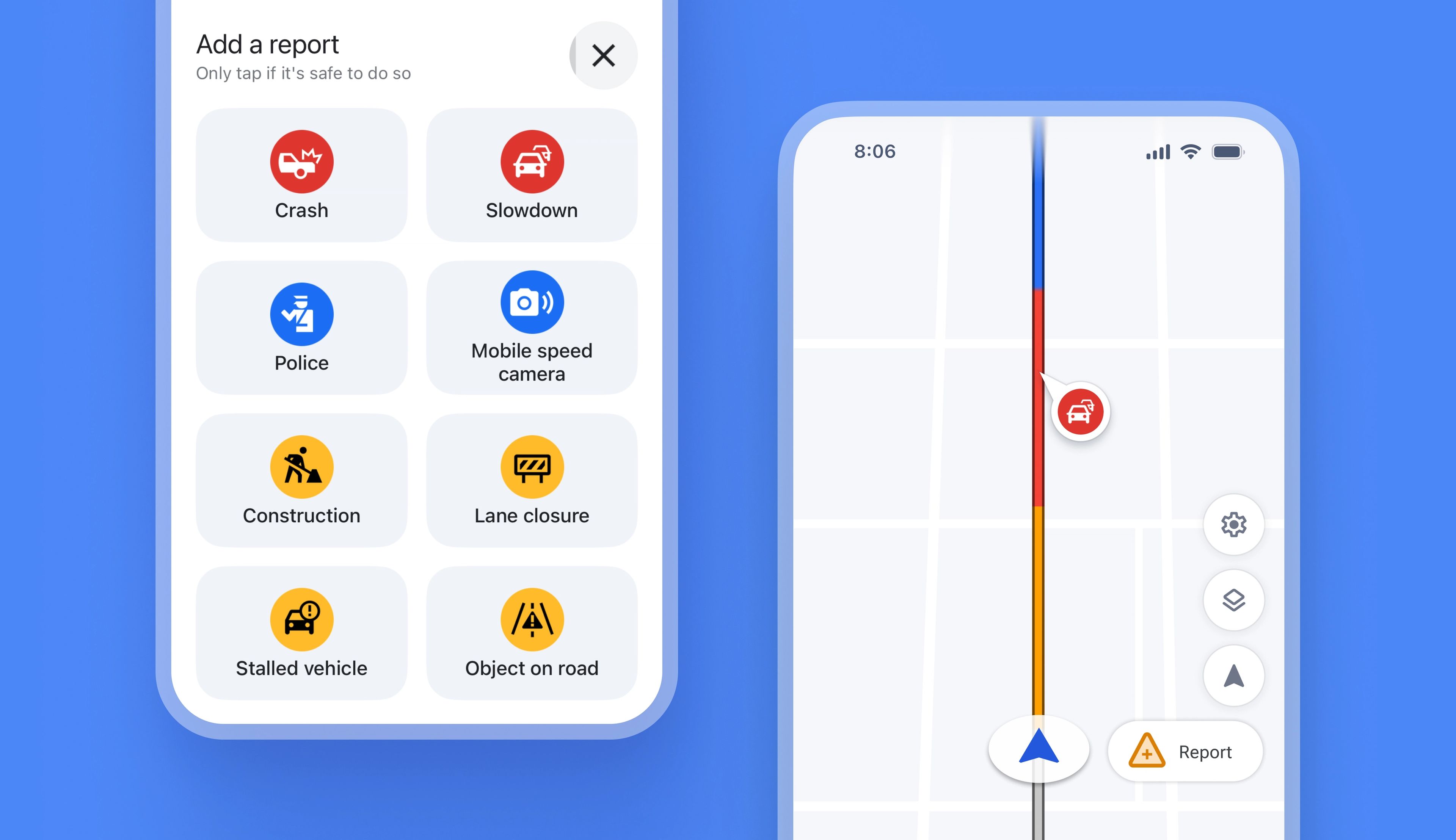
Previously, Spoke did not provide real-time alerts for things like speed cameras or roadworks in the driver app, which meant that drivers had to deal with unexpected traffic issues as they happened.
Now, drivers using internal navigation on the app automatically receive real-time traffic alerts on their route. Using live crowdsourced data from Spoke, Waze, and Google Maps, any problems that could impact a route are now highlighted on the driver app map view.
If drivers encounter a traffic issue that has yet to be reported, they can add information about the disruption directly from their app. This information will instantly become visible on the map, helping other drivers in the area avoid the same problem.
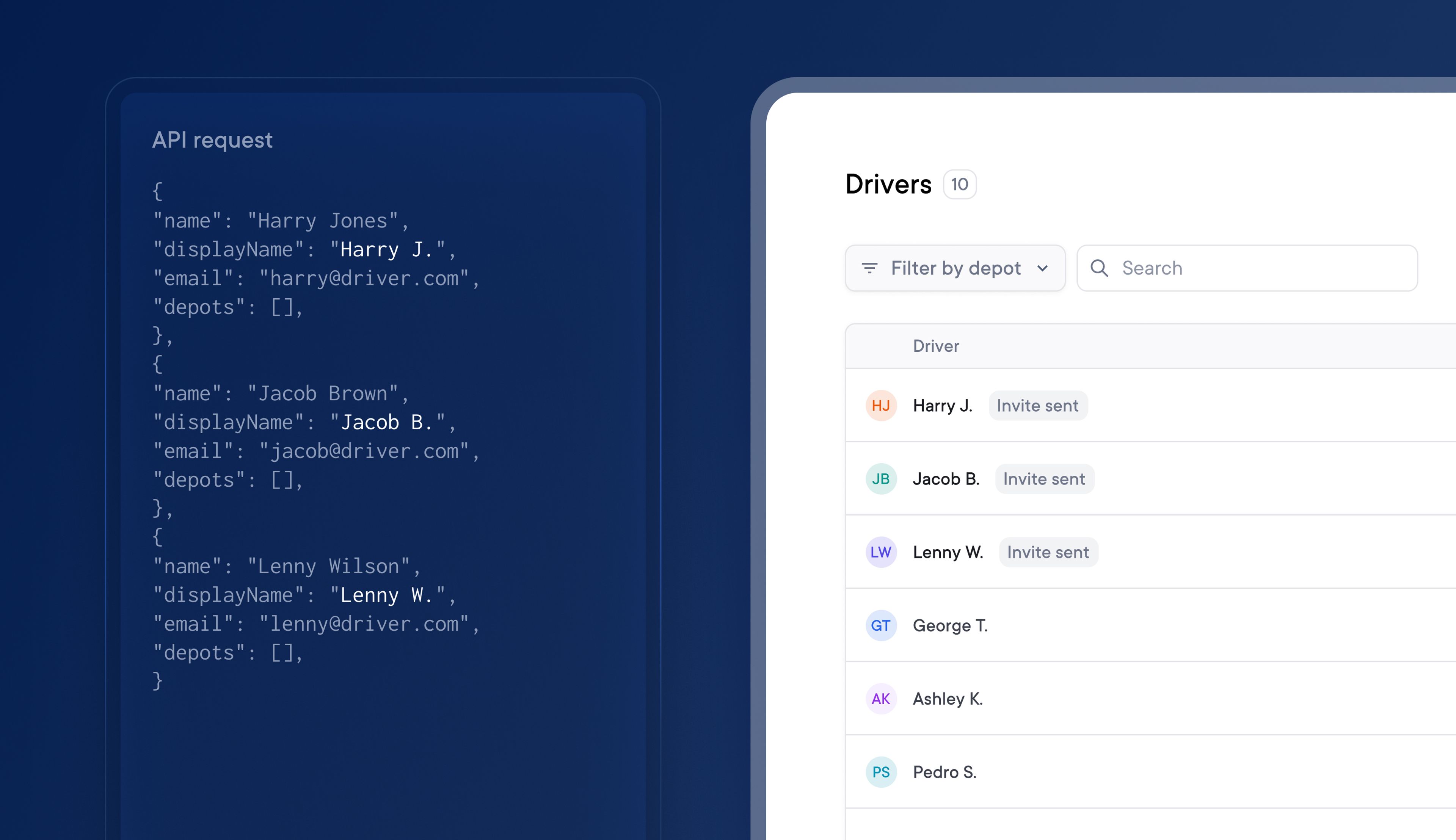
Adding drivers to your account one by one is a slow and manual process, and managing your driver team can take a long time if you have a large workforce and need to make multiple changes.
Using Spoke’s Public API, you can now manage and bulk add up to 50 drivers at a time to your team. The API allows you to automatically onboard new drivers with an identifying driver email or phone number.
Automate your last mile management and get the most out of Spoke’s Public API by using the latest endpoints:
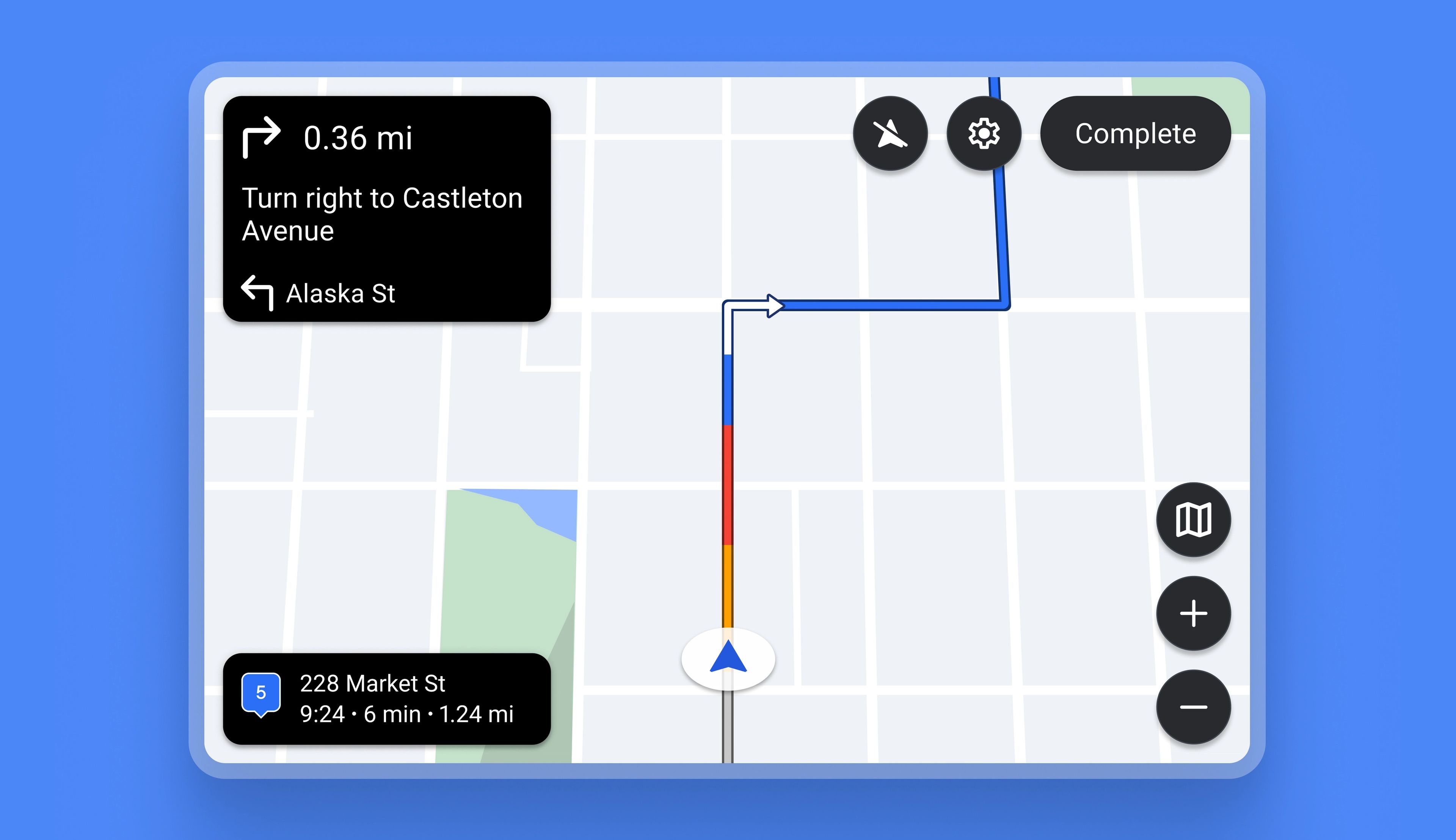
Previously, Drivers could not use Spoke with in-vehicle technologies like Android Auto or CarPlay. Now the app is fully compatible with both.
Drivers can connect their Spoke app with their vehicle infotainment display using Android Auto or CarPlay, which gives them the advantage of using a larger integrated dashboard screen for navigation and delivery.
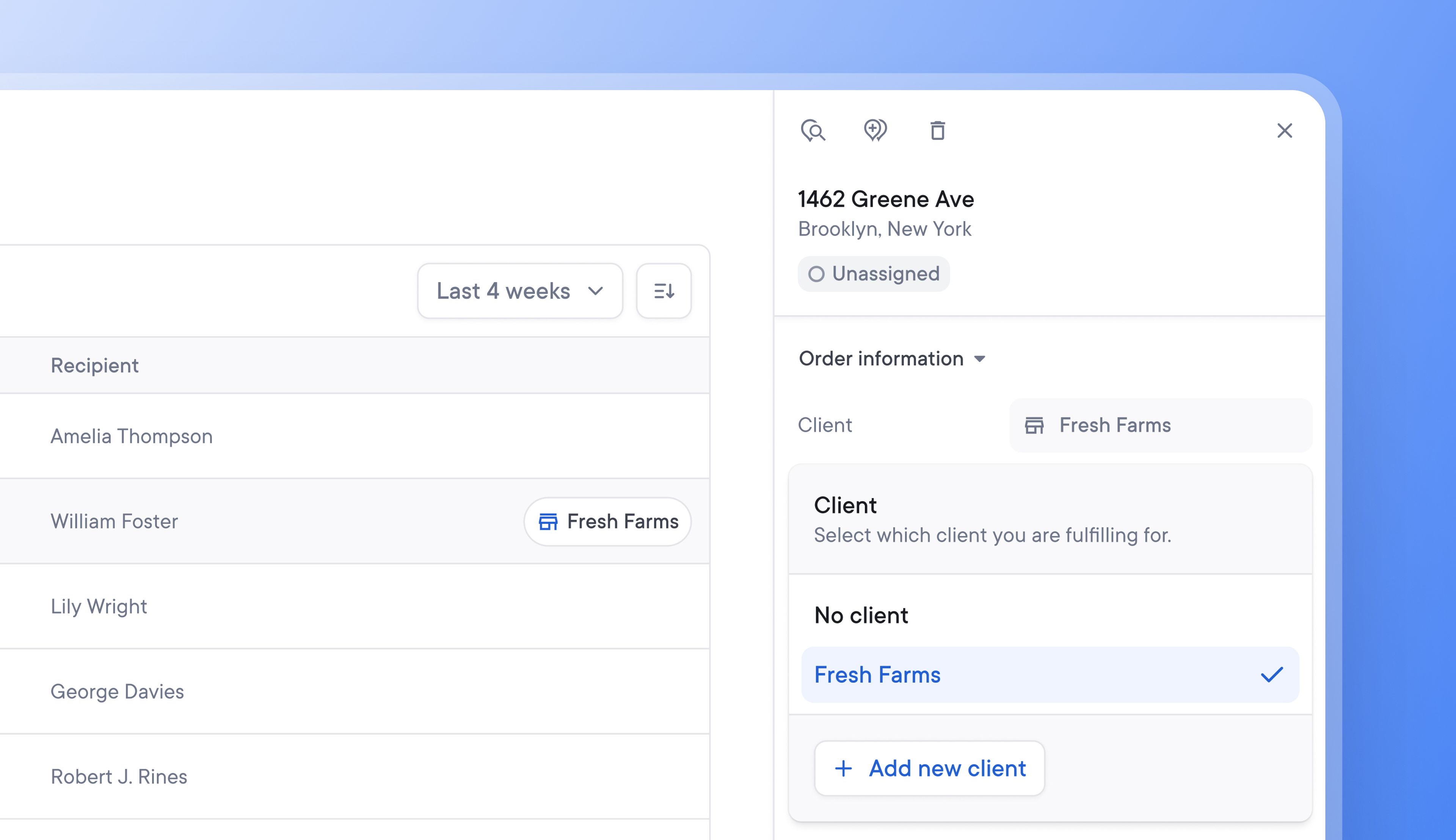
Being able to easily identify which client a delivery belongs to helps make sure that the individual client’s delivery requirements are carried out and can speed up dispute resolution.
Once a client has been invited to Spoke Connect, when a spreadsheet with client IDs is uploaded, those stops are now automatically tagged with the client name.
New clients can now be added directly from the stop details, making onboarding them to Spoke Connect even easier and faster.
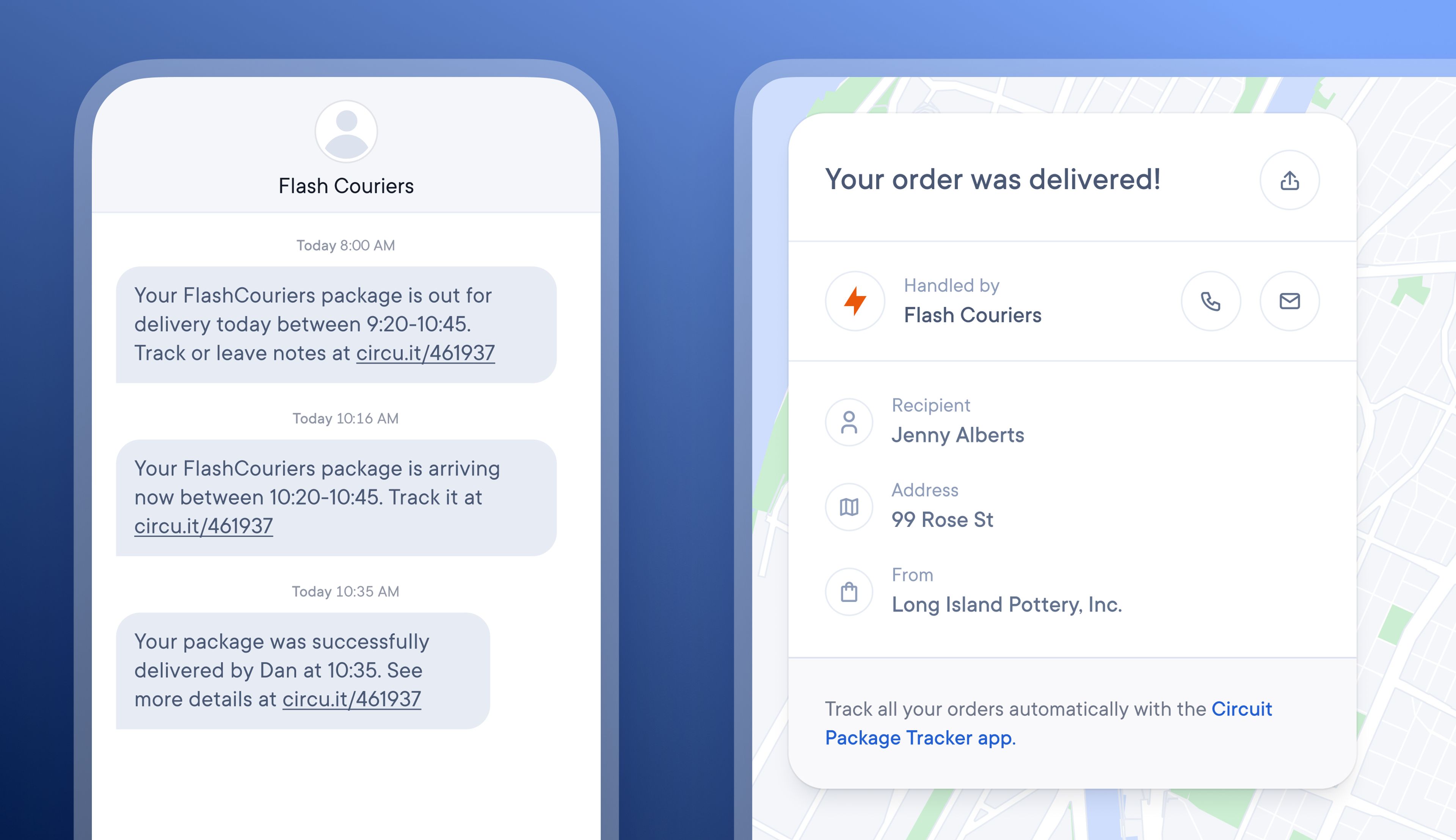
By default, SMS notifications for recipients are sent from Spoke, and tracking pages are also branded with Spoke’s logo. However, recipients are unlikely to recognize or trust the Spoke brand. They are typically expecting delivery notifications that are branded with the name of the retailer they purchased from or the courier handling their delivery.
Users on the Spoke Dispatch Pro Plan can now enhance the trust and recognition levels of their recipient notifications by adding their company logo and contact details to the recipient tracking page and creating a branded SMS sender name.
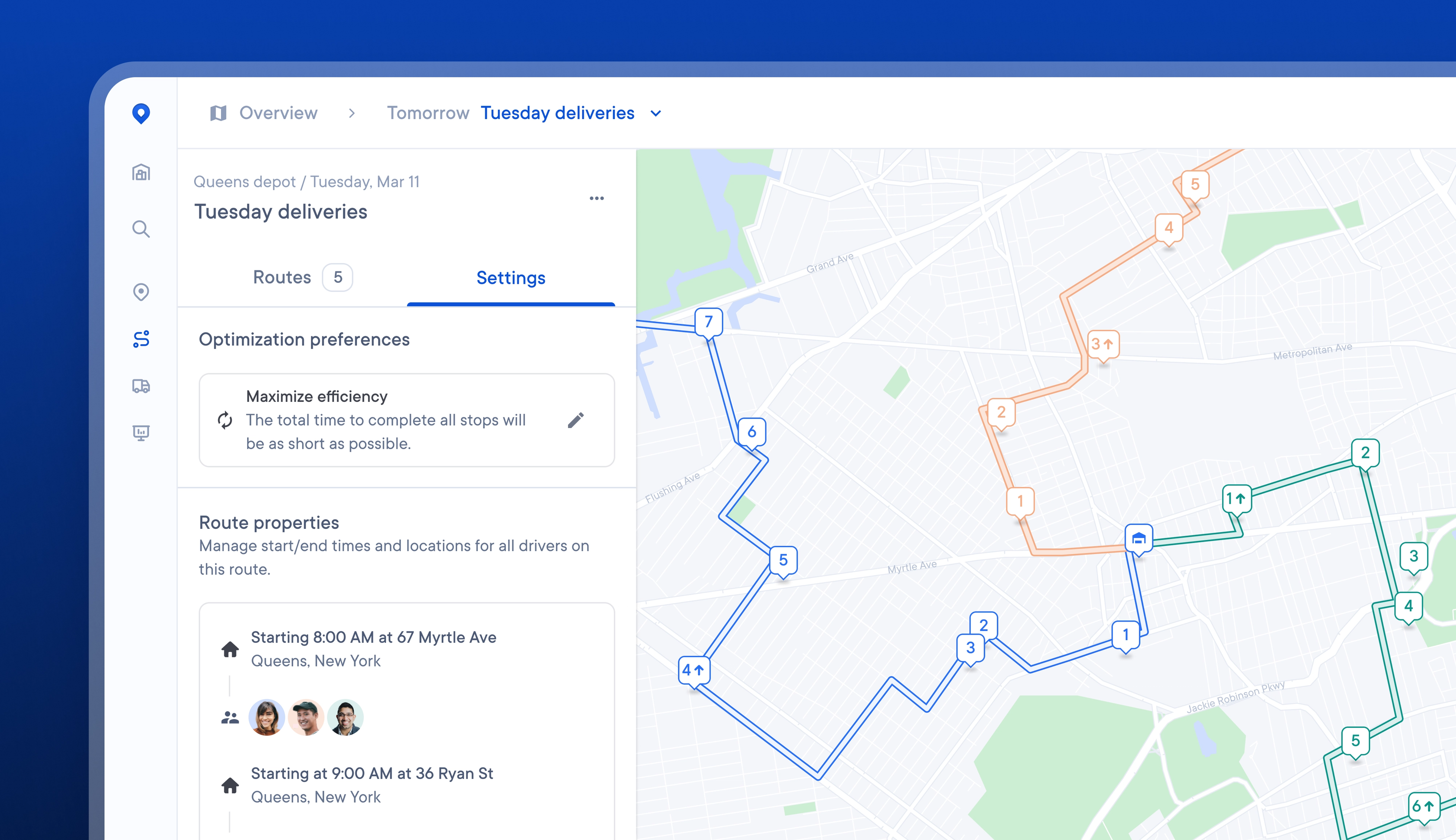
Often, Dispatchers can notice something on a route, such as crisscrossing drivers or one driver having a disproportionate workload, and not understand the reason for routes being optimized in this way.
Now, it is easier and faster to access and edit route-level settings, allowing Dispatchers to visualize their impact better and change them if needed.
On a route, Dispatchers can now toggle to see and edit each route’s optimization preferences and properties, and preview the impact of any changes on the route map view.
Route overrides can also be set on an individual route, allowing for easier customization of start locations, driving speed, and more.
It can be hard for Drivers to find one brown cardboard package in a vehicle full of brown cardboard packages, and searching for the correct item at a stop can waste valuable time.
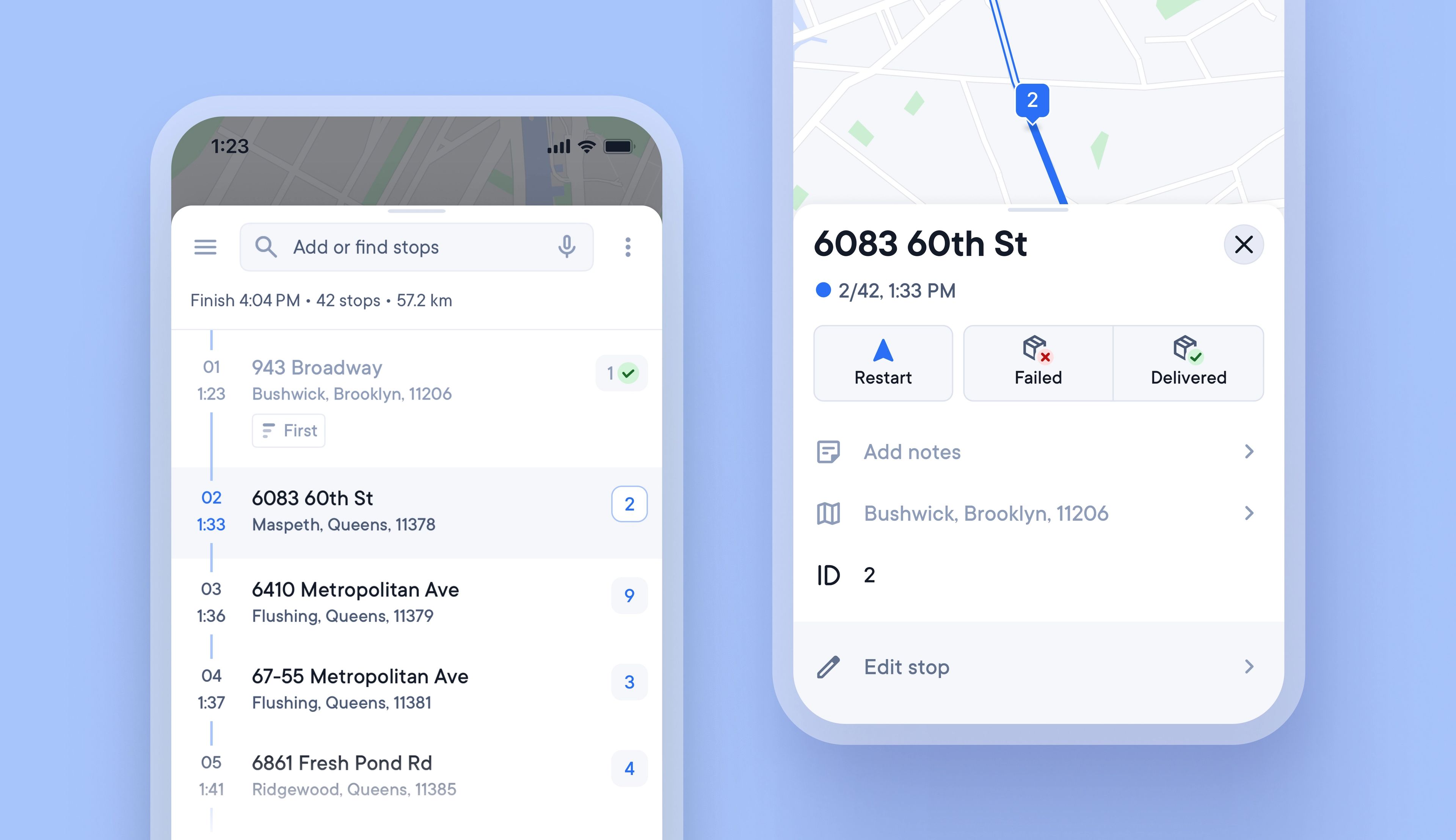
Unique Stop IDs are now automatically attached to every stop, and once a route is confirmed, they never change, even if the stop is edited or reoptimized.
Writing the Stop ID on each package can help Drivers load vehicles in a logical order, and the Stop ID is also displayed when approaching a stop, so that Drivers can instantly know which package to look for.
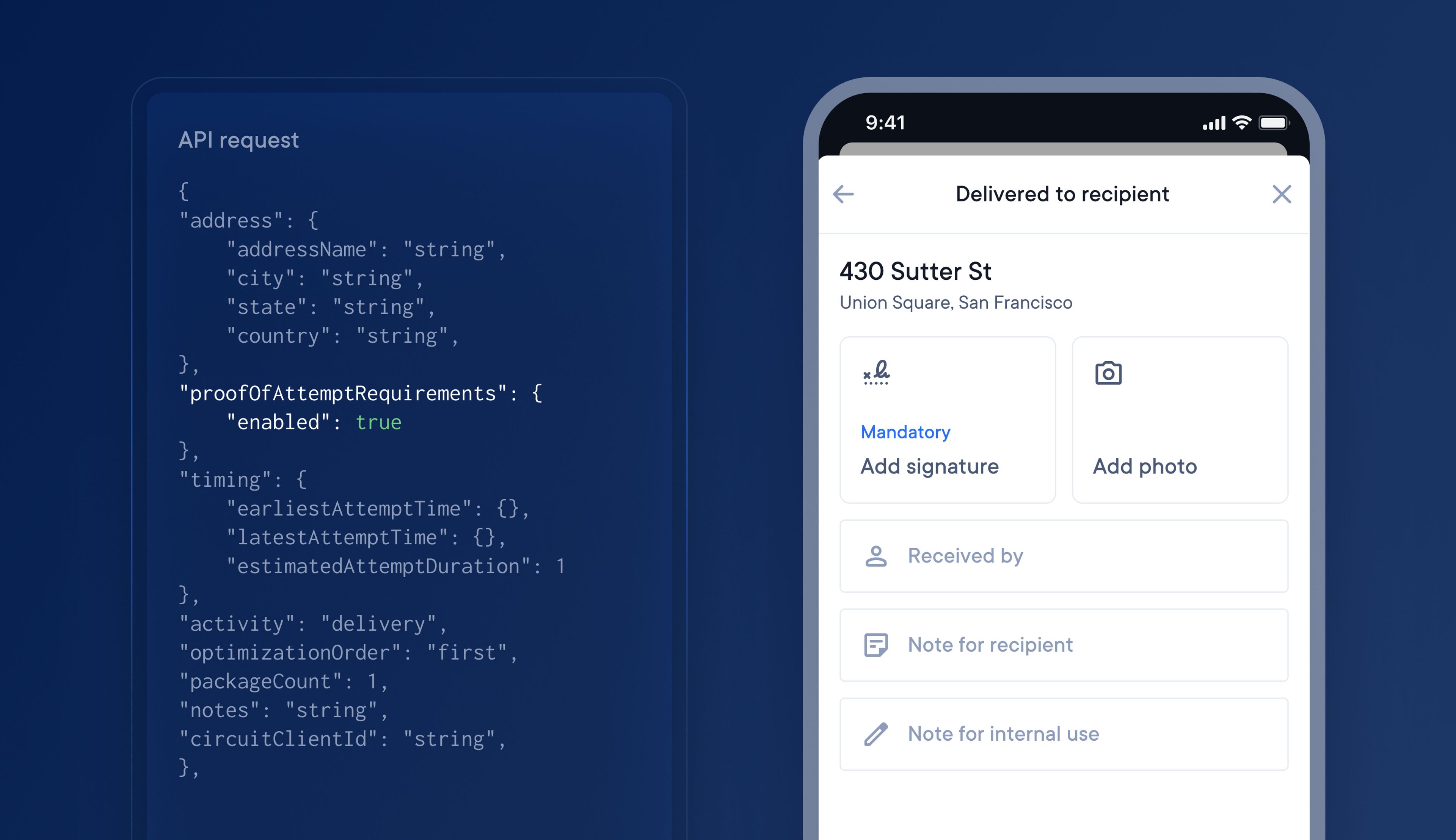
The latest update to our API means you can now add proof of delivery requirements.
Enhance your API integration to include proof of delivery requirements for stops, which will automatically use your POD global account settings.
Set the POD API field as False, and the feature will be turned off, and drivers will not be prompted to collect POD in their driver app.
Set POD API field as True, and the feature will be turned on for that stop with your global account settings for POD applied. Drivers will be prompted on their driver app to collect the type of POD specified in your global account settings, eg, signature POD is mandatory