All updates
09 Mar 202609 Mar 2026Spoke Dispatch
Identify and edit incorrect addresses before they disrupt routes
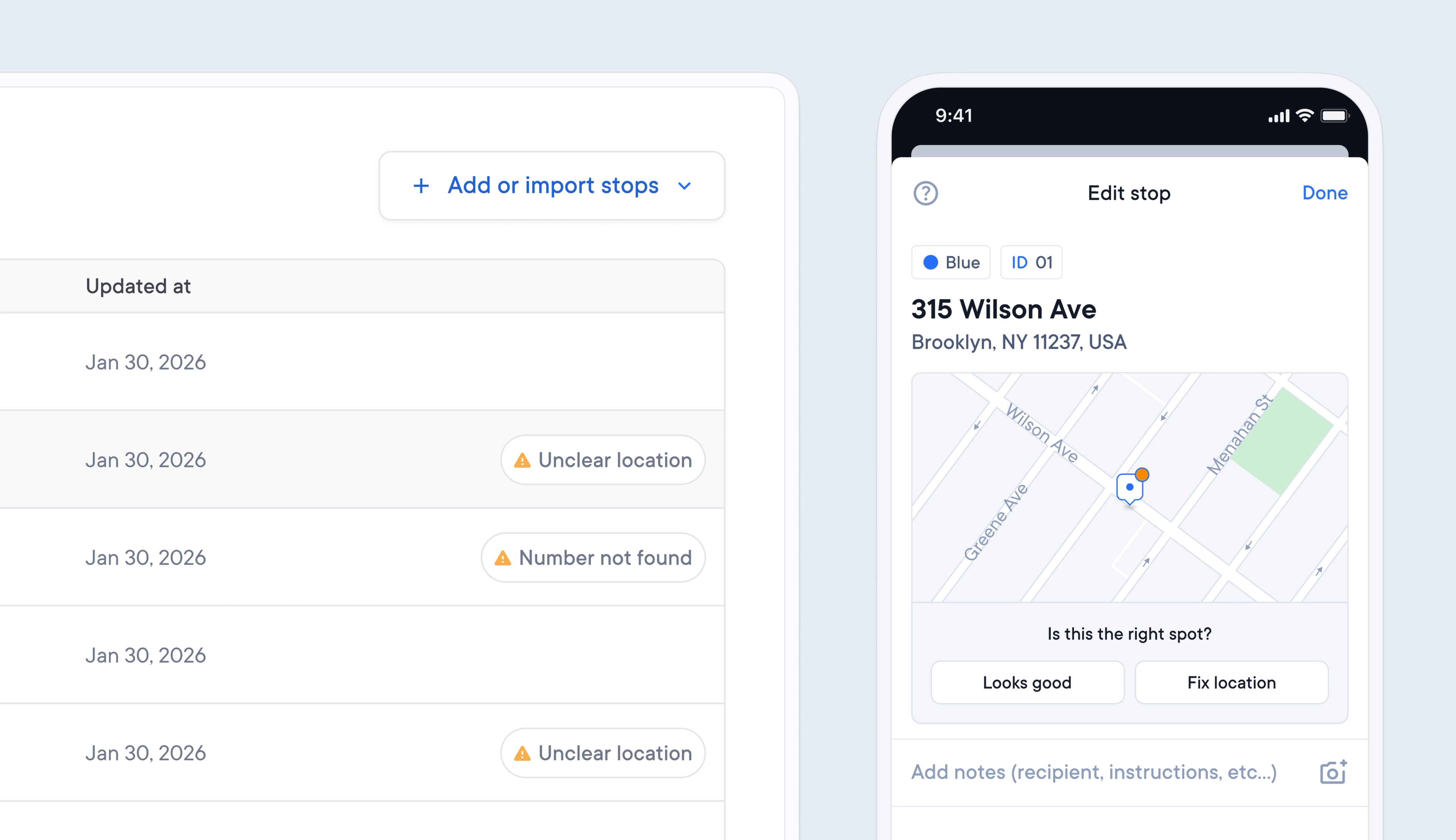
When an incorrect address format or location is added to a route, it can be hard to spot the error. The knock-on impact can be that drivers are sent to the wrong location, causing confusion and delays.
Spoke now automatically flags addresses that appear to have an unclear location or where the address number cannot be found, so that you can easily spot and correct any errors.
Potential address issues are flagged on the Dispatcher Dashboard and Driver App, giving both dispatchers and drivers the opportunity to fix incorrect details before they impact routes.
- When Spoke flags a stop with ‘address number not found’ or ‘unclear location’
- Click on the stop on the Dispatcher Dashboard or Driver App to edit it
- Choose to edit the address details, adjust the pin location, or keep the address details as they are
Get Started