Product updates
What’s new in Spoke Dispatch
Feature updates and improvements to make last mile delivery more dynamic
Feature updates and improvements to make last mile delivery more dynamic
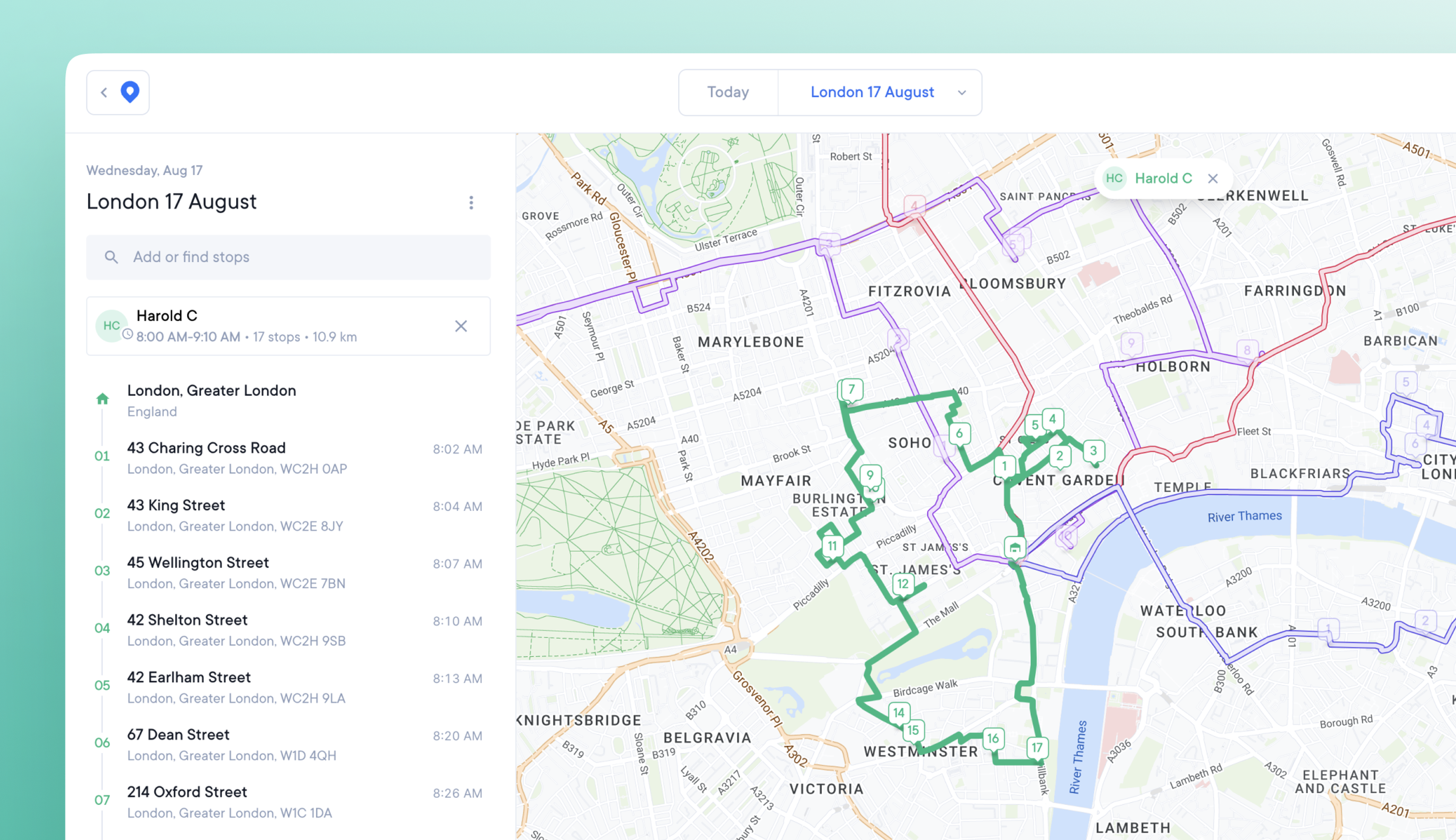
Large numbers of overlapping routes and stops previously caused the map view to become cluttered, and hard to read.
Our updated map provides a clearer image when managing multiple routes, and creates unique URLs for sharing map views.
From the main web app dashboard click the View button. Manually zoom in to your desired location, and this will become your default view.
Click on a route to select it. The selected route automatically turns opaque and becomes the focus of the map. All other routes and stops become transparent for ease of viewing.
Click on a stop on the map or in the Overview sidebar. The map is automatically reoriented to zoom into that stop location. The Overview sidebar highlights that stop within the list.
Exit a stop or route and the map will return to your default view.
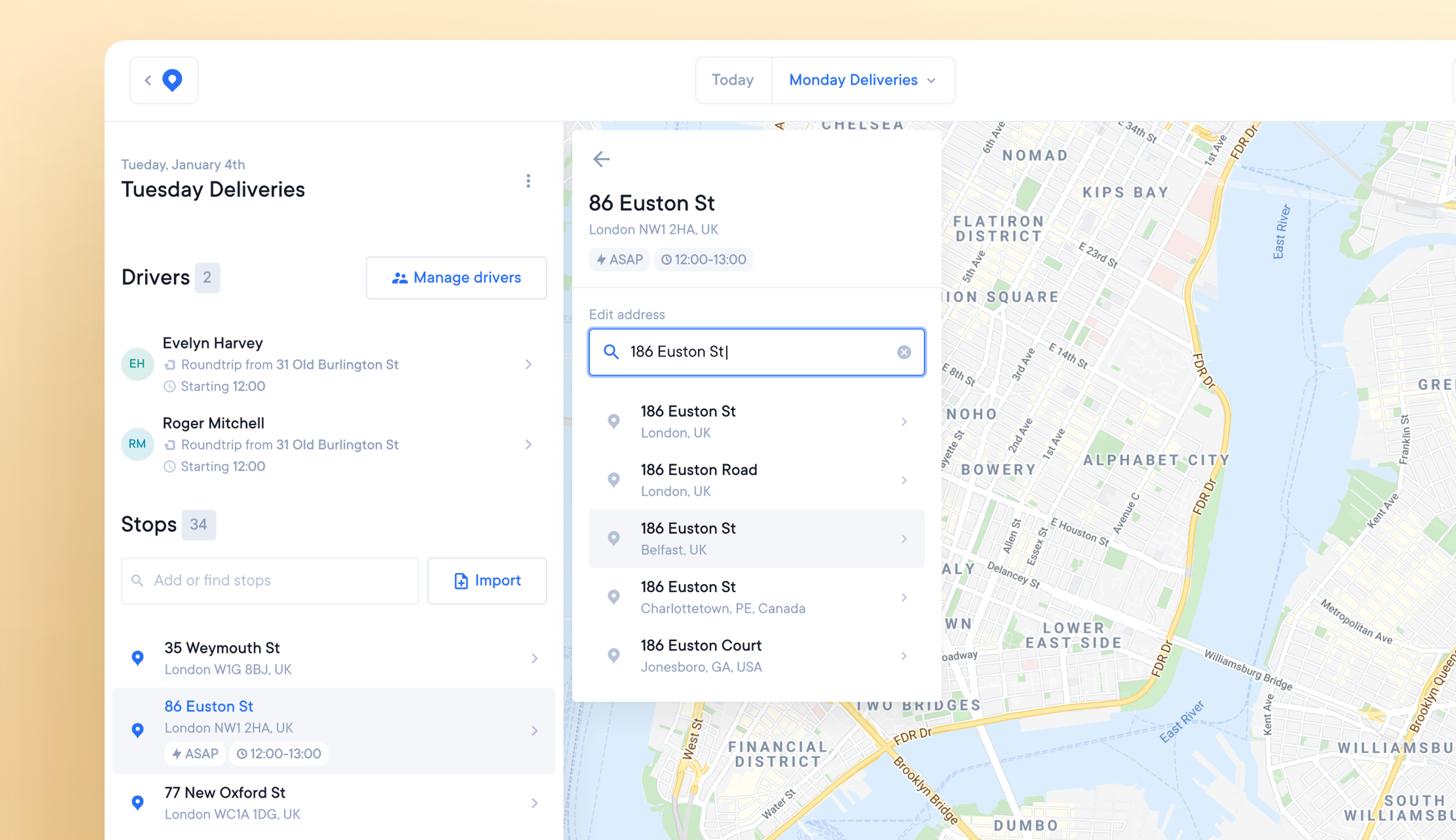
Incorrect addresses provided by customers or accidentally uploaded to routes can create unreachable stops. These look wrong when plotted on the map.
The previous solution was to delete incorrect stops and re-add them correctly. It’s now possible to edit and correct the address of an existing stop.
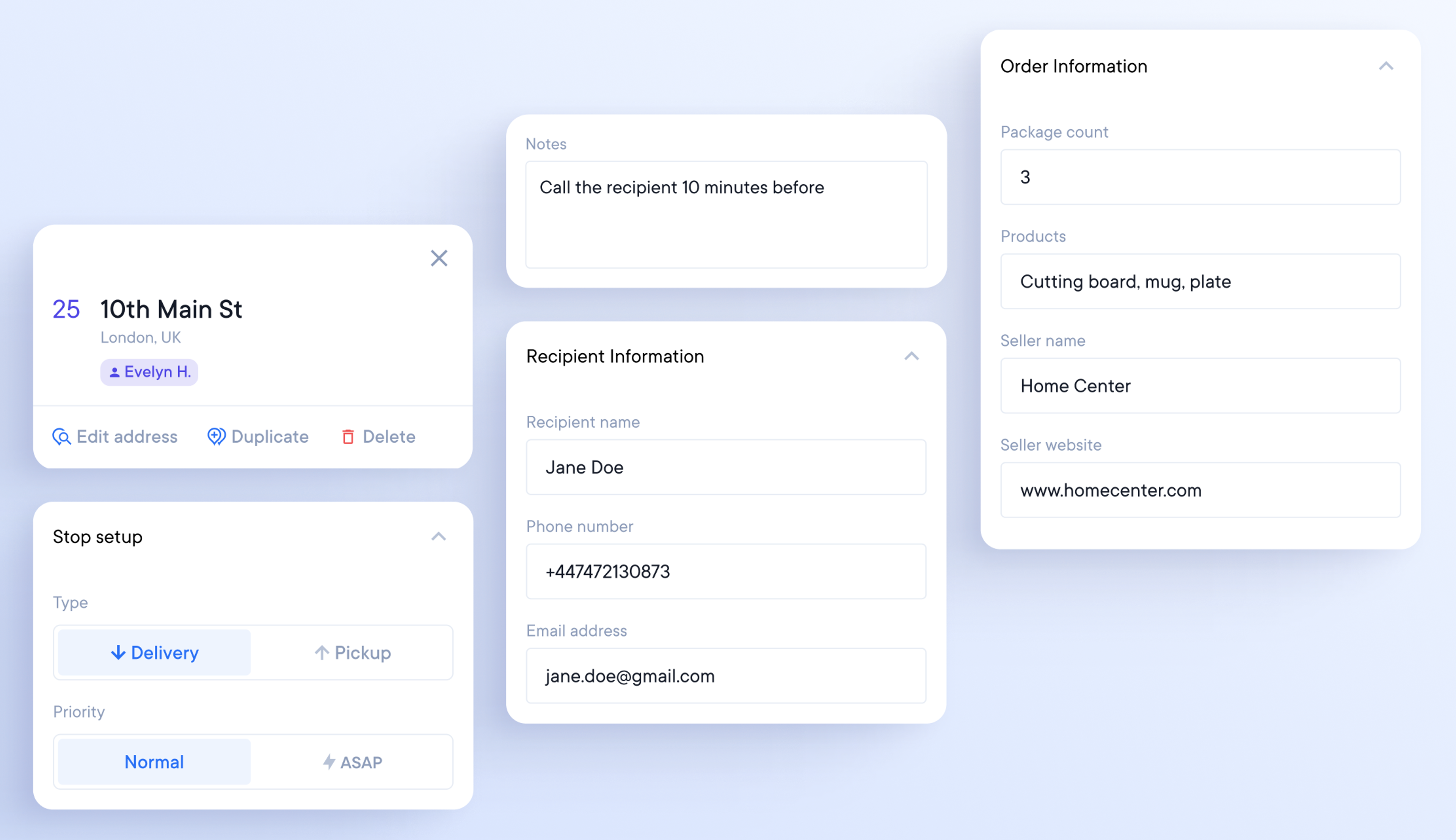
Previously, editing additional stop details would mark the stop as ‘changed,’ requiring re-optimizing the route.
You can now edit the following information for a stop without re-optimizing.
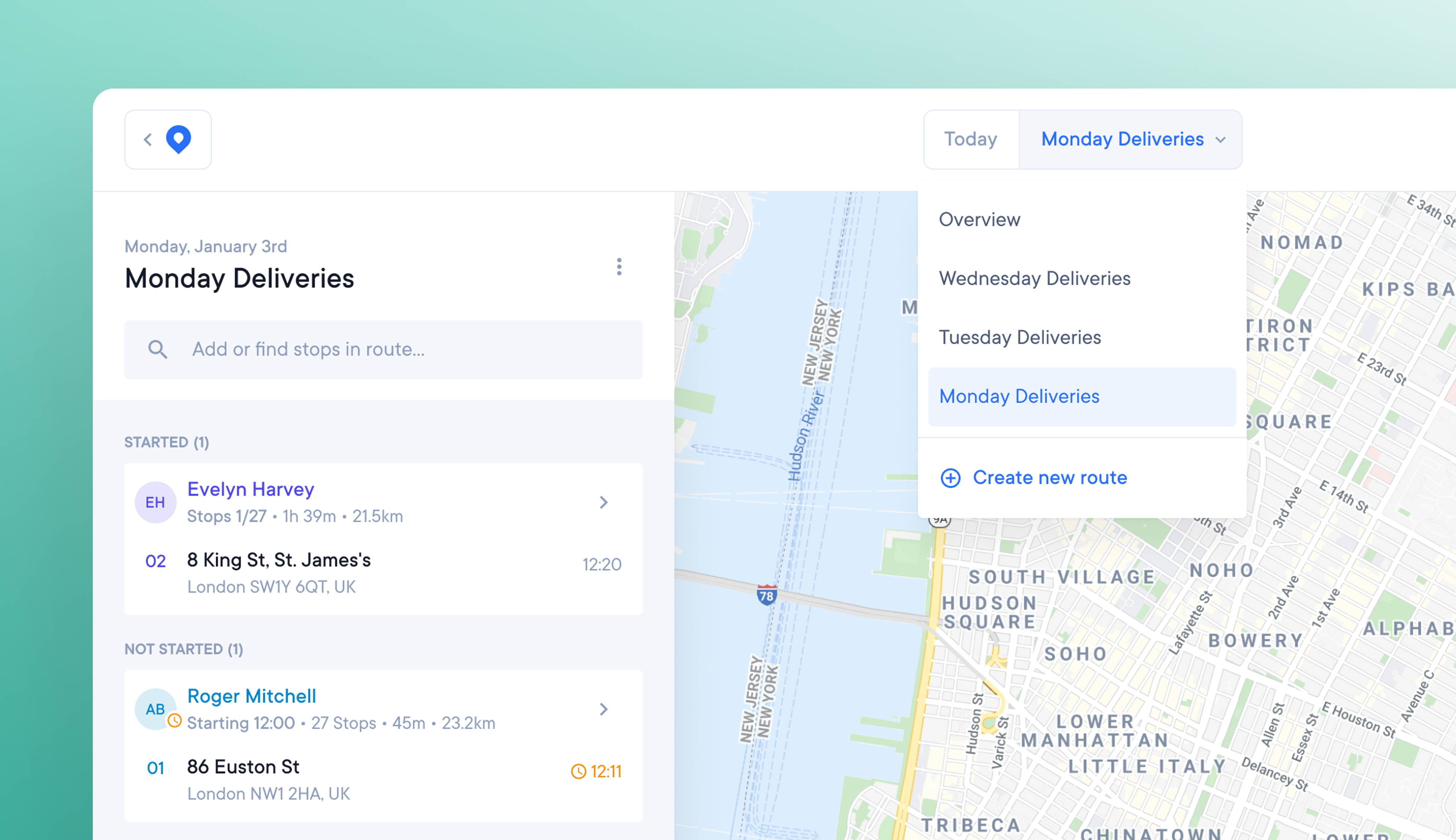
Hard-to-navigate apps provide a poor user experience.
Our new navigation design is intuitive to use.
Spoke’s logo changes to a blue pin icon when you click away from the main dashboard. You can return to the main dashboard by clicking the blue pin icon on any page.
All pages now display your account details in the top right corner.
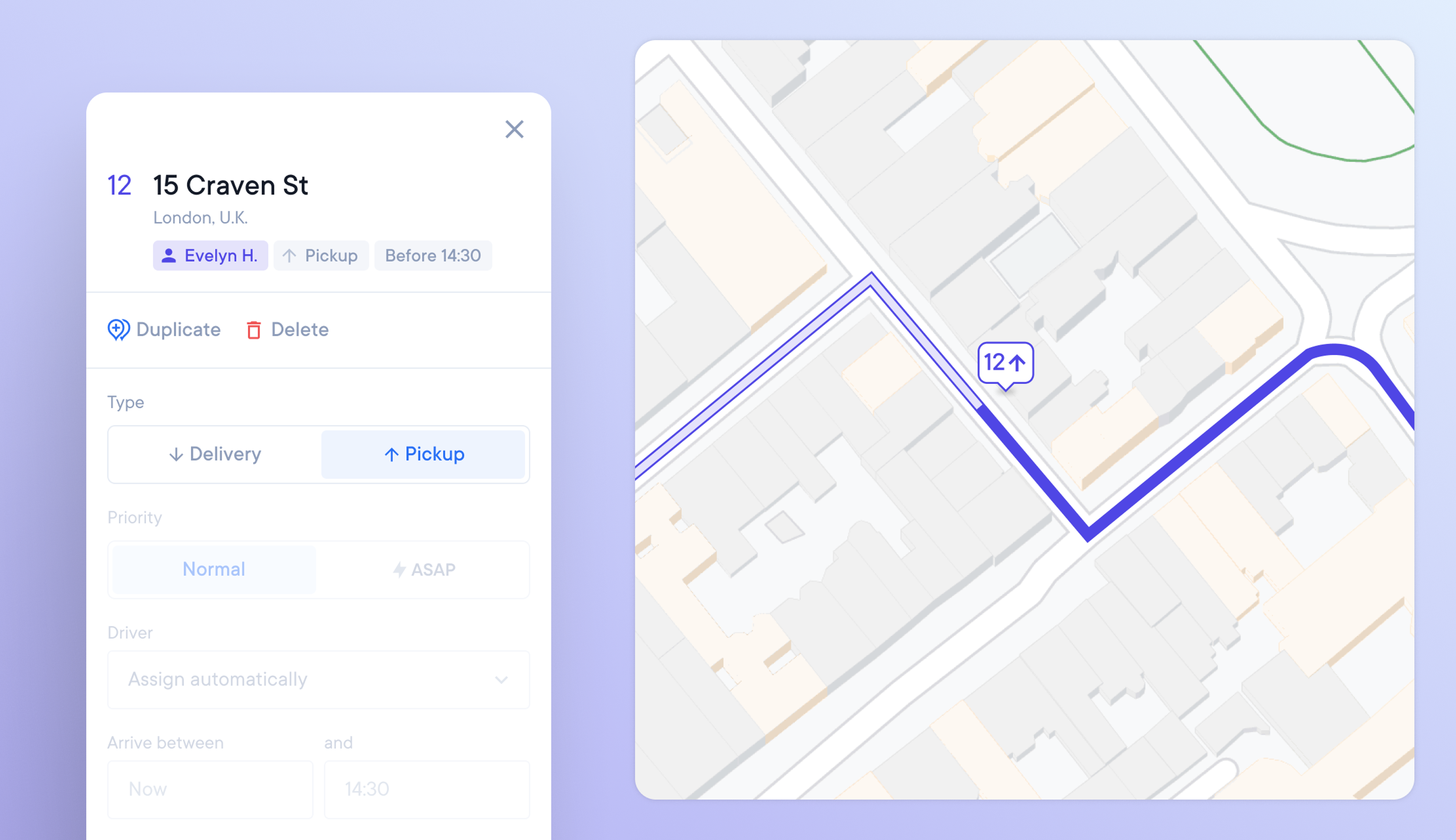
A driver who does not know that a stop is a pickup could waste valuable time looking for a package to deliver. Dispatchers may also not leave enough room in the vehicle if they don’t realize a stop is a pickup.
Drivers and dispatchers can now mark stops as pickups or deliveries.
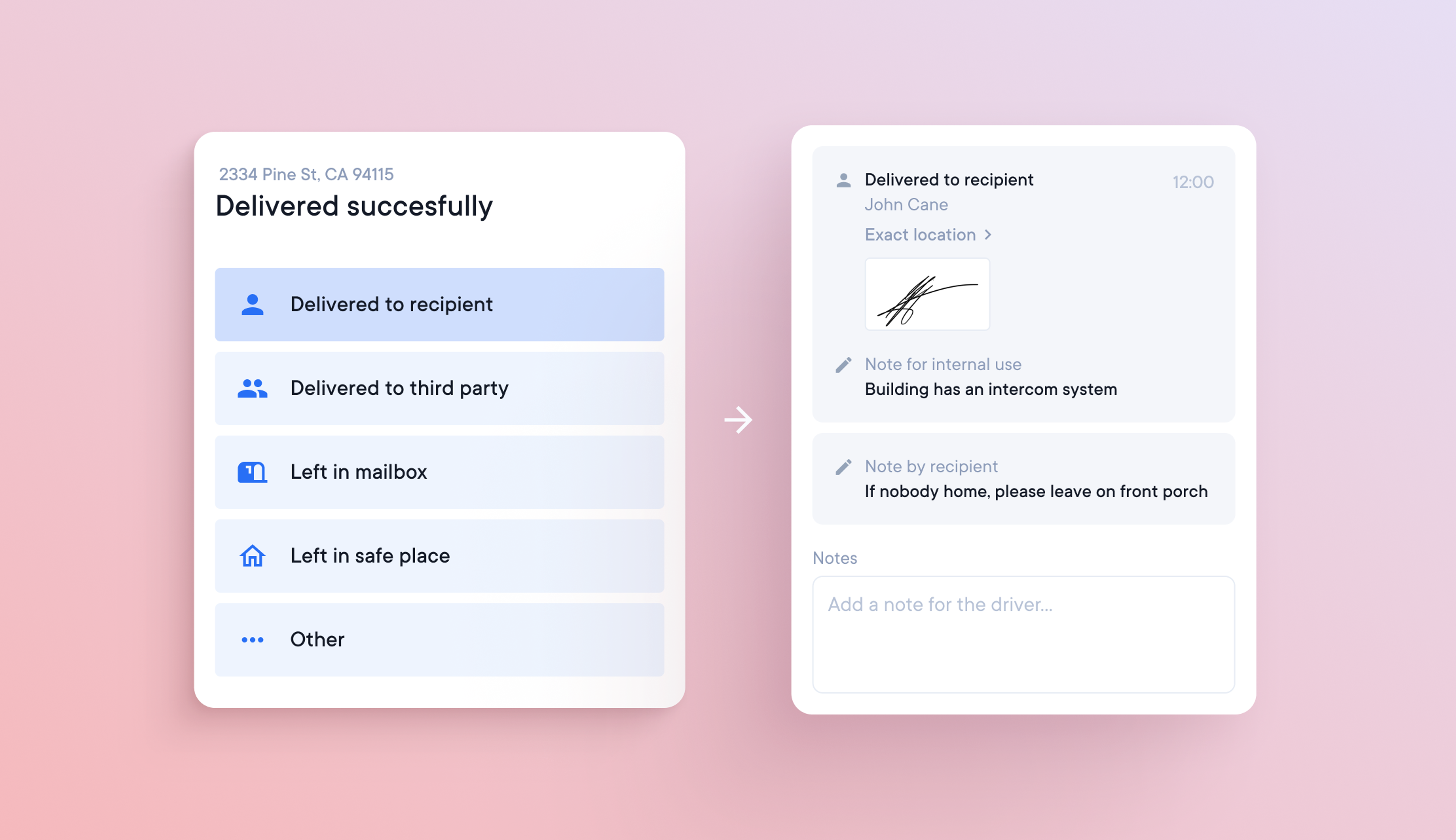
Insufficient proof of delivery (or attempted delivery) can cause delivery drivers problems. Delivering alcohol, for example, requires a signature as proof that the recipient is over 18. Photographic evidence of delivery can be needed to prove that a package has been delivered to the customer’s designated ‘safe place.’
Drivers can now select from the following options:
Each of the above options allows you to:
As soon as a driver adds proof of delivery, it is immediately available for dispatchers to view in the stop details tab.

The status of a delivery stop is an essential attribute for drivers and dispatchers.
A dynamic stop marker on the map means you don’t have to scroll the stop list to find important information.
We’ve created dynamic stop markers that show if a stop is:
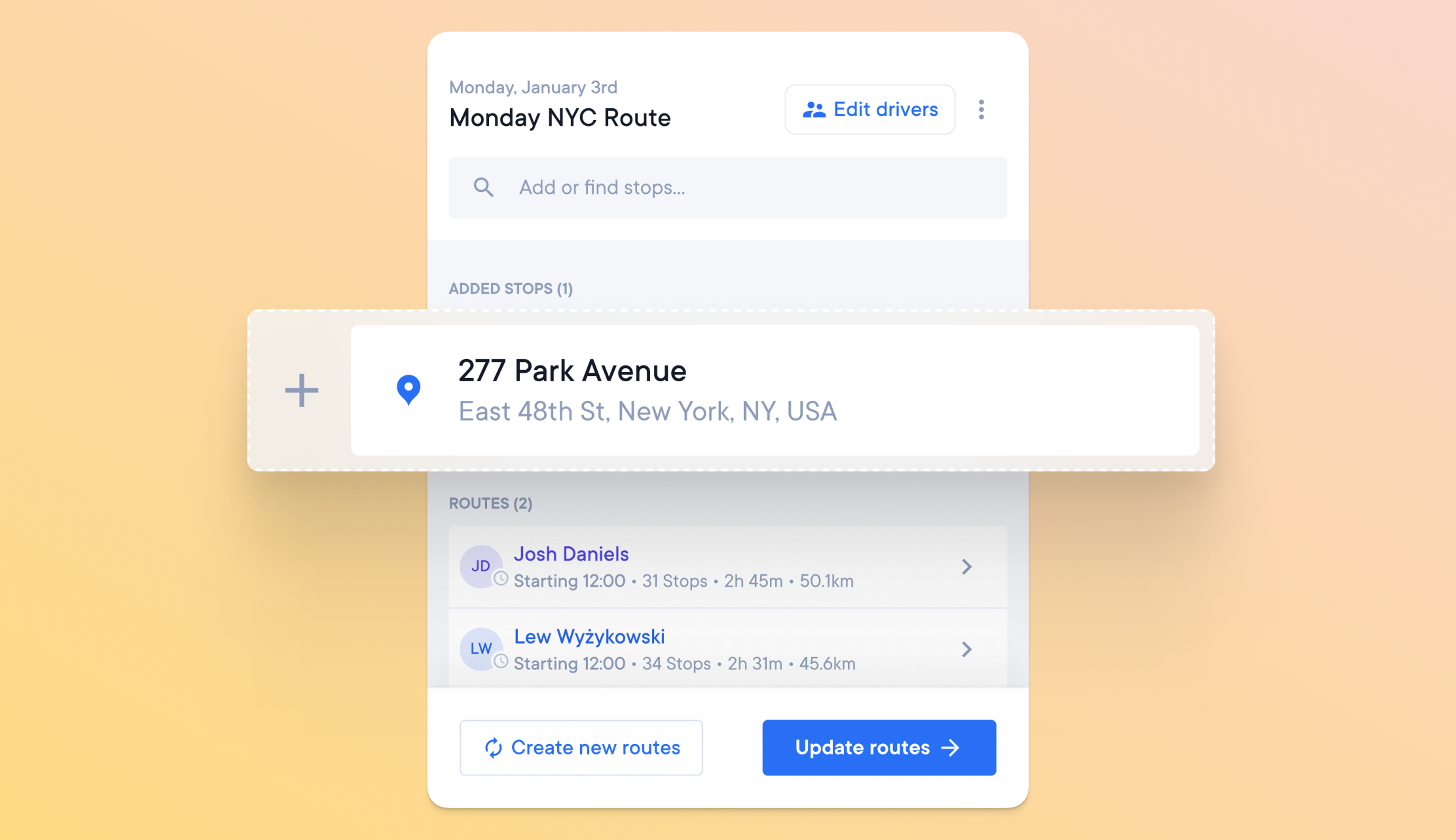
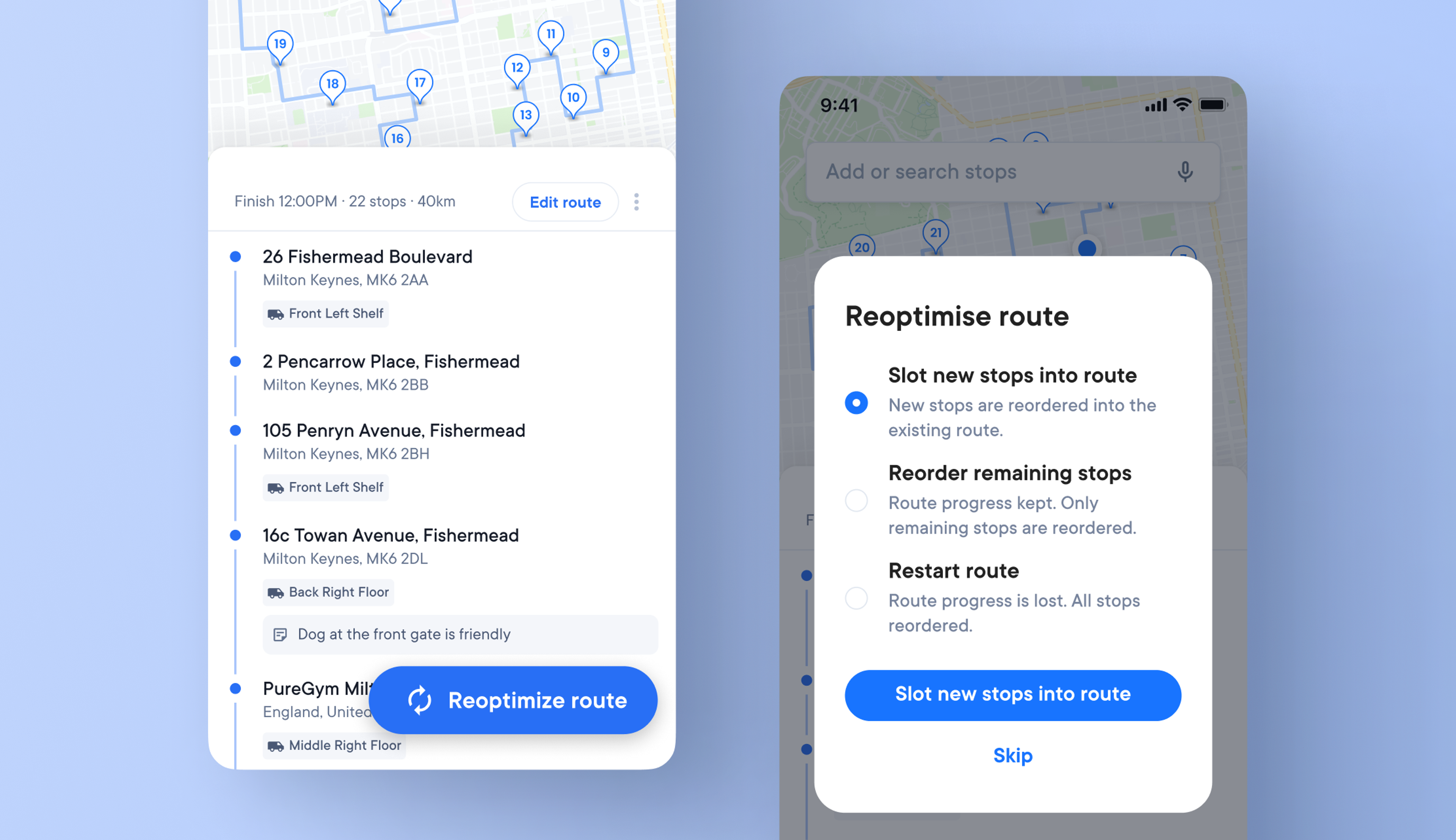
Dispatchers may need to deal with last-minute changes that can impact their routes. If the delivery vehicle has been loaded and a stop needs to be added, creating a new route to accommodate this change can cause problems for the driver.
This problem can be solved by editing stops on existing routes with minimal disruption.
Apply changes - If you choose to ‘Apply changes,’ the edited stops will be added to your existing route with the least disruption possible.
or
Create new routes - If you choose to ‘Create new routes,’ your route will reoptimize, and a new route will be created.
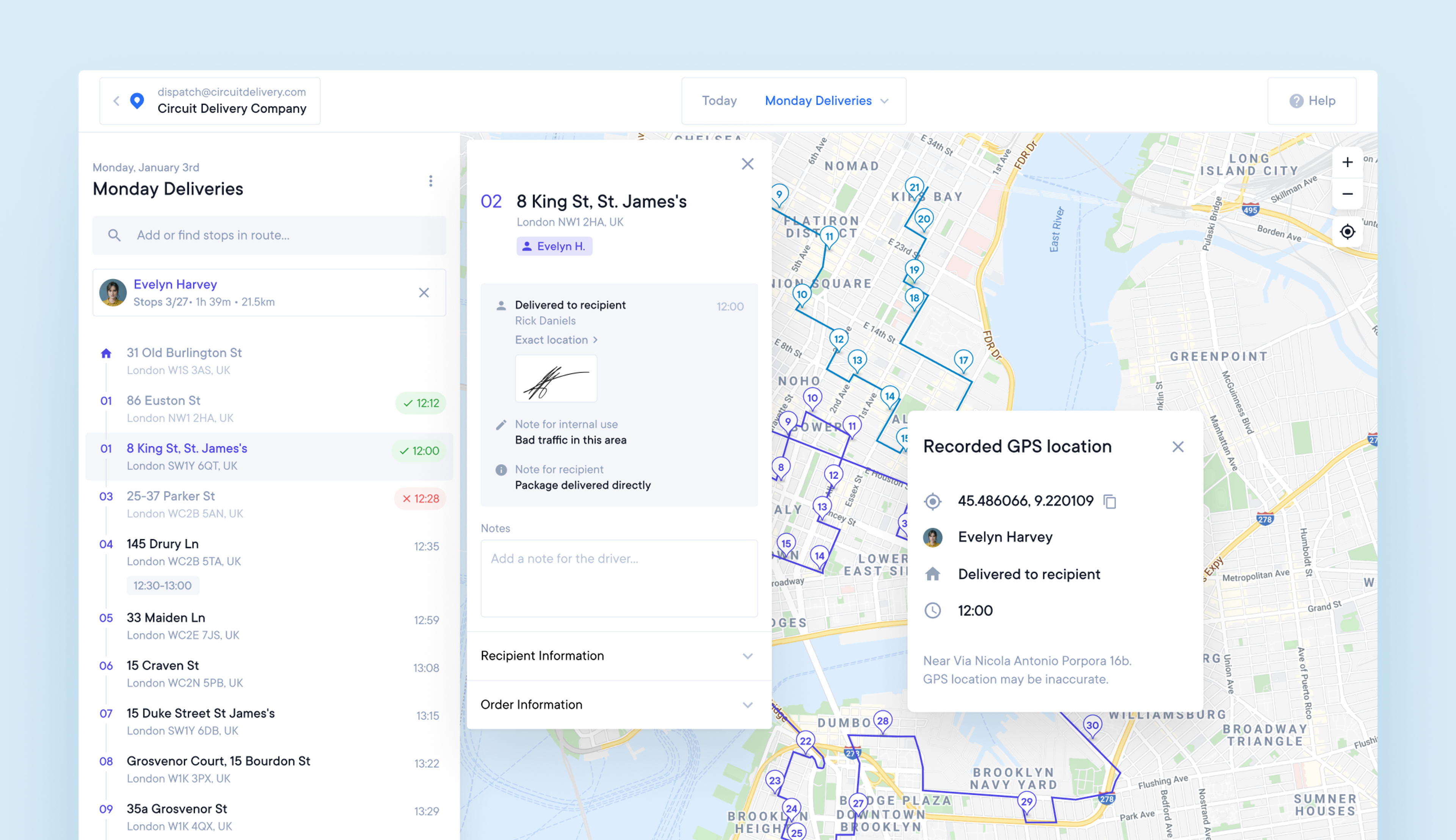
Not all deliveries are made to the correct location.
It occasionally happens that a package ends up at the wrong address. Sometimes it’s the drivers’ mistake, sometimes it’s the data at fault, but it can be messy to resolve either way.
We have made it easier. Now, you can see where the driver was when the delivery was marked as completed, giving you the information you need to locate the misdelivered package and solve the problem more quickly. The drivers’ location is saved when they hit the delivered/failed button at each stop.
You can view this in both the stop details and the map.
You can now export a CSV file that will show you how many stops a driver has made in a day, how far they have traveled, and how long it’s taken them. It’s now much quicker to work out how much to pay them or how much fuel to reimburse them for.
Select “Analytics” from the Settings menu, choose the month, and download.
We plan to include more data in this report soon, such as the percentage of failed stops and attempts outside the time window, and make it possible to view the info in Spoke Dispatch. Watch this space.
You can now share a deep link to a unique map view (when you have a route or stop selected) by copying and pasting the current search bar URL.