Product updates
What’s new in Spoke Dispatch
Feature updates and improvements to make last mile delivery more dynamic
Feature updates and improvements to make last mile delivery more dynamic
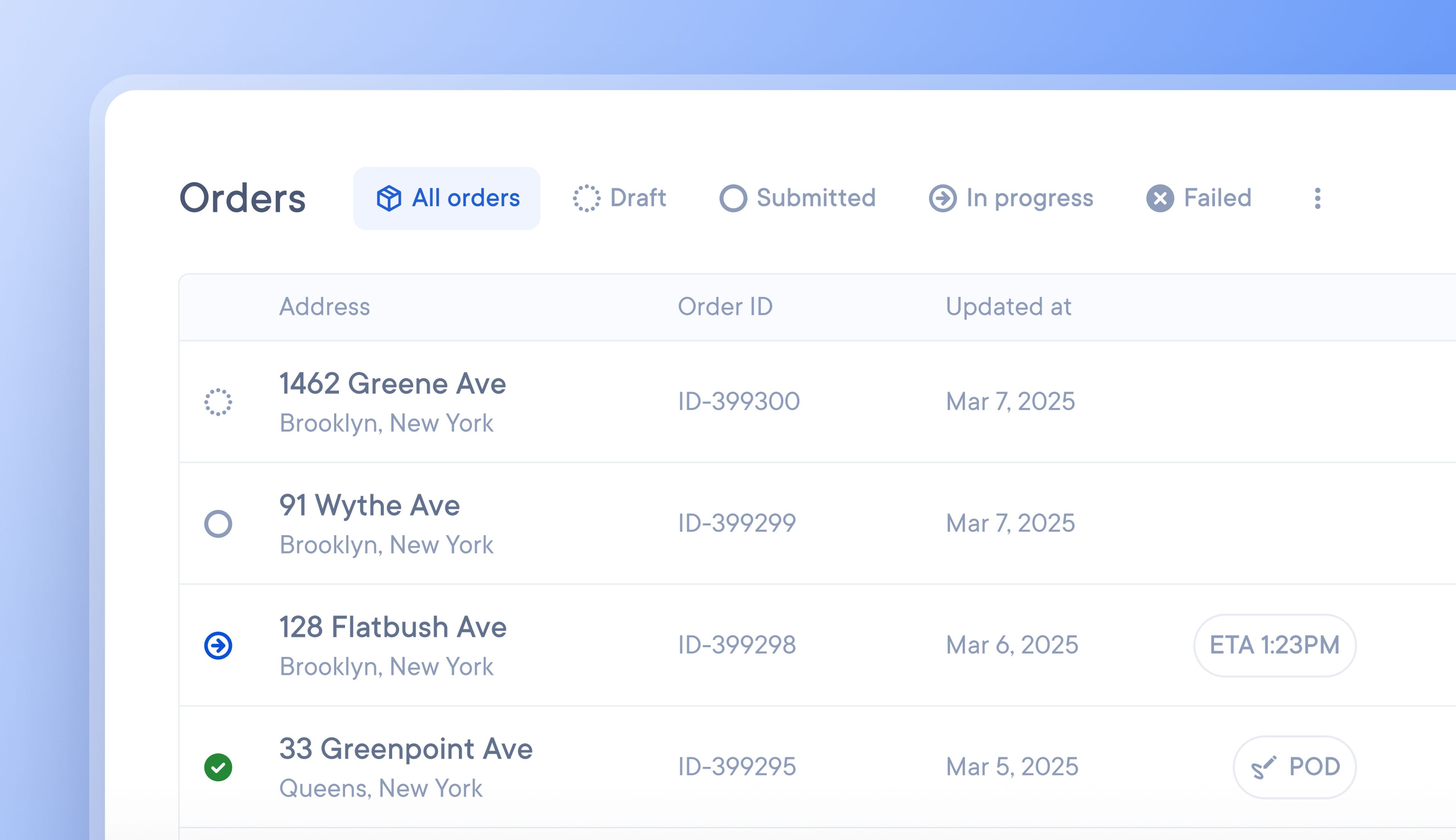
Preparing client order data for import into Spoke Dispatch can be a time-consuming yet necessary task, but that has just gotten easier.
Spoke Connect now allows your clients to import their orders directly into your Spoke Dispatch account and instantly access real-time information about their deliveries.
Clients can import their orders at any time. Once an order is marked by the client as ready for delivery, it will automatically appear on your unassigned stops list as a delivery ready to be added to a route.
Clients can also track the status of their deliveries via Spoke Connect, which allows them to resolve any customer disputes directly. All the information they need about a package’s progress and status is visible in real-time.
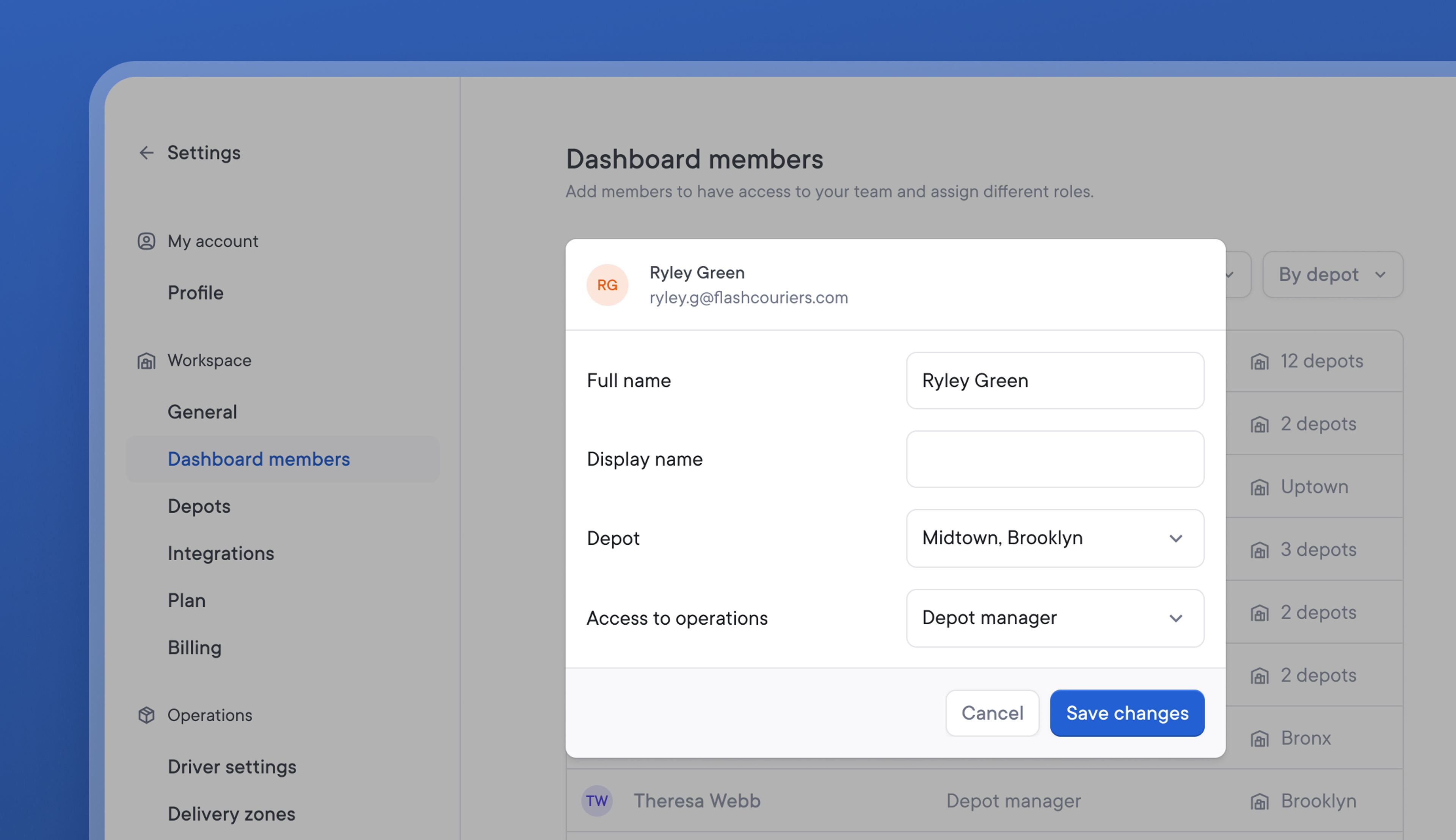
Previously, all dashboard members could view and modify all account activity. Consequently, dashboard members from one depot could accidentally make changes that affected another depot.
The latest update to dashboard permissions means that Owners and Admins who have the highest level of permissions remain able to view and edit anything across their entire Spoke Dispatch account.
Depot managers, Dispatchers, and Read-only roles can now only see and change activity for their assigned depots. This allows each depot to be managed independently and prevents unintentional changes.
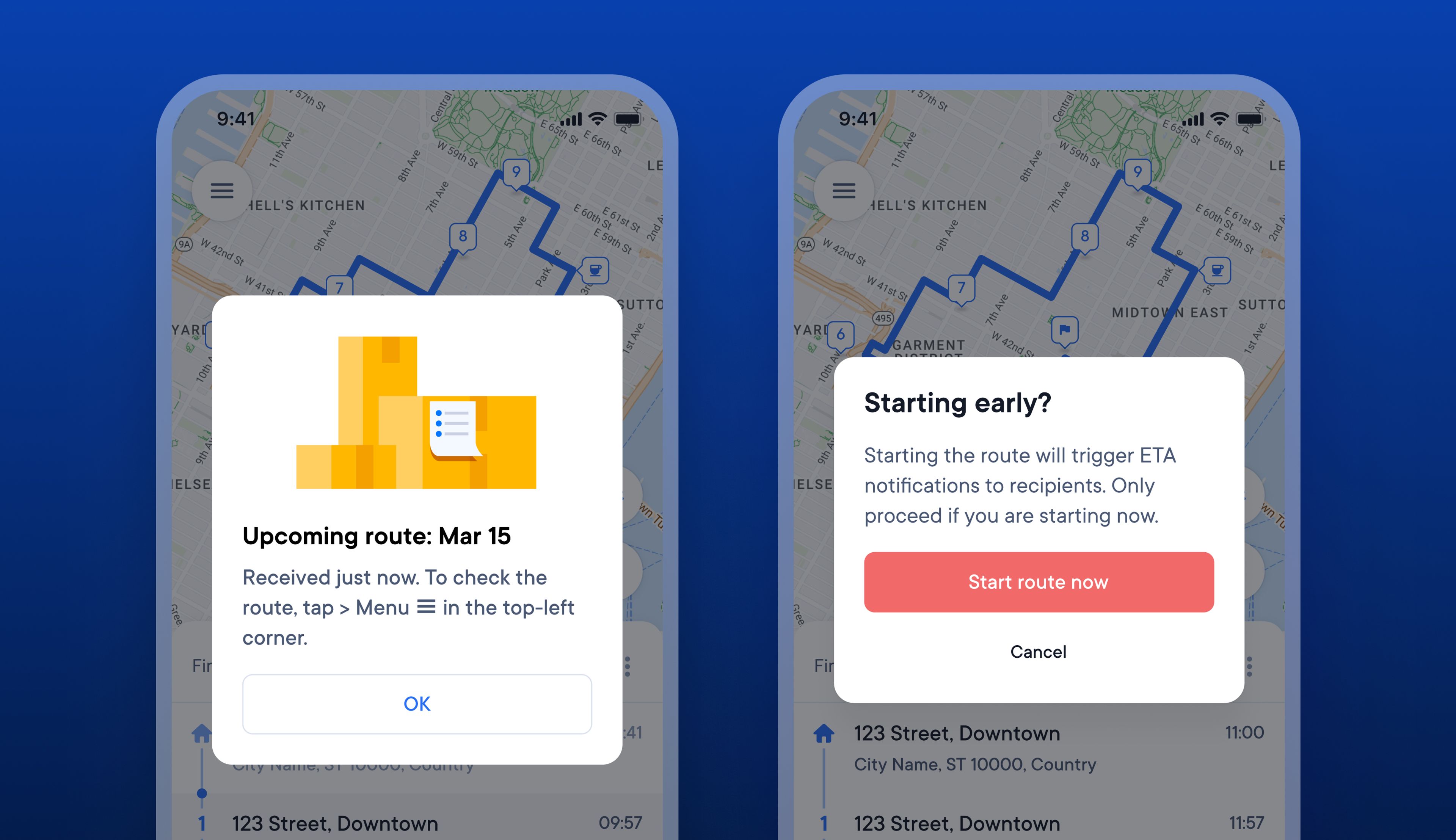
Drivers sometimes tap start on their route so they can view the details of their journey several hours before actually beginning their route. This can have a knock-on impact on recipient ETAs, which are triggered when a driver taps start on a route.
When drivers tap start to look at their route but don’t actually start their route for a while, recipients will receive incorrect ETAs based on the time the driver tapped start, not when they really began their route.
New notifications in the Driver app provide drivers with a clear warning before they start their route about the impact of that action on recipient ETAs. When a driver receives a new route notification, they are now guided to look at it in their routes list rather than tapping start.
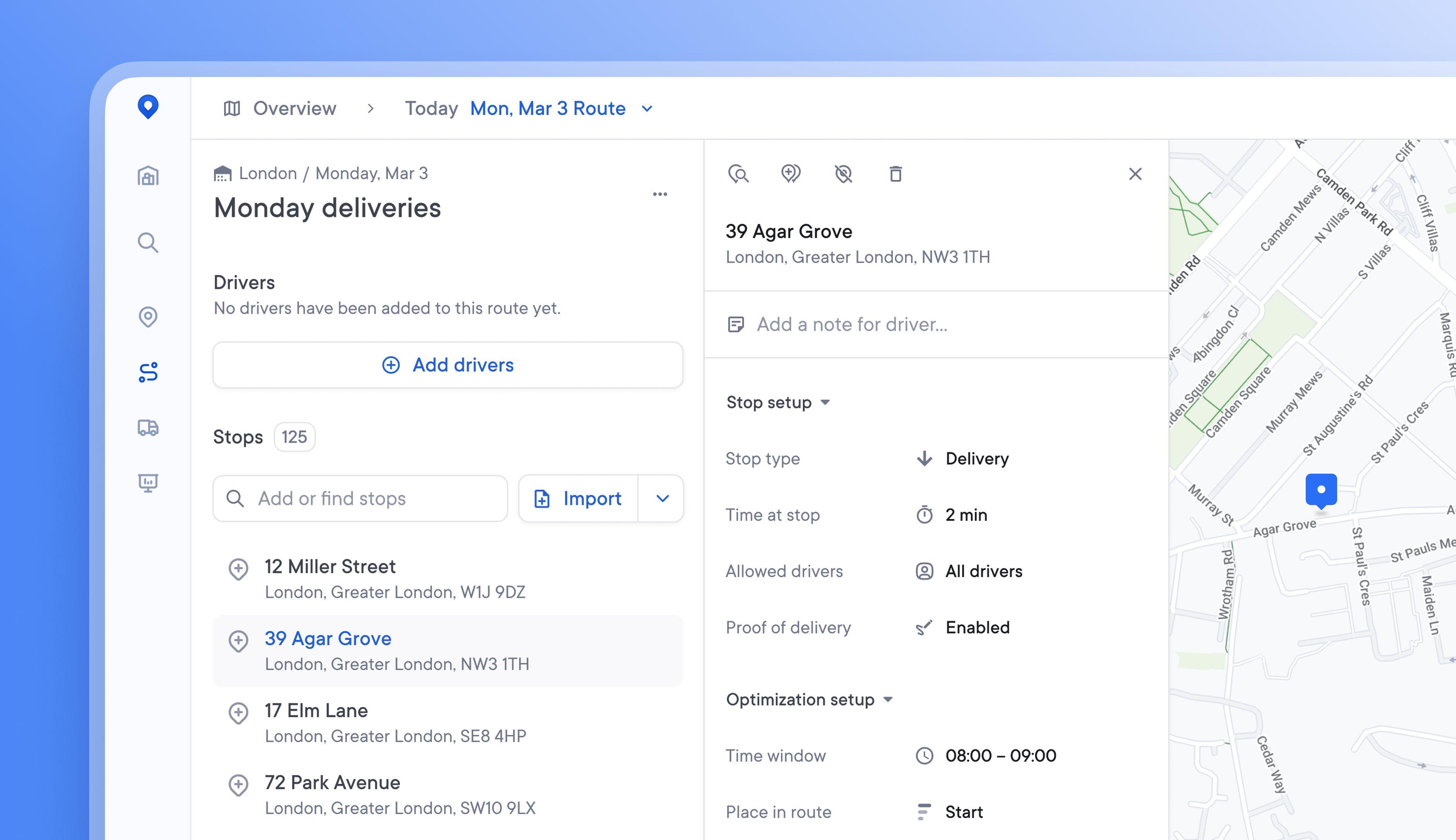
Editing stops on a route, in Spoke Connect, or on the unassigned stops list was possible but not always easy. The level of detail associated with a stop can vary, and visualizing all stop details in a clear and usable design becomes difficult as the number of stop settings expands.
The redesigned stop details card, with its new streamlined design and tooltips for each element, makes it easy for users to discover all the stop editing actions available.
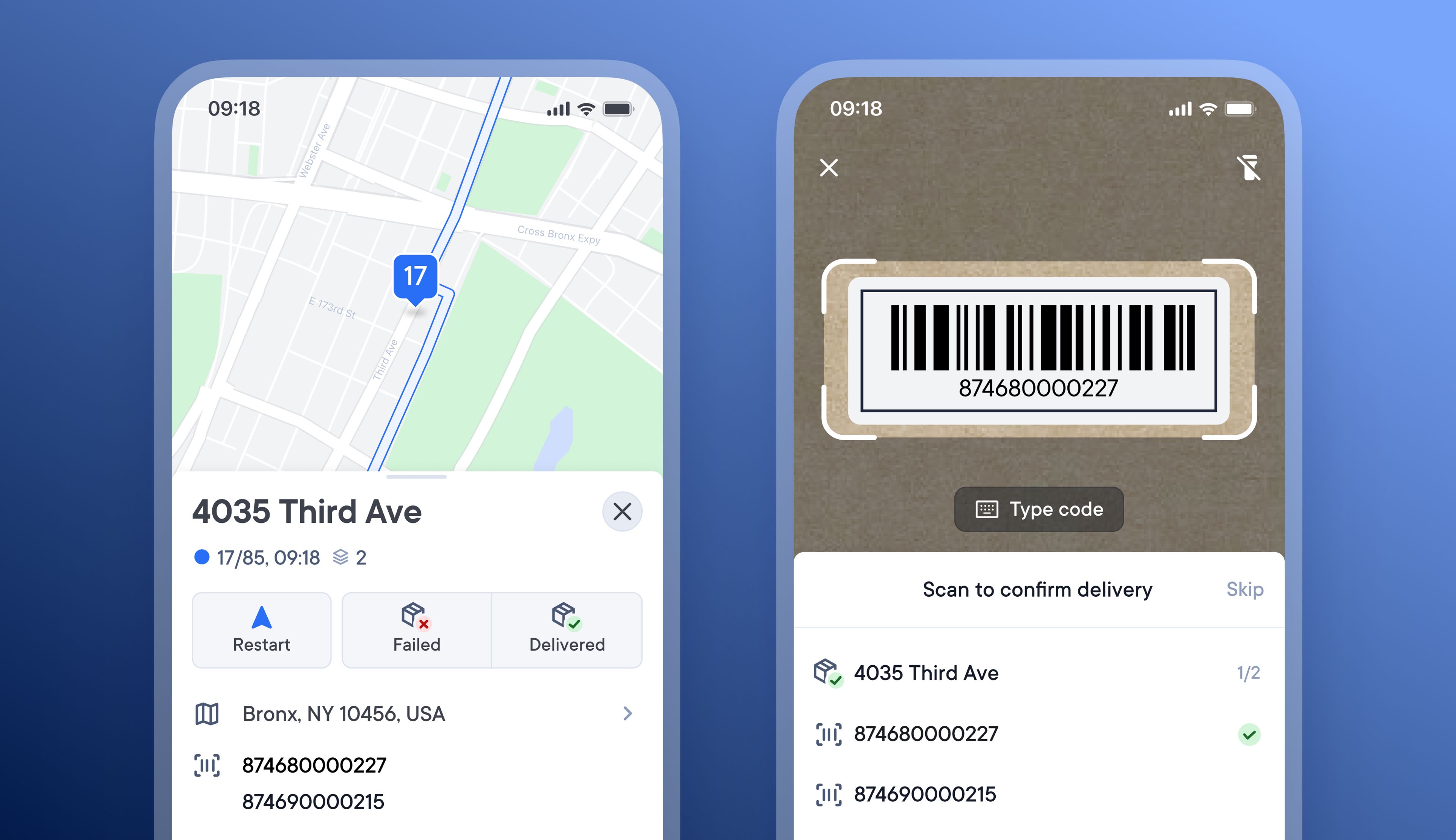
Occasionally, Drivers mistakenly deliver the wrong package to an address. This can be a difficult and costly problem to resolve, as it impacts two recipients.
Dispatchers can now prevent this by importing stops with barcode IDs. When a driver arrives at a stop with an associated barcode ID, the driver can mark the stop as delivered and is now given the option to scan the package barcode to confirm the correct item was delivered.
This feature is enabled by default, but Dispatchers can disable it in their account settings so that it is not visible in the Driver app.
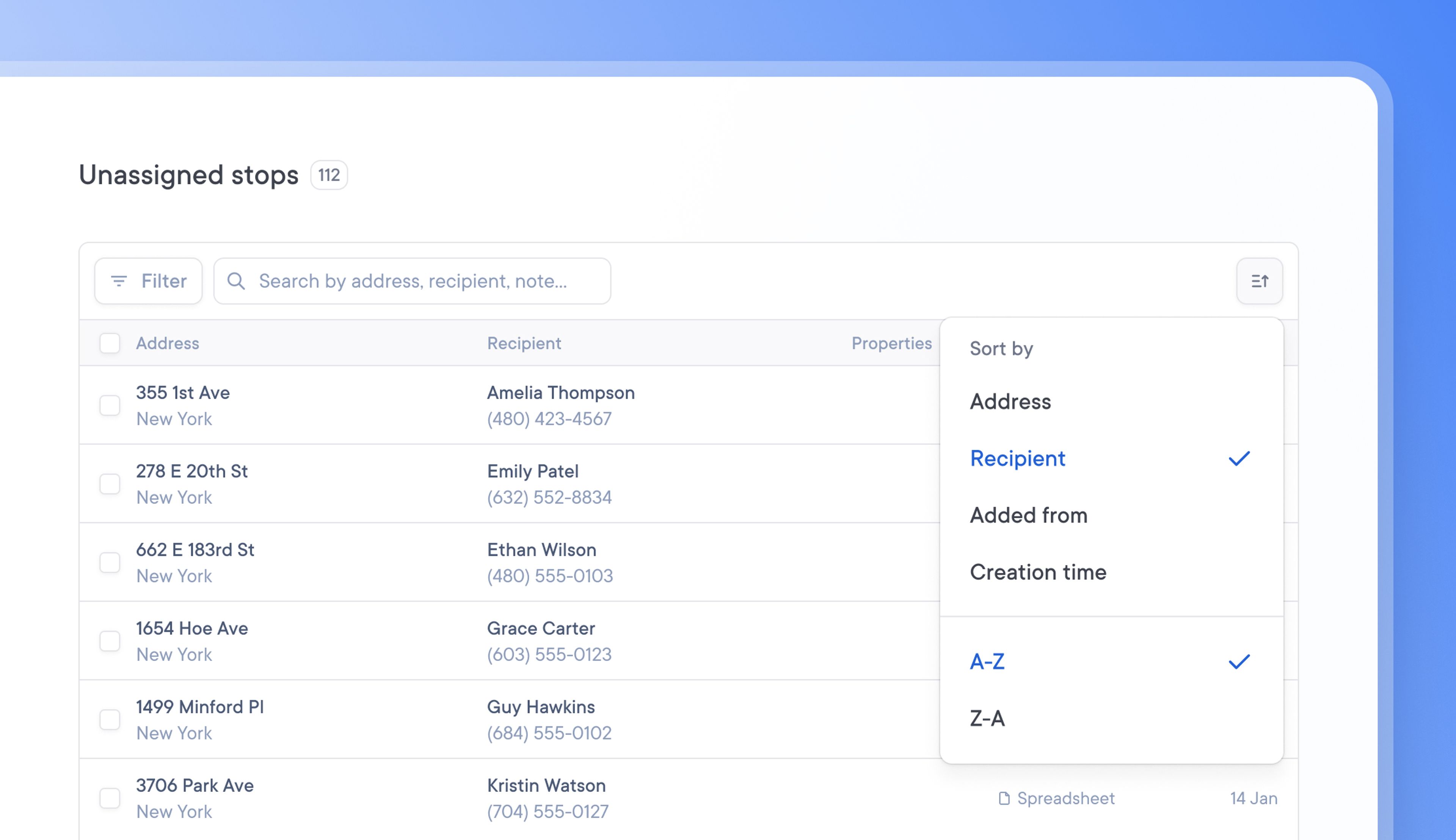
When dealing with large tables of delivery data, it can be tricky and time-consuming to find a specific driver, delivery, or unassigned stop.
Now, tables can be sorted chronologically or alphabetically.
You can sort your data by clicking the sort icon in the top right corner of a table. Order information in a way that works best for your needs, and find the information you’re looking for faster.
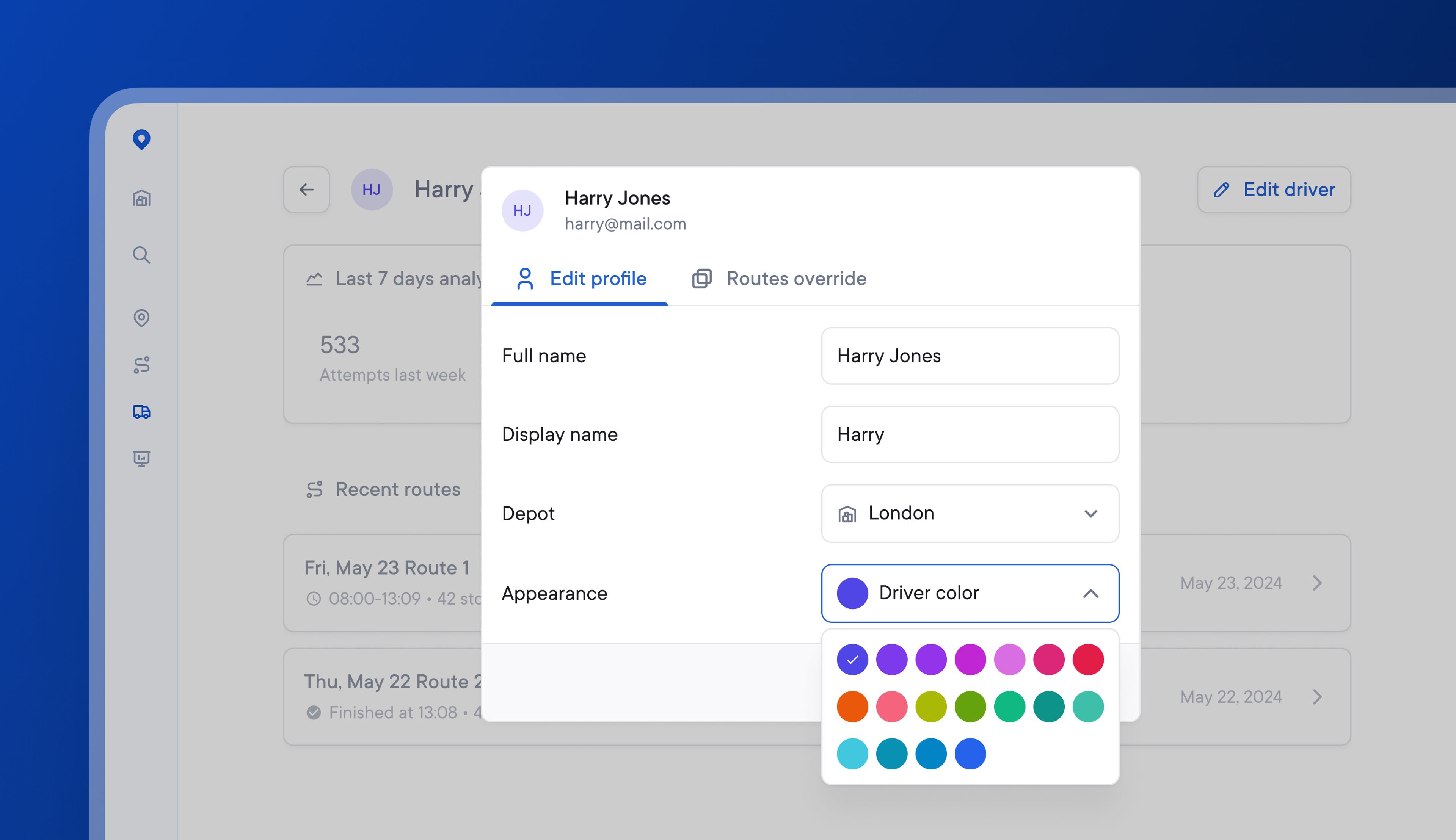
Managing multiple drivers in a single delivery zone can become visually confusing if it’s hard to differentiate between individual driver routes.
Dispatchers can now choose from 18 colors when color-coding individual drivers. This makes selecting contrasting route colors for drivers in the same delivery zone easier.
Once a color has been assigned to a driver, this color will persist unless the driver is paused or assigned to a new depot.
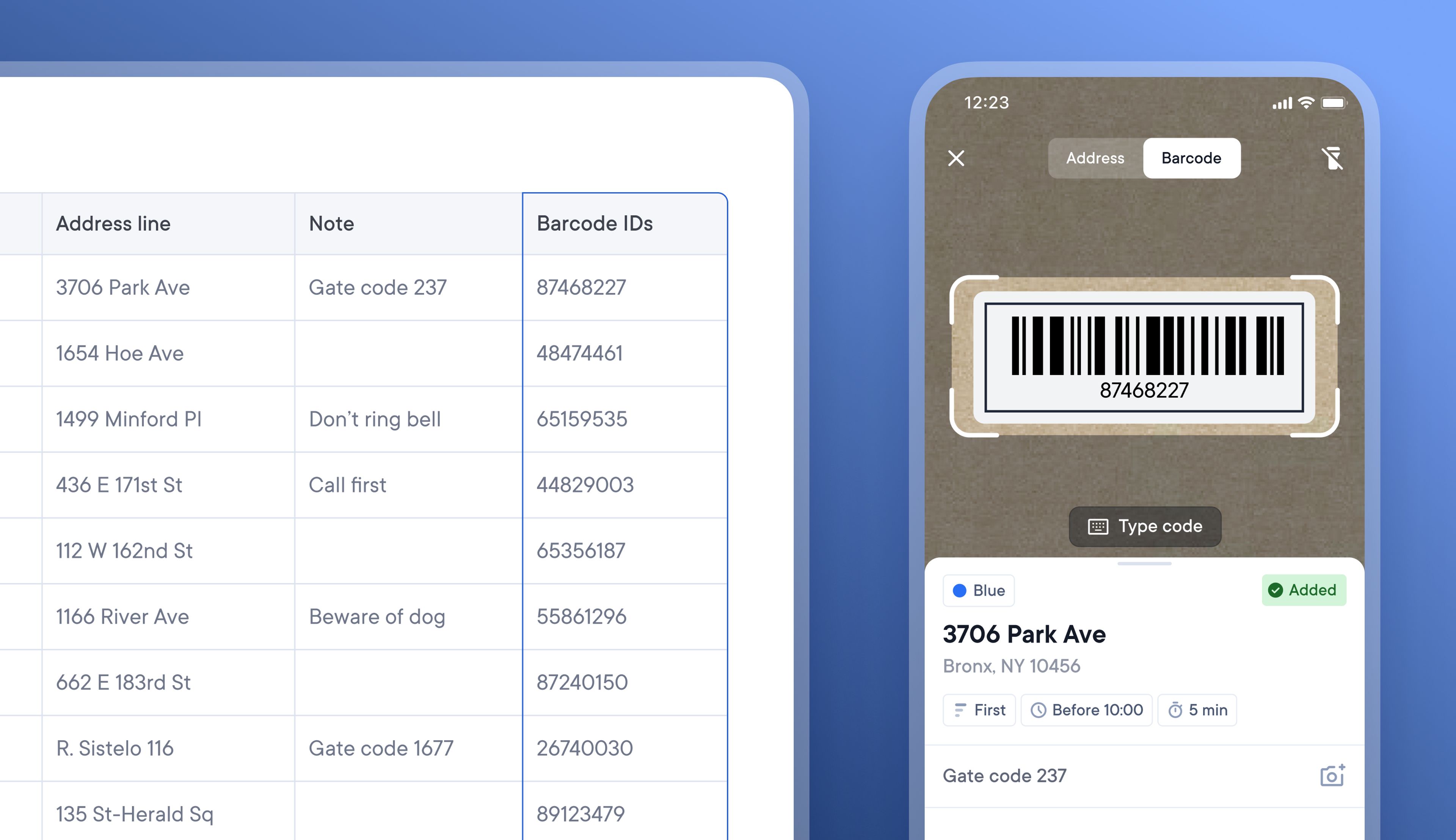
Many courier companies use barcode scanning for various steps along the last-mile delivery journey. Our latest feature allows Dispatchers to upload unassigned stops via spreadsheet or the API and include package Barcode IDs.
Now, when a Driver creates a route, they have the option to scan the barcode label attached to a package, which will automatically move that stop from the unassigned stops list onto their route.
Barcode scanning was not previously supported, and this is the first step towards building more comprehensive barcode functionality.
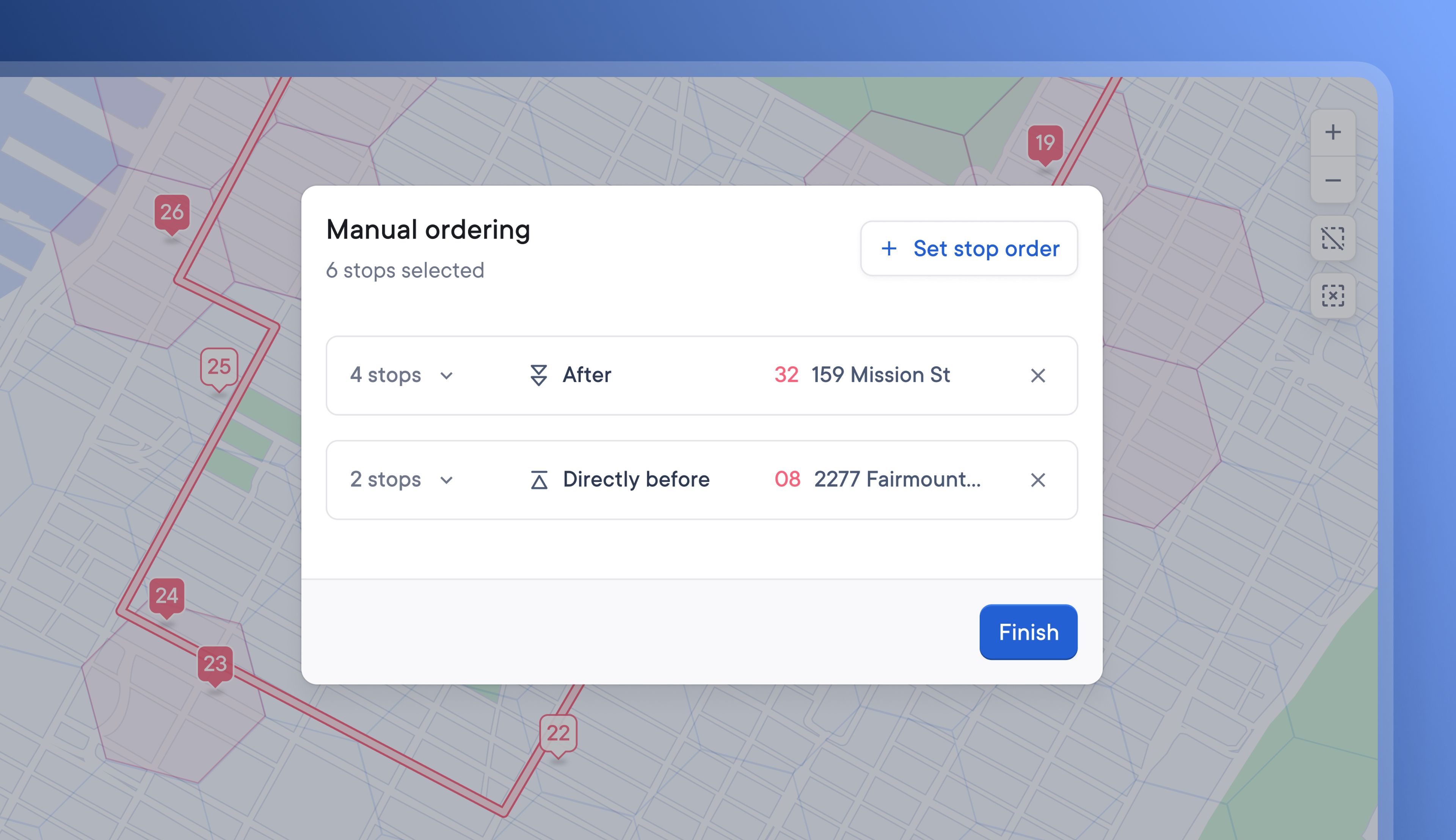
The complexity of delivery routes means that sometimes, certain stops need to take place before or after others for the route to be effective.
Now, Dispatchers can manually set an order for stops on a route and place them at a convenient point relative to other deliveries.
For example, it’s now possible to set a package collection stop to happen before that package’s eventual delivery stop later in the route.
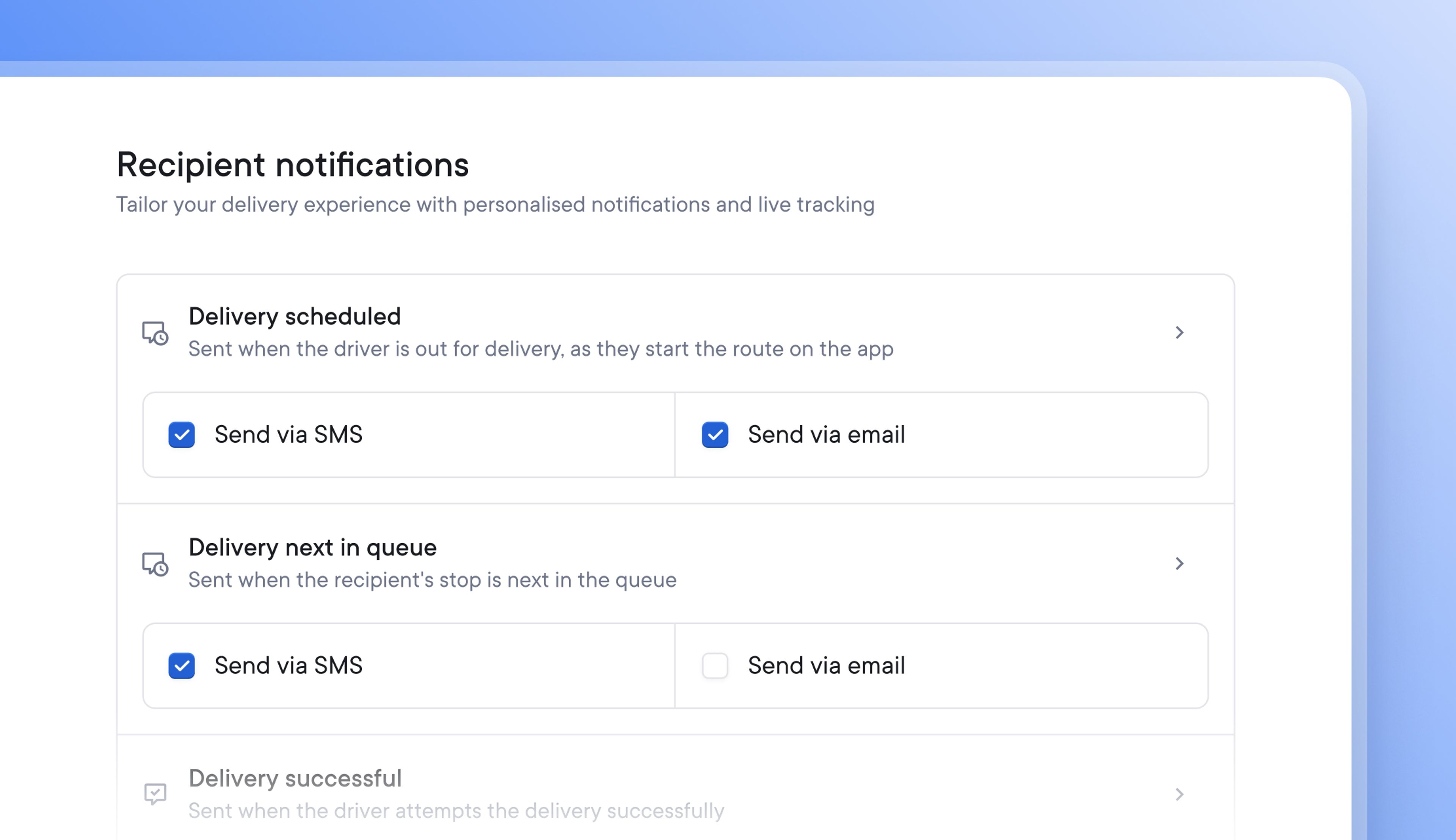
It’s now possible to send recipient notifications via a mix of SMS and email.
Send important pre-delivery notifications by SMS for a higher chance of recipient awareness, and follow up with less time-sensitive post-delivery notifications via email.
Reach recipients using the most effective communication method for each stage of the delivery process.
Recipients can now also be notified when their stop is next on the driver’s route, and sending this timely reminder can increase the chances of a successful delivery