Product updates
What’s new in Spoke Dispatch
Feature updates and improvements to make last mile delivery more dynamic
Feature updates and improvements to make last mile delivery more dynamic
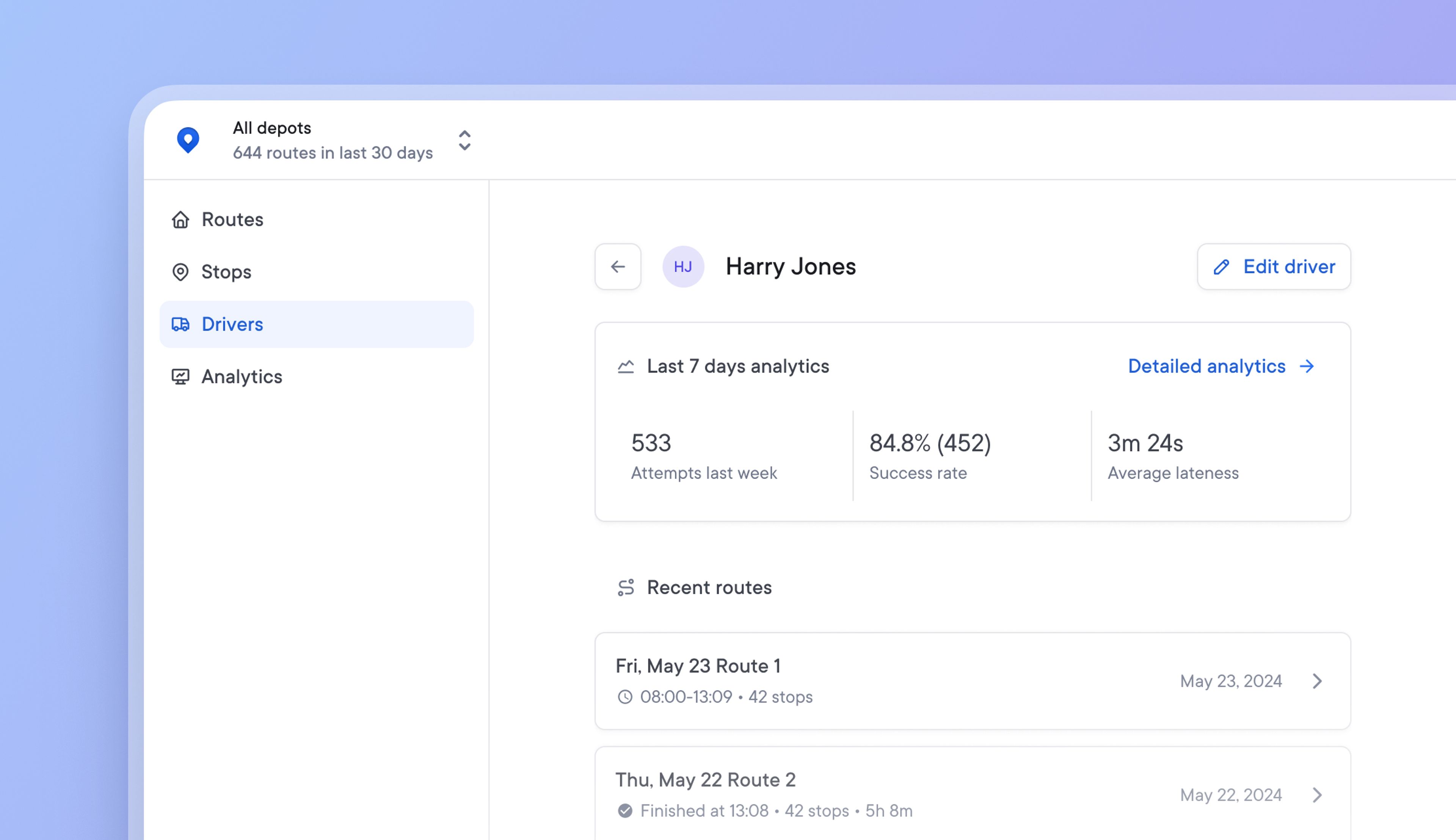
Previously, all team members were grouped and managed in the same way, with no distinction between operational and driver roles. Due to the number of drivers and the changeable nature of their role, drivers require more regular management, unlike operational roles.
Now, all drivers can be added, paused, or removed from a single Drivers page, and new profile pages make it easier to edit settings and monitor individual performance.
Driver settings and route overrides are also more accessible, and a snapshot of driver performance from the last seven days provides instant performance visibility.
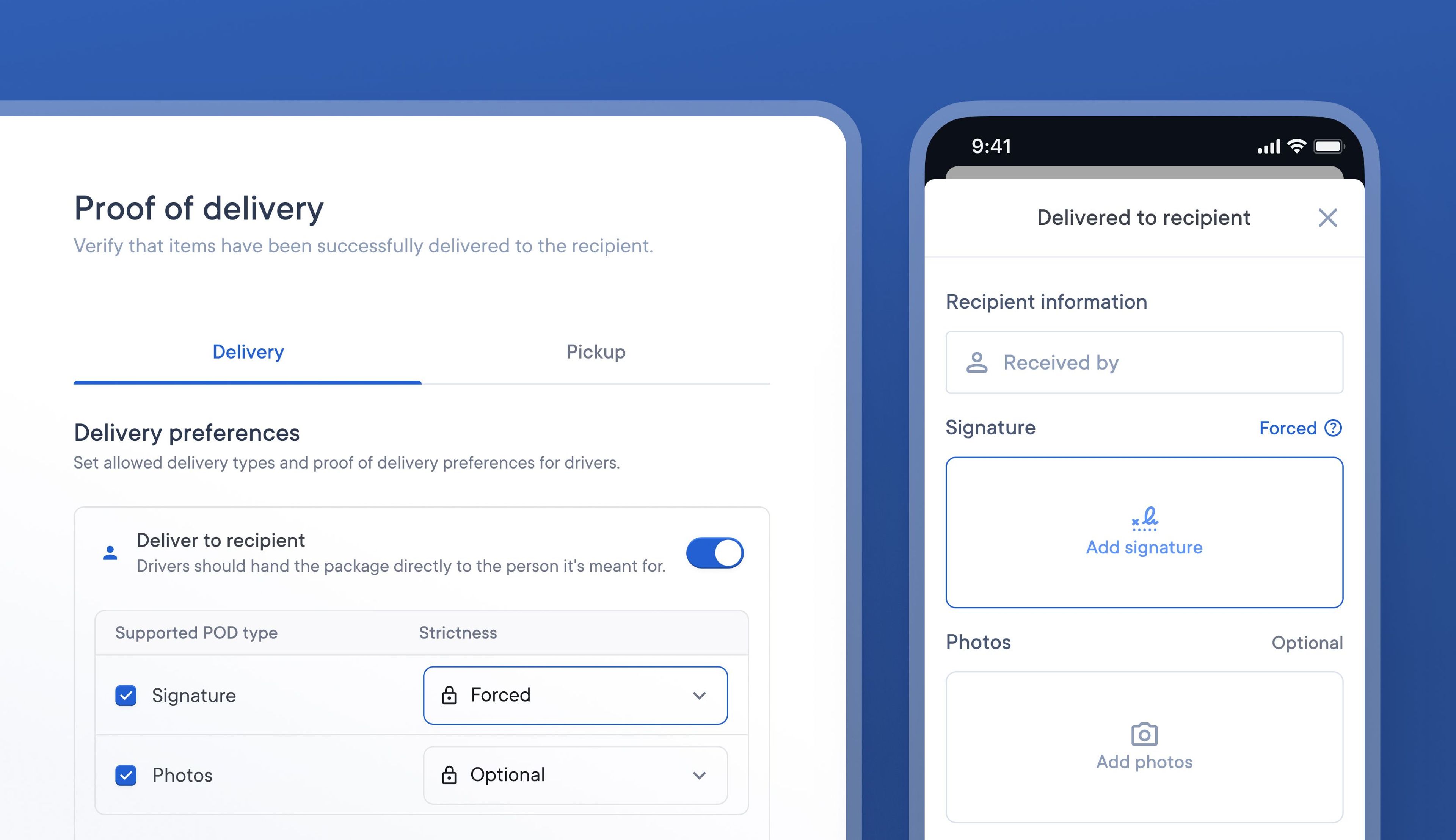
It can be difficult for courier companies to satisfactorily meet each the needs of a range of delivery types. Some deliveries may require specific forms of POD to be collected, while others may require none at all.
For example, a client who ships high-value items may not want delivery drivers to have the option to ‘leave the package in a safe space’ and may insist on capturing a signature and photo as POD.
It’s now possible to specify what delivery methods are permitted and what POD is required as default setting for your business.
This means you can enable signature, or photo POD as default for every stop your drivers deliver, and decide whether it is mandatory or not. You can always make edits on a stop-by-stop basis, configuring which stops need signatures, photos or both.
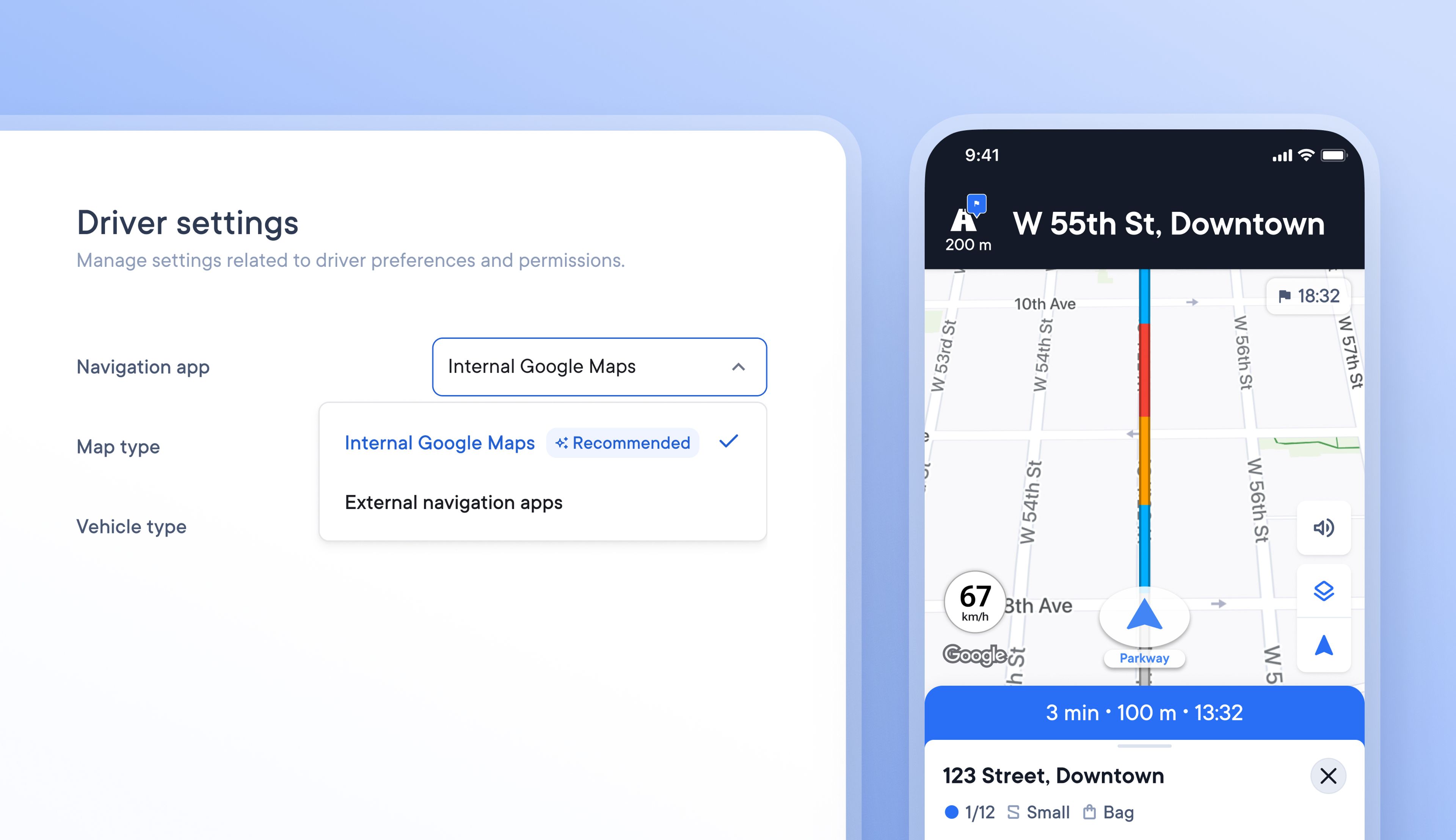
Formerly, drivers who used navigation while delivering had to use the Spoke driver app along with a navigation app of their choice. Using two apps simultaneously isn’t easy or stress-free for the driver.
Drivers can now navigate using Google Maps within Spoke Route Planner so that they can carry out every task along their delivery route with just one app.
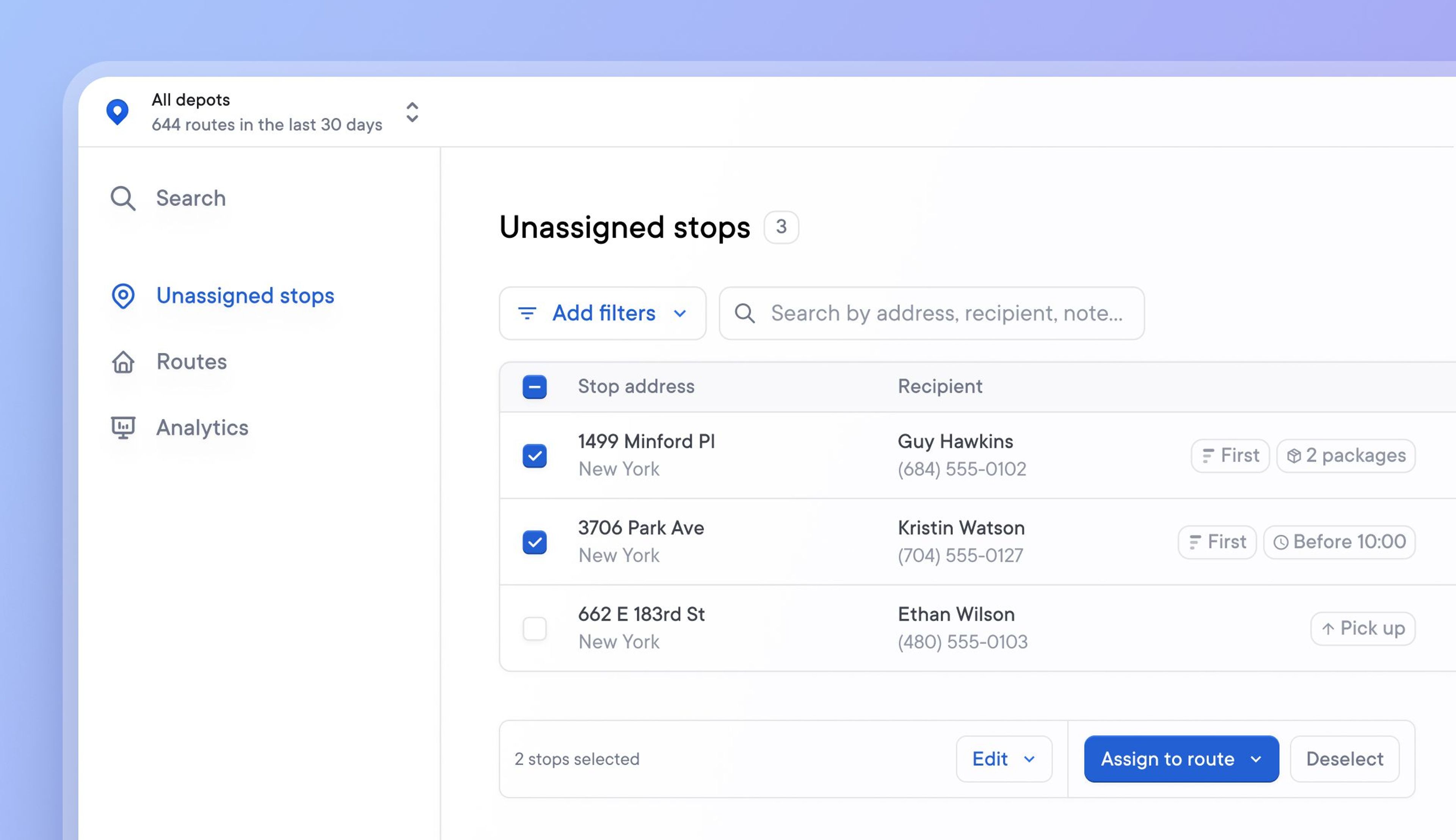
Until now, users had to create a route before being able to import stops, which would then be assigned to that route. This meant that time had to be spent organizing stop data into routes before being able to upload it.
The latest unassigned stops list feature allows stops to be imported without creating or assigning them to any route.
Simply import stops directly into the unassigned stops list and use the list’s functions to filter, select, and assign stops to a route as and when required.
Stops already assigned to a route can also be moved back onto the unassigned stops list, ready to be reassigned to a different route.
Future versions of this feature will enable dispatchers to bulk upload unassigned stops and drivers will be able to scan a barcode to automatically pull an unassigned stop from the list onto their route.
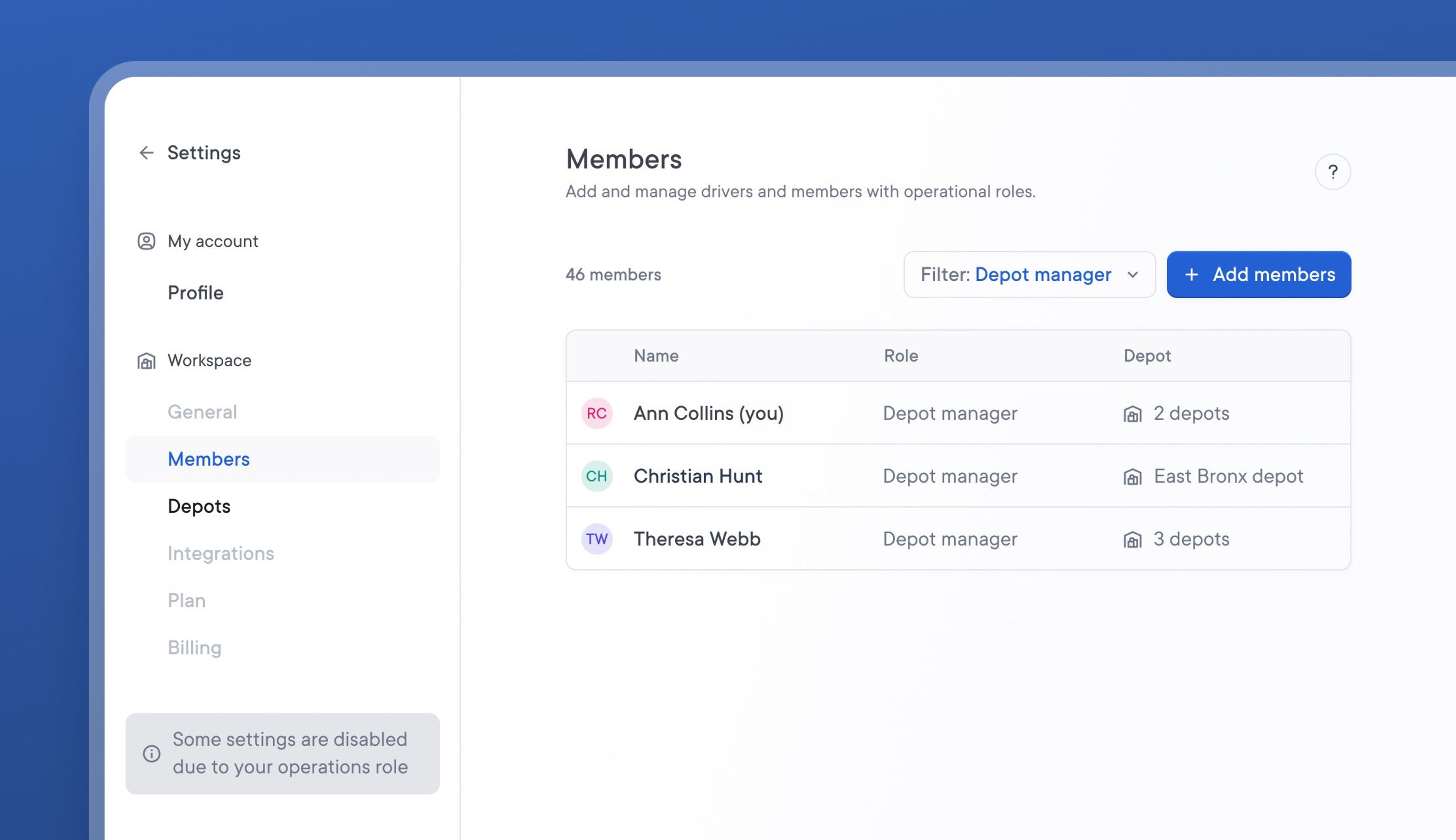
Previously, all operational team members had access to change global account settings.
With the introduction of a new Depot Manager team role, restrictions have now been placed on the level of settings access each role type has.
Depot Managers can only manage settings related to their assigned depot. This prevents team members in various locations from changing settings that have an account-wide impact.
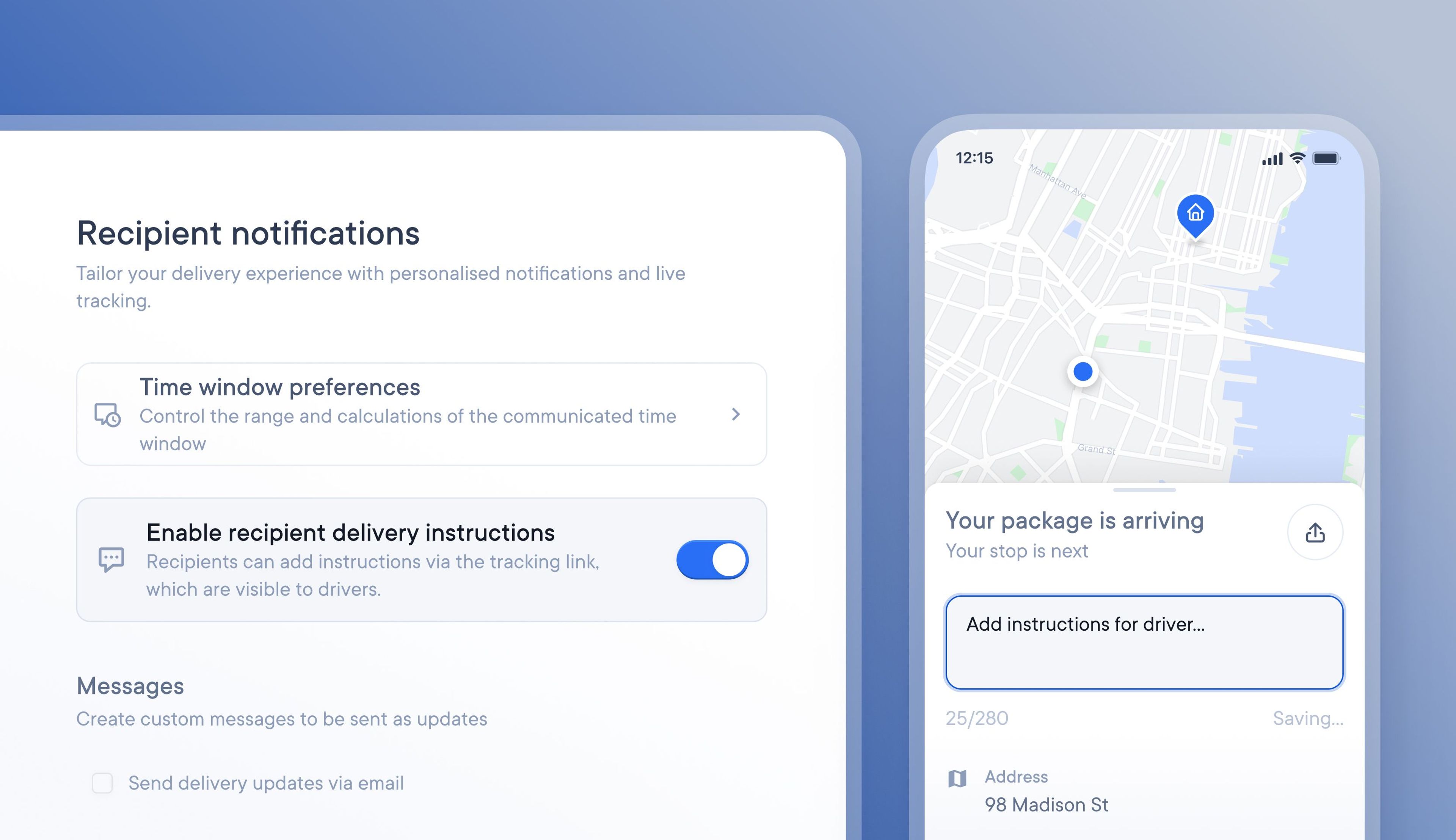
When tracking updates are sent, recipients can add delivery instructions for their driver. When used correctly, this is a beneficial feature, and the recipient can provide useful delivery instructions.
However, some recipients submit unrealistic and demanding delivery requests, which can delay and disrupt drivers. Our latest update lets you turn off the ability for recipients to add delivery instructions.
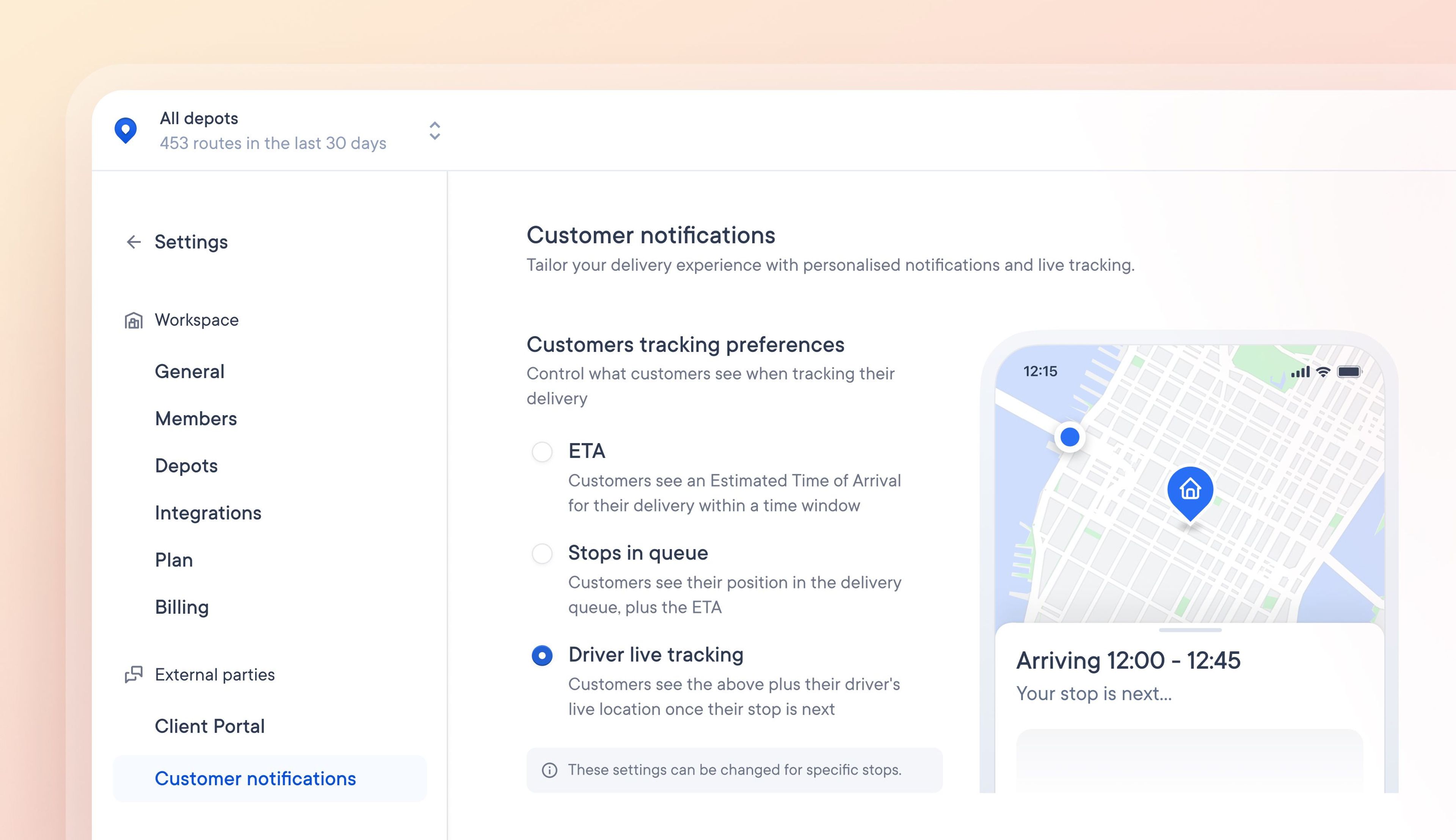
When customers are provided with detailed tracking information, they can accurately anticipate when and how their delivery will arrive, which leads to higher delivery success rates and happy customers.
Our latest update allows you to select the level of tracking information shared with customers. These preferences can be set for individual stops or complete routes.
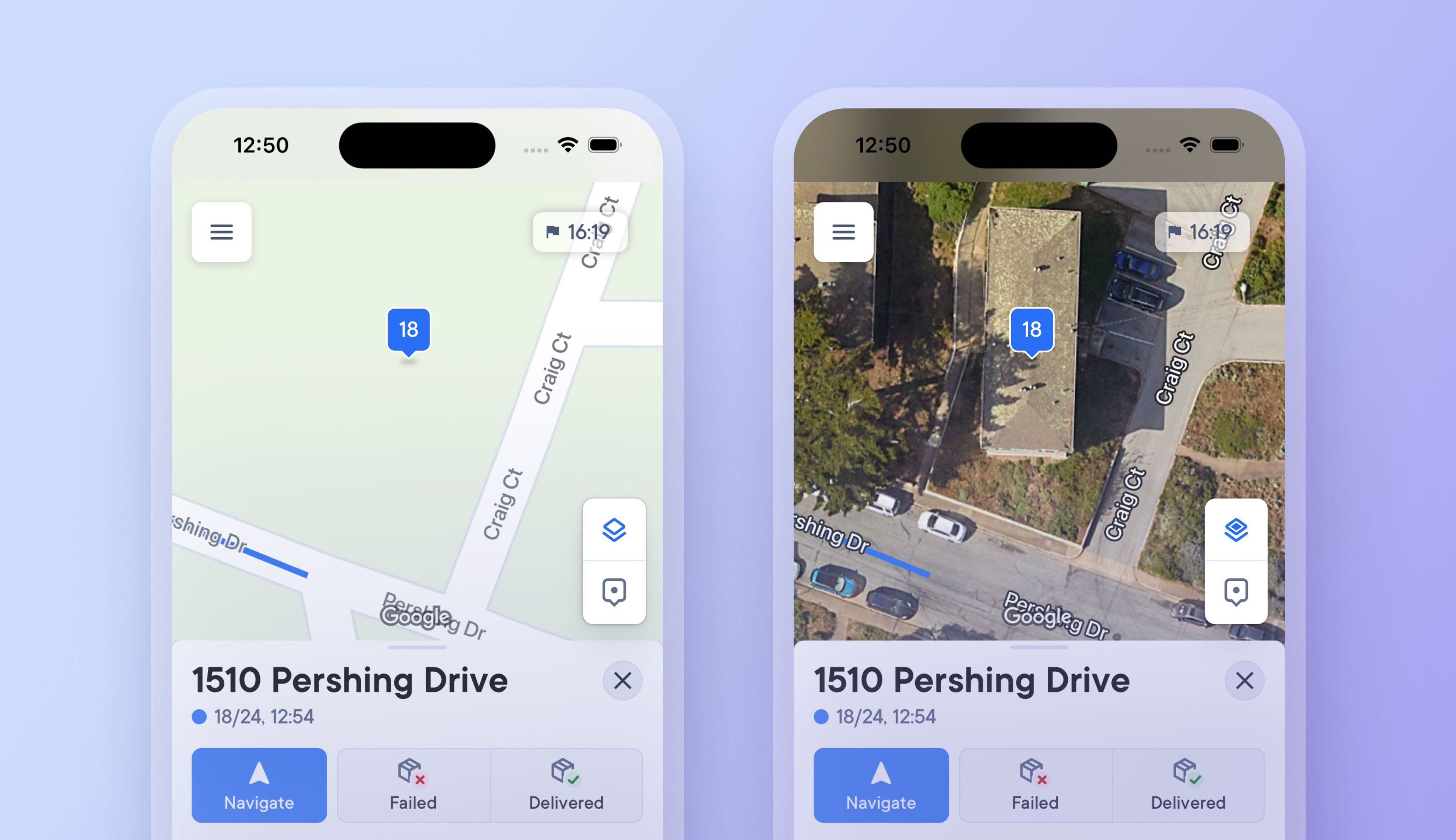
Previously drivers had to select and set a map view type, which they could only change in the driver app settings.
Now, drivers can tap a button in the driver app on the map to switch between a detailed satellite map view and a simplified route view, making it easier than ever to see more or less detail when needed.
Changing to a satellite map view when approaching a stop provides additional visual context, and drivers can instantly switch back to a simplified view when navigating longer distances between stops where photographic imagery is not required.
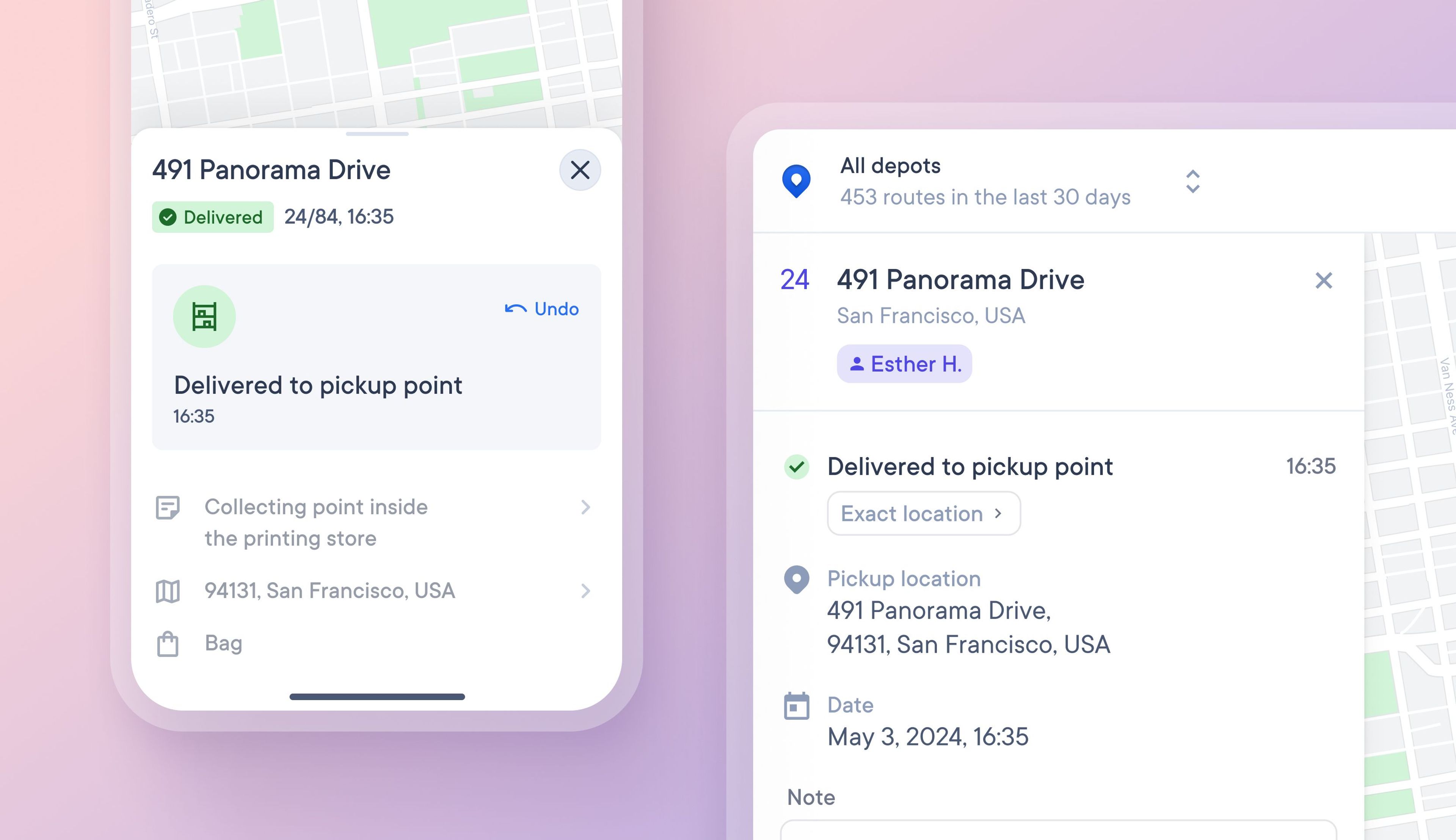
Some stops require delivery to a pickup point, such as a parcel locker or retail partner who takes in deliveries. Previously, drivers could not specify this type of stop when collecting proof of delivery.
Now, proof of delivery can be collected for pickup points and automatically shared with dispatchers and recipients.
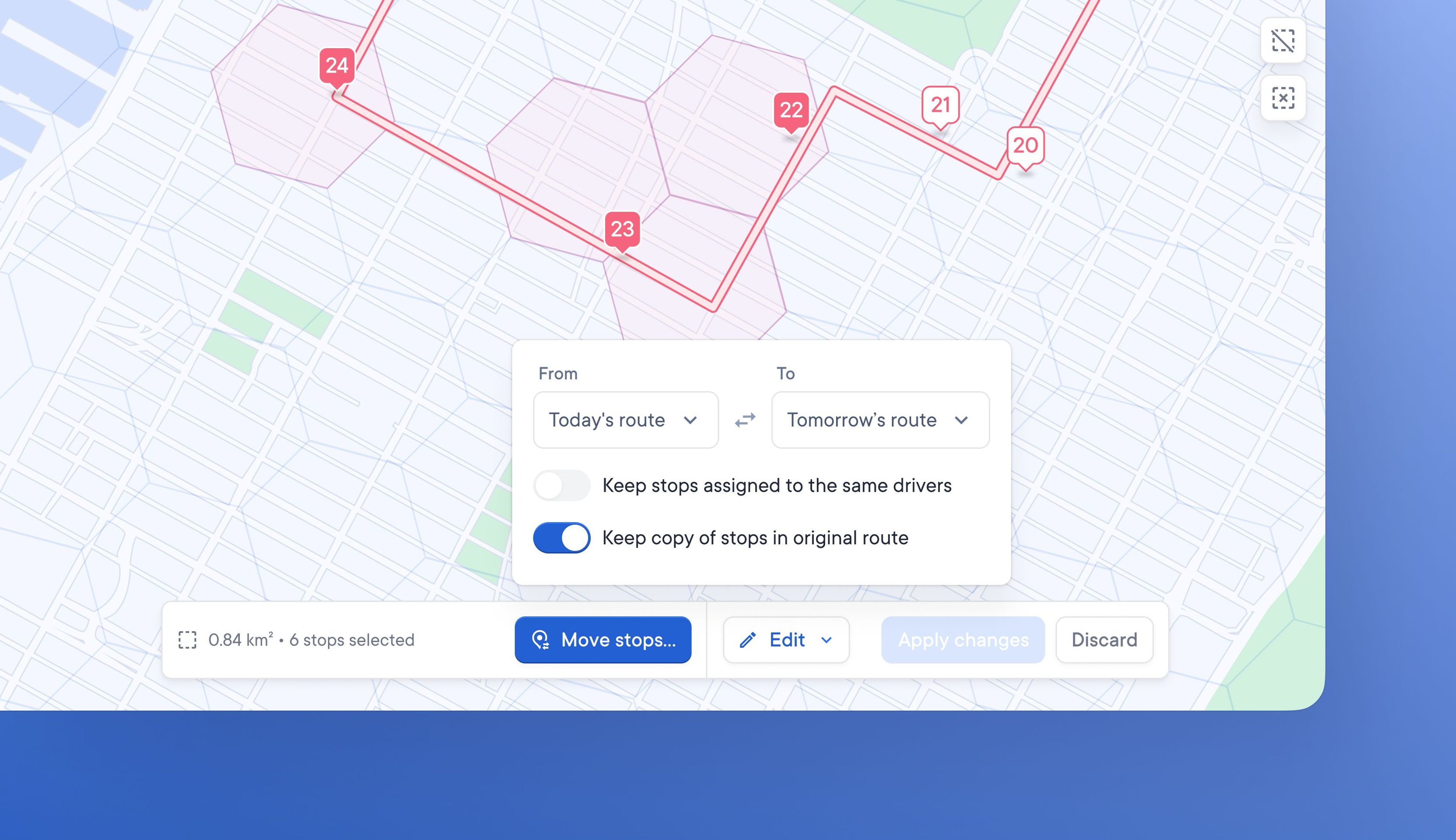
Previously, dispatchers could only copy stops from one route to another. A copied stop could be added to an alternative route and would also remain on the original route unless manually deleted.
Dispatchers can now move stops between routes. When a stop is moved from one route to another, it is automatically deleted from its original route.
Depending on their needs, Dispatchers may want to keep a copy of stops on their original route and they can do this by toggling the relevant settings on or off.