All updates
17 Oct 2024Customize POD collection and delivery methods to meet client needs
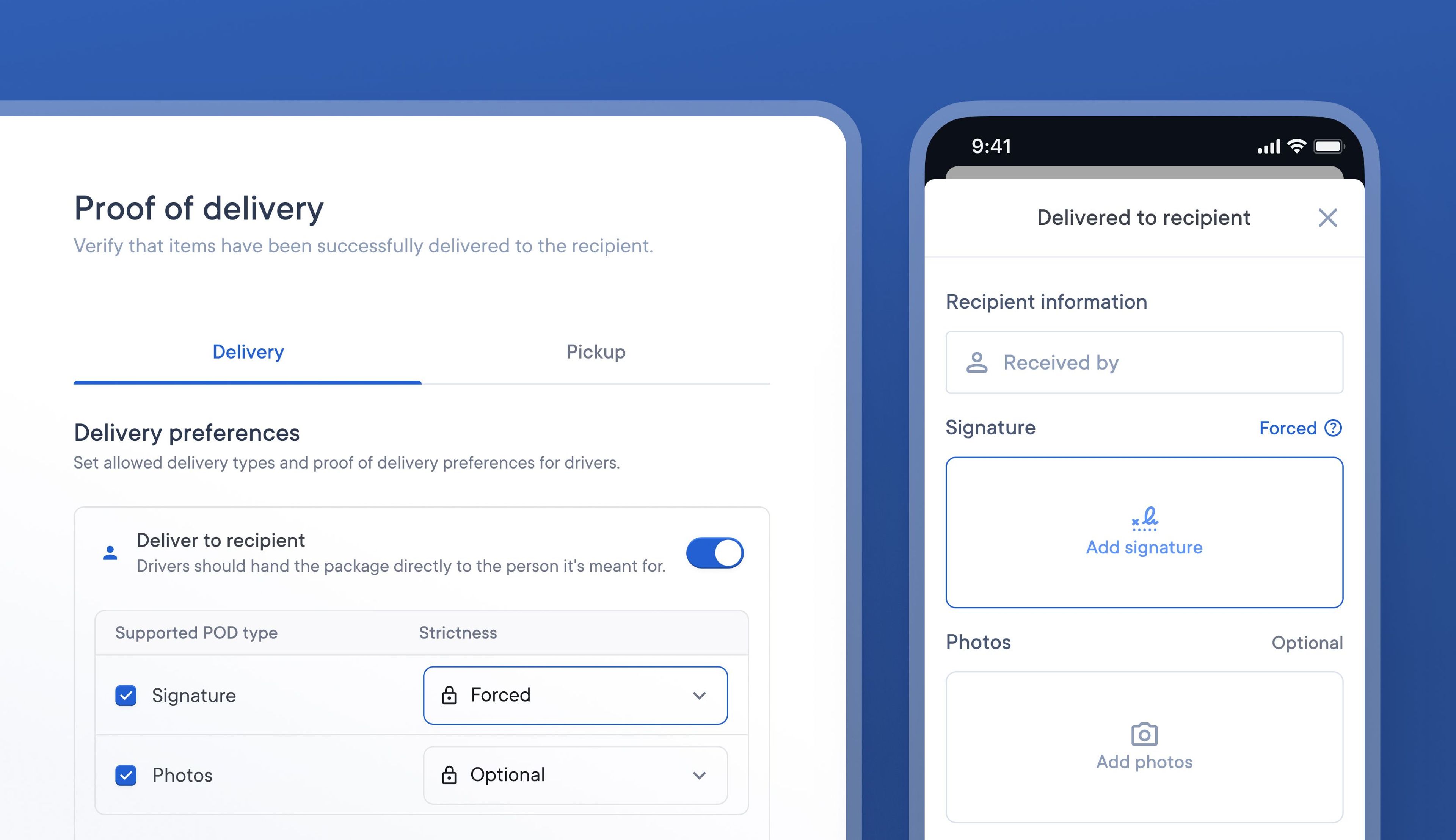
It can be difficult for courier companies to satisfactorily meet each the needs of a range of delivery types. Some deliveries may require specific forms of POD to be collected, while others may require none at all.
For example, a client who ships high-value items may not want delivery drivers to have the option to ‘leave the package in a safe space’ and may insist on capturing a signature and photo as POD.
It’s now possible to specify what delivery methods are permitted and what POD is required as default setting for your business.
This means you can enable signature, or photo POD as default for every stop your drivers deliver, and decide whether it is mandatory or not. You can always make edits on a stop-by-stop basis, configuring which stops need signatures, photos or both.
How to set POD and delivery method preferences
- Go to > Settings > Operations > Proof of delivery
- Toggle on/off all the delivery methods you want to be available
- Select the type of POD you would like collected
- Use the drop-down menu to specify if POD collection is optional or not