All updates
27 Jan 202527 Jan 2025
Use color coding to differentiate between drivers on the map easily
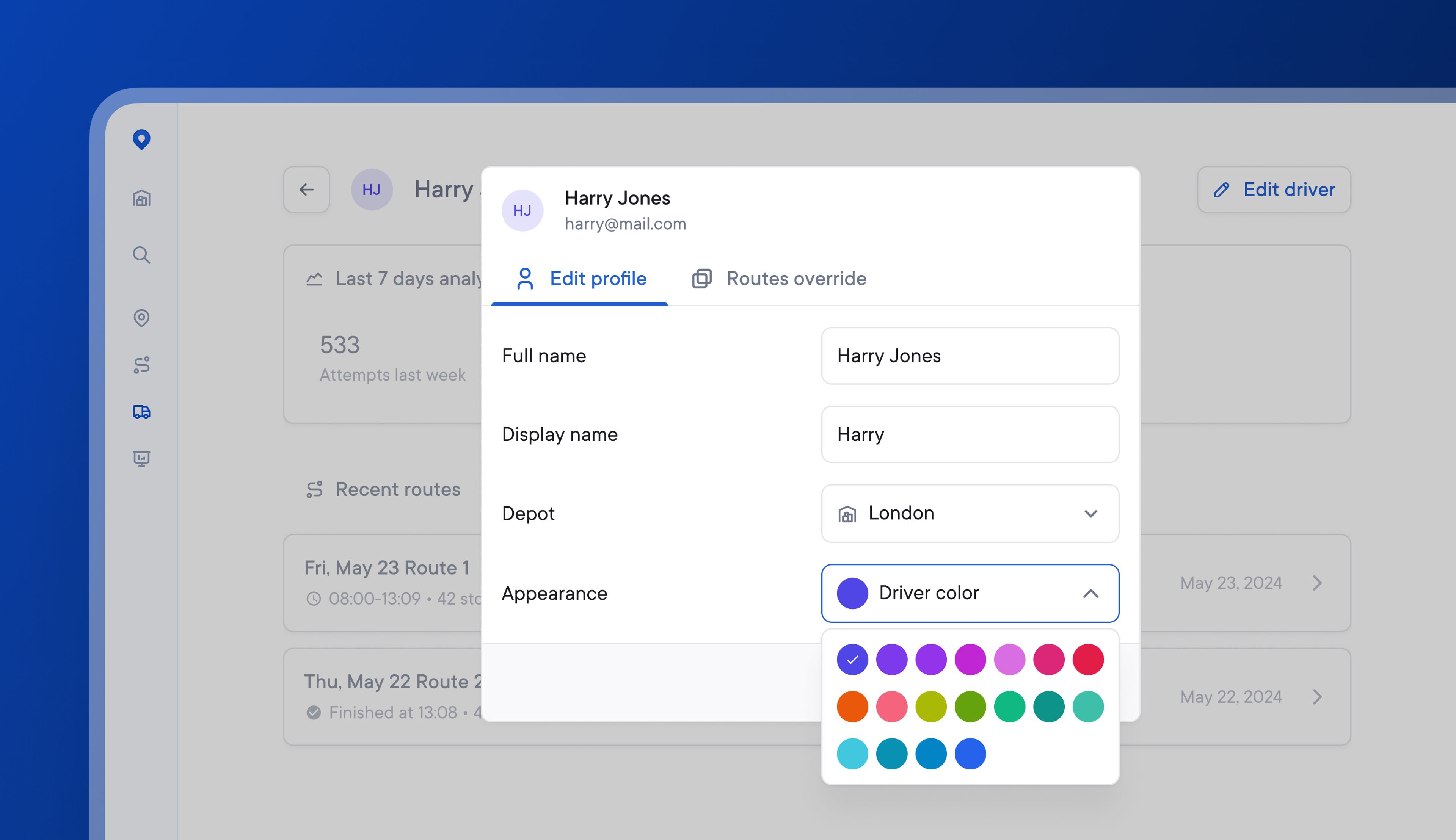
Managing multiple drivers in a single delivery zone can become visually confusing if it’s hard to differentiate between individual driver routes.
Dispatchers can now choose from 18 colors when color-coding individual drivers. This makes selecting contrasting route colors for drivers in the same delivery zone easier.
Once a color has been assigned to a driver, this color will persist unless the driver is paused or assigned to a new depot.
How to color code individual drivers
- Go to Drivers > Select a driver to edit
- Click > Edit driver
- Go to Appearance > click the drop-down menu
- Select one of 18 available colors
Get Started