All updates
04 Aug 202504 Aug 2025
Drivers can avoid and alert others to real-time traffic problems
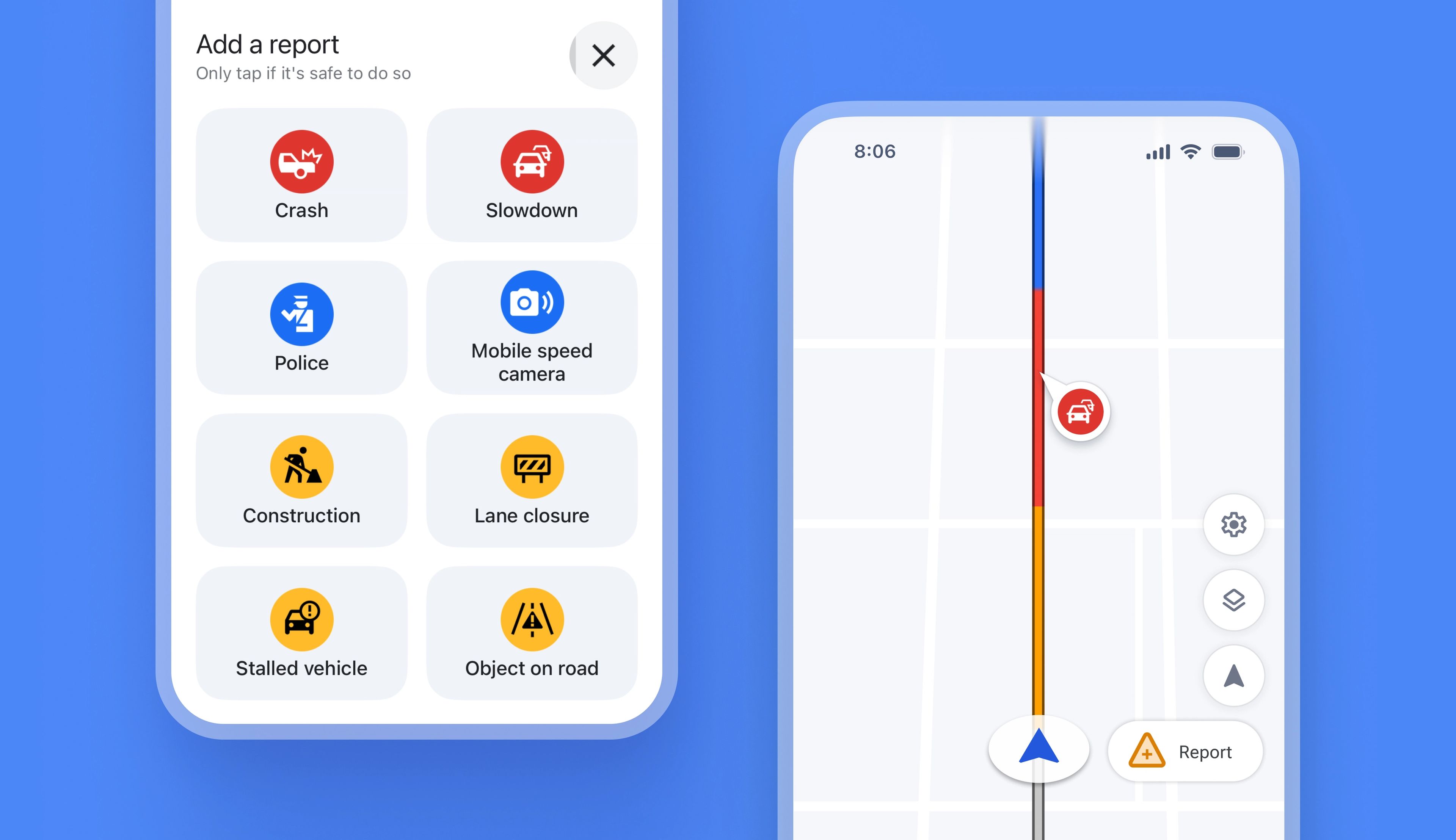
Previously, Spoke did not provide real-time alerts for things like speed cameras or roadworks in the driver app, which meant that drivers had to deal with unexpected traffic issues as they happened.
Now, drivers using internal navigation on the app automatically receive real-time traffic alerts on their route. Using live crowdsourced data from Spoke, Waze, and Google Maps, any problems that could impact a route are now highlighted on the driver app map view.
If drivers encounter a traffic issue that has yet to be reported, they can add information about the disruption directly from their app. This information will instantly become visible on the map, helping other drivers in the area avoid the same problem.
How drivers can use and add real-time disruption alerts:
- When using internal navigation on the driver app, disruption alerts are on by default
- To turn off disruption alerts, tap navigate > go to Settings > turn disruption alerts off
- To submit a disruption alert, tap the triangle icon on the map
- Select the disruption type
- Choose from crash, congestion, police, mobile speed camera, roadworks, lane closure, stalled vehicle or object on road
- The disruption alert is added to the route, and is helpful for other drivers
Get Started