All updates
05 Sep 2025Use required fields to make sure clients import the necessary information into Spoke Connect
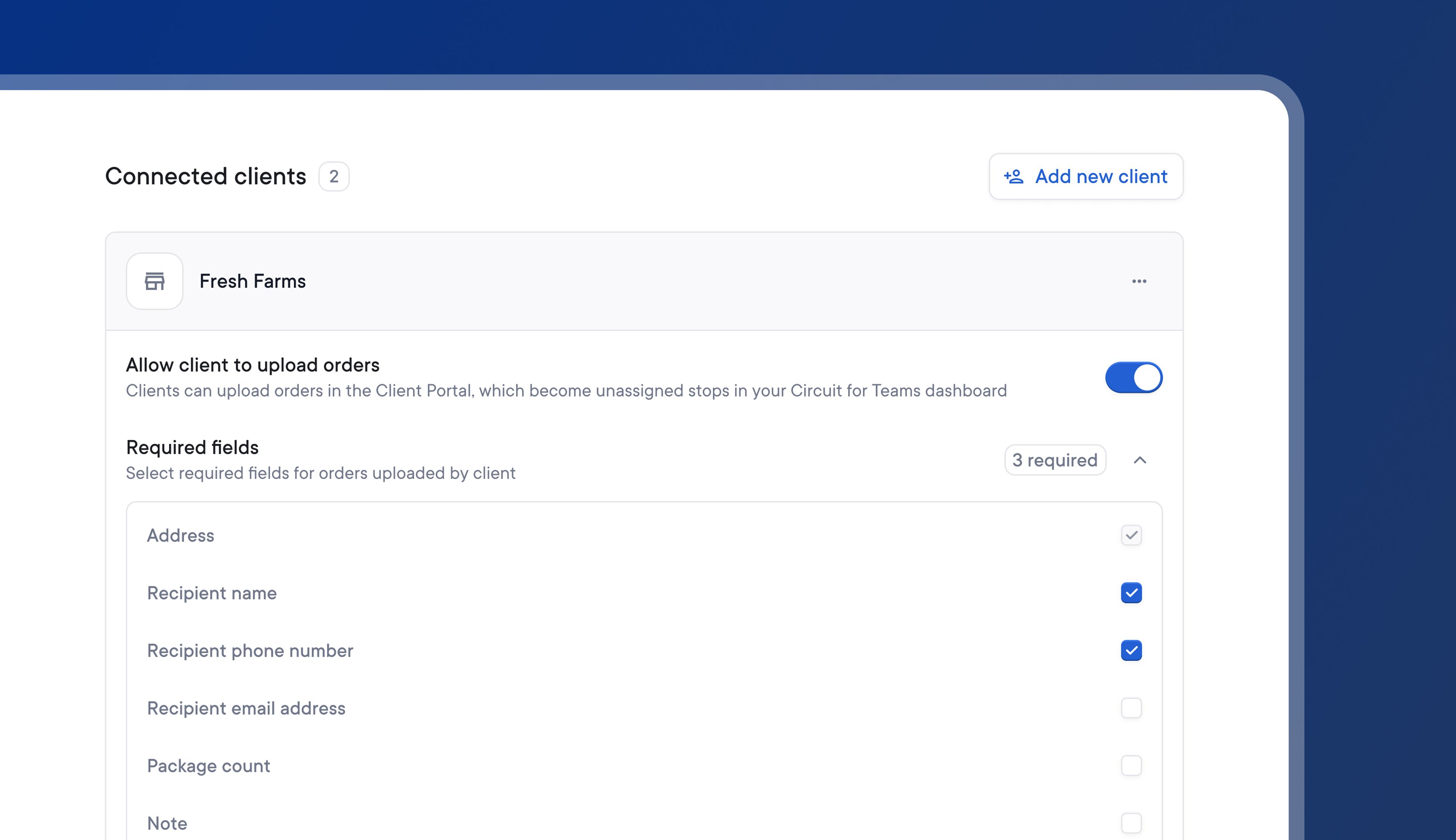
Previously, clients might upload orders that were missing key information into Spoke Connect.
Without all the necessary details for a stop, couriers would need to contact the client to find out any missing information and update stops accordingly. This could increase the time and stress associated with managing client data.
Now, couriers can set required fields for any of their clients, and each client has to include those required fields for every stop they wish to import.
During the upload process, clients will be alerted if a required field is missing and given instructions on how to add it.
Couriers have complete control over which required fields each client should upload, eliminating the possibility of missing details and delayed delivery.
- Go to Settings > External parties > Spoke Connect
- Go to the client you want to edit
- Toggle on Allow client to upload orders
- Click Required fields
- Select which fields you require your client to upload
Your client will now only be able to successfully upload a stop if it has all the required fields.