Spoke Dispatch
Build routes that consider the maximum weight limit of your delivery vehicles
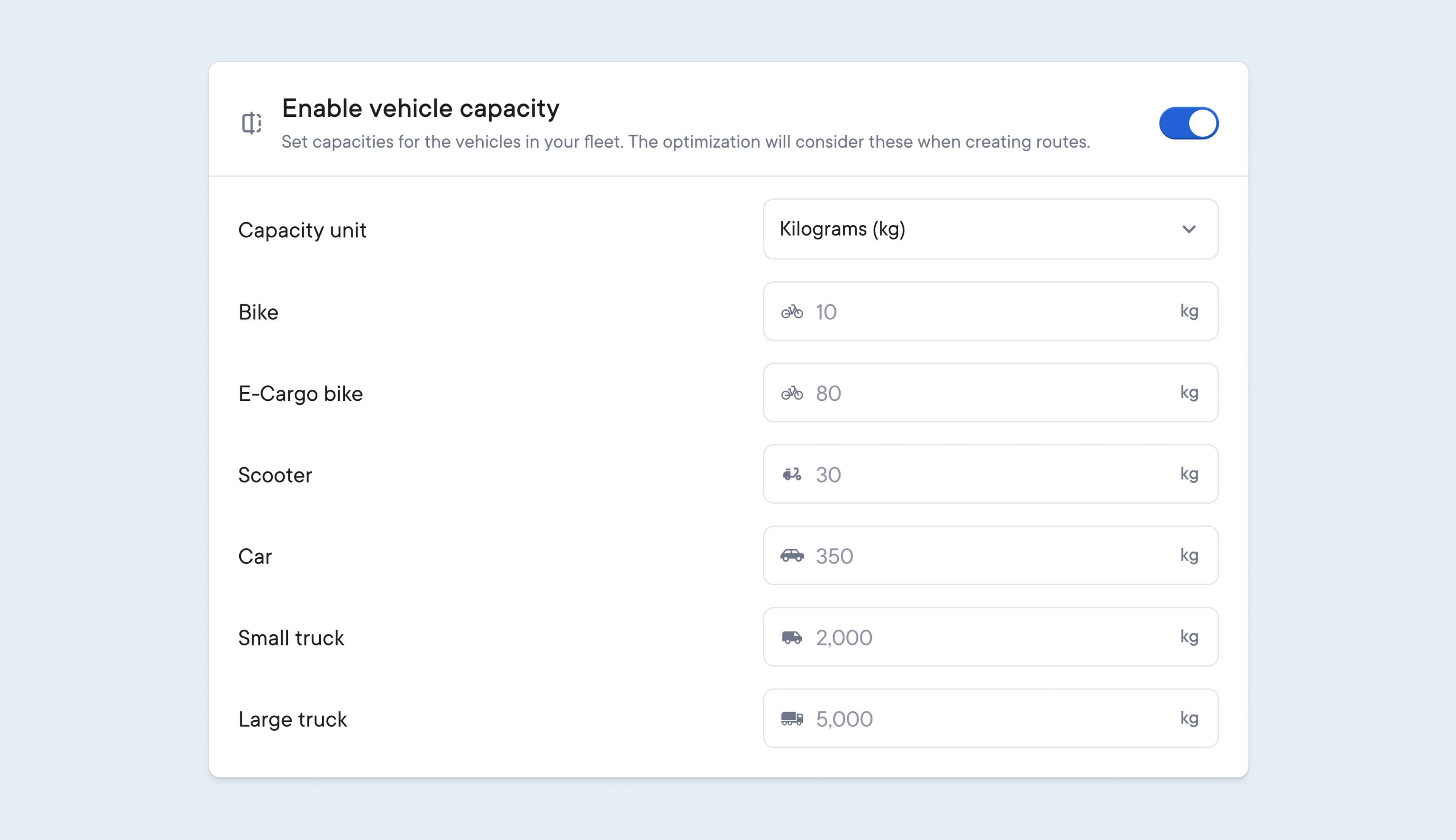
To maximize route efficiency, dispatchers need to balance adding as many items as possible to a route, without exceeding the legal weight limits for the vehicle carrying out those deliveries.
Vehicle capacity lets you set a maximum weight limit for each vehicle type.
This will override any maximum stops settings for drivers, and Spoke will use this weight limit to create routes that do not exceed any vehicle’s maximum load capacity.
- Go to Settings > Team settings > Vehicle capacity
- Enable vehicle capacity
- Select your weight capacity unit: tonnes/kilograms/pounds
- Add a maximum vehicle capacity weight for each vehicle type
When importing your delivery data into Spoke, don’t forget to include package weight information for each item so that this can be used to calculate the total vehicle capacity for a route.