What it does
What is route planning and optimization software, and how is it different from sequencing stops by hand?
Route planning and optimization software for couriers. Time windows, vehicle capacity, custom zones, and mid-route edits.
Try free for 7 days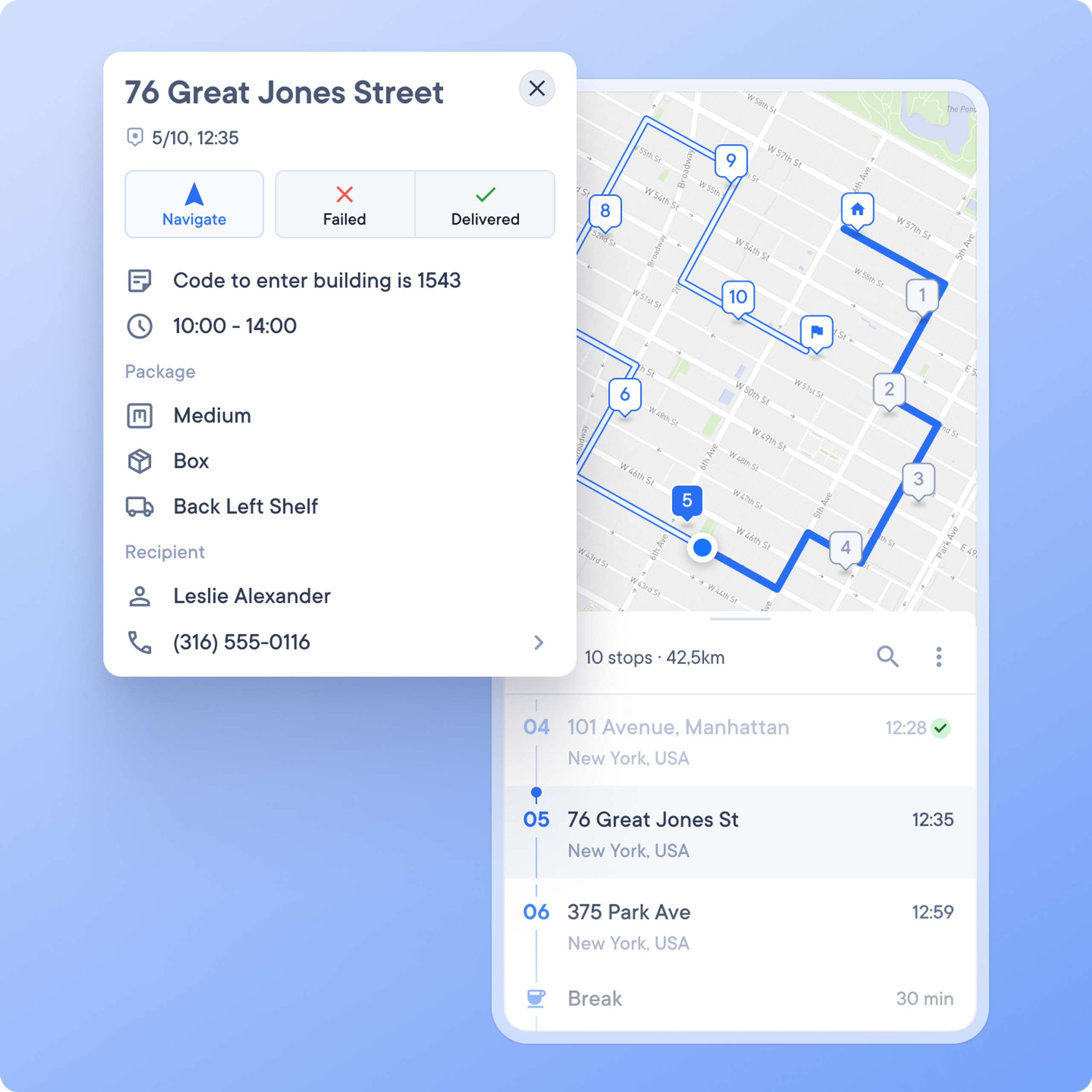
What is route planning and optimization software, and how is it different from sequencing stops by hand?
Will it cope with multiple drivers, depots, time windows, and each client’s delivery requirements?
How do the main options stack up on features, pricing, and reviews?
Can a courier company get by on free route planning tools, or do they cost more than they save?
Your drivers have multiple deliveries to complete each day. But even the slightest detour can put them out of sync, especially if there’s no way for them to quickly reroute. Poorly planned routes can lead to delays, wasted fuel costs, and frustrated customers.
A logistical nightmare we’re willing to bet you’d rather not deal with.
This is where route planning software comes into play. These tools remove the pain of manual route creation, allow you to create the most efficient routes for your drivers, and ultimately save time and money.
But with so many route planning solutions on the market, how do you choose the best one for your delivery business?
Here, we compare eight of the best route planning software options available today, pitting them head to head in four core categories:
We’ll assess how well they score in each category, weigh the pros and cons, discuss their different price tiers, and highlight real-life customer reviews.
To create this 2026 guide, we went beyond marketing claims to provide a clear, evidence-based comparison for courier companies.
We assessed each of the eight tools head-to-head across the four core categories that matter most to a delivery operation: route optimization, live route tracking, proof of delivery, and customer notifications.
We analyzed the current 2026 pricing models to understand the true total cost of ownership, noting which essential features are included in base plans and which are add-ons.
Finally, to get a real-world perspective on performance and ease of use, we studied recent case studies and testimonials, and analyzed reviews from third-party sites like Capterra and G2 to provide a balanced assessment of each tool.
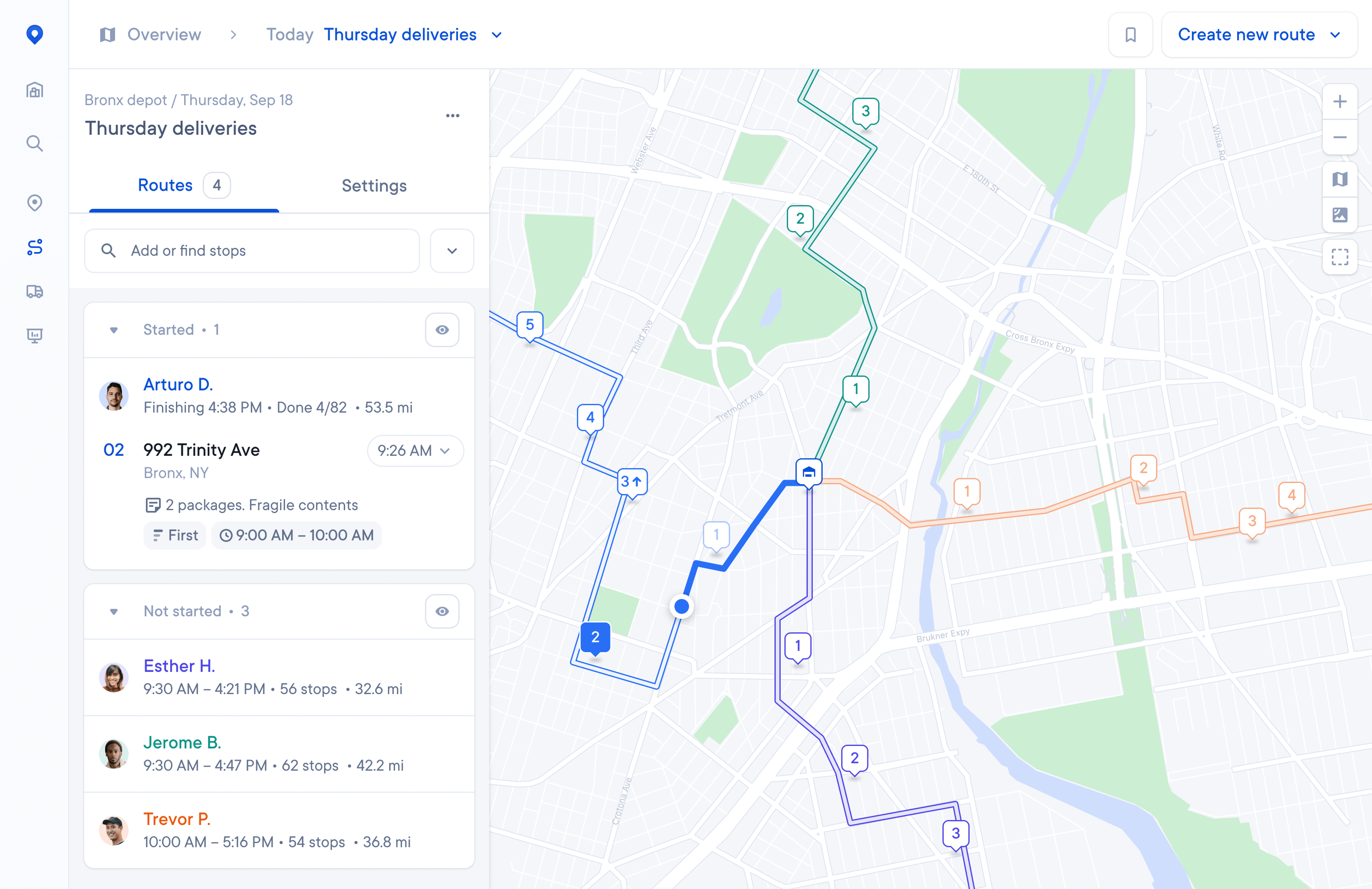
Almost every courier company has a different way of working. Spoke Dispatch is the only last mile management software on the market designed to give courier companies the flexibility, control and customization they need to run their business how they want to. The driver app is famous in its own right as being the easiest to use for English and bilingual couriers - and the quality of route optimization is regularly mentioned by both drivers and dispatchers.
Spoke Dispatch tests thousands of route combinations in seconds to find the best one. The algorithm assesses factors like distance, traffic, preferred delivery times, and vehicle capacity to identify the most efficient multi-stop route.
Crucially for courier operations, you can add unique requirements before optimizing. This allows you to account for priority stops, drivers who need to return to the depot to reload, or drivers who are not doing a full loop and need to finish in a different location.
The Spoke Dispatch route monitoring features are designed to tell you where a driver is within the context of their route. All dispatch has to do is find the driver on their screen, and zoom in to see where they are and where they’re headed next. This live data is then used to power the automated customer notifications.
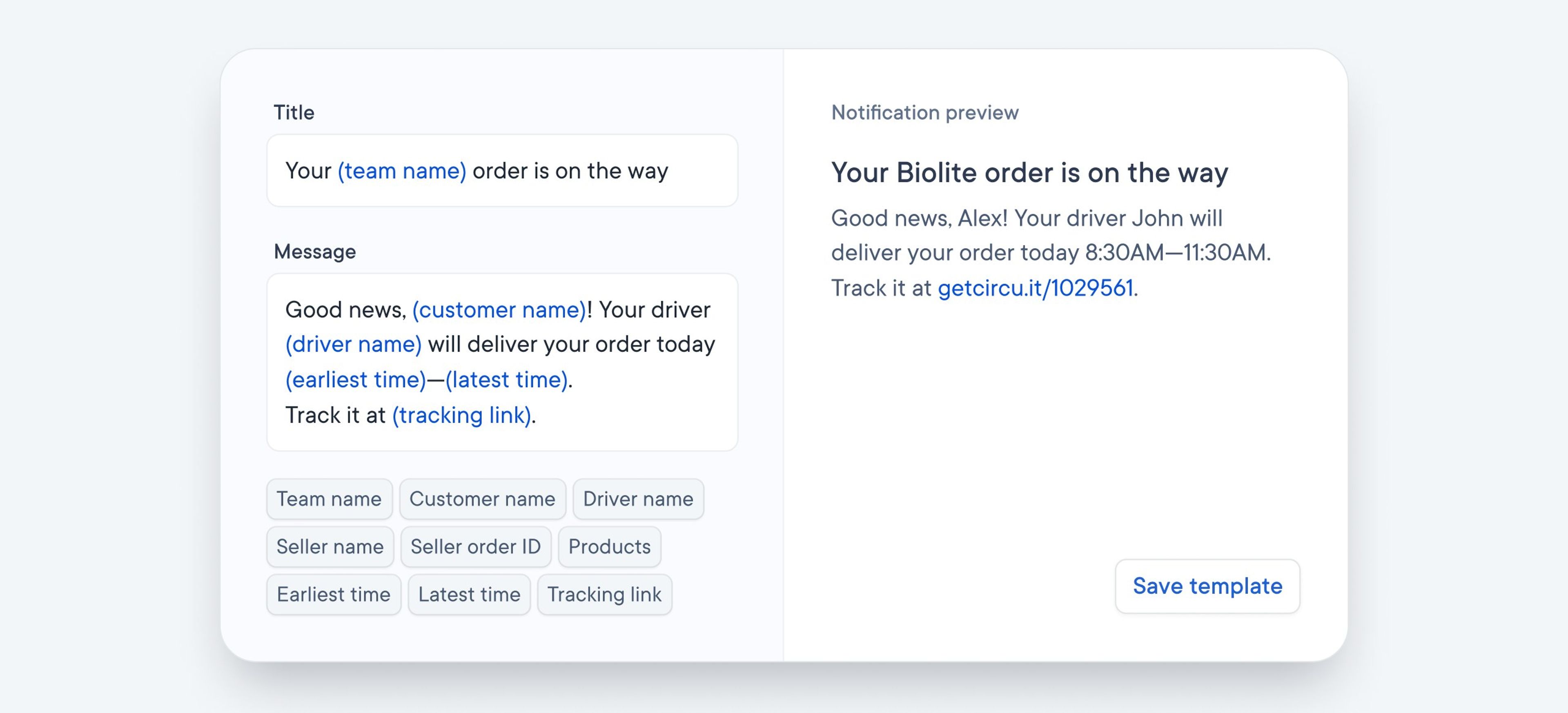
Spoke Dispatch sends customers a text or email with a tracking link when the driver begins their route. This link allows the customer to check their package status all day, which reduces the number of “Where Is My Order?” (WISMO) calls to your support team.
Dispatchers can set notifications as either fixed time windows (e.g., 2:00 PM - 4:00 PM) or dynamic windows that update based on the driver’s progress. If a driver is delayed, the customer is notified. When the driver is close, the customer receives a final text with an exact delivery time.
Spoke Dispatch provides flexible proof of delivery to protect your drivers and your business. Drivers can use their mobile app to capture multiple photos, collect a customer’s signature, and make notes on where they left the package, such as in a mailbox, with a concierge, or in a designated safe place.
Spoke Dispatch has three plans to choose from:
Enterprise plans with SLAs are available on request.
Spoke Dispatch is the most cost-effective and comprehensive solution on this list for courier teams. Unlike per-driver models, its pricing is based on the number of stops. This is ideal for courier businesses with fluctuating driver numbers, seasonal peaks, or those who use a mix of employee and subcontracted drivers, as you don’t pay extra for adding more users to the platform.
Feature | Score |
|---|---|
Capterra Score | 4.8 (103 reviews) |
G2 Score | 5.0 |
Ease of Use Score | 4.7 (Capterra) |
Support Score | 4.7 (Capterra) |
Onfleet is a well-known last-mile delivery platform built for mixed delivery operations, including on-demand couriers, and features like two-way driver-customer communication.
Onfleet’s optimization considers location, travel time, traffic, and driver capacity to generate the fastest route. It integrates with Google Maps, Apple Maps, and Waze to access current traffic data.
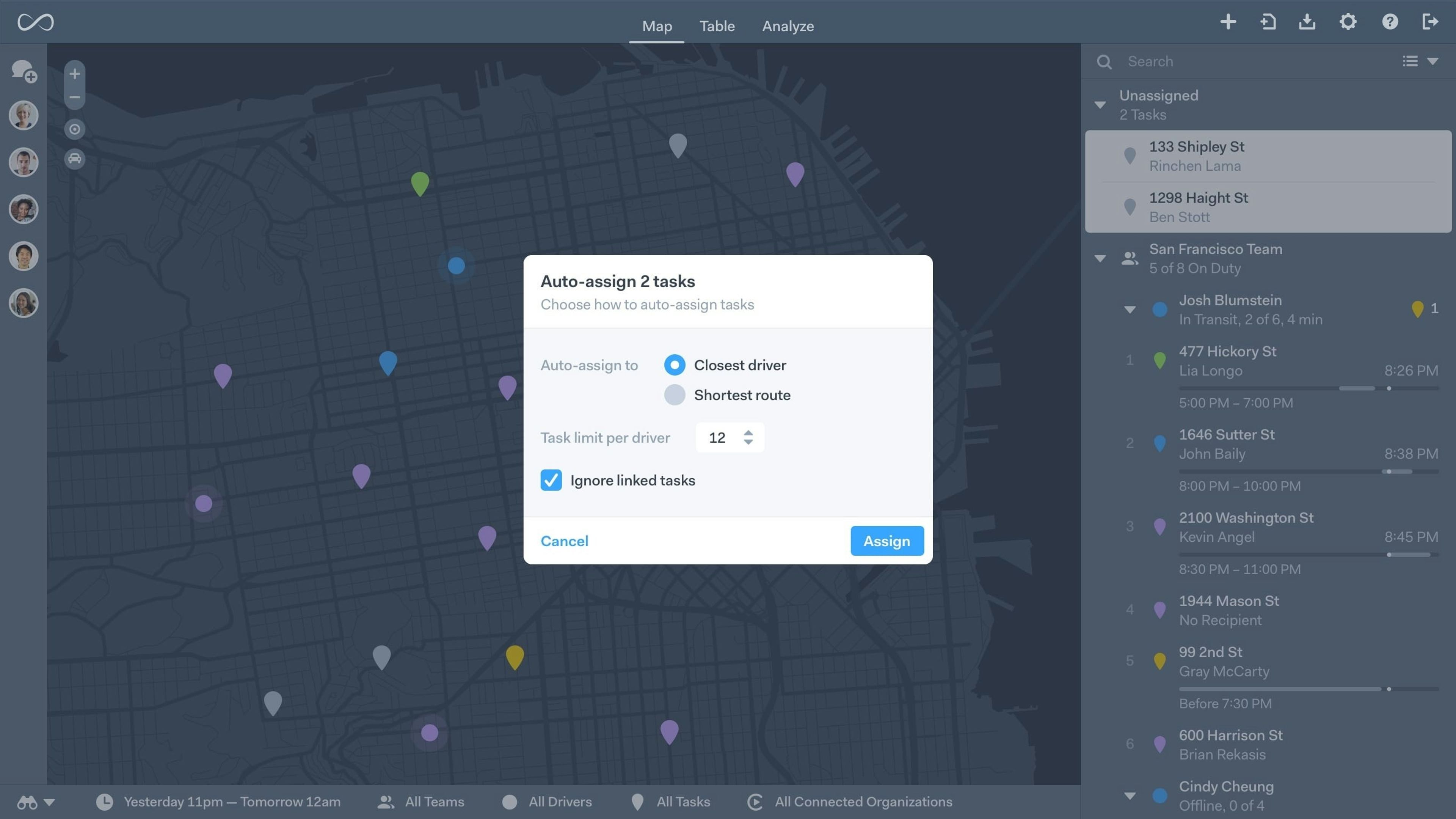
A key feature is its “auto-assign engine,” which can automatically send the closest driver to a new pickup, making it ideal for on-demand operations. You can also update and optimize routes in real time while drivers are on the road.
You can track individual drivers in real time and chat with them directly through the secure app. This feature is strong, as drivers can respond hands-free with a voice note or by text.
Onfleet uses its live tracking feature to send automatic status updates to customers. The platform also has integrated customer communication technology, which allows customers to interact directly with their driver by phone or text message.
Drivers can upload photos of delivered packages and collect customer signatures. Onfleet also offers a “Contactless Signature” feature that sends a signature link to the customer via SMS, which is then marked as delivered in the app once approved.
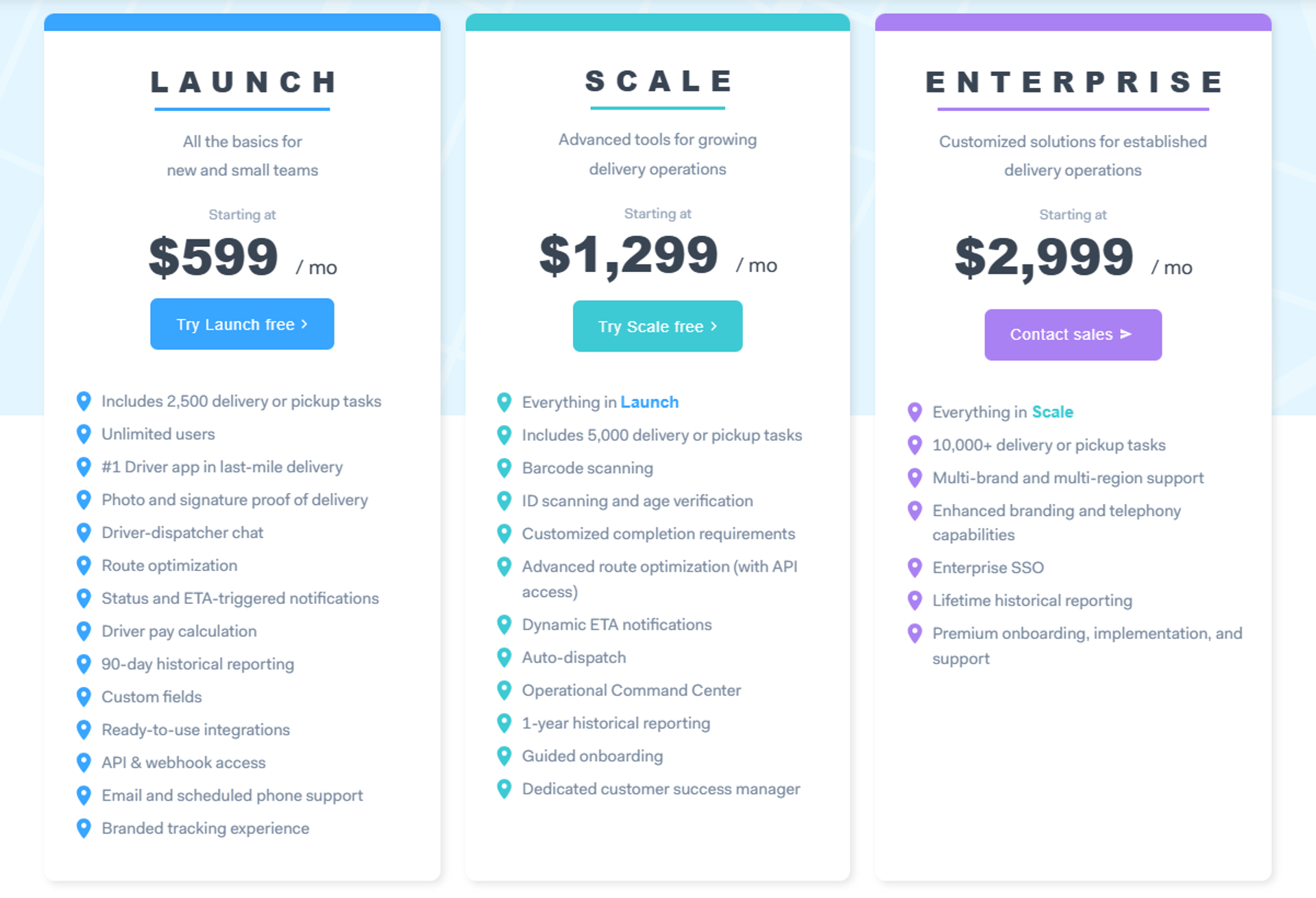
Onfleet has three plans:
Note: Discover what users think in our article that gathers the most detailed Onfleet reviews
Onfleet is a powerful, integration-friendly platform, but Capterra reviews show it’s not as easy to use as other tools. It comes with a high starting price of $599 per month for 2,500 tasks. While its per-task model is scalable, the high entry point makes it a better fit for established, high-volume operations rather than growing courier companies.
Source/Category | Score |
|---|---|
Capterra Score | 4.6 (95 reviews) |
G2 Score | 4.6 (137 reviews) |
Ease of Use Score | 4.6 |
Support Score | 4.6 |
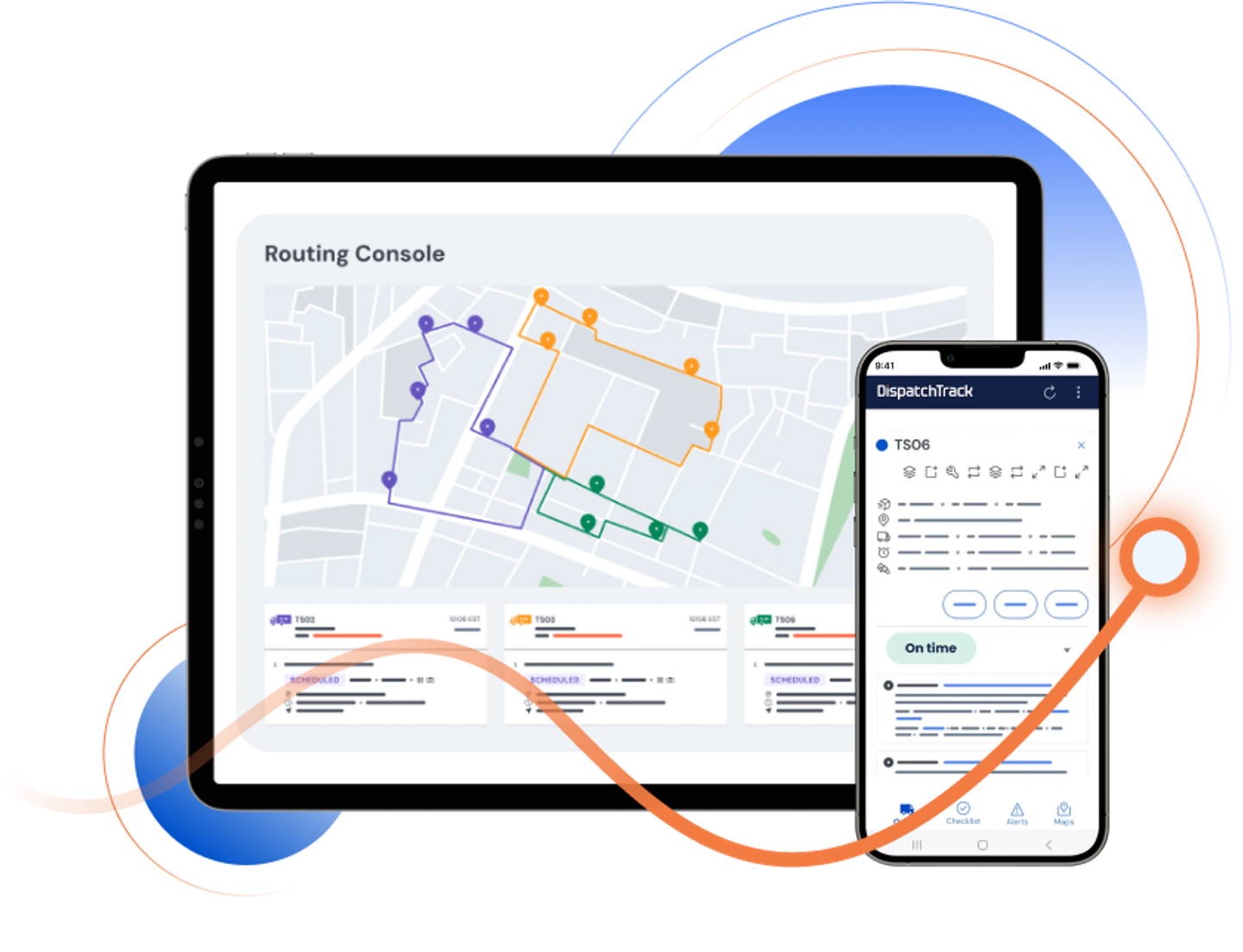
DispatchTrack is a comprehensive, enterprise-grade logistics platform. It’s designed for large-scale, pre-booked delivery networks (like furniture or appliances) that require multi-region fleet management, compliance tools, and customer self-scheduling. It covers more than just the last mile, with features for warehouse loading and telematics.
DispatchTrack uses an AI-powered engine for route sequencing, ETA prediction, and handling multi-day or recurring routes. A key feature is its ‘Driver AI’, which provides drivers with real-time audio guidance on stop details, parking, and access codes as they approach the stop.
However, numerous recent user reviews mention that an update to the dispatch map has made the system unusable. Users describe it as “awful” and point out that it routes stops “backwards.” Consequently, some tasks take twice as long as they should.
The platform is built for enterprise-level visibility. It combines standard real-time tracking with telematics and driver performance tracking for accountability. It integrates with existing TMS, ERP, and WMS systems to provide a central hub for managing an entire fleet.
DispatchTrack has a robust customer communication system with automated ETAs, delivery confirmations, and feedback collection.
A feature worth mentioning is its customer self-scheduling tool, allowing customers to book their own time slots for planned, appointment-based deliveries.
The mobile driver app includes standard POD capture for task updates, photos, and signatures. This is part of its larger focus on compliance monitoring and maintaining an audit trail for service-level agreements (SLAs).
DispatchTrack pricing is not publicly listed on its website. It is an enterprise-level solution with custom pricing based on fleet size, feature requirements, and integration needs. This model is typical for software aimed at large-scale logistics operations rather than smaller courier teams.
DispatchTrack is a powerful platform for enterprise-level logistics. It may be overkill for smaller courier companies and user complaints suggest significant usability issues.
Source/Category | Score |
|---|---|
Capterra Score | 4.5 (34 reviews) |
G2 Score | 4.5 (13 reviews) |
Ease of Use Score | 4.6 |
Support Score | 4.4 |
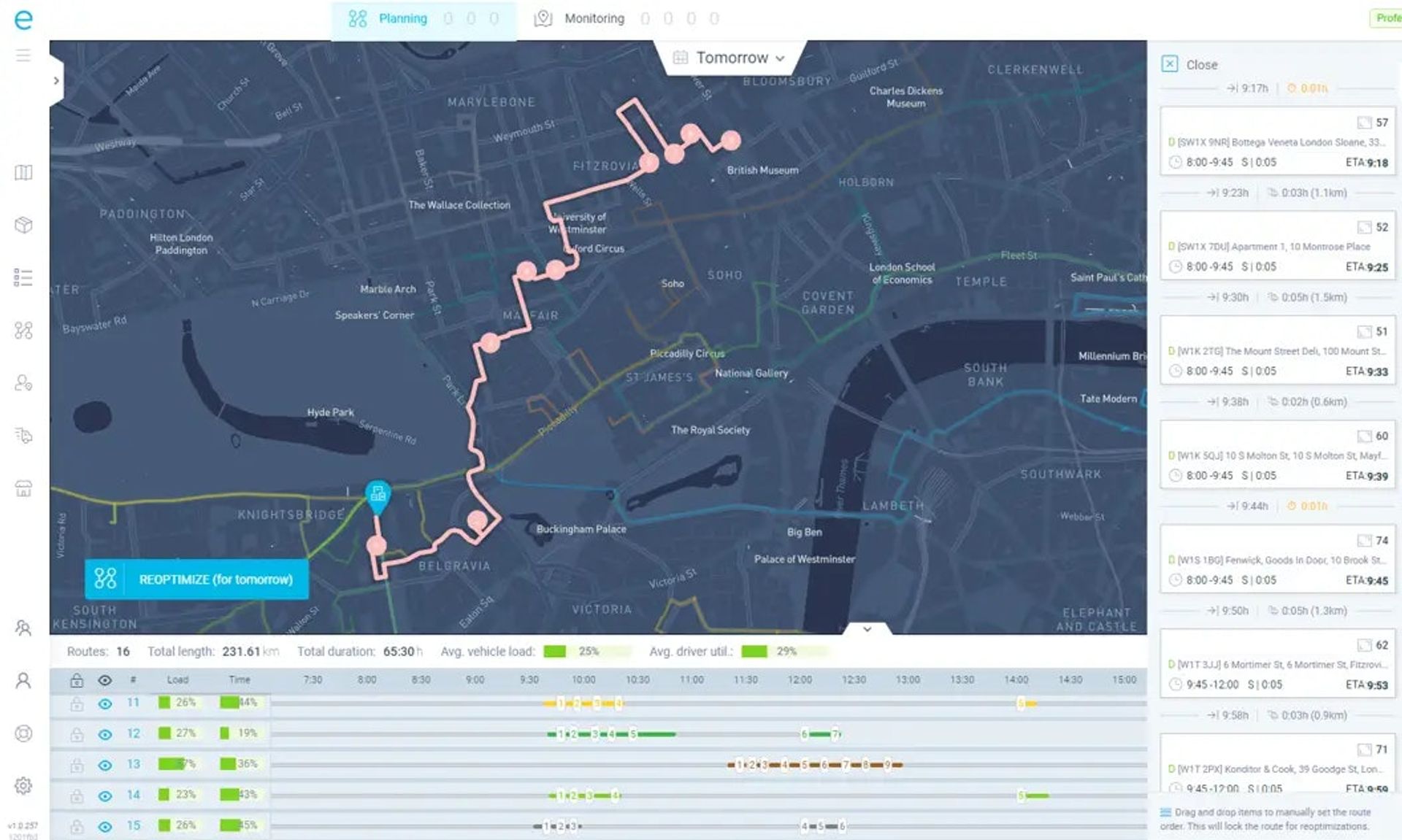
eLogii uses an advanced algorithm to optimize routes based on numerous complex constraints, including traffic, driver skill, number of depots, exclusion zones, and start/end locations.
It also features a sliding scale of “priorities,” so dispatchers can ensure the software optimizes routes based on what is most important to their specific operation.
The platform provides extensive route monitoring features. You can get live location updates for each driver, monitor vehicle status and driver speed in real time, and proactively manage any deliveries that are running behind schedule.
eLogii’s customer notification features are described as “impressive”. Dispatchers can configure exactly when updates are sent, for example, when the driver leaves the depot or is 15 minutes away.
You can also customize the tracking page with the most important information and choose to show customers a precise, down-to-the-minute ETA or a broader time-banded window.
eLogii allows you to configure specific POD requirements on a per-delivery basis. Drivers can upload unlimited signatures, media (like photos), and notes, which are then attached to the specific delivery record.
eLogii doesn’t publish its pricing plans on its website. Instead, it customizes plans based on each business.
If you want a ballpark figure, its 2022 blog post mentions pricing starting from $359 per month for 2,500 tasks, and according to GetApp, prices start from $575 per month.
eLogii is probably the most feature-rich and customizable platform in the roundup. This makes it a powerful choice for tech-savvy teams with complex workflows.
However, this customization comes at a price. The lack of transparent pricing makes it difficult to compare, but it isn’t the most affordable, and it may not be suitable for smaller delivery operators.
Source / Category | Source |
|---|---|
Capterra Score | 4.8 (53 reviews) |
G2 Score | 4.8 (5 reviews) |
Ease of Use Score | 4.8 |
Support Score | 4.8 |
Existing Routific customers rate it highly for its ease of use and customer service.
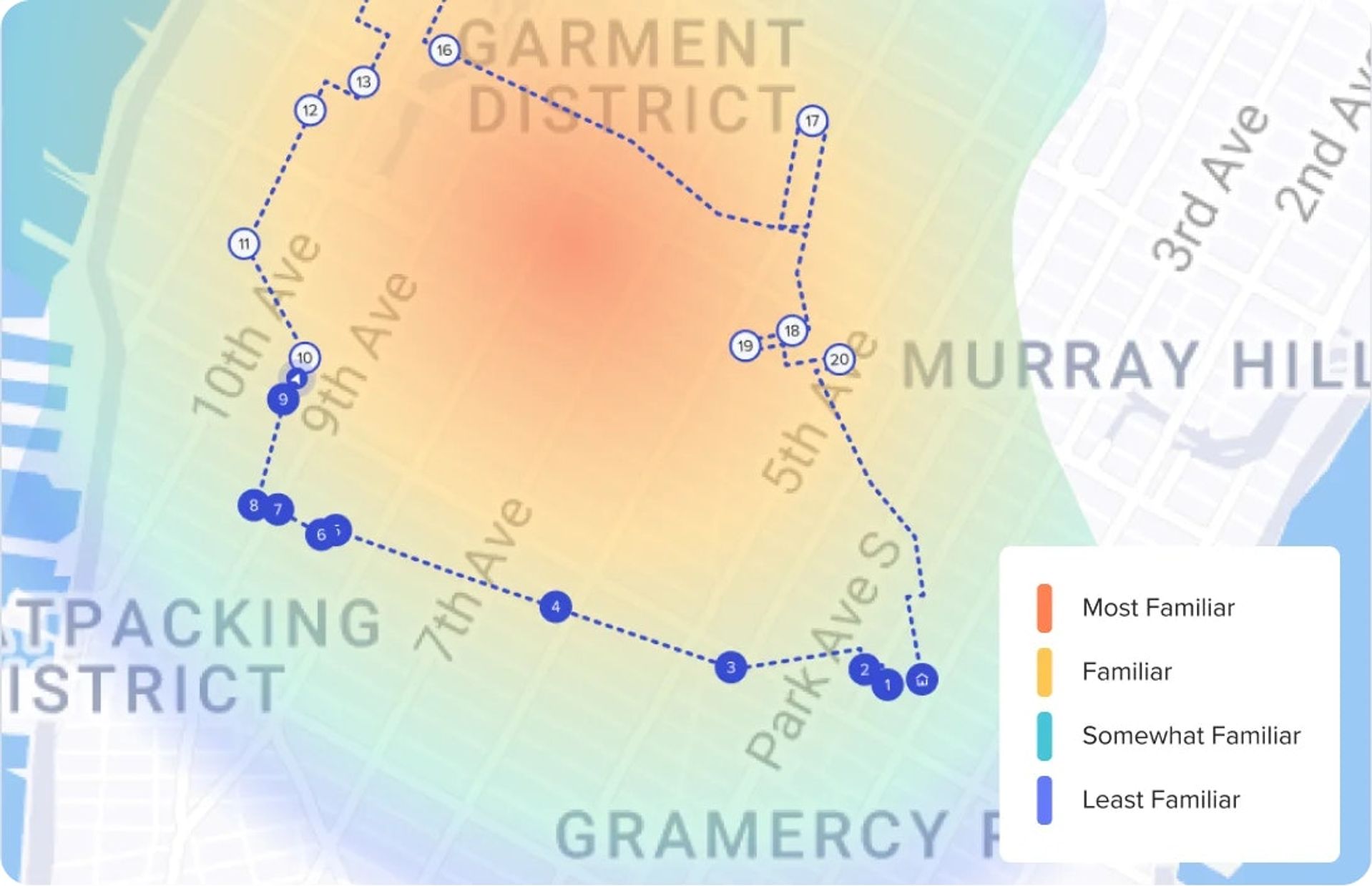
Routific uses what it calls Intelligent Route Optimization, which considers the human elements of route planning. This includes predicting traffic patterns, eliminating “spaghetti routes” that are not practical for drivers, and factoring in a driver’s familiarity with an area.
Dispatchers can set high-priority stops, and if a driver falls behind schedule, Routific will re-optimize the route to ensure those stops are still completed on time.
Routific’s Live Tracking feature monitors drivers in two ways.
If drivers use the mobile browser, it updates every time they complete or skip a stop.
If they use the dedicated Routific driver app (Android or iOS), dispatchers can see their live GPS location. And should they skip a stop, they can automatically assign it to another driver later in the day.
Customers automatically receive a notification when you publish a route.
If the driver gets behind schedule or drastically ahead of schedule so the new delivery window falls outside the original, the customer will receive an updated delivery time. Customers also receive an after-delivery notification that confirms a package has been delivered.
Drivers can collect customer signatures directly on their smartphones.
Once they’ve got the signature and confirmed the stop is complete, dispatch can find the signature within the dashboard and see how long the driver took to make the delivery. Drivers who use the Routific app (not the web browser version) can also capture photos to prove delivery.
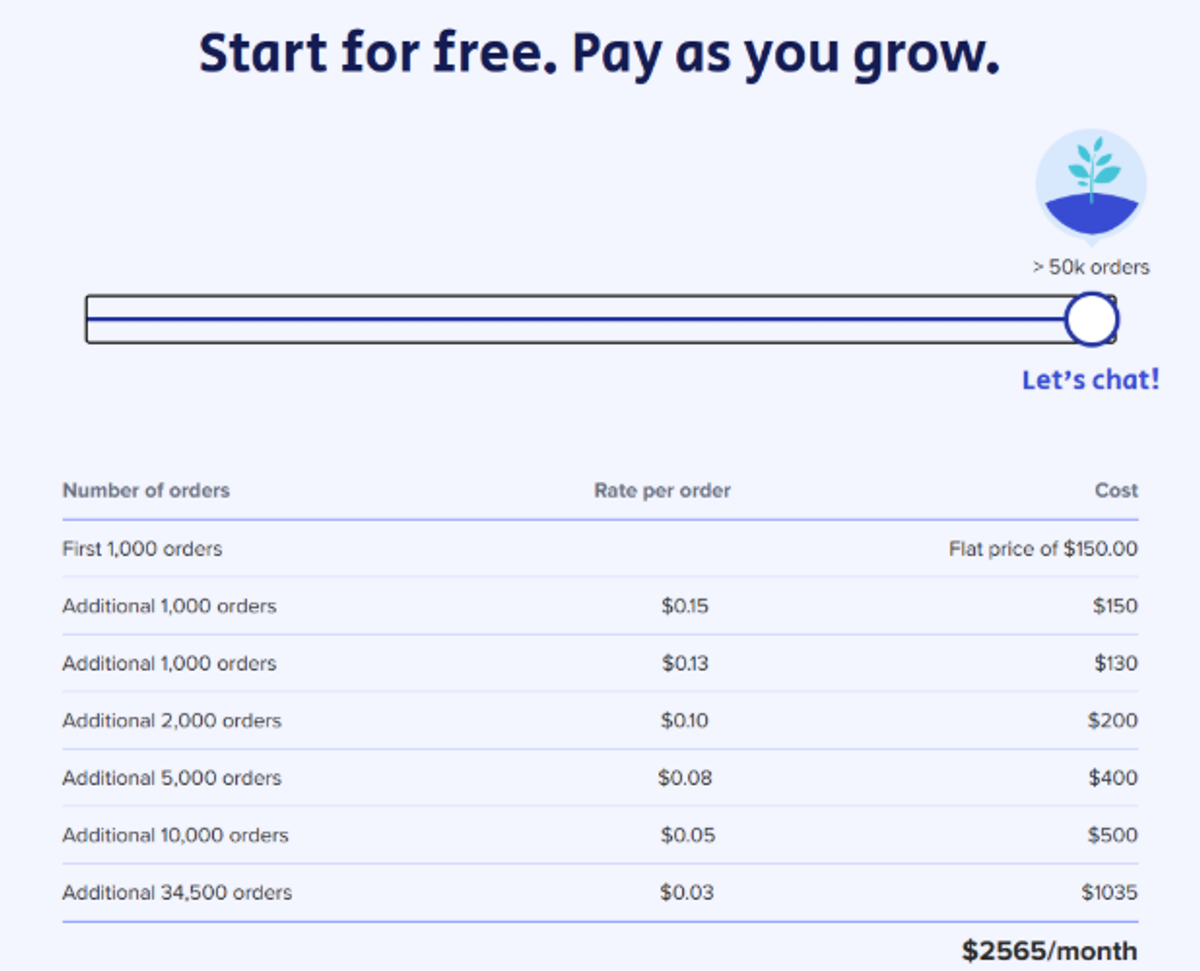
Routific recently simplified its pricing. They’ve moved to the per-order model, where you pay a flat fee of $150 for 101-1000 orders (order = scheduled stop; first 100 are free).
An additional order costs $0.15 for the first 1,000. The price per order drops $0.03 if you schedule more than 20,000 stops.
You can quickly calculate the exact fee using their on-page pricing calculator. Just move the slider up or down to the number of stops you schedule every month.
You can use your orders across unlimited drivers and dispatchers, and the price includes all features.
Routific is a strong choice for growing teams that prioritize ease of use and excellent customer support.
Its “Intelligent Route Optimization” is a key feature, as it focuses on creating “clean” routes that drivers can complete, not just routes that are mathematically shortest. And the new, simple per-order pricing is transparent and scalable.
Source / Category | Score |
|---|---|
Capterra Score | 4.9 (141 reviews) |
G2 Score | 4.8 (43 reviews) |
Ease of Use Score | 4.8 |
Support Score | 4.9 |
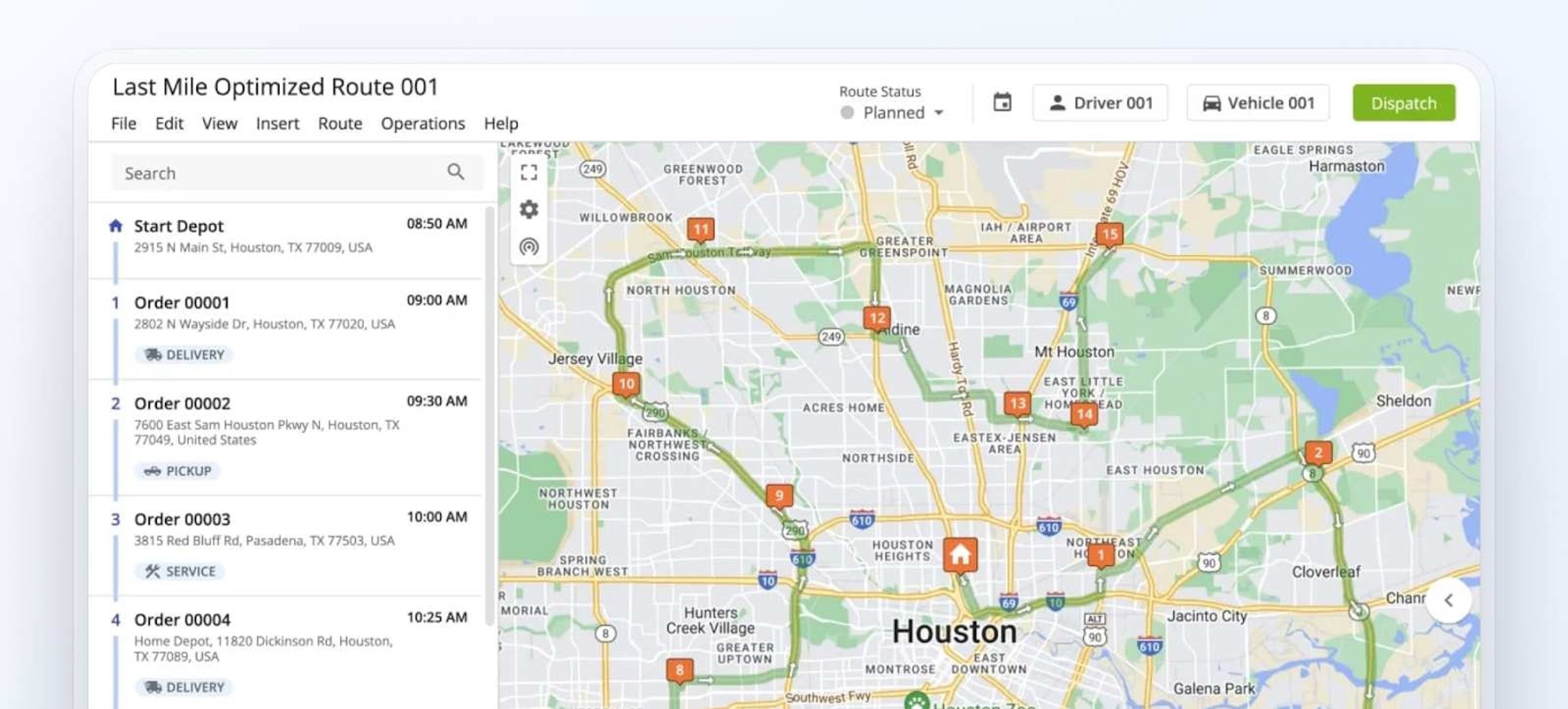
Route4Me is one of the original platforms in this space and comes with all the features you would expect from a route planner. It is designed for teams that need granular, real-time visibility over their operations.
Route4Me uses an automated algorithm to plan the best route for each driver.
It can account for unique logistics constraints like driver skills, labor laws, vehicle capacity, and recurring routes. If you add new stops or have unexpected delays, the optimization engine will automatically re-optimize the route.
Route4Me offers detailed real-time visibility through its “Operations Matrix”.
This feature allows you to see exactly where each driver is and provides a color-coded table that shows early, late, and on-time arrivals.
For an added layer of control, you can set up push notifications for important route milestones and call drivers directly through the app.
Route4Me uses geofencing to send automatic notifications. This allows you to select an area around each customer’s location, and when a driver enters that area, the app automatically sends a message letting the customer know their delivery is about to arrive.
For example, you can set it up so customers receive a notification when the driver is five miles or 15 minutes away.
Drivers can collect signatures on their mobile devices and upload relevant media, including photos and videos, to each delivery. This information automatically appears on the corresponding stop in the app for back-office reference.
Route4me offers three pricing plans.
Each plan covers 5 drivers, and fees apply for additional drivers.
And each comes with custom pricing. To give you a ballpark idea, the Route optimization plan used to cost $80 per user per month, and the Business optimization $120 per user per month. So you’re looking at $400-600 a month. At least.
A number of features, like recurring routes, driver skills, and vehicle attributes, or curbside routing, are available as add-ons regardless of the plan.
Route4Me provides detailed and granular control over route monitoring, which is ideal for teams that need high visibility.
However, its pricing structure is a significant downside. The fact that you must upgrade to the Business Optimization plan to get essential multi-driver optimization makes it a complex and potentially costly choice for courier teams, especially with fewer than 5 drivers.
Source / Category | Score |
|---|---|
Capterra Score | 4.4 (289 reviews) |
G2 Score | 4.7 (104 reviews) |
Ease of Use Score | 4.4 |
Support Score | 4.4 |
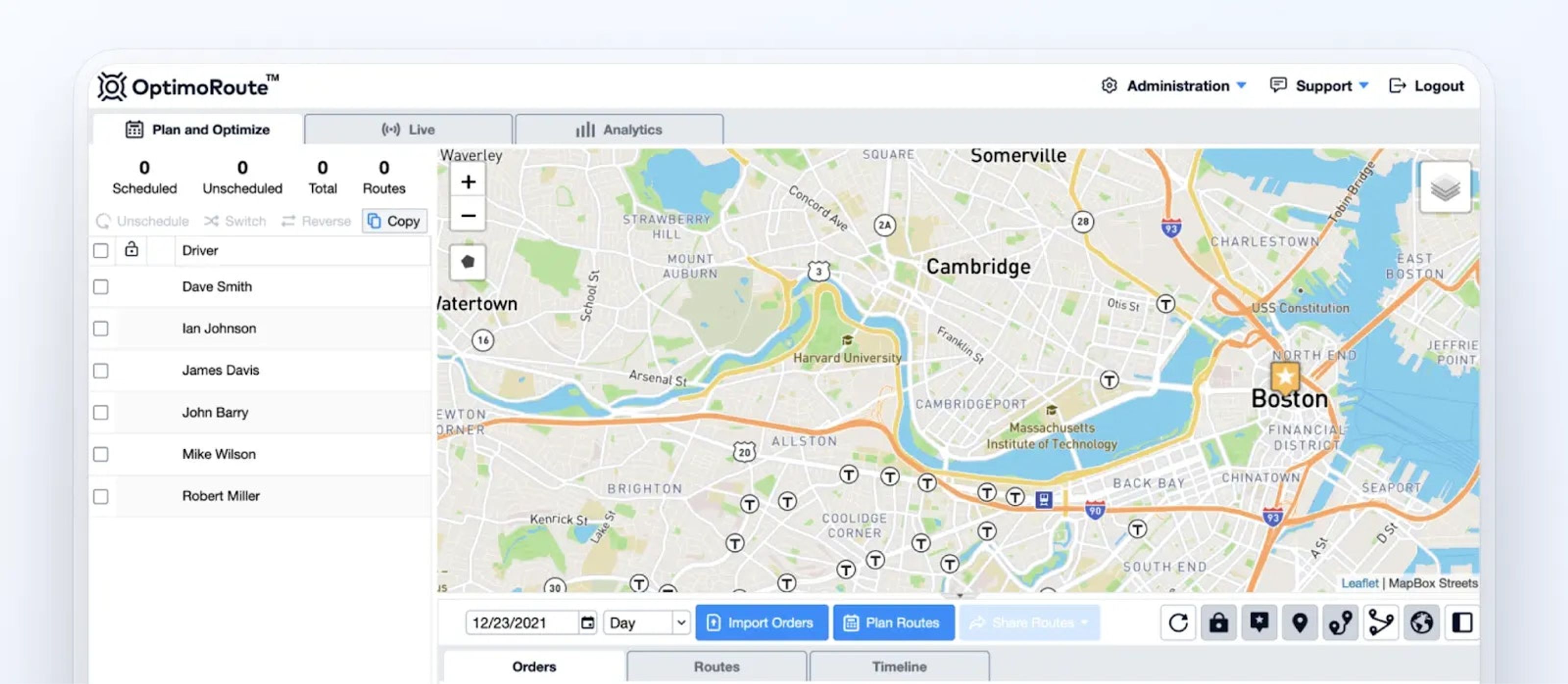
OptimoRoute is an affordable route planning option, especially for businesses that are billed per driver. It offers solid optimization and weekly planning features, though its live tracking capabilities are limited compared to other tools on this list.
OptimoRoute’s software plans the best routes by analyzing factors like travel duration, driver work times, vehicle capacity, delivery time windows, and traffic trends. It can also account for driver breaks and will automatically update routes to avoid traffic jam or accident delays.
OptimoRoute’s tracking feature is called “Live ETA”.
This is a basic feature, as it does not allow you to see your drivers’ live GPS location on a map.
Instead, it only shows a status update of whether the delivery was completed on time or late. If you need more detailed information on a driver’s location, you have to contact them directly.
The platform can send email or text notifications to customers with their delivery details. Each message includes a URL to an order tracking page where the customer can see the most up-to-date information and Live ETA for their delivery.
Drivers can collect proof of delivery in real time using the mobile app. This includes collecting customer signatures, taking photos, and adding notes for each delivery. Bear in mind, this feature isn’t included in the Lite plan.
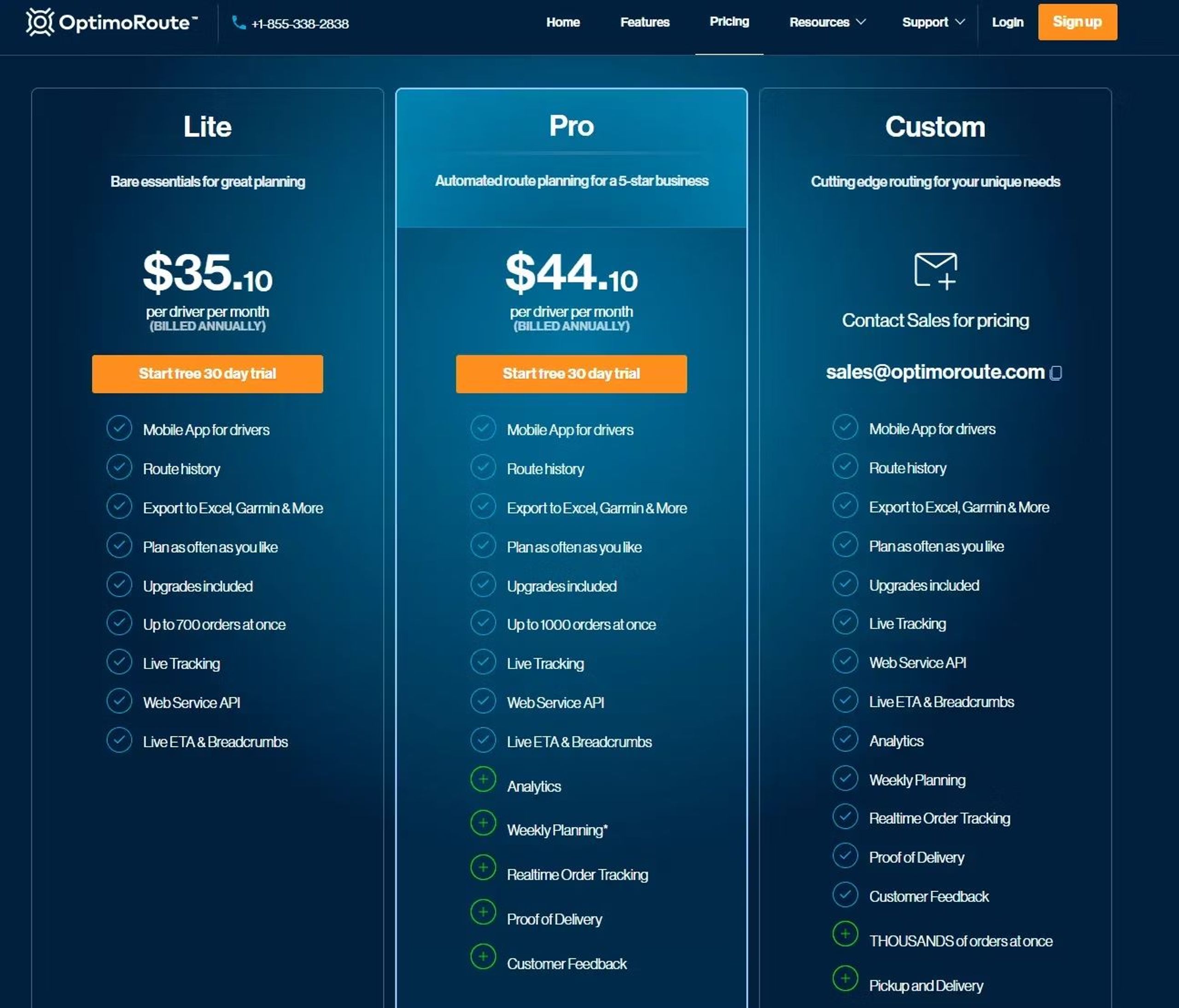
OptimoRoute has two pricing plans, which are billed per driver per month:
If you have a fleet of 25 drivers, you’ll pay:
Note: You must be on the Pro Plan to unlock proof of delivery features.
OptimoRoute is a budget-friendly solution, and its per-driver pricing can be appealing for small businesses.
Its weekly planning and route optimization capabilities are solid. However, its “Live ETA” tracking is very basic and does not provide live GPS location, which is a significant limitation for dispatchers who need real-time visibility.
Essential features like proof of delivery are also gated behind the more expensive Pro plan.
Source / Category | Score |
|---|---|
Capterra Score | 4.6 (220 reviews) |
G2 Score | 4.8 (48 reviews) |
Ease of Use Score | 4.5 |
Support Score | 4.6 |
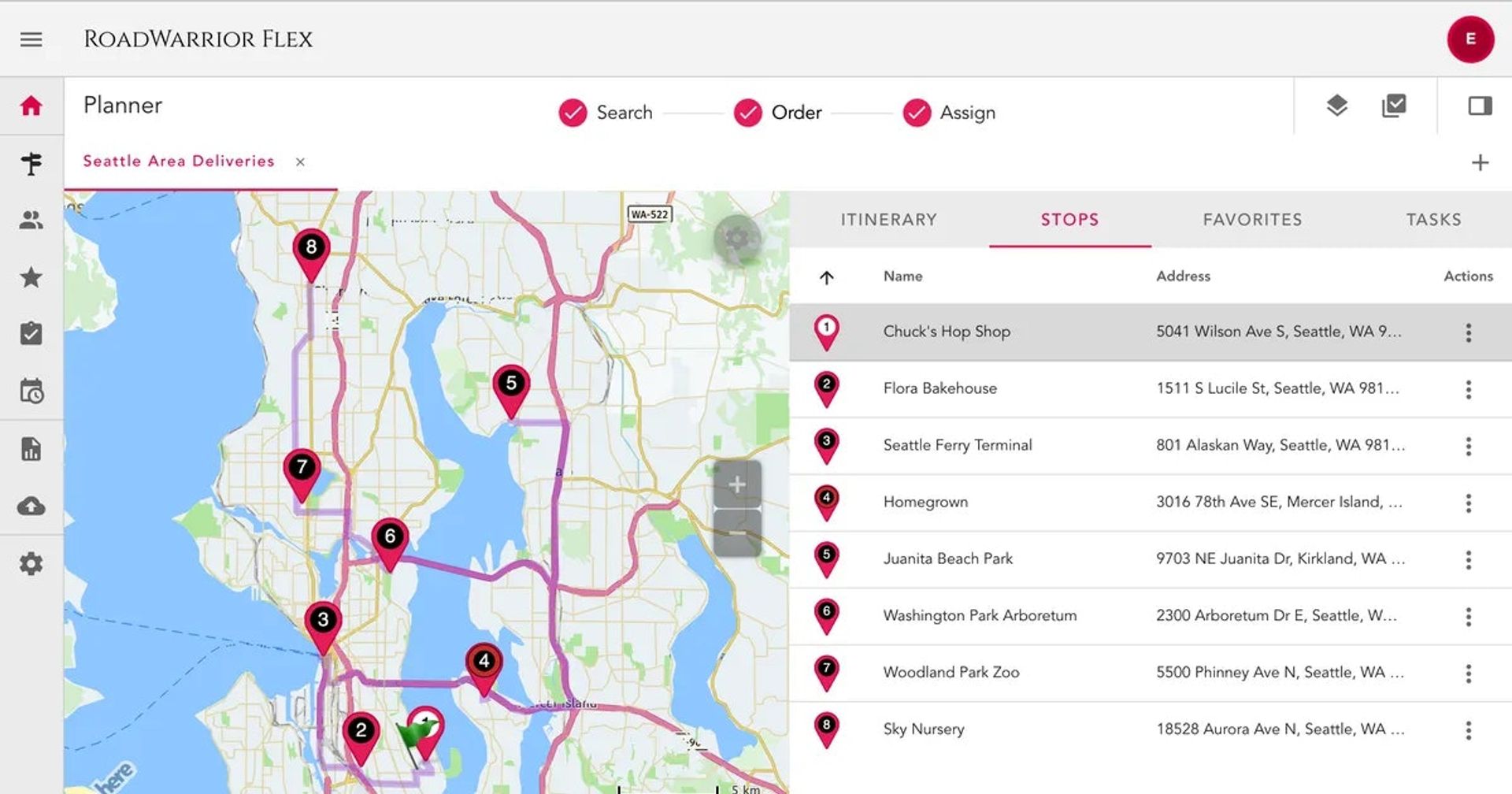
RoadWarrior is a cheap route optimization tool catering to solo drivers or very small teams. Its features are straightforward, though it is more limited than other tools on this list.
RoadWarrior’s optimization accounts for multiple variables, including traffic, tolls, school zones, and more, to plan the most efficient route. Drivers can also designate drop-off priorities to ensure a speedy delivery gets to a certain customer first.
If plans change, drivers or managers can update routes on the fly.
The platform allows delivery managers to track their drivers in real-time. It also makes it possible to alter, merge, and reassign routes. For example, if one driver falls behind schedule, you can reassign some of their drop-offs to a driver who is ahead.
This is RoadWarrior’s most limited area. The route planner app does not allow for automated customer updates, and there is no way for drivers to send customers reminders about when to expect their package.
RoadWarrior lets drivers capture delivery confirmation through customer signatures or photos. They can upload this proof to the app and assign it to the relevant drop-off.
This feature is available as an add-on.
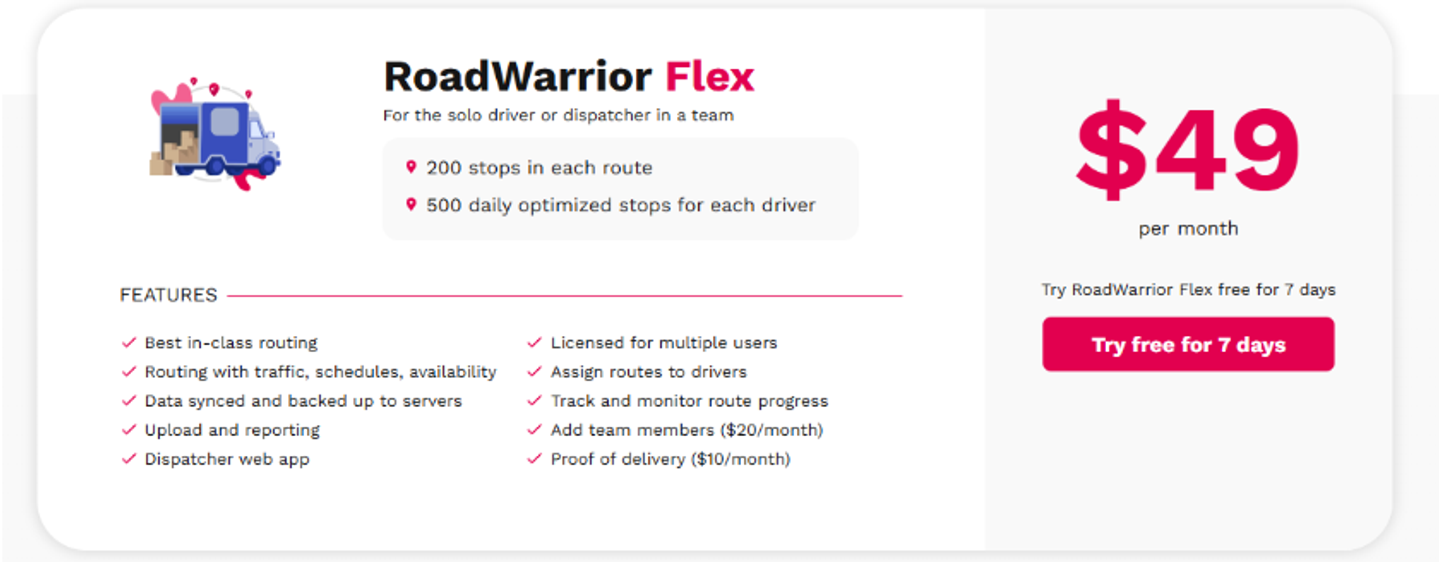
RoadWarrior only pricing, Flex, costs $49 per solo user (driver or dispatcher) per month. Price includes 200 stops in each route, 500 daily optimized stops for each driver, routing with traffic, schedules, and availability, reporting, tracking, and monitoring.
Each additional team member pays $20 per month, so if you have a fleet of 25 drivers, you’ll pay $529 per month.
Note: POD features like signature and photo collection cost an extra $10 per month.
RoadWarrior is a very cheap, mobile-first option for small operators who can accept its limitations, like the lack of customer notifications, and are happy to pay extra for proof of delivery.
Source / Category | Score |
|---|---|
Capterra Score | 4.4 (55 reviews) |
G2 Score | n/a |
Ease of Use Score | 4.4 |
Support Score | 4.3 |
All these route planning software offer features for a delivery operation, but as our analysis shows, the quality, availability, and cost of those features vary. What works for a small team will not work for an enterprise. What is essential for large delivery businesses isn’t suitable for small or medium courier companies.